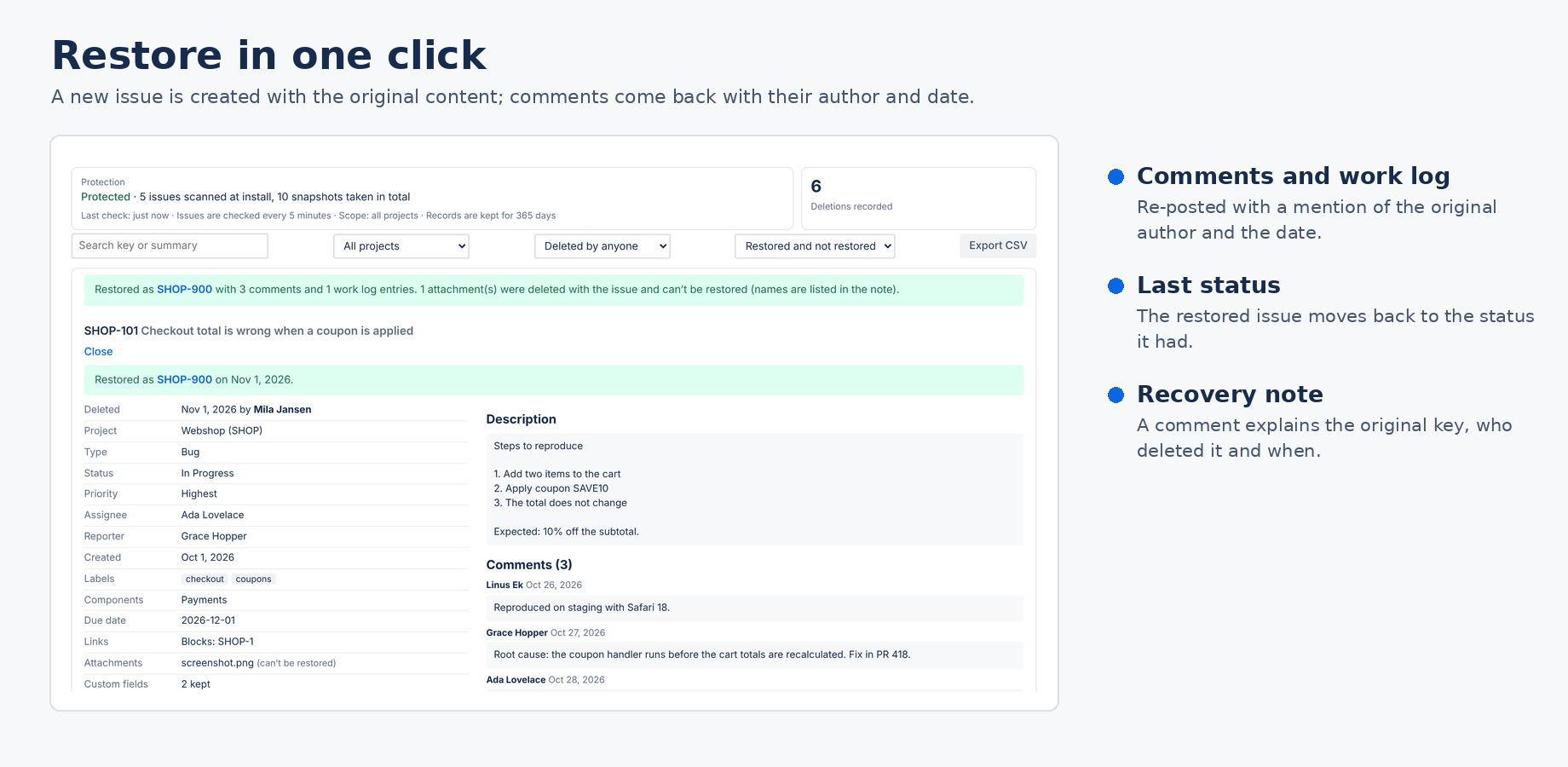
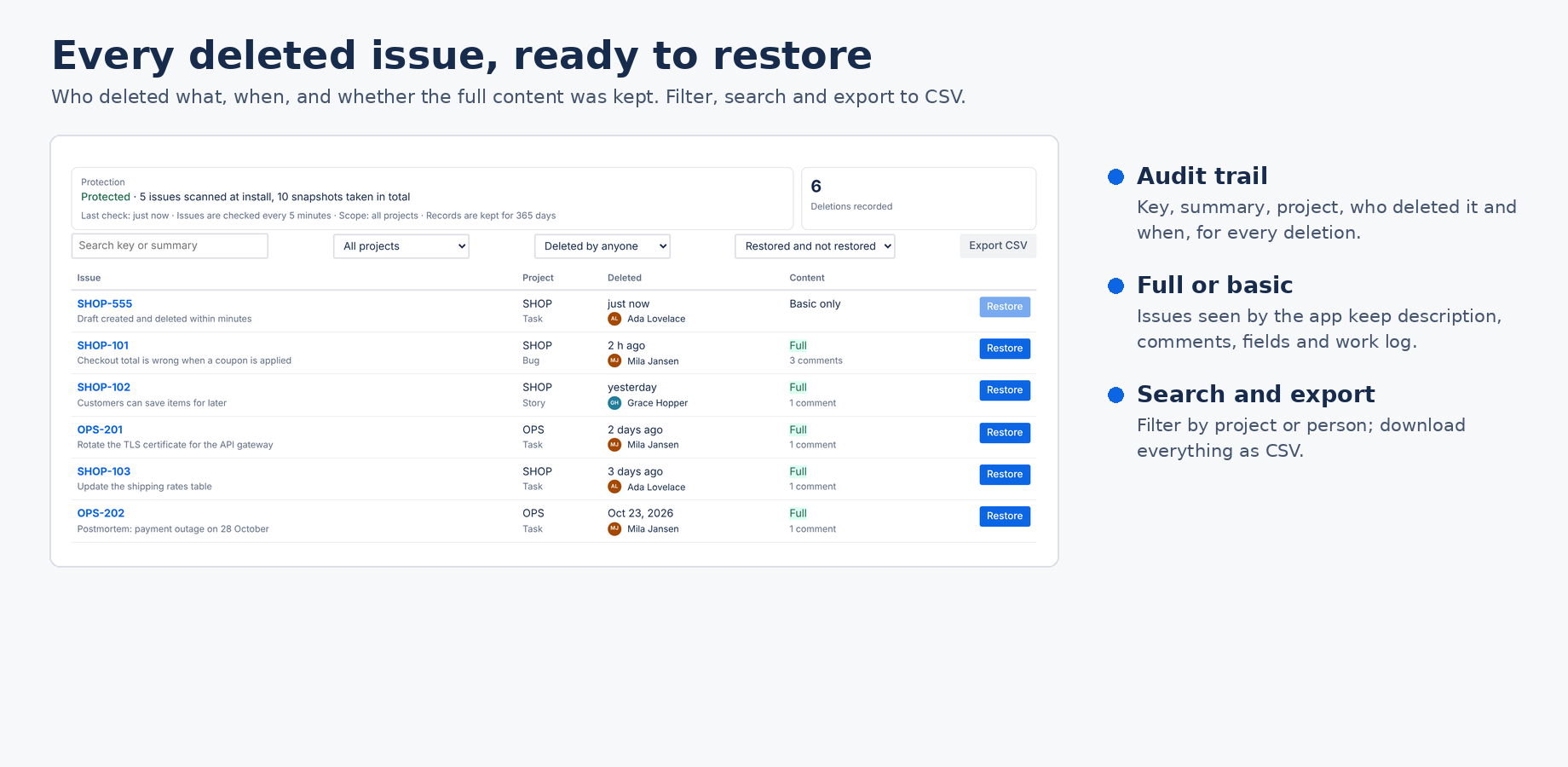
Someone deleted the wrong issue, or a bulk delete took a whole epic with it. Jira Cloud has no undo. Deleted Issue Recovery for Jira by Bitwerf keeps a copy of every issue, refreshed every 5 minutes, records who deleted what, and brings a deleted issue back with its description, comments, work log, links and fields in one click.
Coming to the Atlassian Marketplace. Want it on your Jira site first? Email hello@bizzkitt.ai and we let you know the day it is live.
Up to 10 users: $0.01 per month. Larger teams can try it free for 30 days.
Restore Deleted Issues and Track Deleted Issues by Bloompeak Labs are Connect apps; their last Marketplace update was on 18 February 2024 (Atlassian Marketplace, 1 November 2026). Atlassian ends support for Connect apps on 31 January 2027. To switch:
No. When an issue is deleted in Jira Cloud it is gone, with its comments, work logs and attachments. Atlassian support can't bring back a single issue; restoring a full site backup is the only built-in option, and that overwrites everything else. This app keeps its own copy of every issue so you can restore one issue without touching the rest.
No. The app can only restore issues it has seen. Install it before you need it; the first scan copies the issues you already have.
No. Jira deletes the files together with the issue and no app can get them back. The app lists the file names and sizes so you know what to ask for.
No. Jira doesn't allow reusing a deleted key. The restored issue gets a new key, and the recovery note on it mentions the old one.
Jira administrators only, under Jira settings → Apps → Deleted issue recovery.
In the app's Forge storage on Atlassian's infrastructure, in your site's region. Bitwerf runs no servers for this app and cannot see your data.
Yes. Any project in your Jira Cloud site can be protected. Service request-specific fields (SLAs, approvals, request participants) are not restored.
Bitwerf is a trade name of BizzKitt B.V., the Netherlands. Support · Privacy · Terms