Jira Cloud has no recycle bin: a deleted issue is gone, together with its comments and attachments. This app keeps a copy of every issue, records every deletion with who did it, and restores a deleted issue in one click.
Coming to the Atlassian Marketplace. Want it on your Jira site first? Email hello@bizzkitt.ai and we let you know the day it is live.
Jira settings → Apps → Deleted issue recovery. Only Jira administrators can open it.
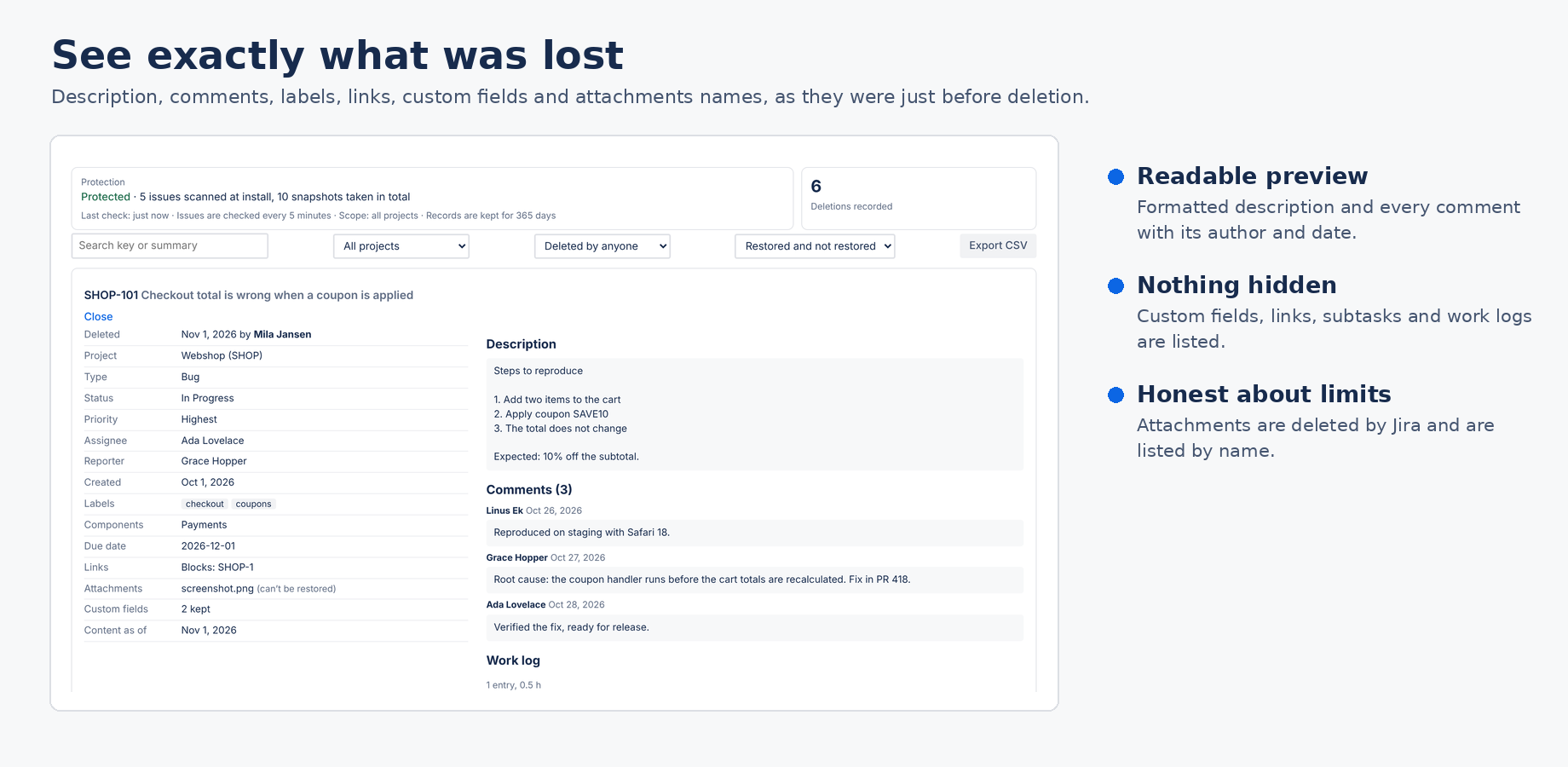
Summary, description, environment, issue type, status, priority, resolution, assignee, reporter, creator, labels, components, fix and affected versions, due date, parent, subtask keys, issue links, time tracking, custom fields with a value, up to 200 comments, up to 100 work log entries, and the names and sizes of attachments. A snapshot is at most 200 KB; for very large issues the app drops, in this order, custom fields, work logs, the attachment list, the oldest comments and finally the description formatting, and tells you what it left out.
| Badge | Meaning |
|---|---|
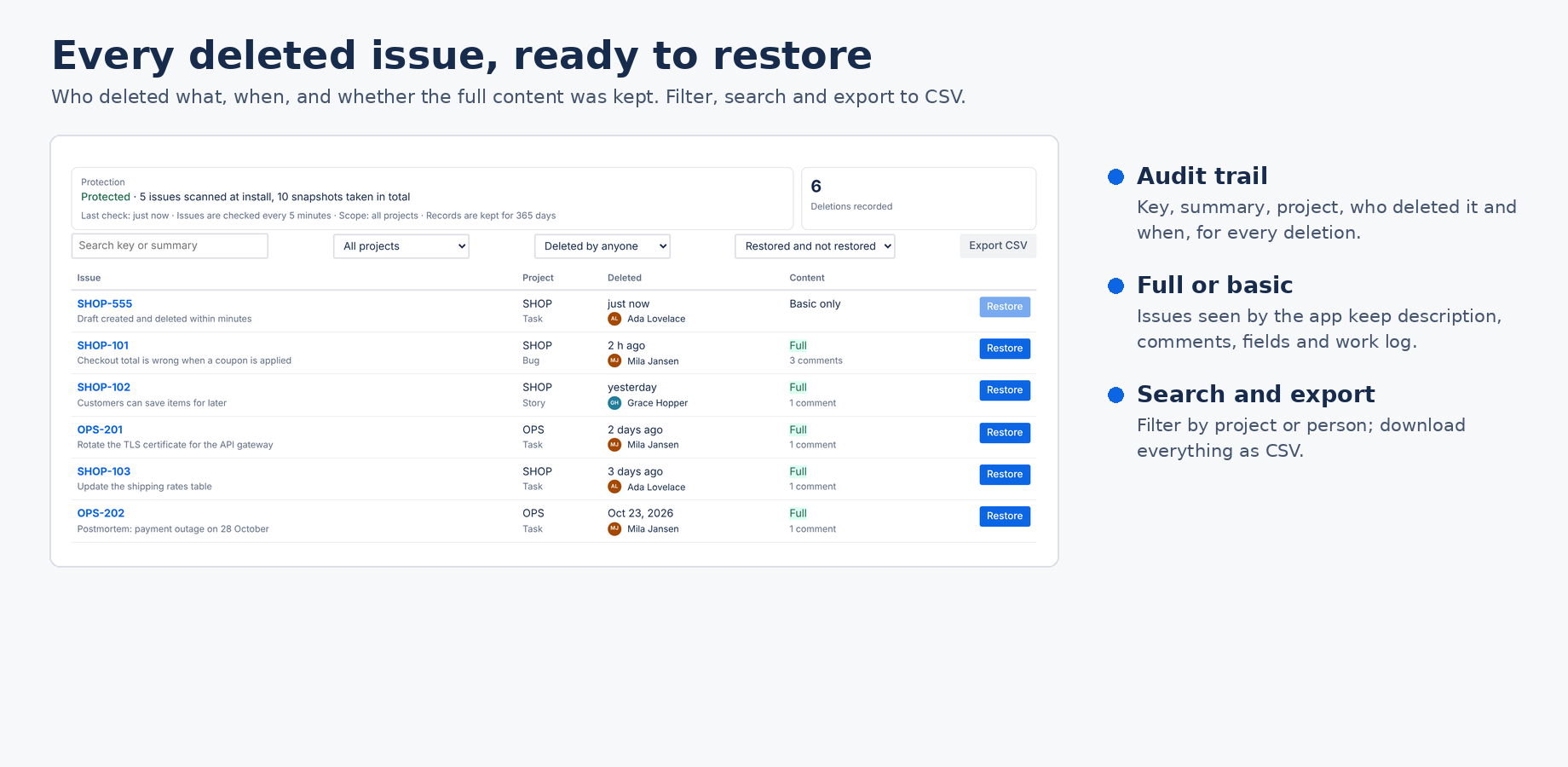
| Full | The app had a snapshot of the issue. You can read everything and restore it. Changes made in the 5 minutes before the deletion may be missing. |
| Basic only | The issue was deleted before the app had seen it (for example during the first scan, or in a project outside your scope). Only what Jira reports with the deletion is known: key, summary, type, project, status, reporter, creator, created date, who deleted it and when. It can't be restored. |
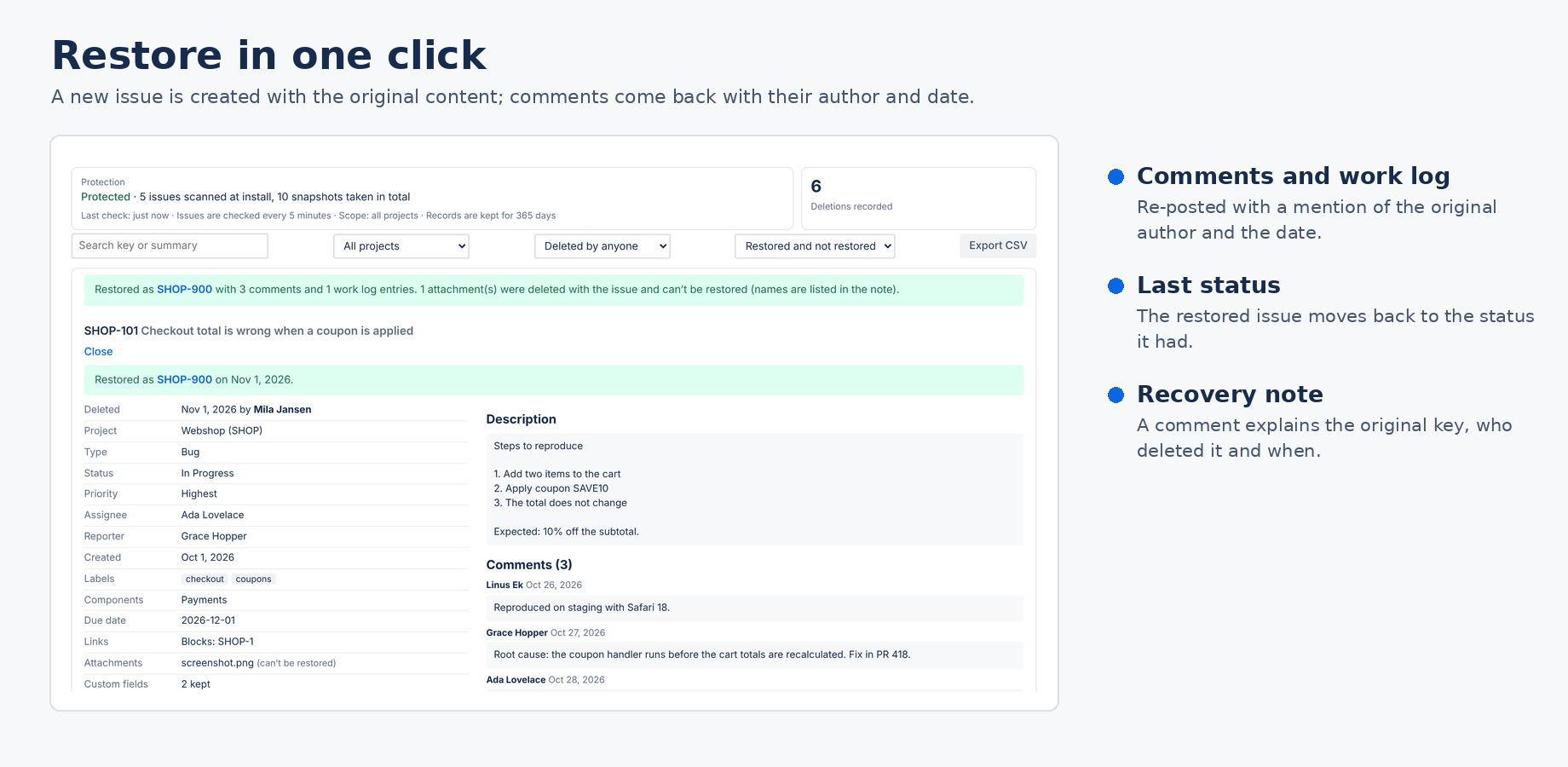
Open the record and click Restore. The app creates a new issue in the same project with the same type and the content of the snapshot. Jira does not allow reusing the old key, so the restored issue gets a new key; the record shows the link.
You can untick comments, work logs, status or the note before restoring.
The list shows every recorded deletion with the key, summary, project, type, who deleted it and when, and whether the full content was kept. Search by key or summary, filter by project, by the person who deleted, or by restored status, and download everything as CSV.
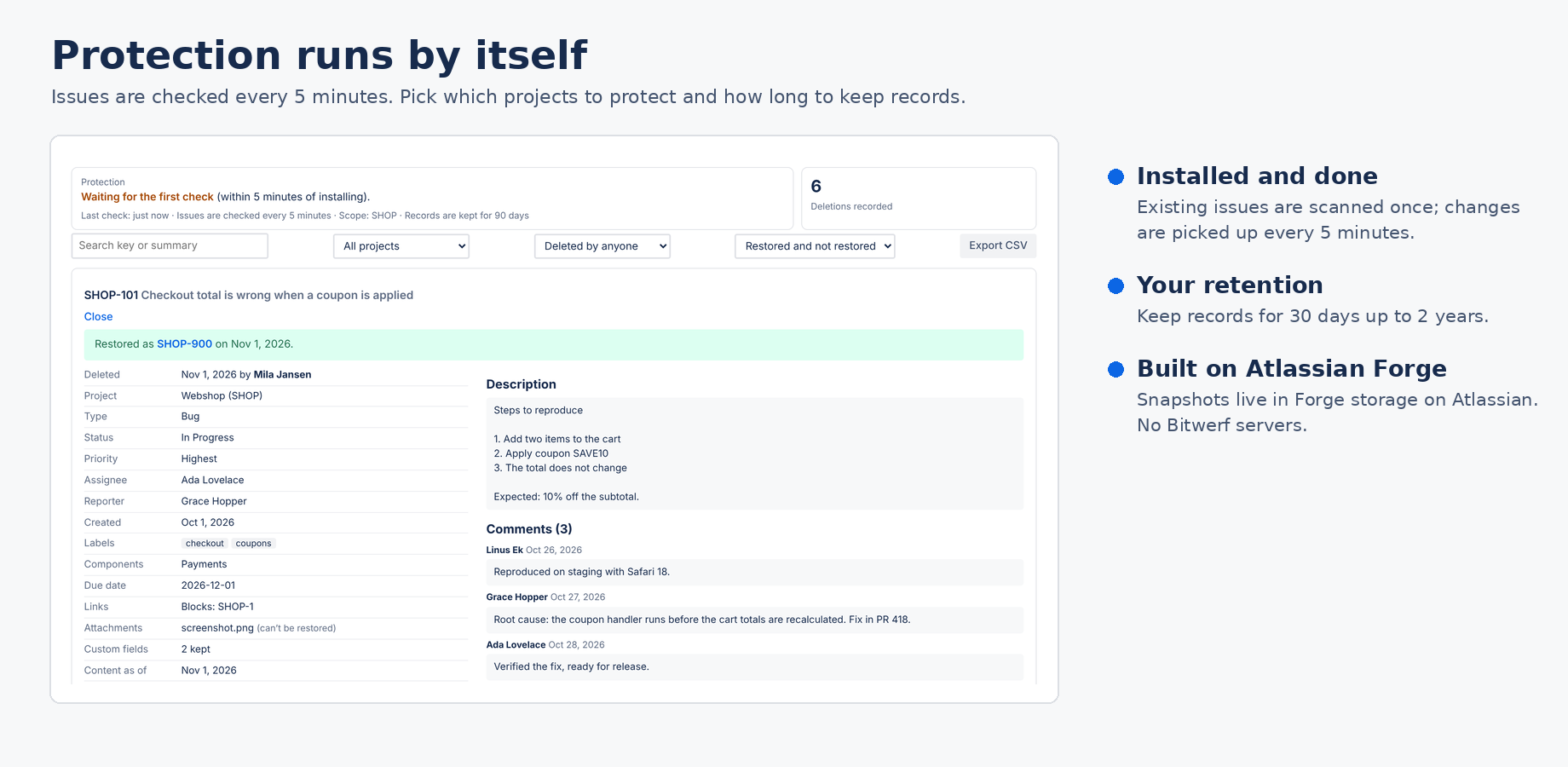
Snapshots and deletion records live in the app's Forge storage on Atlassian's infrastructure, in the same region as your Jira site. They contain issue content and the Atlassian account IDs of the people involved; names and avatars are shown by asking Jira when you open the app. Deletion records are kept for your retention period; snapshots of issues that still exist are kept while the app is installed, and Atlassian removes all stored data after the app is uninstalled. Every week the app reports the account IDs it stores to Atlassian's personal data reporting and removes closed accounts from its records. Bitwerf runs no servers for this app, uses no analytics and cannot see your data. See the privacy policy.
Free trial for 30 days, then priced per user through your Atlassian bill. Teams of up to 10 users pay $0.01 per month.
Email hello@bizzkitt.ai. We answer within 2 business days (Central European Time).
Bitwerf is a trade name of BizzKitt B.V., Frederikstraat 67, 3034 LD Rotterdam, the Netherlands (KvK 42149345, VAT NL869932354B01). Support · Privacy · Terms