Estimate issues with your team in Jira Cloud and save the results in story points, the time estimate or another field.
| Way | When | How it goes |
|---|---|---|
| Planning poker | In a refinement meeting | One issue at a time. Everyone picks a card. The moderator reveals the cards, picks the result and moves on. |
| Async poker | When the team is not together | Everyone votes on all issues in their own time. The moderator closes the vote and picks the results. |
| Magic estimation | To size a large backlog quickly | One shared board with a column per card. Drag every issue to the column with its estimate. |
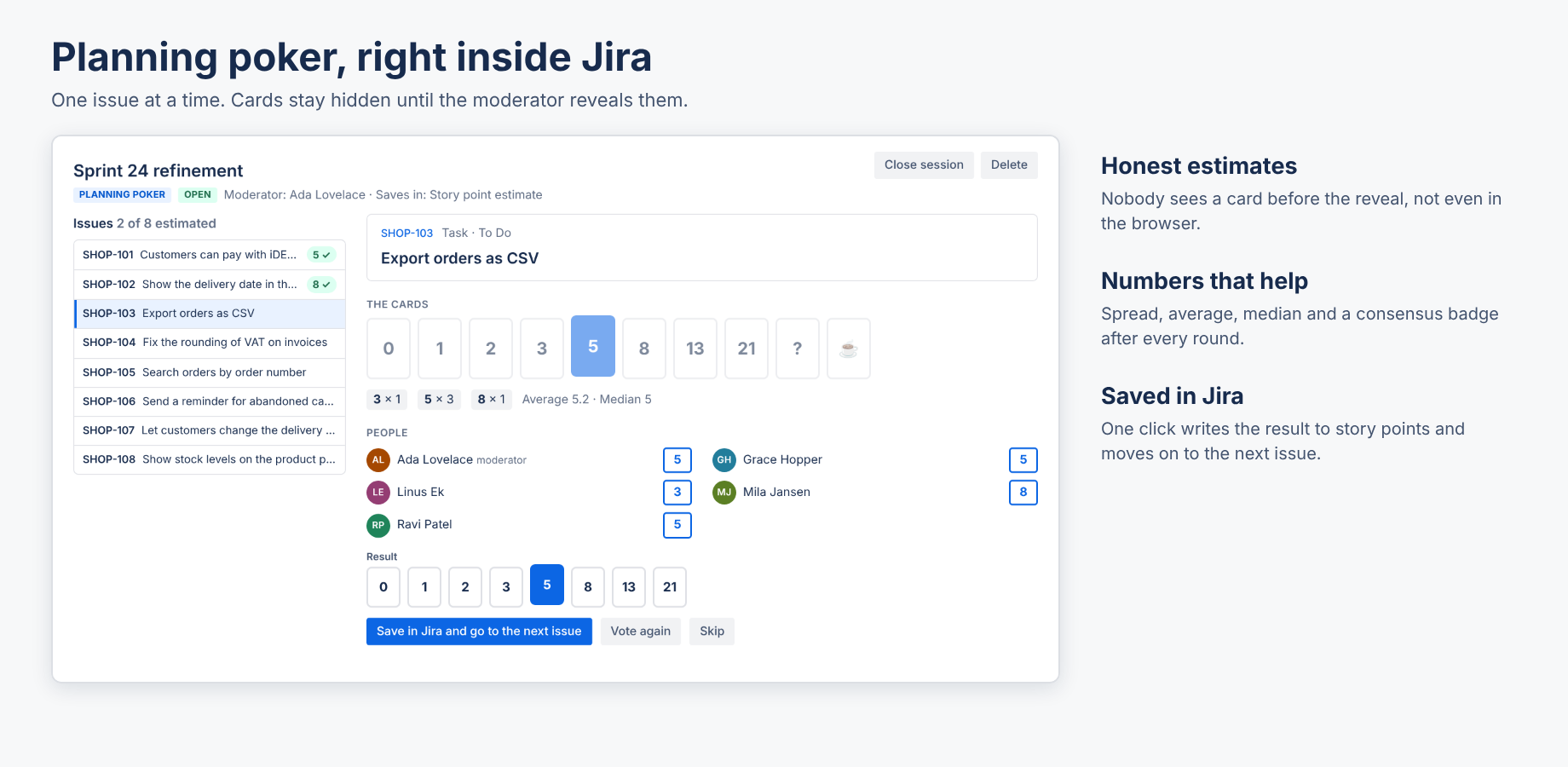
Pick your card; click it again to take it back. Until the reveal you only see who has voted, not what. After the reveal you see every card, how often each card was picked, the average and median for number decks, and a consensus badge when everyone agrees.
The moderator picks the result (the middle card is suggested) and clicks Save in Jira and go to the next issue. Vote again starts a new round for the same issue; Skip moves on without a result. The moderator can jump to any issue in the list.
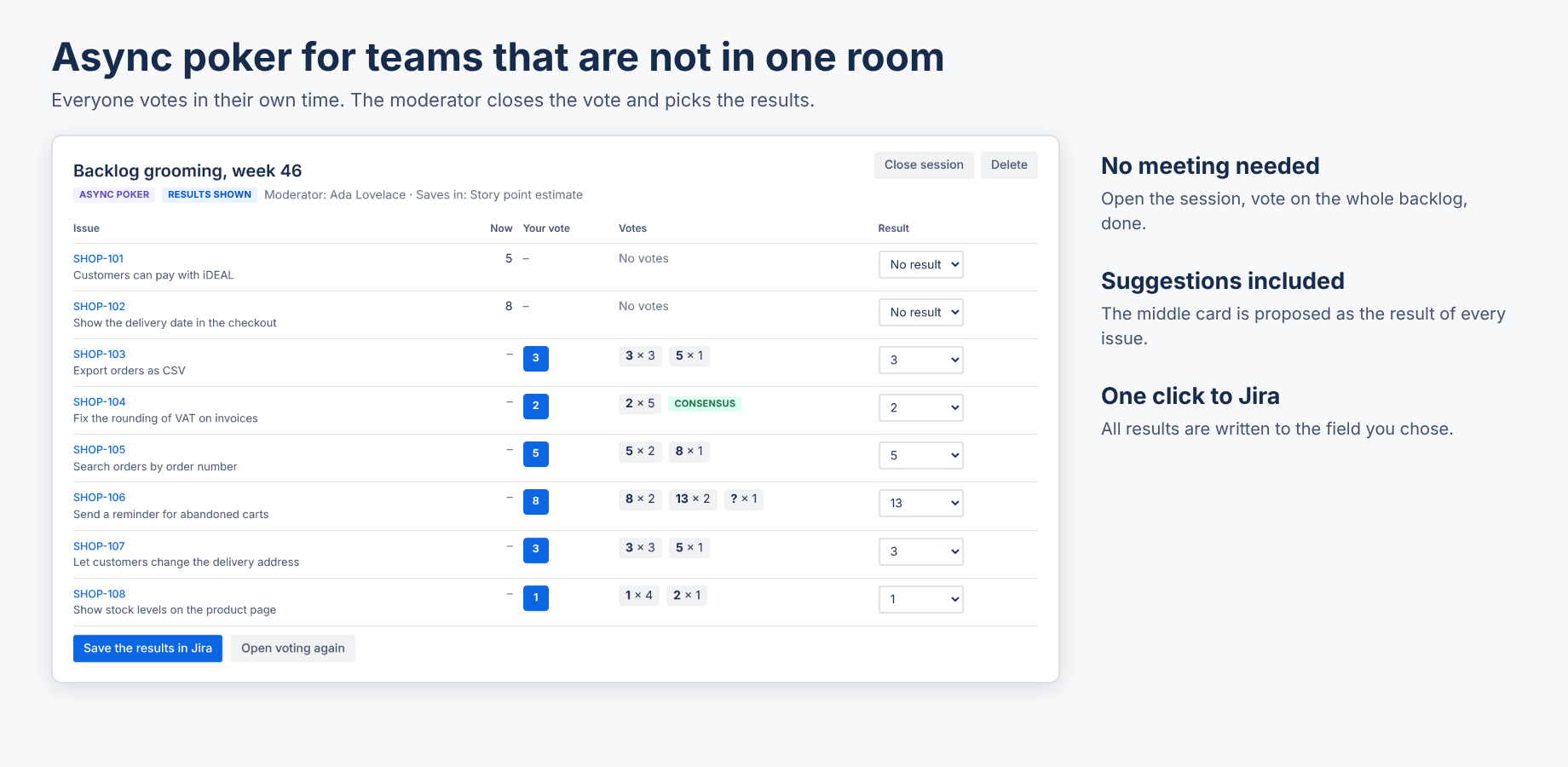
Vote on as many issues as you like; your votes are saved right away. When the moderator closes the vote, everyone sees the votes. The moderator checks the suggested results, changes them where needed and saves them all at once. Open voting again lets people change their votes.
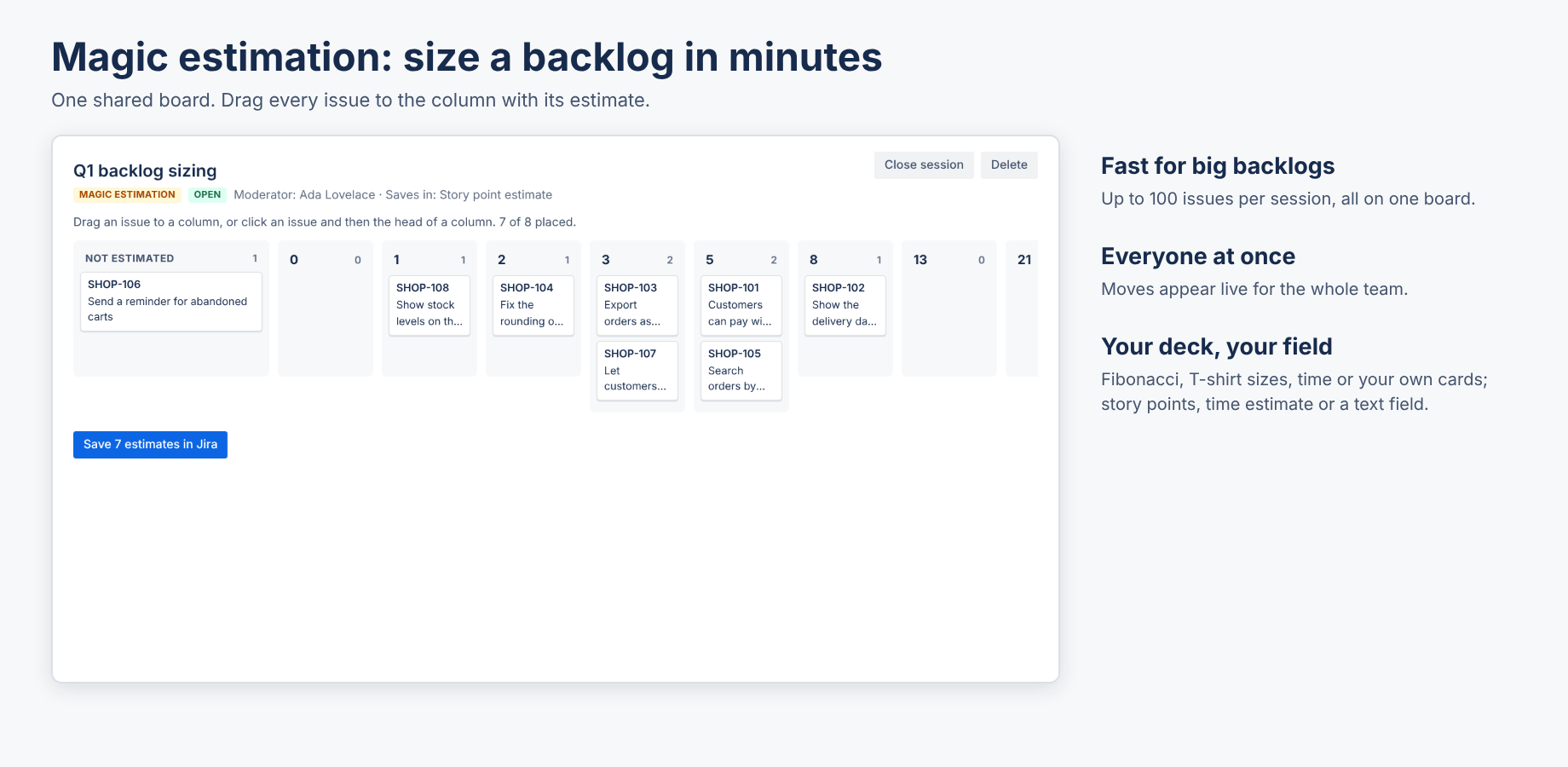
Drag an issue to a column, or click an issue and then the head of a column. Everyone moves issues on the same board and sees the moves of the others. The moderator saves the board when the team is done.
Close session ends voting and shows the results; Reopen undoes that. Delete removes the session with its votes. Sessions that nobody touched for 400 days are removed automatically.
The app runs on Atlassian (Forge) and has no external servers, analytics or cookies. It stores the sessions (name, issue ids and keys, cards, results) and the votes per person in Forge storage. Issue summaries are not stored. See the privacy policy and security.
Email hello@bizzkitt.ai or see support. Bitwerf is a trade name of BizzKitt B.V., Frederikstraat 67, 3034 LD Rotterdam, the Netherlands (KvK 42149345, VAT NL869932354B01).