Bitwerf · Overview
OpenAPI (Swagger) Viewer by Bitwerf – Documentation
Paste an OpenAPI or Swagger specification into a macro and your Confluence Cloud page shows browsable API reference documentation.
Add API documentation to a page
- Edit a page, type
/openapi and choose OpenAPI (Swagger) viewer.
- Paste your specification on the left (JSON or YAML). The preview on the right updates while you type.
- Click Save, then publish the page. Shortcut:
Ctrl/Cmd + Enter saves.
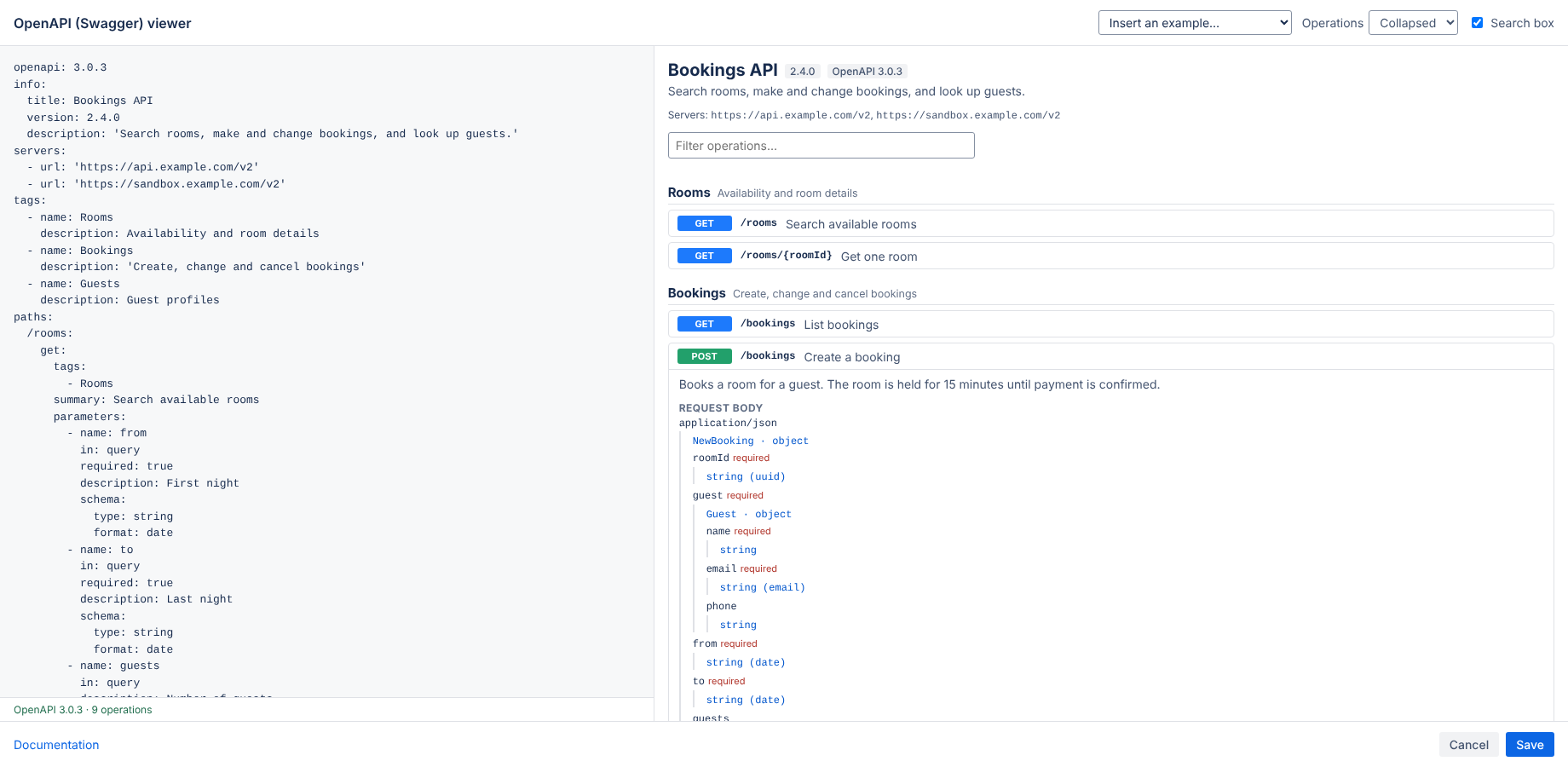
No specification at hand? Use Insert an example to start from a working OpenAPI 3 or Swagger 2 document.
Change the documentation
In edit mode, select the macro and click the pencil (edit) icon. The specification is saved with the page, so page history, copy, move and export keep working.
What readers see
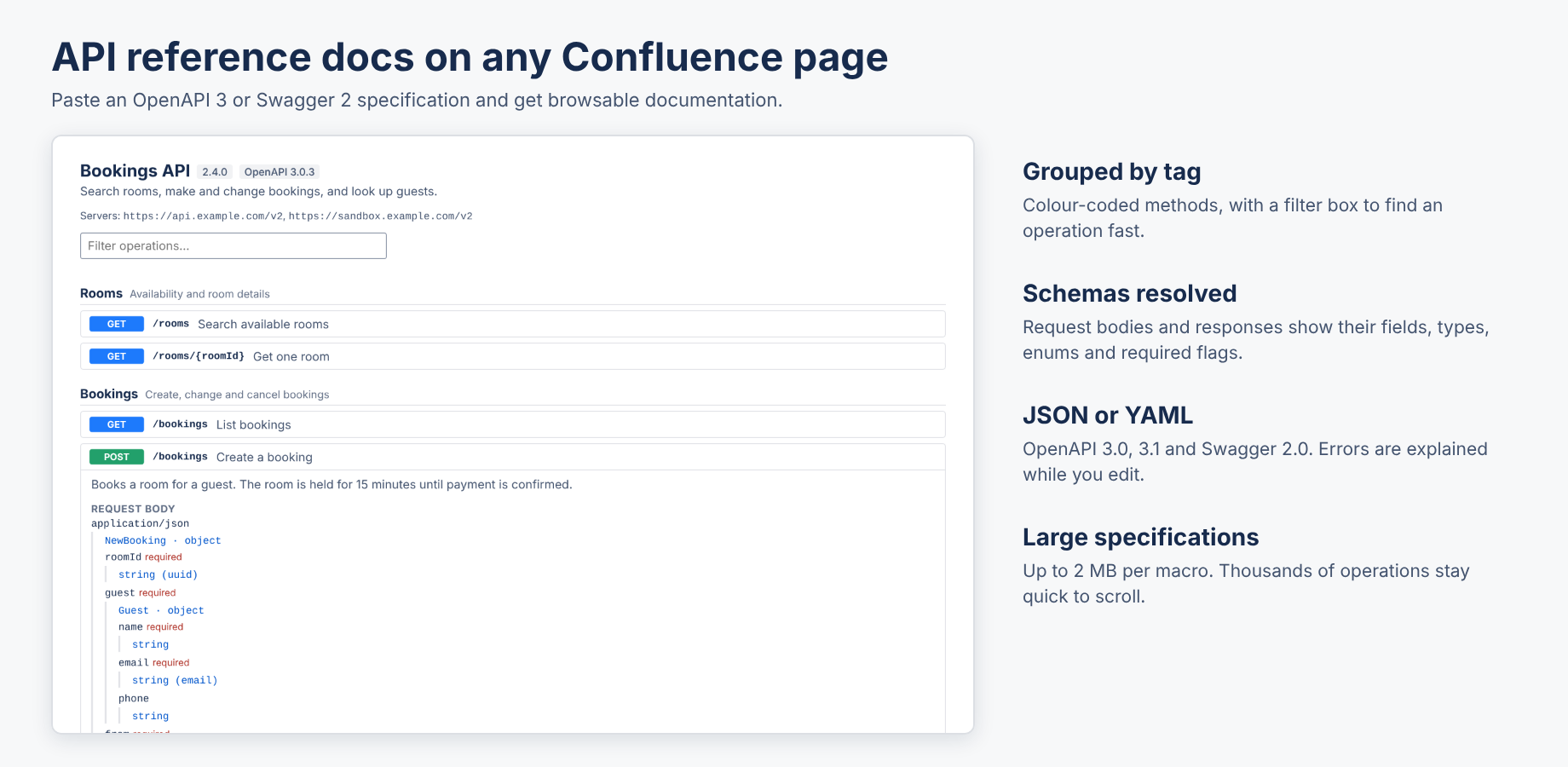
- Title, version, description and servers of the API.
- Operations grouped by tag, with a colour for each method. Click an operation to open it.
- Parameters, request body and responses, with the fields, types, formats, enums, defaults and required flags of each schema. References inside the document (
$ref: '#/…') are followed.
- A filter box to find an operation by path, method, summary or operation id.
Options
| Option | What it does |
|---|
| Operations | Collapsed shows one line per operation. Expanded opens every operation; for specifications with more than 150 operations they start collapsed to keep the page quick. |
| Search box | Shows or hides the filter box (it appears from three operations). |
Supported specifications
- OpenAPI 3.0 and 3.1, and Swagger 2.0.
- JSON or YAML.
- Up to 2 MB per macro. The editor shows the size once a specification gets large. Thousands of operations are fine: the details of an operation are built when you open it.
Good to know
- There is no "Try it out" button. Sending requests to your API would mean data leaving Atlassian, and this app sends nothing anywhere.
- References to other files or URLs are shown by name and are not loaded. Bundle the specification into one document first.
- Descriptions are shown as plain text.
- If a specification has an error, the editor explains it and Save stays off until it is fixed. A page never breaks: an invalid specification shows its error message instead.
- The documentation follows the Confluence light or dark theme.
Data and privacy
The app runs on Atlassian (Forge). It has no external servers, analytics or cookies, and it asks for no permissions: it cannot read your pages, users or attachments. Your specification is stored in the Confluence page. See the privacy policy and security.
Support
Email hello@bizzkitt.ai or see support. Bitwerf is a trade name of BizzKitt B.V., Frederikstraat 67, 3034 LD Rotterdam, the Netherlands (KvK 42149345, VAT NL869932354B01).