Bring the categories, products and customers of your WooCommerce shop into Odoo, free, with a log of every import.
Moving a WooCommerce shop's catalogue and customer list into Odoo by hand means exporting spreadsheets, fixing columns and finding the copies afterwards. WooCommerce Import Lite reads them straight from your shop's REST API: connect your one store with a read-only key, click Import, and every category, simple product and registered customer arrives in Odoo. Each record keeps its WooCommerce id, so you can import again at any time without making copies.
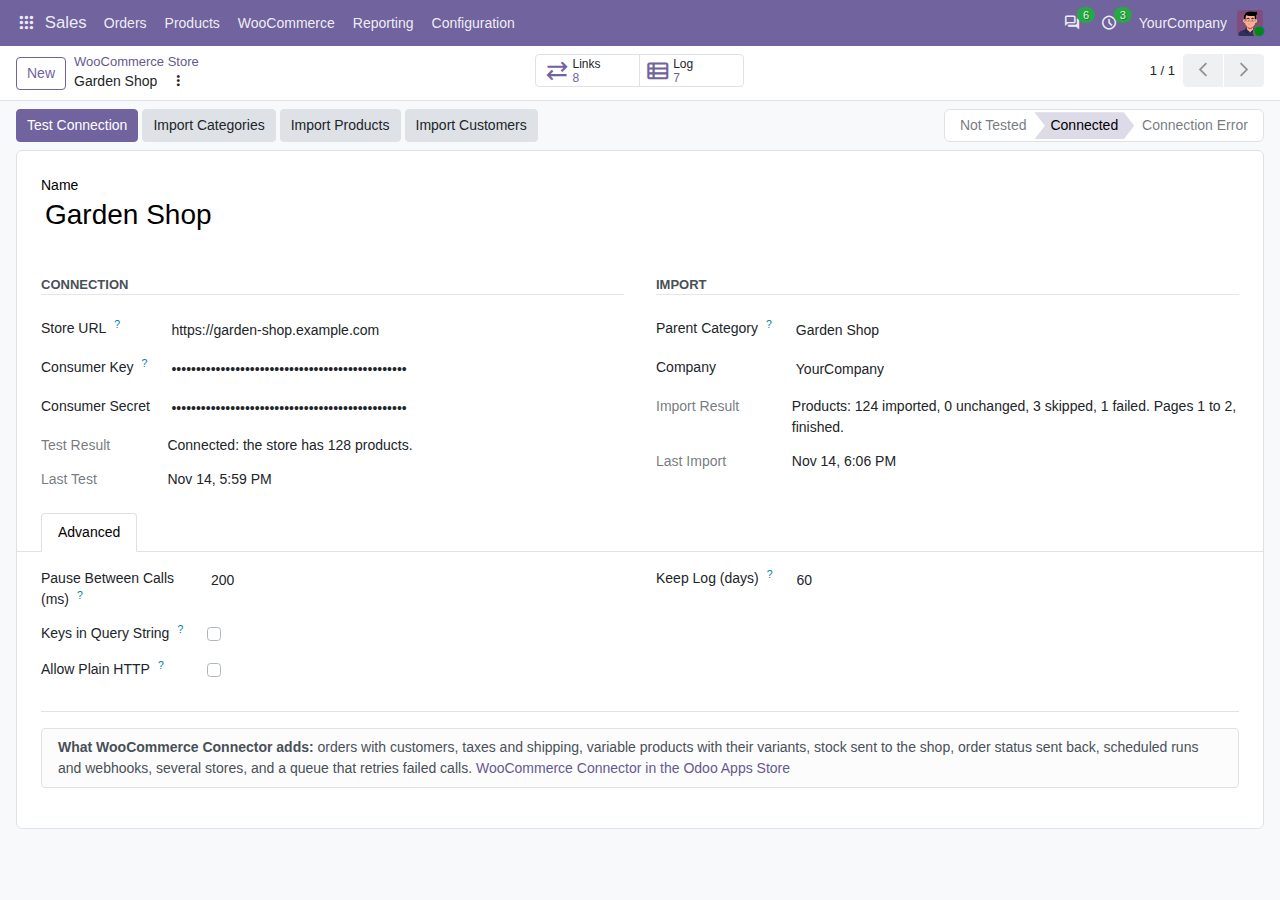
Enter the shop's address and a REST API key with Read permission (WooCommerce REST API version 3 over HTTPS). Test Connection counts the shop's products or shows the shop's own error, such as a wrong key. Only WooCommerce administrators in Odoo can read the key and secret, and they never appear in the log.
Product categories arrive with their parents, under one parent category for the shop. A name changed in the shop is changed in Odoo at the next import.
Name, sales price, SKU as internal reference and category. A product that already has the same internal reference in Odoo is linked and updated instead of copied. Virtual products become services.
Registered customers arrive with name, company, e-mail address, phone and billing address, country and state included. A different shipping address becomes a delivery address of the customer.
A customer is found again by WooCommerce id, or by e-mail address among the contacts Lite made itself. Contacts made in Odoo, the contacts of users and those of your companies are never matched or changed: such a customer gets a contact of its own.
Every imported record keeps its WooCommerce id. A second import changes nothing that did not change in the shop, and brings over what did.
Every connection test and import writes what it did: when, what, the result and the shop's error text. Variable and grouped products are listed as skipped, and a record that fails is named with its reason while the others go on. Lines are kept 60 days, or as long as you set.
Lists are read 100 records a page with timeouts, a pause between calls and retries when the shop is busy. One click imports for about a minute and stops after a page; the next click goes on from the next page. A shop error keeps everything imported before it.
Odoo calls only the store address you entered, and only to read. Nothing is sent to anyone else.
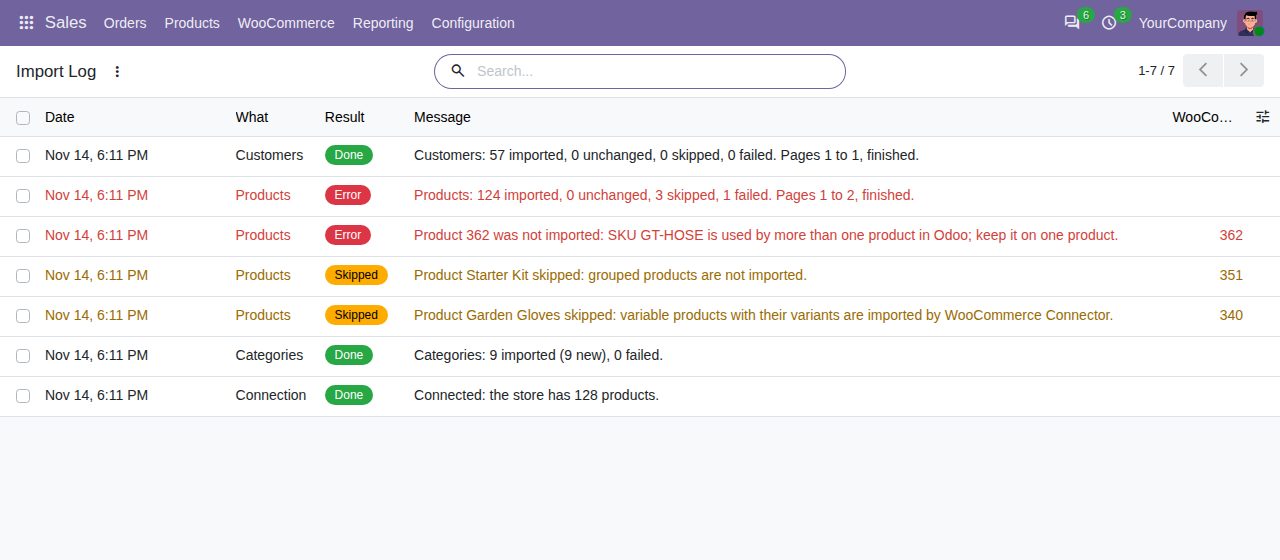
The import log with what was imported, skipped and why a product failed.
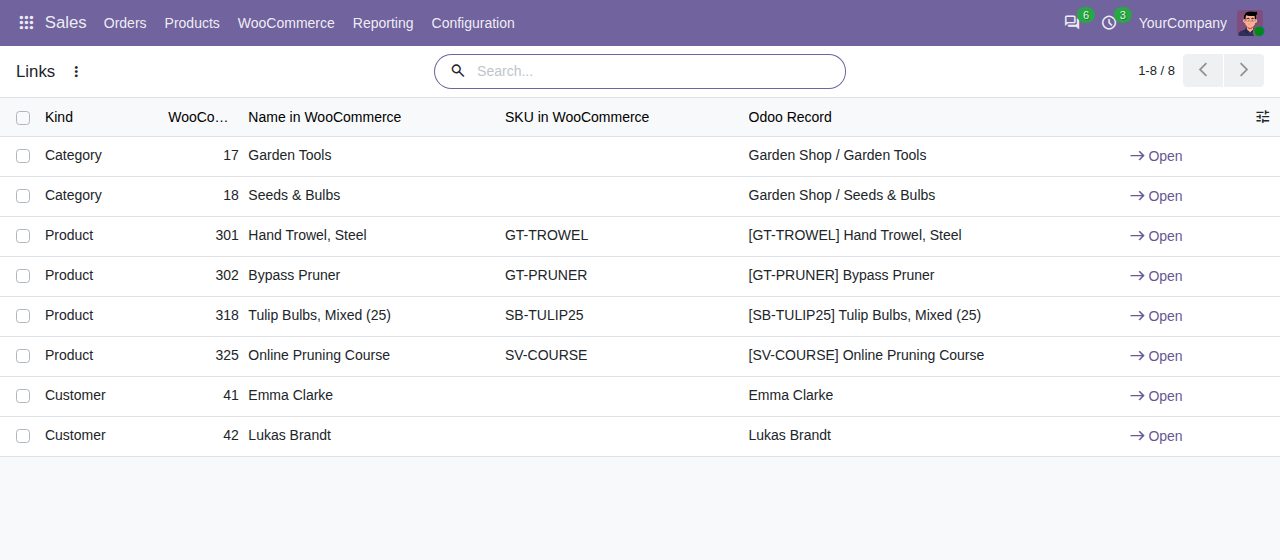
Each category, product and customer keeps its WooCommerce id.
We build custom Odoo modules and changes to this one at a fixed price, from €950 excluding VAT. Small modules are usually delivered within five working days, tested on your Odoo version. Describe what you need to hello@bizzkitt.ai.
Bitwerf is a trade name of BizzKitt B.V., Frederikstraat 67, 3034 LD Rotterdam, the Netherlands (KvK 42149345, VAT NL869932354B01). Questions: hello@bizzkitt.ai · Support · Privacy · Terms