Keep visitors from chosen countries, regions and addresses off your website, and stop floods of logins and form posts.
Some shops may only sell in a few countries, some sites get spam from the same networks every day, and a login page attracts password guessing. This module checks every website request against your rules: countries to block or the only countries to allow, regions, single addresses and networks. Blocked visitors get a short page with your message. Logged-in employees, the backend and, for country rules, the login page always stay open.
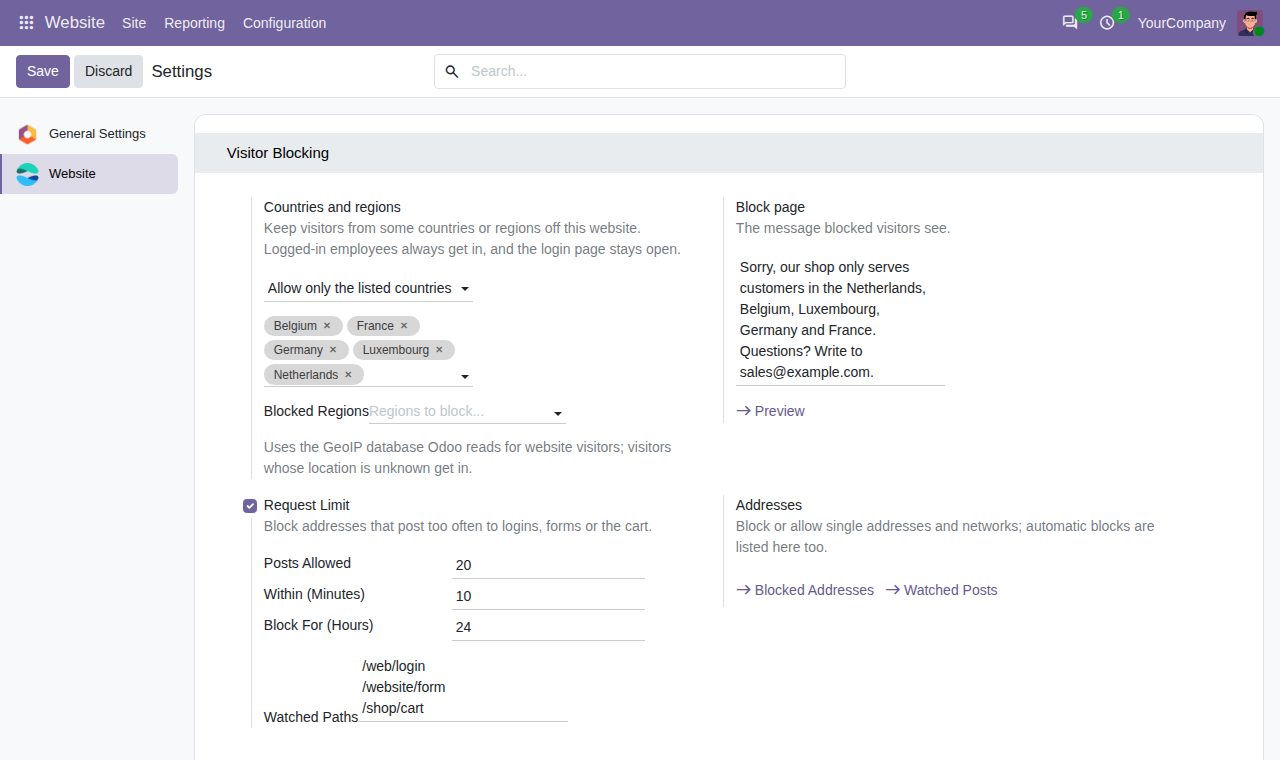
Block the listed countries, or allow only the listed countries, per website. The location comes from the GeoIP lookup Odoo already uses for website visitors; visitors whose location is unknown get in.
Block single states or regions, such as one state of a country, while the rest of the country stays welcome.
Block single IPv4 or IPv6 addresses and whole networks in CIDR notation, for every website or one, permanently or until a date, with a reason.
An Allow rule lets an address or network in even when its country, its region or a Block rule would keep it out: handy for your office or a partner abroad.
Optional: posts from one address to the paths you choose (login, website forms, cart) are counted. After the number you set within the minutes you set, the address is blocked automatically for the hours you set.
Blocked visitors get a light page with the website's name and your message, never cached. Preview it from the settings.
Logged-in employees always get in, the backend is never checked, and country and region rules leave the login page open so employees abroad can still sign in.
All rules, including automatic ones, are listed under Website > Configuration > Blocked Addresses, and watched posts under Watched Posts. Posts are kept for a day and automatic rules are removed 30 days after they end.
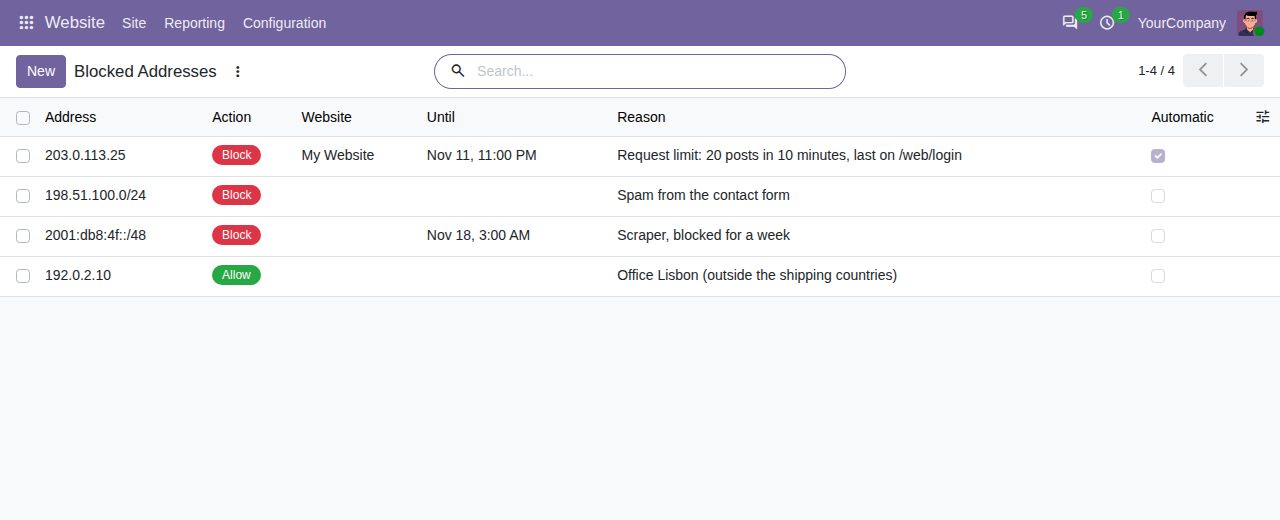
Blocked and allowed addresses and networks, with an automatic block from the request limit
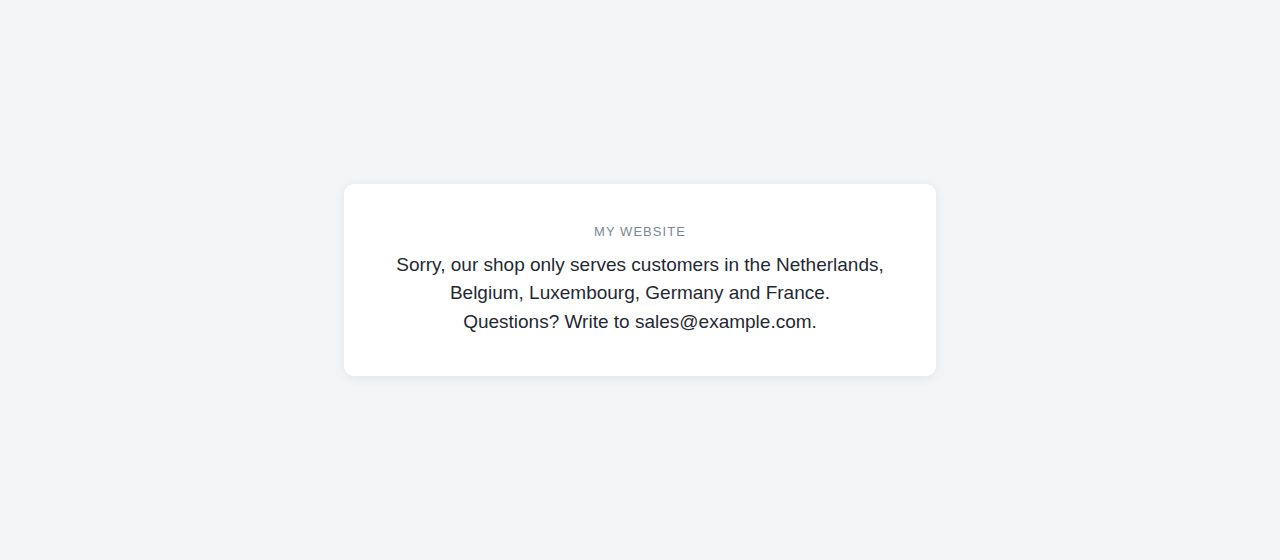
The page blocked visitors see
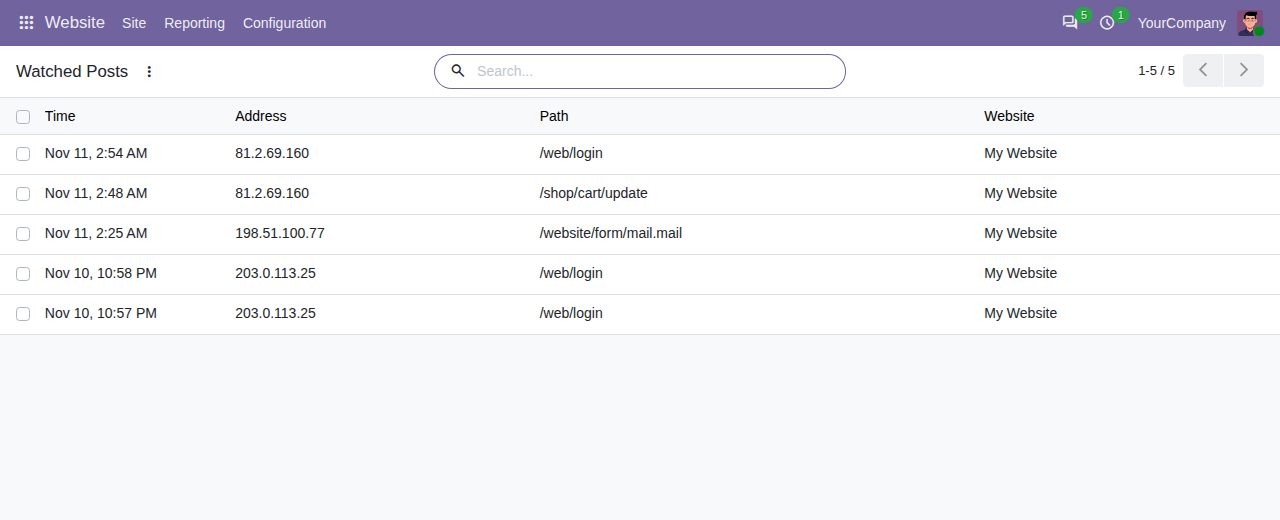
Watched posts counted for the request limit
We build custom Odoo modules and changes to this one at a fixed price, from €950 excluding VAT. Small modules are usually delivered within five working days, tested on your Odoo version. Describe what you need to hello@bizzkitt.ai.
Bitwerf is a trade name of BizzKitt B.V., Frederikstraat 67, 3034 LD Rotterdam, the Netherlands (KvK 42149345, VAT NL869932354B01). Questions: hello@bizzkitt.ai · Support · Privacy · Terms