Drawings, data sheets and packing instructions go out with your RFQ and purchase order emails, without attaching them by hand.
Suppliers need the right drawings and specifications with every request for quotation, and buyers attach them by hand, one email at a time, or forget one. Vendor Product Documents takes the documents you keep on your products and adds the ones you marked for vendors to RFQ and purchase order emails, so every vendor gets the current files.
Every product document, on the product or on a variant, has a Send to vendors choice: Never, With RFQs and purchase orders, or With purchase orders only.
Send by Email on an RFQ or purchase order adds the marked documents of the ordered products next to the order PDF. You can still remove one before sending.
After confirmation the purchase order email also carries the documents marked With purchase orders only, such as packing or labelling instructions.
Tick No product documents on a vendor and neither it nor its contacts get product documents.
Attach product documents is a switch on purchase order email templates: on for the standard RFQ and purchase order emails, off for the others, such as reminders.
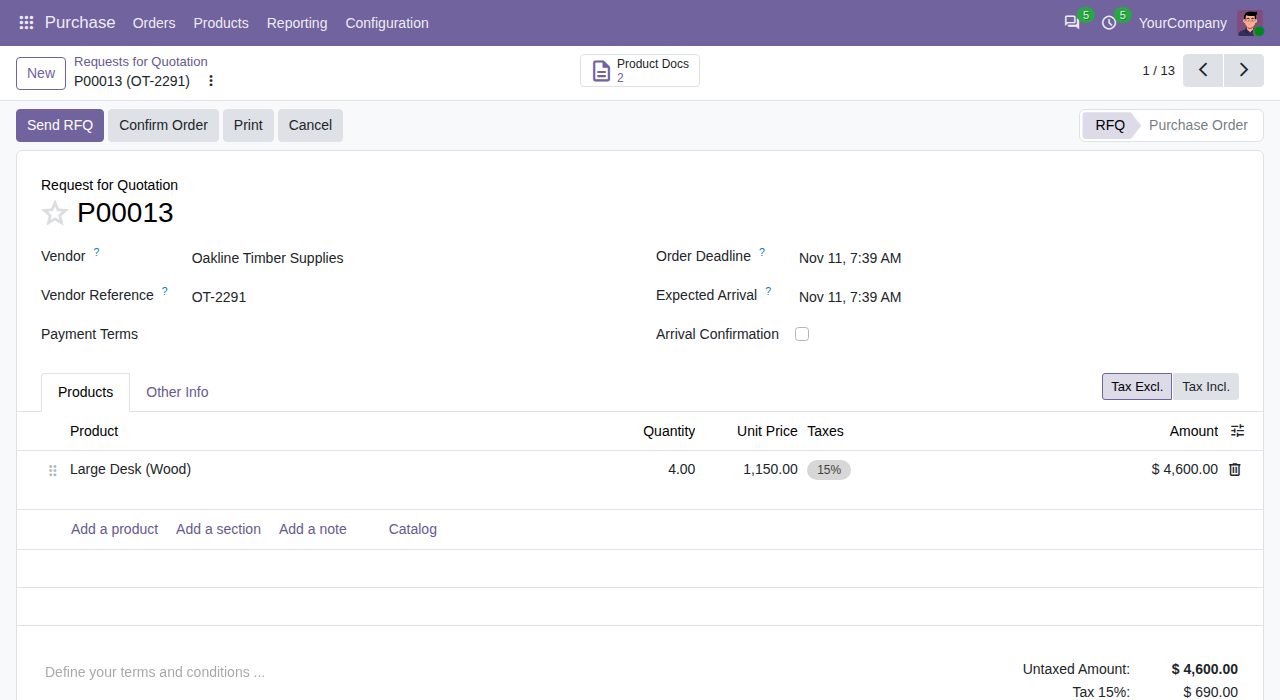
RFQs and purchase orders show how many documents go out with them; the button opens their list.
Emails link the product's own files: nothing is copied or moved, and an updated document goes out with the next email.
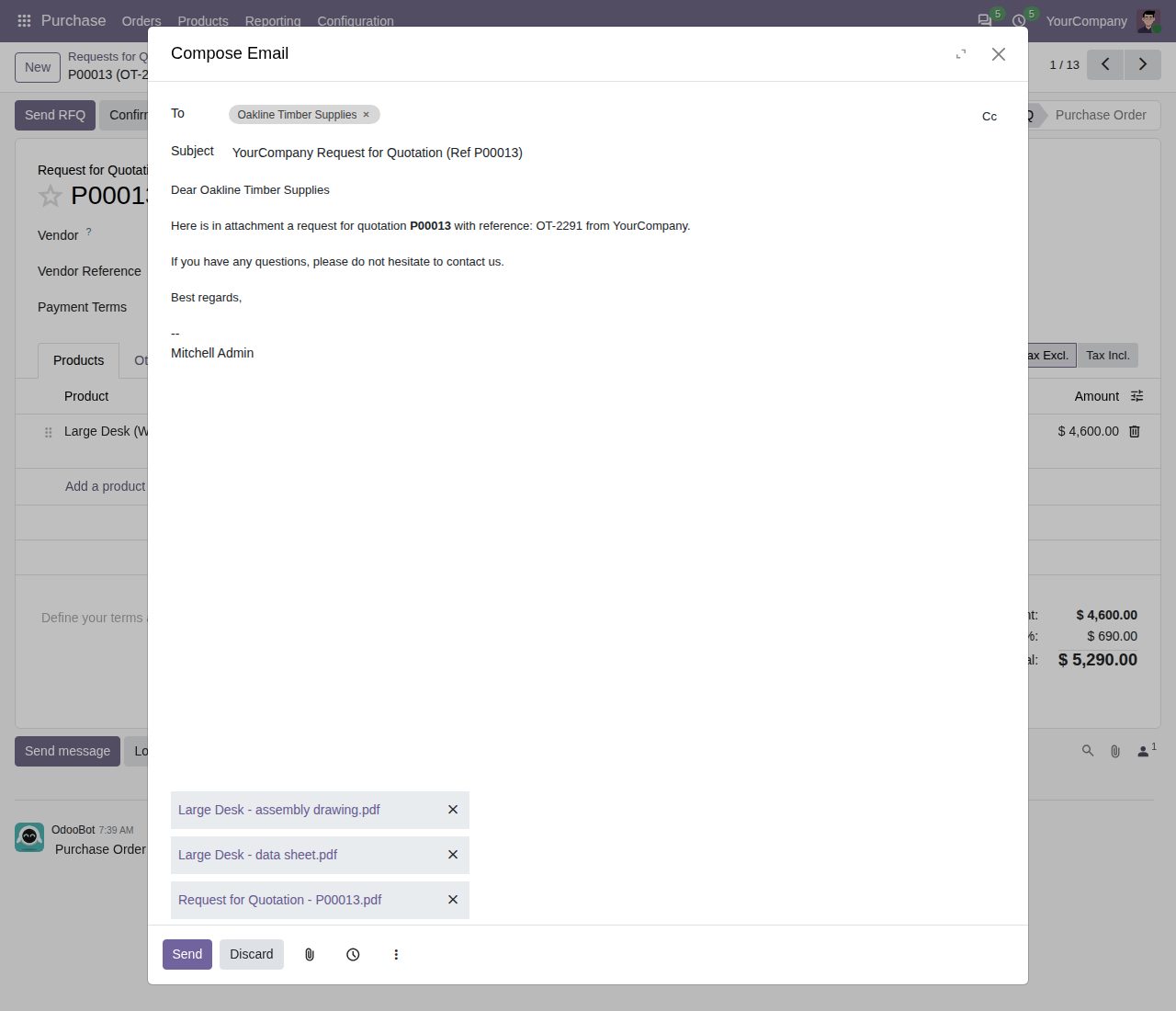
Send by Email: the RFQ PDF and the product's data sheet and assembly drawing are attached.
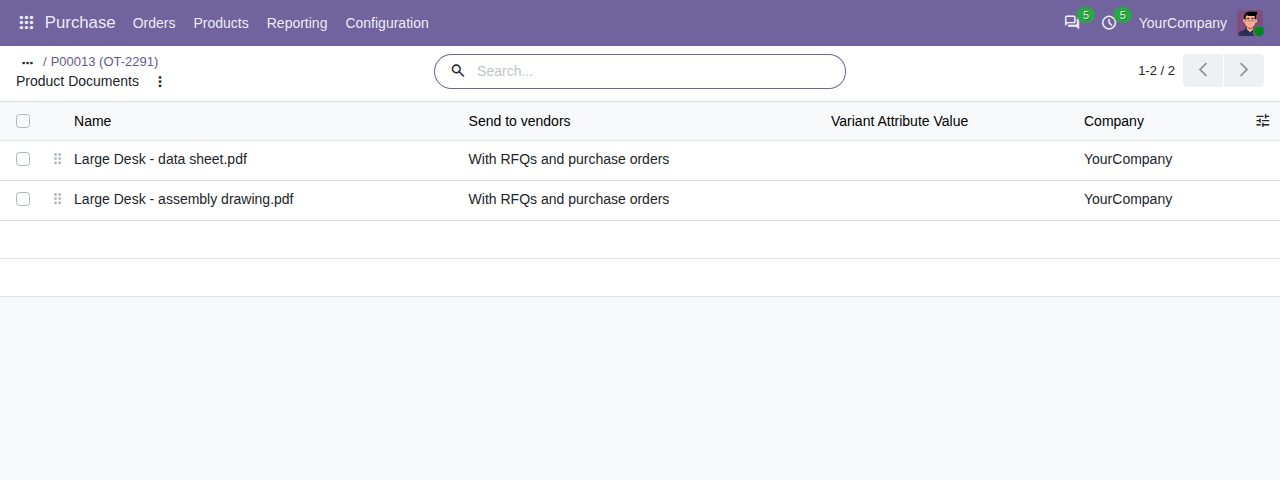
The documents that go out with the order, with their Send to vendors choice.
We build custom Odoo modules and changes to this one at a fixed price, from €950 excluding VAT. Small modules are usually delivered within five working days, tested on your Odoo version. Describe what you need to hello@bizzkitt.ai.
Bitwerf is a trade name of BizzKitt B.V., Frederikstraat 67, 3034 LD Rotterdam, the Netherlands (KvK 42149345, VAT NL869932354B01). Questions: hello@bizzkitt.ai · Support · Privacy · Terms