See who created, changed, deleted, exported or printed which record, with the old and the new value of every field.
Odoo shows changes in the chatter only for the few fields a module chose to track, and deletions, exports and PDF prints leave no trace at all. This module keeps a log for the models you choose: every creation, change and deletion with its field values, every export with its records and columns, and every PDF made of a record, with the user and the time. Auditors can read it; nobody can change it.
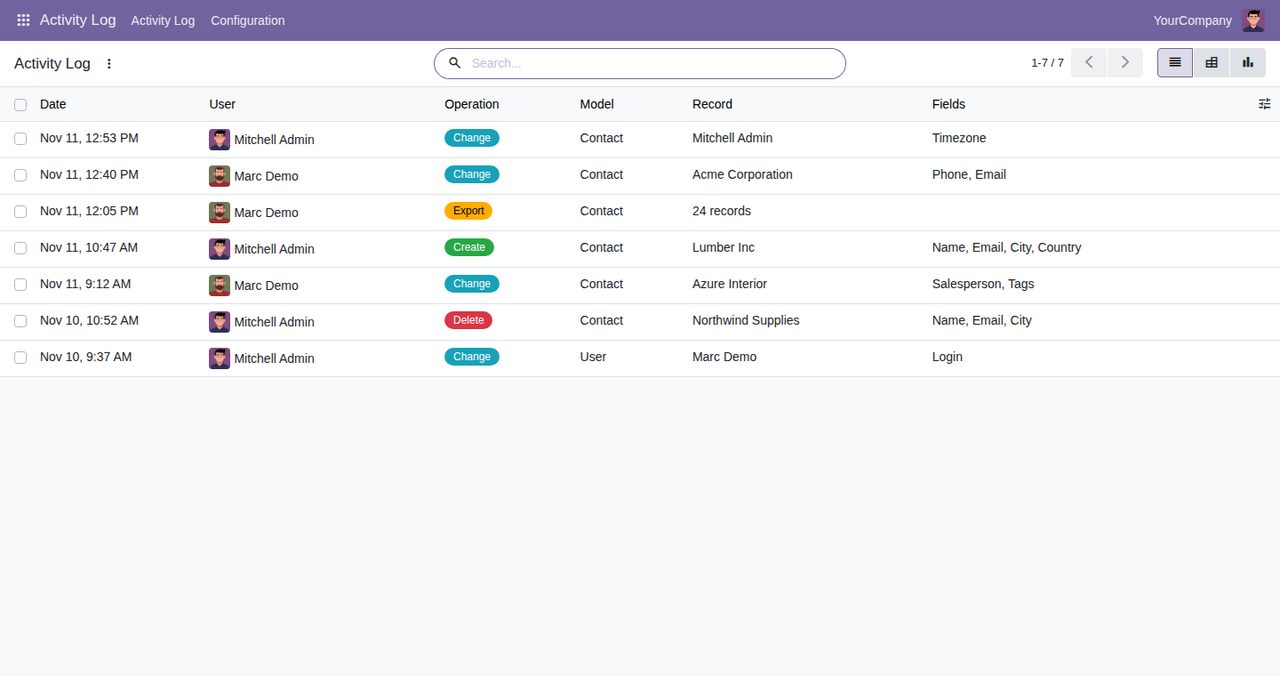
Each change of a logged record becomes one entry with a line per changed field: the value before and the value after. Writes that change nothing leave no entry.
A new record is logged with the values it was given. A deleted record keeps its name and its last values in the log, so you can see what was removed and by whom, even though the record itself is gone.
An export is logged once, with the number of records, their IDs and the exported columns. Every PDF report made of a record is logged for that record with the report's name.
One rule per model: switch Create, Change, Delete, Export and Print on or off, and narrow the rule to some fields, some users, or records that match a condition. A change is logged when the record matches the condition before or after it.
Linked records are shown by name, choices by their label, yes/no fields as Yes or No, lists as names, dates and times in UTC. Passwords, secrets, tokens and API keys only show "(hidden)": the entry says the field changed, never the value.
Every rule adds Activity Log to the Action menu of its model: select one or more records and see their entries.
Auditors (a group of its own) and Settings administrators read the log; nobody can edit or delete entries. Only Settings administrators manage the rules. An entry is written in the same transaction as the change, so a change that fails leaves no entry.
A daily job removes entries older than the number of days you keep (365 by default; 0 keeps everything).
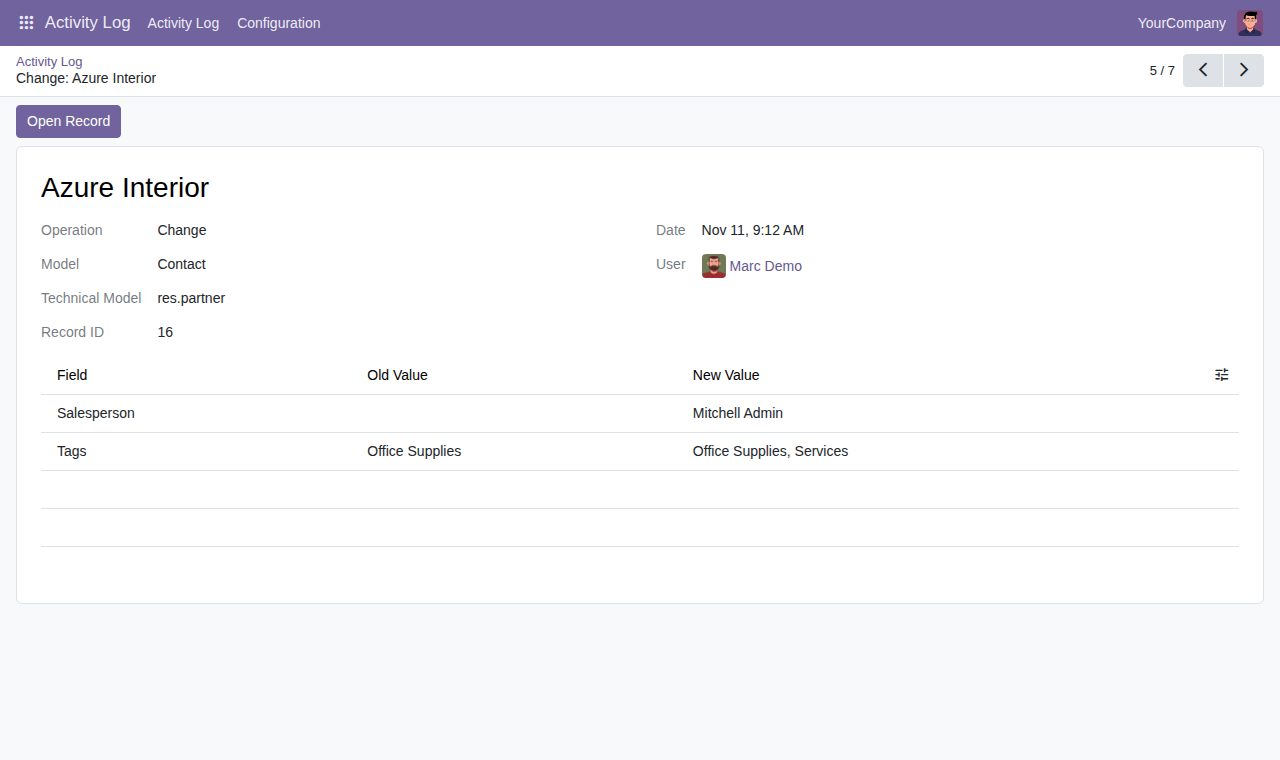
One change: the old and the new value of each field, with Open Record
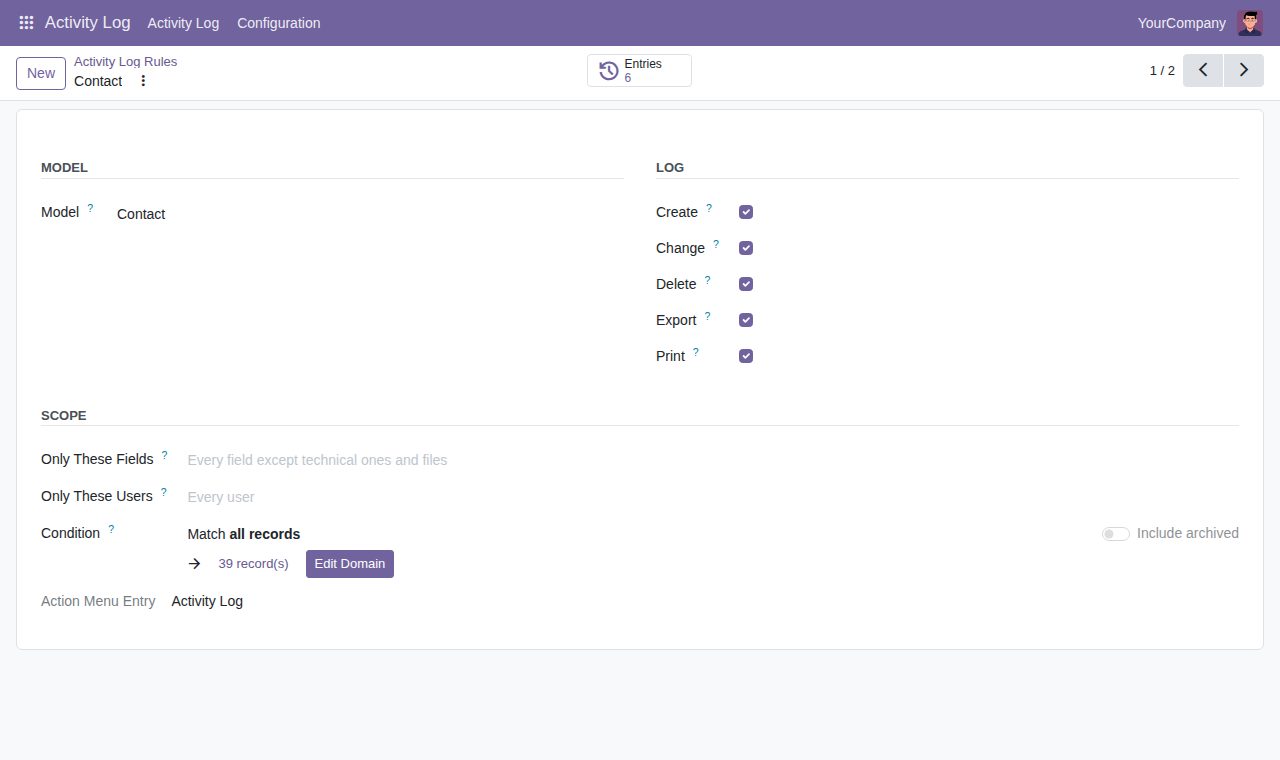
A rule: what to log for a model, and optionally only some fields, users or records
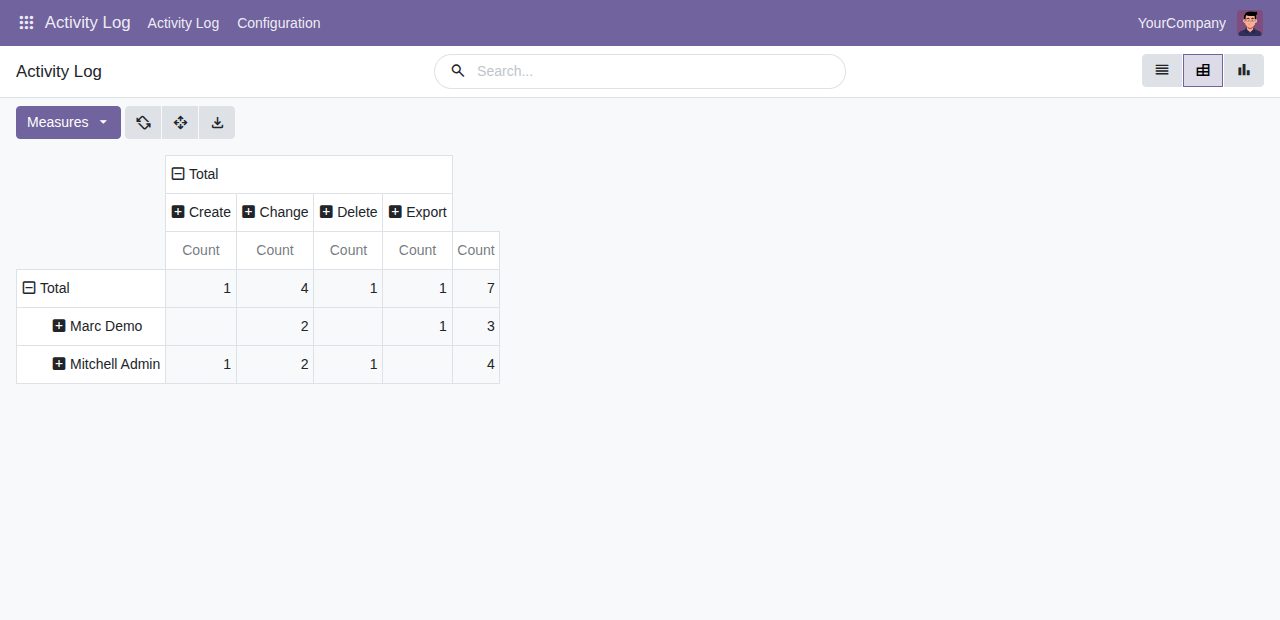
Pivot view: entries per user and operation
We build custom Odoo modules and changes to this one at a fixed price, from €950 excluding VAT. Small modules are usually delivered within five working days, tested on your Odoo version. Describe what you need to hello@bizzkitt.ai.
Bitwerf is a trade name of BizzKitt B.V., Frederikstraat 67, 3034 LD Rotterdam, the Netherlands (KvK 42149345, VAT NL869932354B01). Questions: hello@bizzkitt.ai · Support · Privacy · Terms