Put done stock operations on the day they really happened, with a preview, a reason and a full trace.
Receipts, scraps, inventory counts, manufacturing and unbuild orders are often validated a day or more after the goods moved, and Odoo stamps them with the validation time. Your stock on a given day and the valuation at month end are then wrong. This module corrects the dates of done stock moves in one wizard: it shows every move with its current and new date, refuses what would break your books, and keeps the original date, the reason and the user on record.
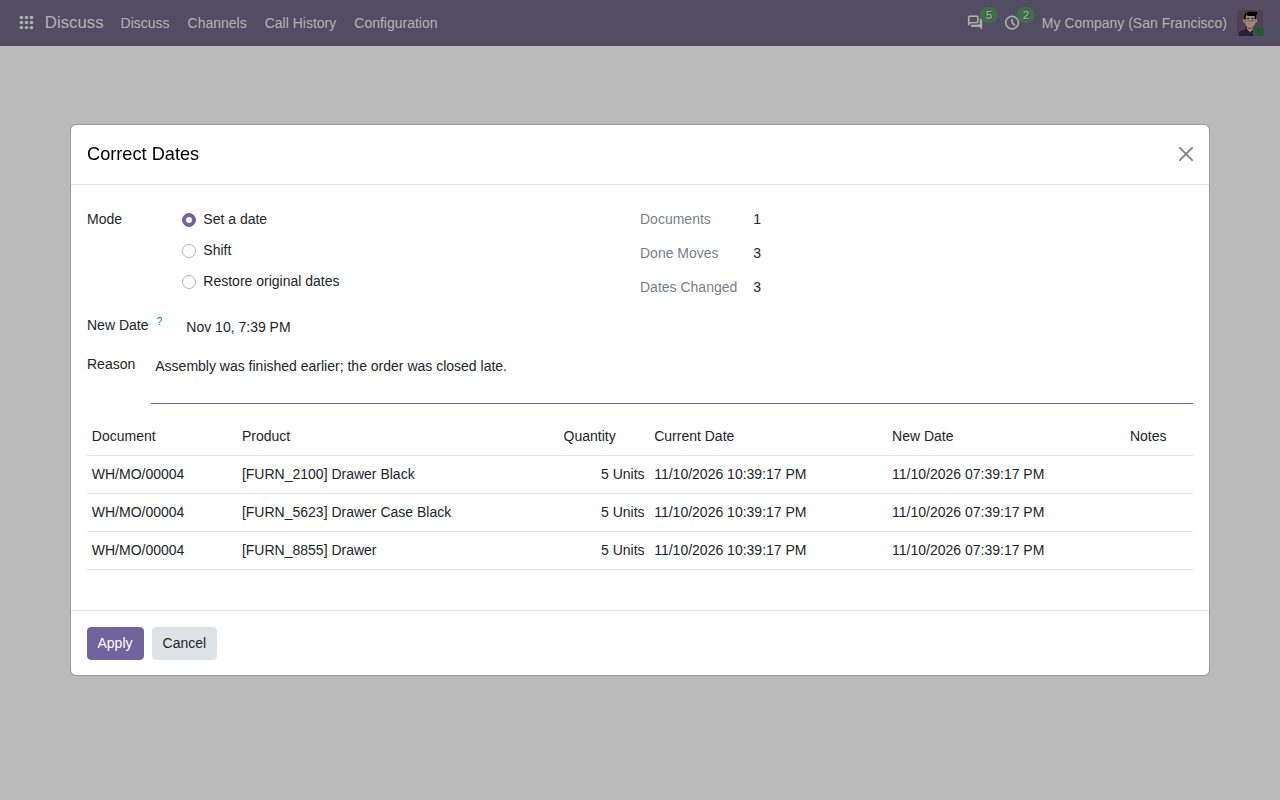
Transfers, scraps, inventory adjustments, manufacturing orders with components, finished product and by-products, unbuild orders, and any selection in Moves Analysis or Moves History. Only done moves are changed.
Set a date: the last move of each document lands on it and the document keeps the spacing between its own moves. Shift: move everything by a number of days and hours, forward or back.
A live table lists document, product, quantity, current and new date for each move, with notes when a move would come before its origin move or after its next move, and when a journal entry keeps its date.
The transfer's date of transfer, the scrap date (Odoo 19) and the manufacturing order's start and end follow the corrected moves, so documents never contradict their own moves.
No future dates, no shift beyond the company's maximum, and no current or new date inside a locked accounting period. Journal entries keep their date and amount.
A correction that would change a stock value is refused: passing another valued move of a FIFO or average-cost product, passing a cost change, or a move value Odoo would recompute for the new date. The preview or the message names the moves.
Each move keeps its original date and a Date Corrected filter. Every document gets a note with old and new dates, and Inventory > Reporting > Date Corrections lists each correction with user and reason. Restore original dates undoes it.
Only users with the right Correct stock dates see the action. No other group grants it, not even Inventory administrator, so you decide who may correct dates.
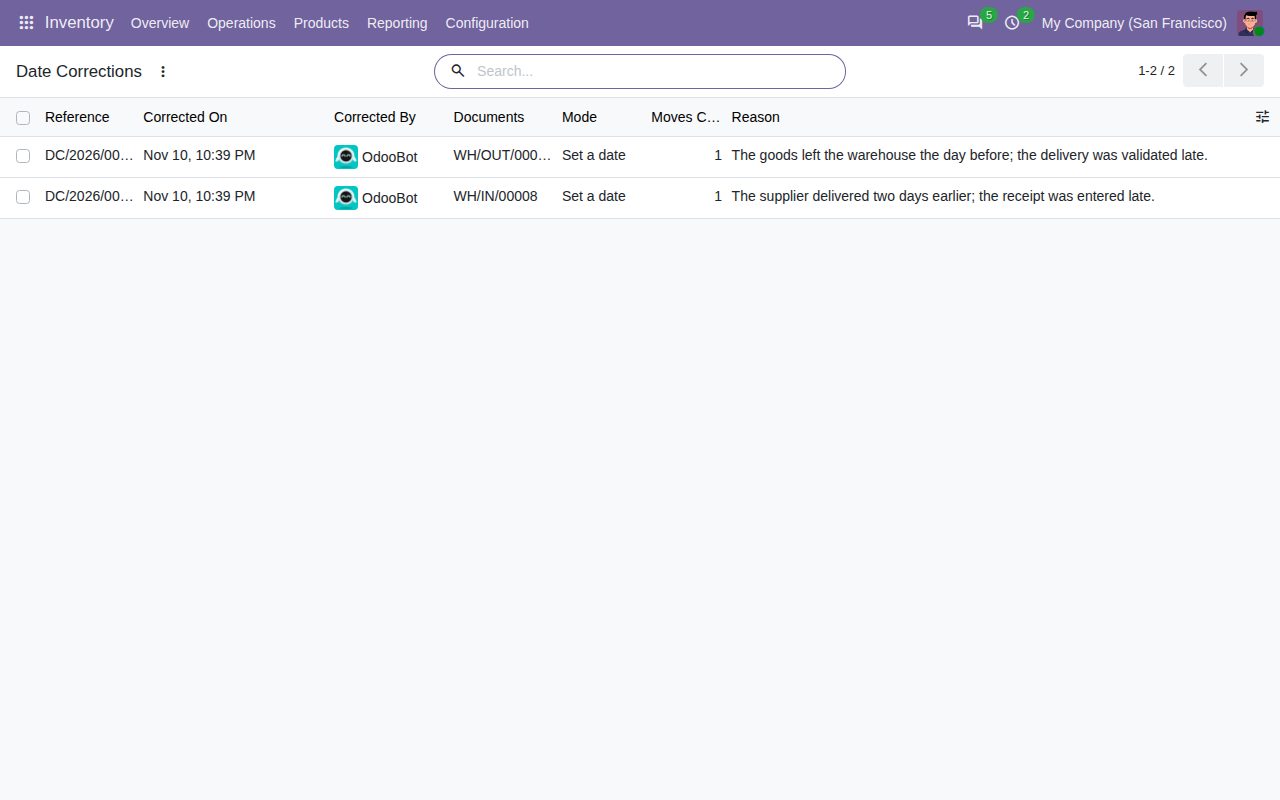
Inventory > Reporting > Date Corrections: every correction with user, documents and reason
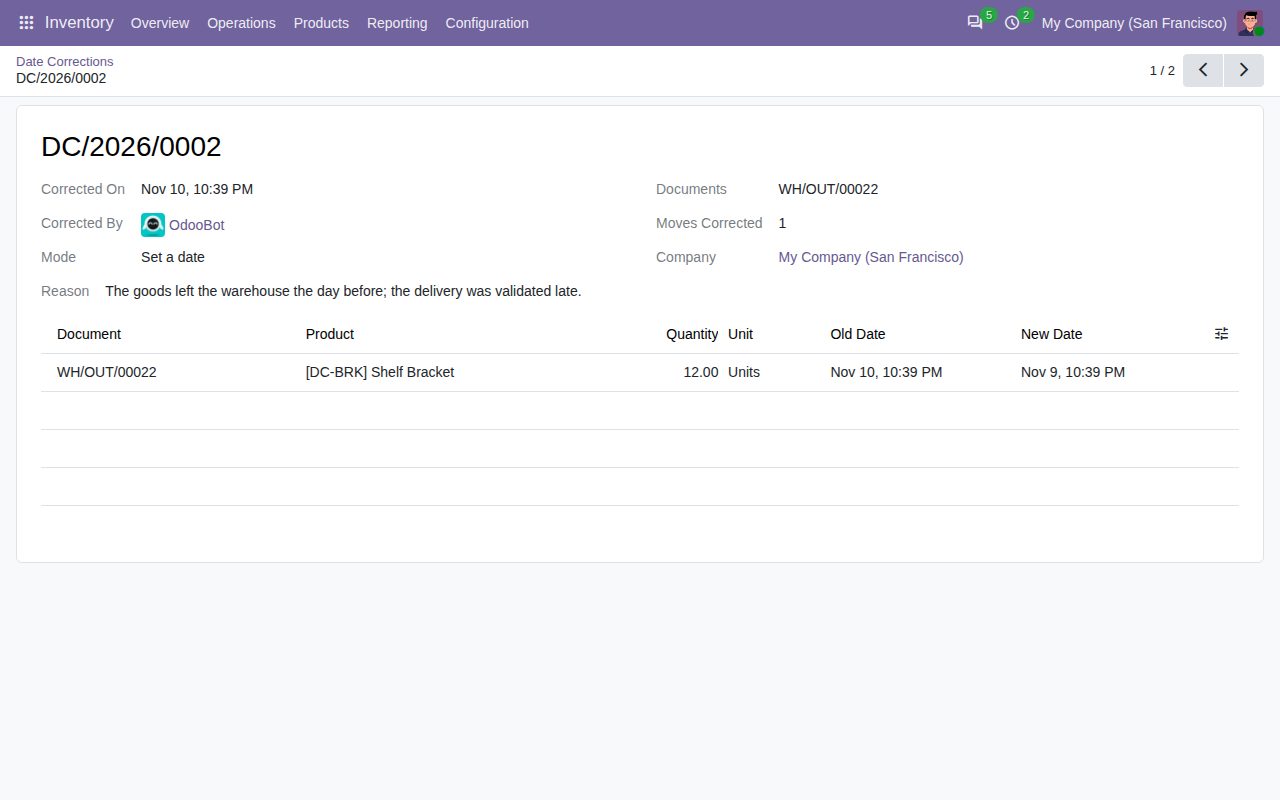
One correction with the old and new date of each move
We build custom Odoo modules and changes to this one at a fixed price, from €950 excluding VAT. Small modules are usually delivered within five working days, tested on your Odoo version. Describe what you need to hello@bizzkitt.ai.
Bitwerf is a trade name of BizzKitt B.V., Frederikstraat 67, 3034 LD Rotterdam, the Netherlands (KvK 42149345, VAT NL869932354B01). Questions: hello@bizzkitt.ai · Support · Privacy · Terms