Hold the lots and serial numbers you promise on the quotation; the delivery order takes exactly those.
Odoo reserves stock only once a sales order is confirmed, and then picks lots by its removal strategy: the batch a customer approved, or the serial number you promised, can go to another order first. This module reserves chosen lots and serial numbers from the quotation on, with Odoo's own reservation, and hands exactly those to the delivery order when the customer confirms.
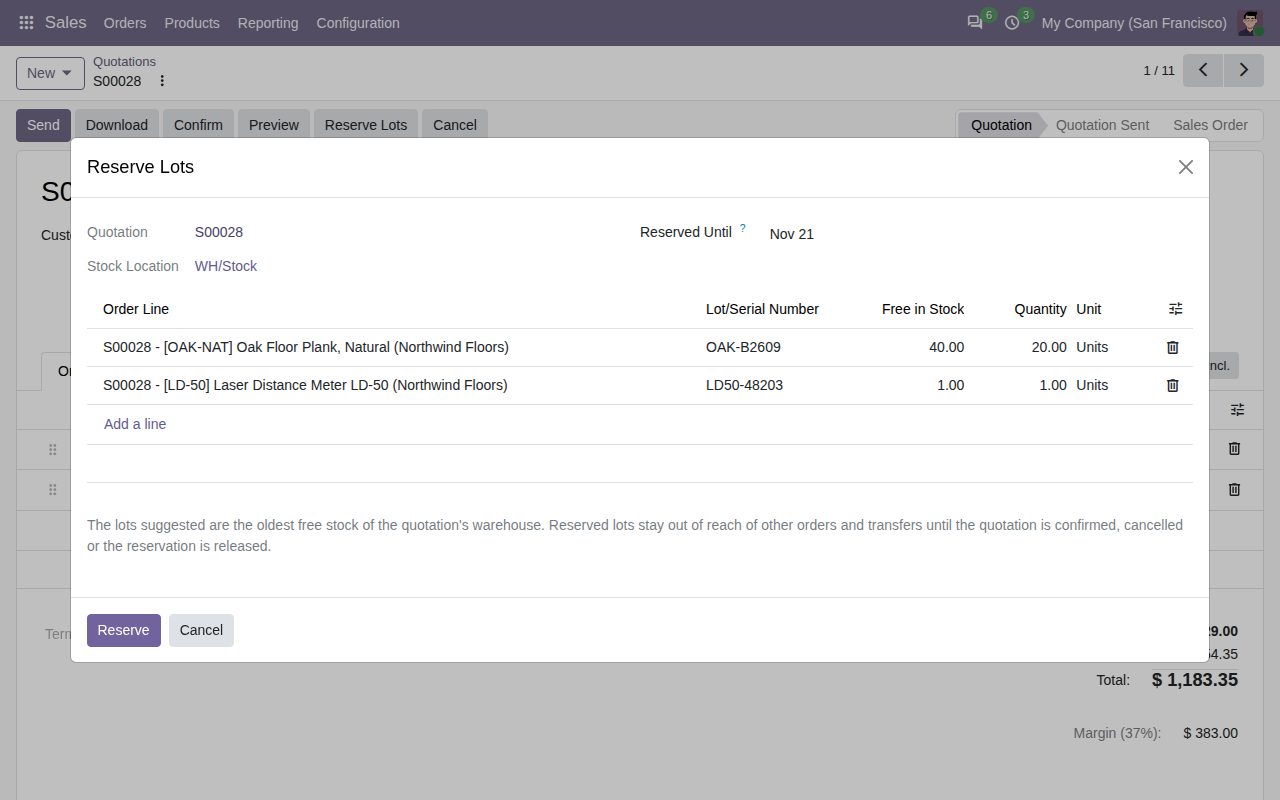
Reserve Lots on a quotation opens a dialog with the oldest free stock of its warehouse already filled in, one line per serial number. Change lots and quantities, set a Reserved Until date (the quotation's expiration date by default) and click Reserve.
Reserved lots count as reserved stock in the quotation's warehouse. Other orders, deliveries and transfers cannot reserve them, and Odoo never swaps a held lot for another one.
When the quotation is confirmed, its delivery order gets exactly the reserved lots, also on the pick step of two- and three-step deliveries and on operation types that reserve by hand. The rest of the line is reserved as Odoo always does.
A lot can be reserved up to its free quantity, a serial number once and for one unit, and never more than the order line still asks for.
Release one reservation, or every lot of a quotation, with one button. Cancelling or deleting the quotation, deleting its line or passing the Reserved Until date (checked daily) releases the stock too.
While lots are held, an order line cannot drop below its reserved quantity or change product. A duplicated quotation starts without reservations.
Lot Reservations in the Sales and Inventory menus with list, pivot and graph views, status filters and grouping by customer, product, lot or salesperson. The quotation shows a Lot Reservations button and a Reserved Lots column; each lot shows what is reserved on it.
Every reservation, release and hand-over to a delivery order is noted in the order's chatter. Users chosen in the Sales settings are notified of reservations and releases.
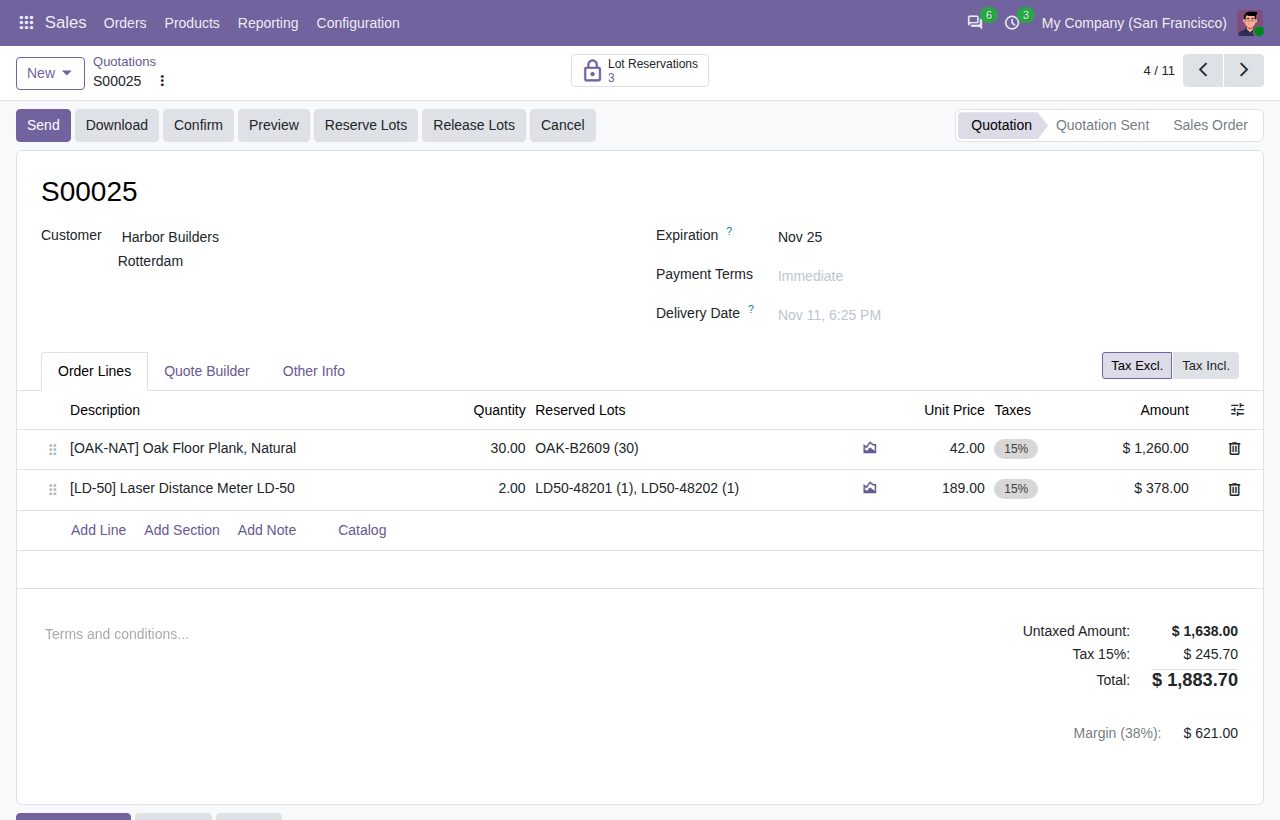
A quotation with held lots: the Reserved Lots column and the Lot Reservations button.
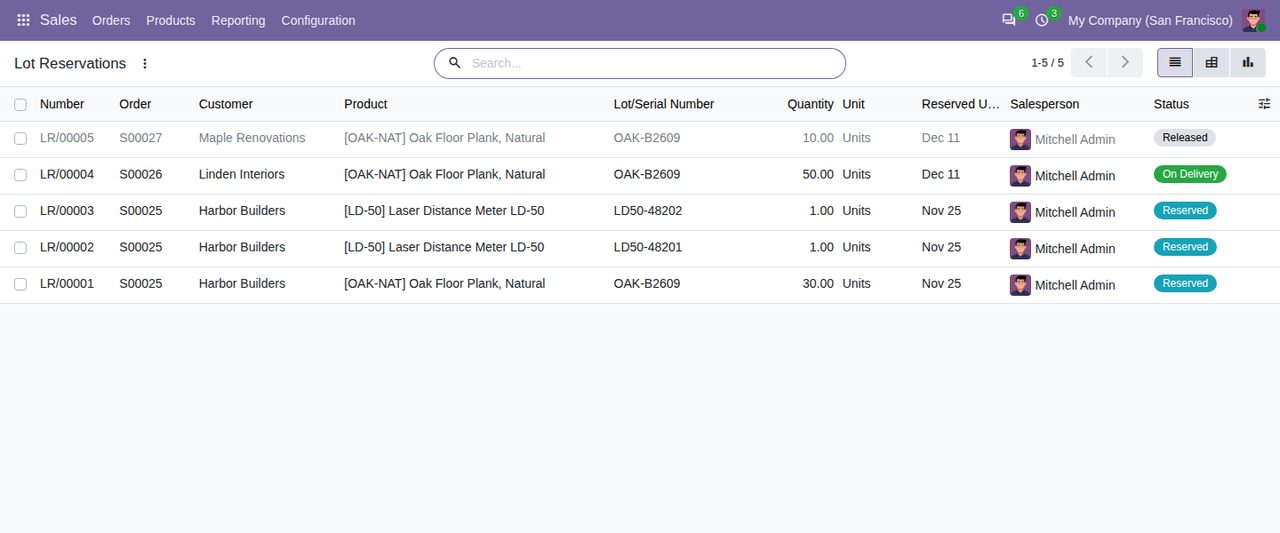
Lot Reservations: reserved, handed to a delivery order, or released.
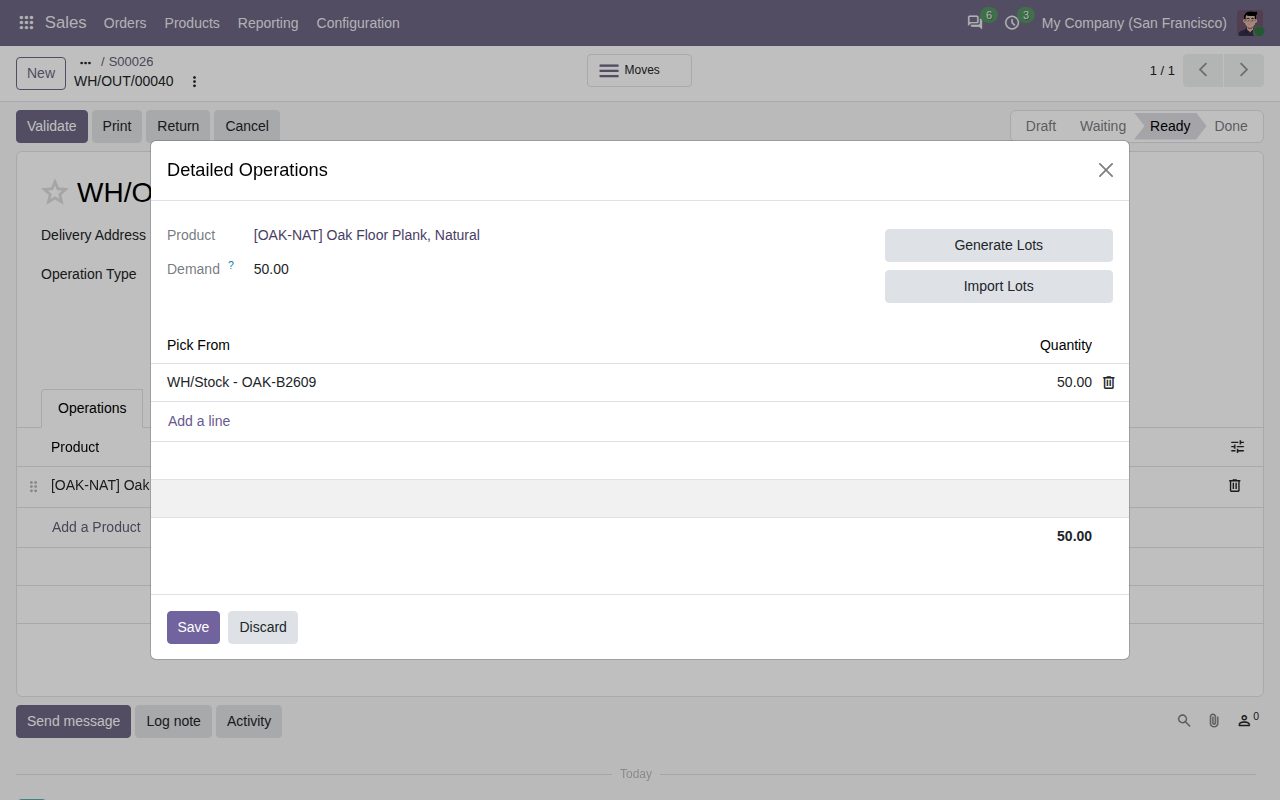
After confirmation the delivery order holds exactly the reserved lot (detailed operations).
We build custom Odoo modules and changes to this one at a fixed price, from €950 excluding VAT. Small modules are usually delivered within five working days, tested on your Odoo version. Describe what you need to hello@bizzkitt.ai.
Bitwerf is a trade name of BizzKitt B.V., Frederikstraat 67, 3034 LD Rotterdam, the Netherlands (KvK 42149345, VAT NL869932354B01). Questions: hello@bizzkitt.ai · Support · Privacy · Terms