Quotations are approved by the right people, in the right order, before they become sales orders: stages per route with approvers and conditions on amount, discount, customer, country, sales team, products and analytic accounts.
Odoo Sales has no approval step: any salesperson can confirm any quotation, whatever the amount or the discount. This module adds approval routes to Sales. When a quotation is confirmed, the stages that apply are listed on it, each approver gets a to-do, and the quotation becomes a sales order only after the last stage is approved.
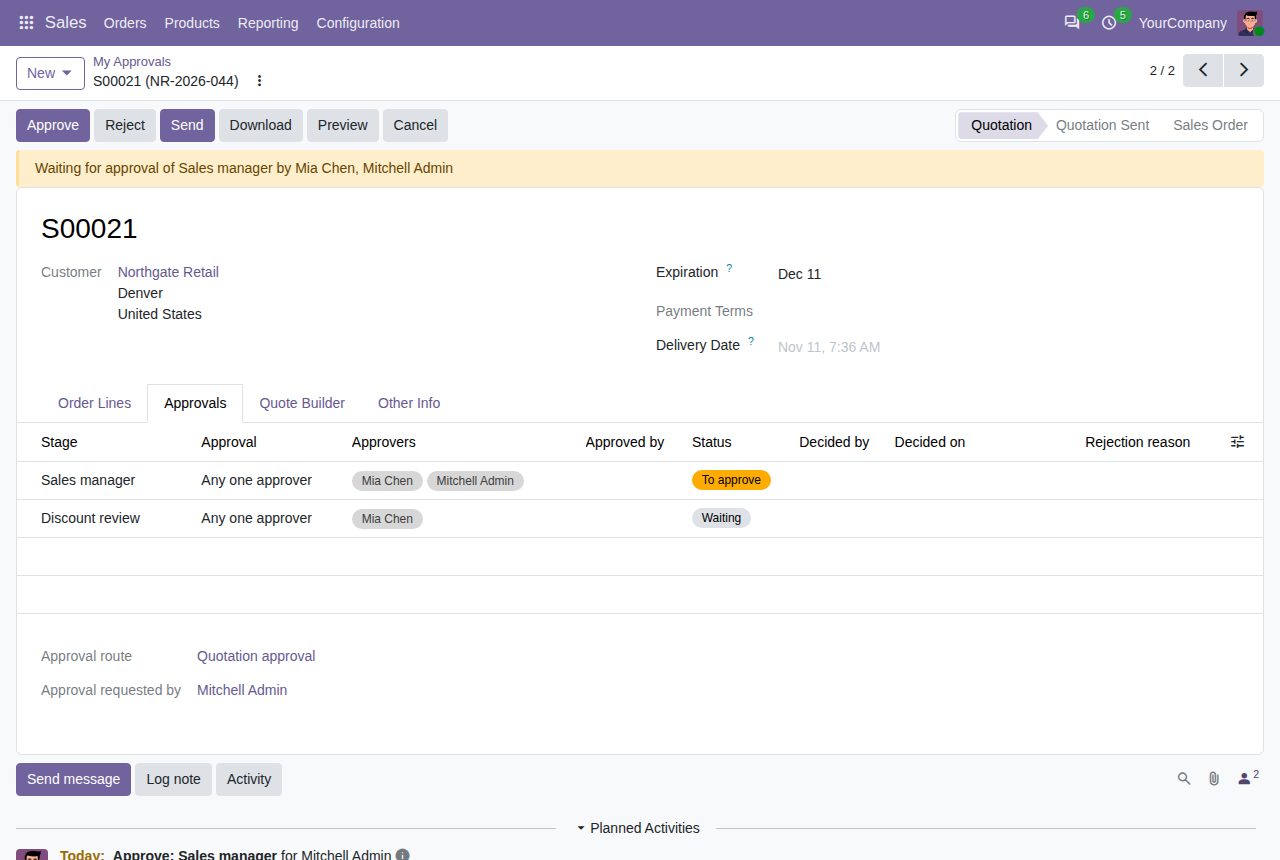
A route lists its stages in sequence. The next stage starts when the previous one is approved; after the last stage the quotation is confirmed as a sales order.
Per stage, the first approval can complete it, or every approver must approve. Listing several approvers covers holidays and absence.
A stage can apply from a discount percentage: the highest line discount, or the total discount of the quotation including discount lines with a negative price, whichever is higher.
A stage applies from a minimum untaxed amount in the company currency (other currencies are converted), for chosen customers and their contacts, for customers or delivery addresses in chosen countries, for chosen sales teams, for chosen products or product categories (with subcategories), for lines on chosen analytic accounts, or for quotations that match an extra filter. Stages that do not apply are left out.
Routes can be limited to a company and to quotations that match a filter; the first matching route in the list is used. Archived routes are ignored. Quotations without a matching route are confirmed as usual.
The approvers of the current stage get a to-do on the quotation and see Approve and Reject buttons. Reject asks for a reason and gives the requester a to-do; confirming again starts a new approval round.
While a quotation waits for approval, Confirm is hidden and its customer, addresses, pricelist, payment terms, fiscal position and lines (product, quantity, price, discount, taxes, unit, analytic distribution) cannot be changed. Cancelling it withdraws the request.
A quotation that the customer signs or pays online also waits for approval when a stage applies; the salesperson is the requester, and the customer's confirmation email is sent when the last stage is approved.
Approvers who only see their own documents can still open and approve the quotations waiting for them. Per route, the user who confirms can be excluded from the approvers. Sales > Orders > My Approvals lists the quotations waiting for you; the Approvals tab shows every stage with who decided and when, and the chatter logs each step.
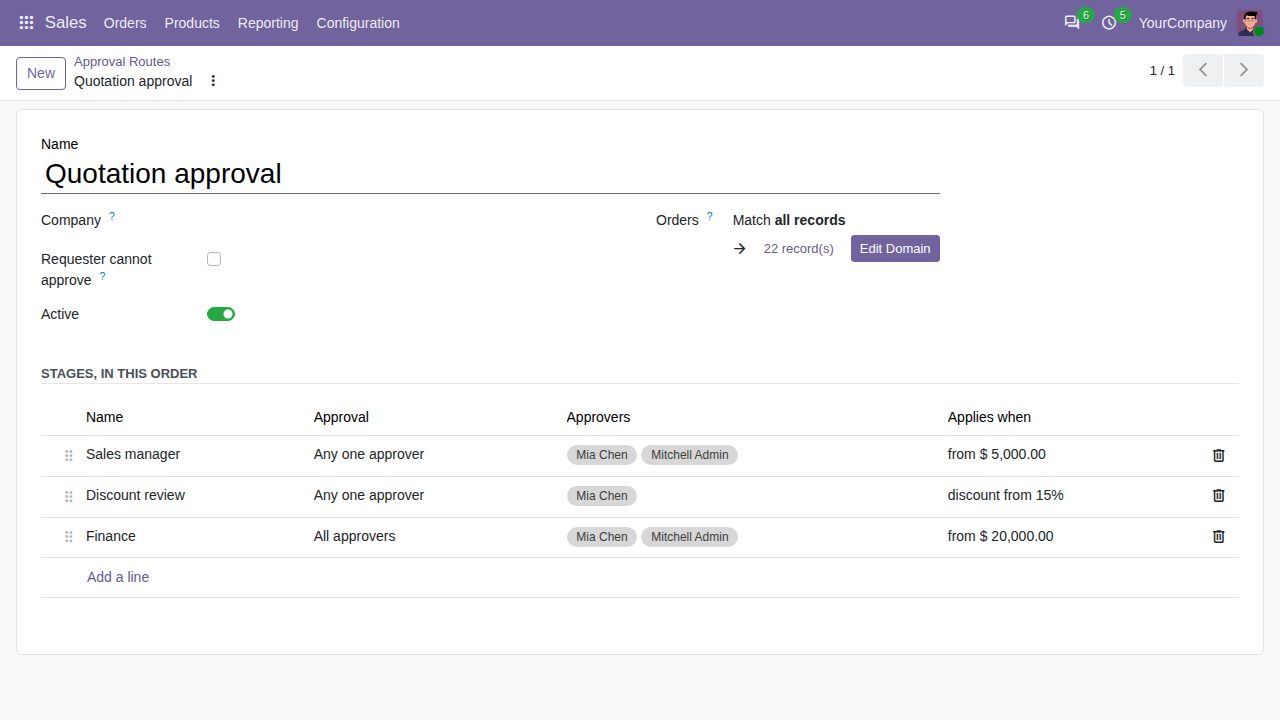
An approval route with its stages, approvers and conditions
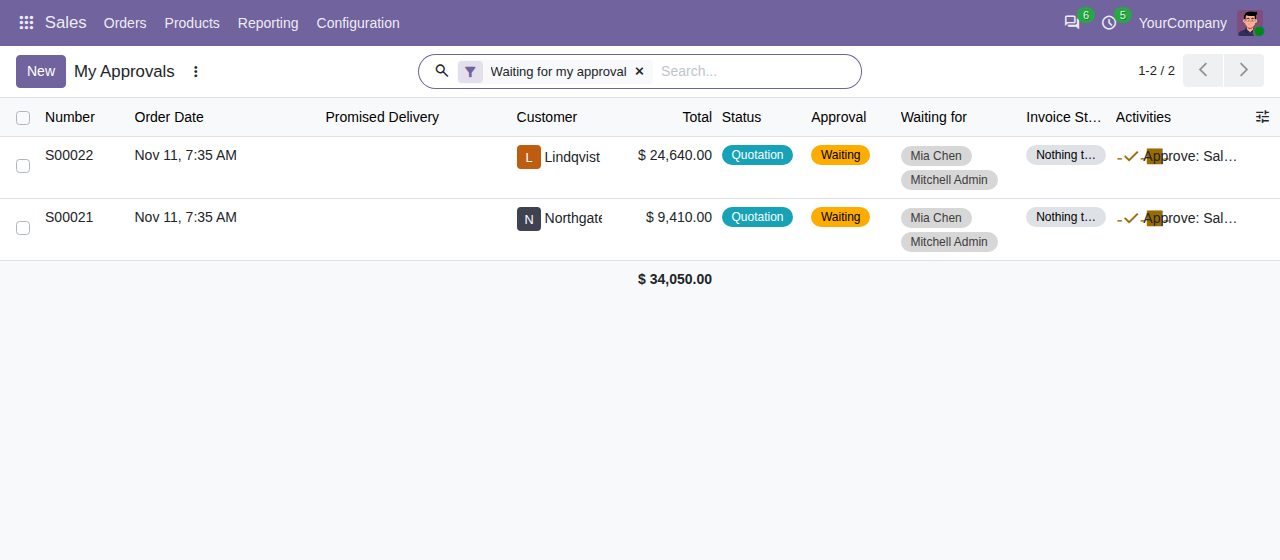
My Approvals: the quotations waiting for your approval
We build custom Odoo modules and changes to this one at a fixed price, from €950 excluding VAT. Small modules are usually delivered within five working days, tested on your Odoo version. Describe what you need to hello@bizzkitt.ai.
Bitwerf is a trade name of BizzKitt B.V., Frederikstraat 67, 3034 LD Rotterdam, the Netherlands (KvK 42149345, VAT NL869932354B01). Questions: hello@bizzkitt.ai · Support · Privacy · Terms