Purchase orders are approved by the right people, in the right order, before they are confirmed: stages per route with approvers and conditions on amount, vendor, products and analytic accounts.
Odoo can ask a manager to approve purchase orders above one amount, and that is all. Most companies need more: the department head first, IT for hardware, finance for large orders, both directors for the biggest ones. This module adds approval routes to Purchase. When a buyer confirms a request for quotation, the stages that apply are listed on the order, each approver gets a to-do, and the order is confirmed only after the last stage is approved.
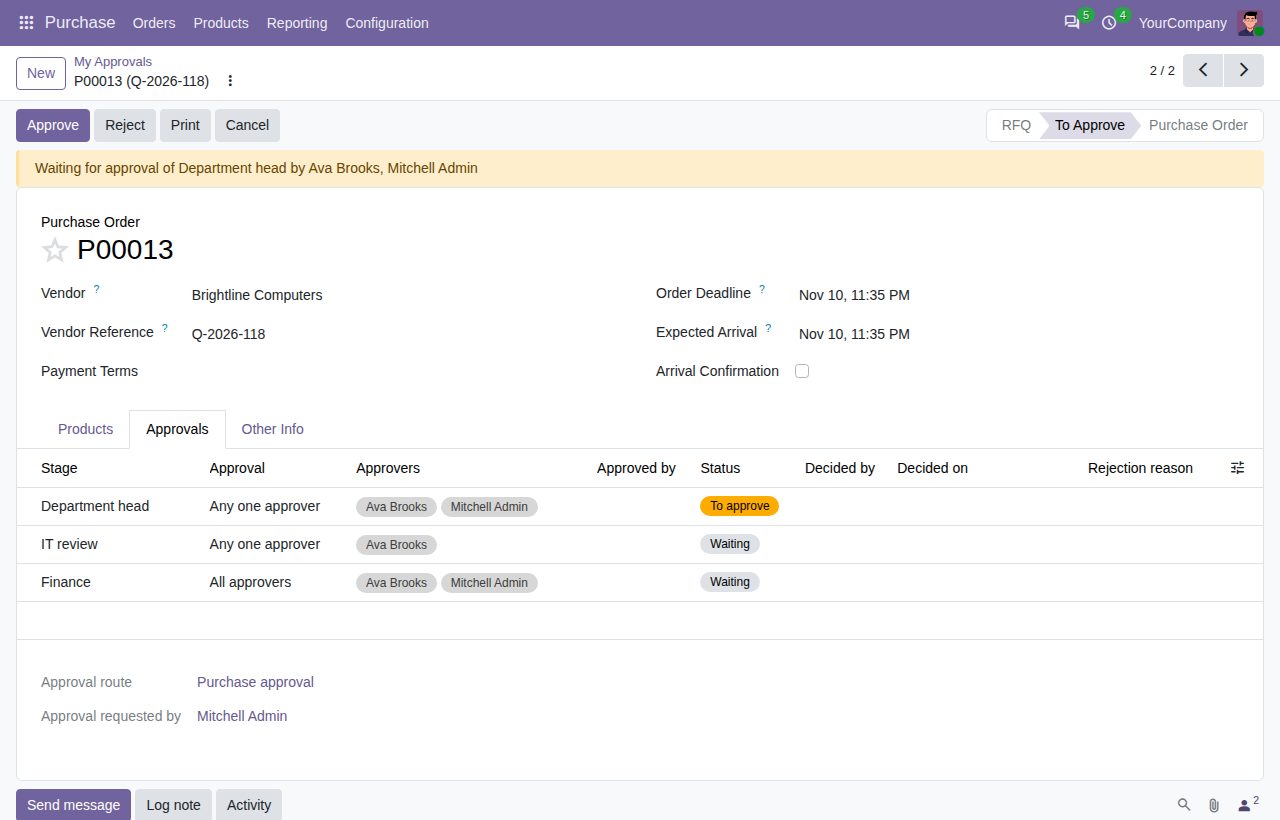
A route lists its stages in sequence. The next stage starts when the previous one is approved; after the last stage the order is confirmed as usual.
Per stage, the first approval can complete it, or every approver must approve. Listing several approvers covers holidays and absence.
A stage applies from a minimum untaxed amount in the company currency (other currencies are converted), for chosen vendors and their contacts, for products of chosen categories and their subcategories, for lines on chosen analytic accounts, or for orders that match an extra filter. Stages that do not apply are left out.
Routes can be limited to a company and to orders that match a filter; the first matching route in the list is used. Archived routes are ignored. Orders without a matching route follow the standard Odoo behaviour.
The approvers of the current stage get a to-do on the order and see Approve and Reject buttons. Reject asks for a reason, sends the order back to Request for Quotation and gives the requester a to-do; confirming again starts a new approval round.
While an order waits for approval, its vendor, currency and lines (product, quantity, price, discount, taxes, unit, analytic distribution) cannot be changed. Cancelling the order withdraws the request. The standard Approve Order button is hidden and refused for orders on a route, also for purchase administrators.
Per route, the user who confirms the order can be excluded from its approvers. When nobody else could approve a stage, confirming is refused with a clear message.
Purchase > Orders > My Approvals and the filter Waiting for my approval list the orders waiting for you. The Approvals tab shows every stage with its approvers, who decided and when, and the rejection reason; the chatter logs each step.
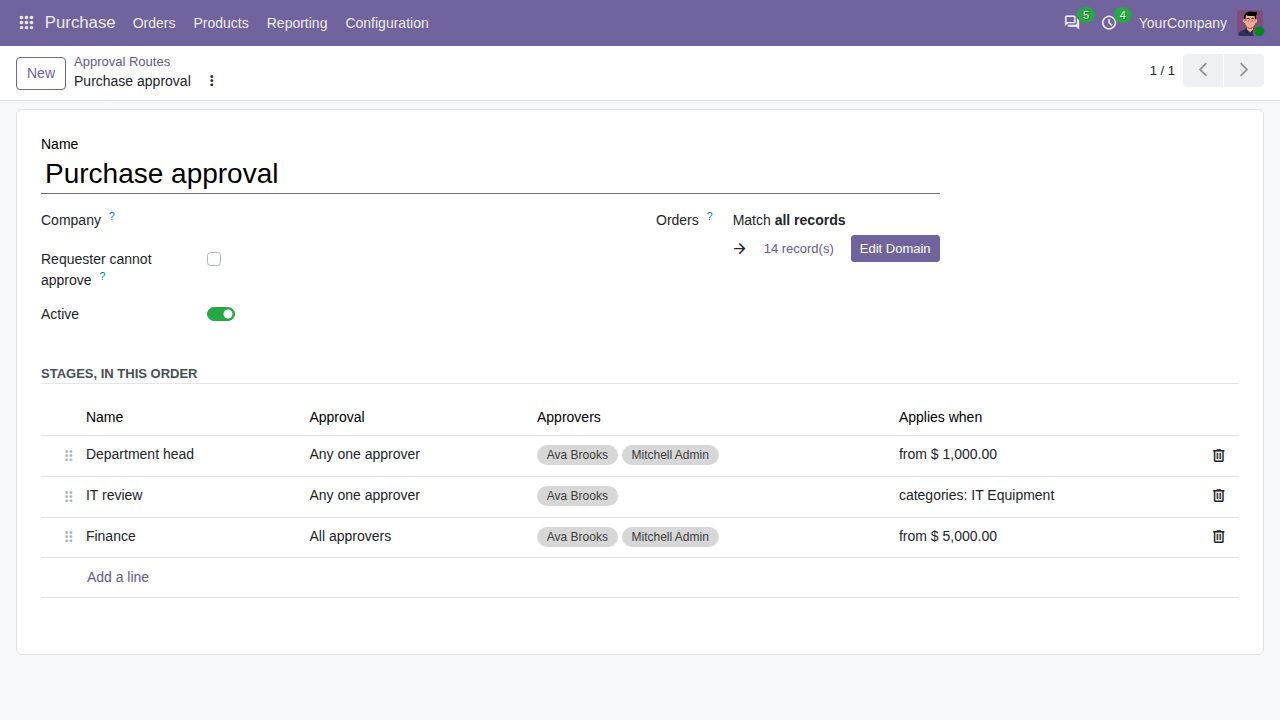
An approval route with its stages, approvers and conditions
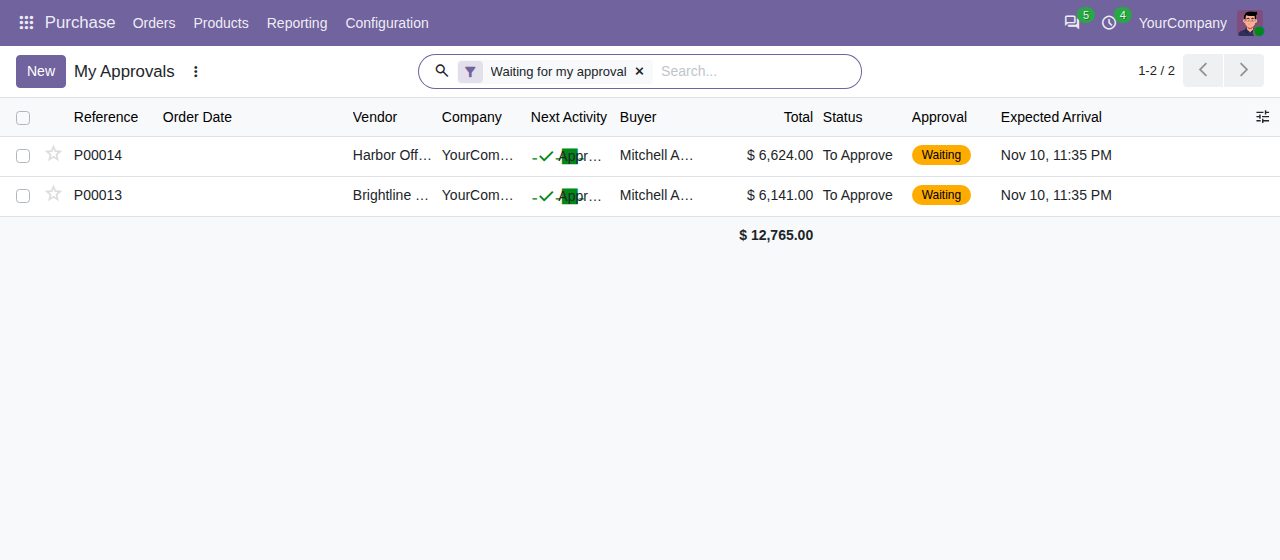
My Approvals: the orders waiting for your approval
We build custom Odoo modules and changes to this one at a fixed price, from €950 excluding VAT. Small modules are usually delivered within five working days, tested on your Odoo version. Describe what you need to hello@bizzkitt.ai.
Bitwerf is a trade name of BizzKitt B.V., Frederikstraat 67, 3034 LD Rotterdam, the Netherlands (KvK 42149345, VAT NL869932354B01). Questions: hello@bizzkitt.ai · Support · Privacy · Terms