The pictures of the selected products in one ZIP file, each named so you can match it to the product.
Resellers, marketplaces and printers ask for your product pictures as files. Odoo shows one picture per product but cannot save many of them at once. This module adds Download Images to the Action menu of products and product variants: choose how the files are named and how large they are, and your browser saves one ZIP file with all the pictures.
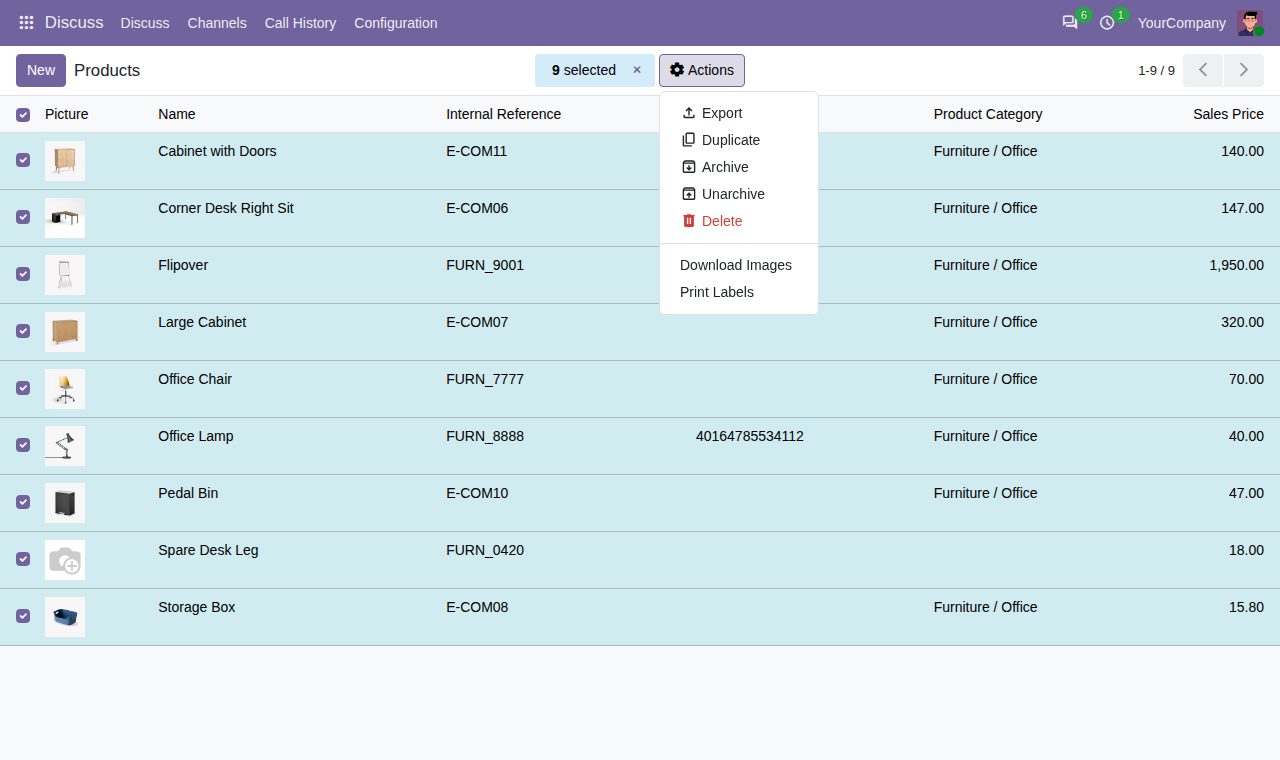
Select products or product variants in a list, or open a single product, and choose Download Images in the Action menu. The pictures of everything you selected arrive in one ZIP file.
Name each file after the internal reference, the barcode, the product name or the database ID. A product without the chosen value is named after its name and ID, so no picture is left out.
Original pictures (up to 1920 px) or Odoo's 1024, 512, 256 or 128 px versions (longest side). Smaller pictures keep their own size, and so do GIF pictures, which Odoo never resizes.
Optionally sort the pictures into folders named after each product's category and its parent categories, for example Furniture/Chairs.
An index.csv in the ZIP lists every selected product with its file name, internal reference, barcode and category. Products without a picture are listed without a file.
Characters that Windows, macOS or Linux refuse are replaced, long names are cut to 100 characters and a name that repeats gets (2), (3). Each file ends in its real picture type: PNG, JPG, GIF, WEBP or SVG.
Selected variants give their own picture, or the product's picture when they have none, as Odoo shows them. Names by product name include the variant's values, such as T-Shirt (Red).
Products without a picture are skipped and named in the dialog before you download. Products are read with each user's own access rights, and only the user who made a download can fetch it.
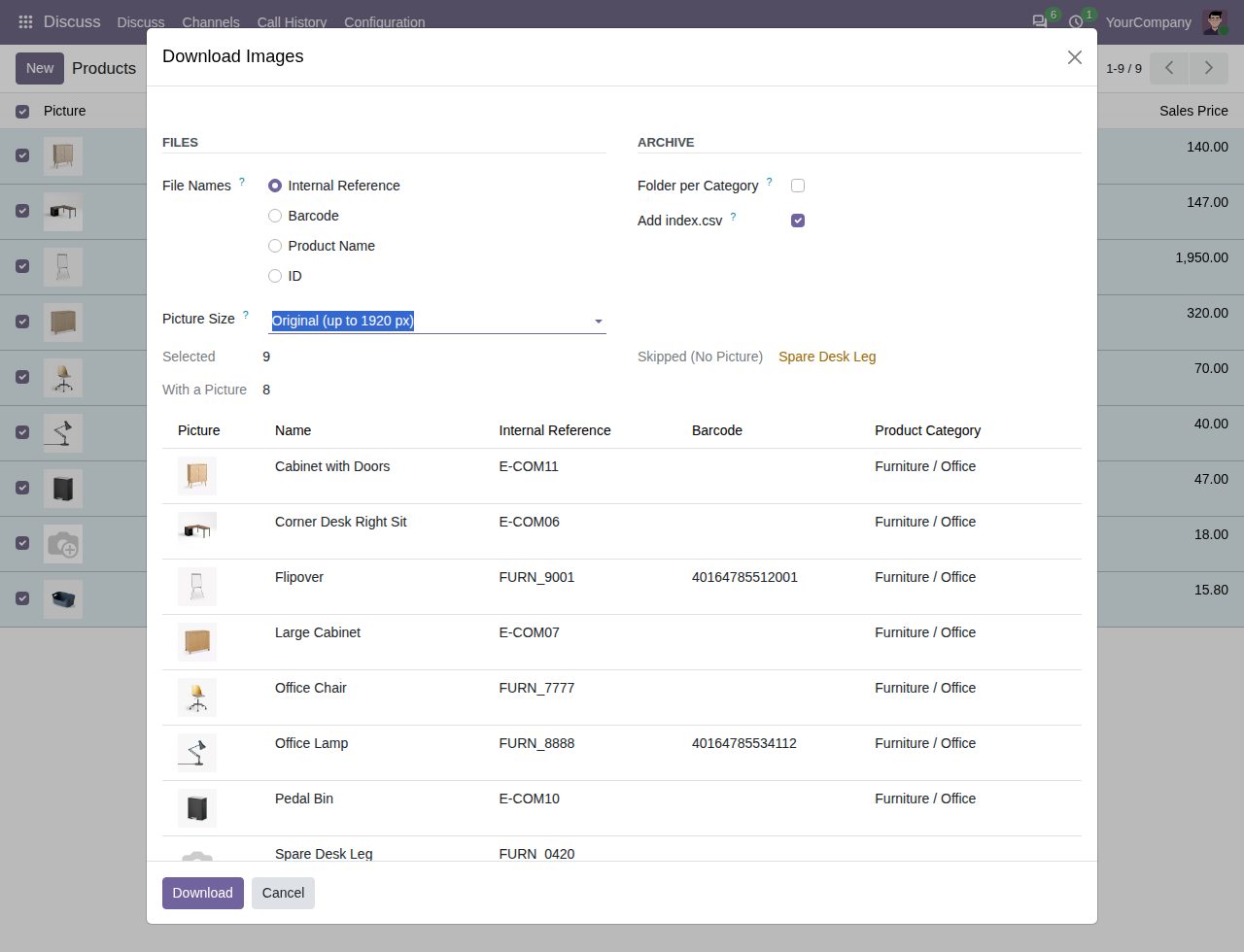
Choose file names, picture size, category folders and the index file. A product without a picture is named before you download.
We build custom Odoo modules and changes to this one at a fixed price, from €950 excluding VAT. Small modules are usually delivered within five working days, tested on your Odoo version. Describe what you need to hello@bizzkitt.ai.
Bitwerf is a trade name of BizzKitt B.V., Frederikstraat 67, 3034 LD Rotterdam, the Netherlands (KvK 42149345, VAT NL869932354B01). Questions: hello@bizzkitt.ai · Support · Privacy · Terms