Turn your products into a catalogue or price list PDF on your letterhead, ready to print or email to customers.
Sales teams lose hours copying product photos and prices into documents that are out of date a week later. This module builds the catalogue from Odoo itself: pick products by hand or by category, tag or filter, choose a layout and what to show, and get a PDF on your company letterhead with the customer's own prices. Print it, email it, or let Odoo send a fresh copy every week or month.
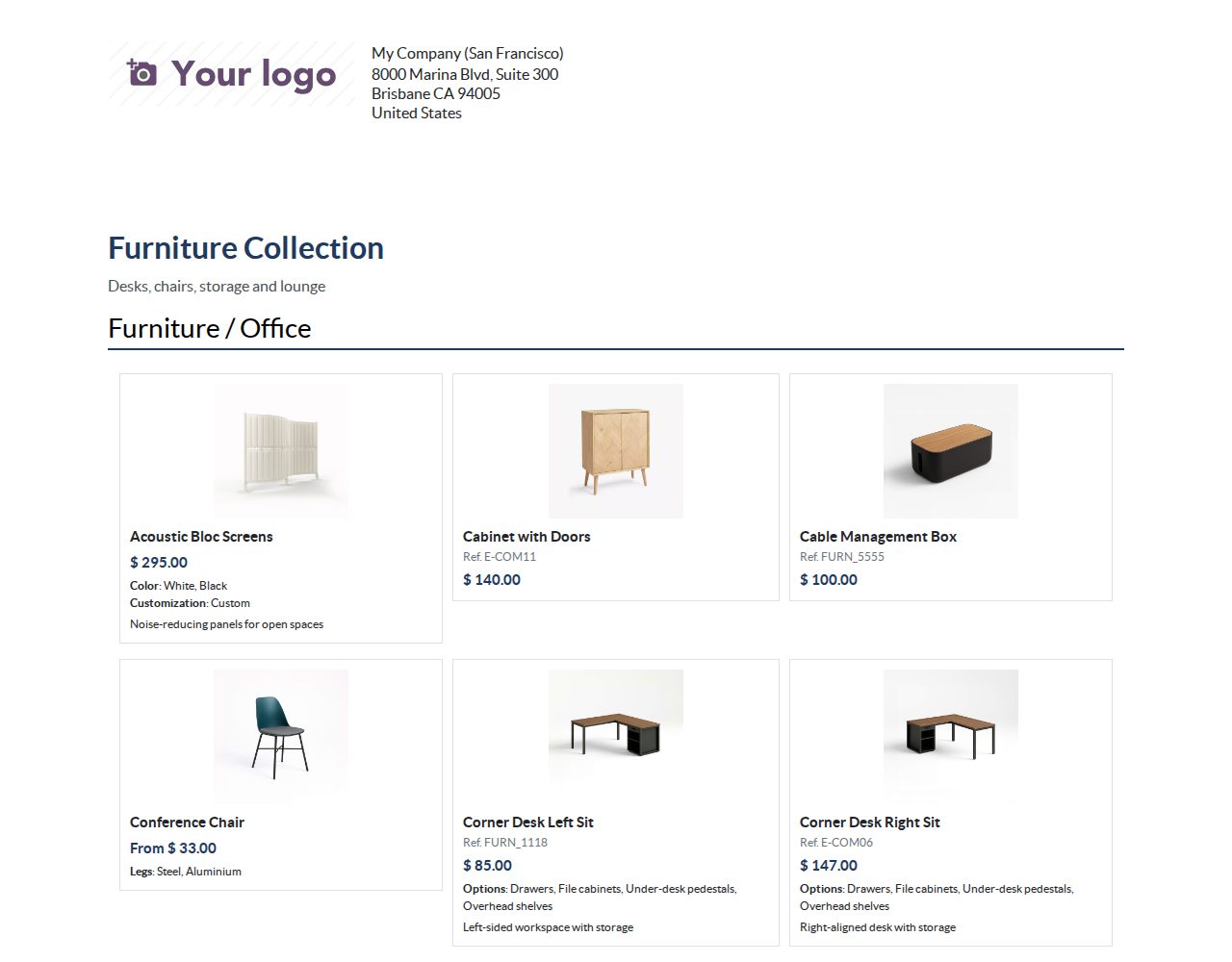
A hand-picked list in your own order, plus every product of chosen categories (with their subcategories), with chosen tags or matching an extra filter. Leave single products out. Each product appears once; archived products and other companies' products never appear.
A grid with two or three products per row, a price list table, or product sheets with one product per page. Group products under category headings and sort them by name, internal reference, price or your own order.
Switch the image, internal reference, barcode, sales description, price, options (attribute values) and unit on or off, and show stock as In stock / Out of stock or as the quantity on hand.
Prices for one unit come from the customer's pricelist or one you choose. A product whose variants have different prices shows From and the lowest price.
A cover with title, subtitle, cover image, introduction, the customer's address, your contact details, the date and the number of products, plus a closing text and a price note, on your company's document layout.
Send by Email opens an email you can edit, addressed to the catalogue's recipients, with the PDF attached. The email and the PDF stay in the catalogue's chatter.
Switch on automatic sending and Odoo makes a fresh PDF on each date and emails it to the recipients. Recipients without an email address are skipped and noted; missed dates are not sent twice.
Select products or variants in a product list and choose Actions > Add to catalogue, for an existing catalogue or a new one. Products already in it are not added twice.
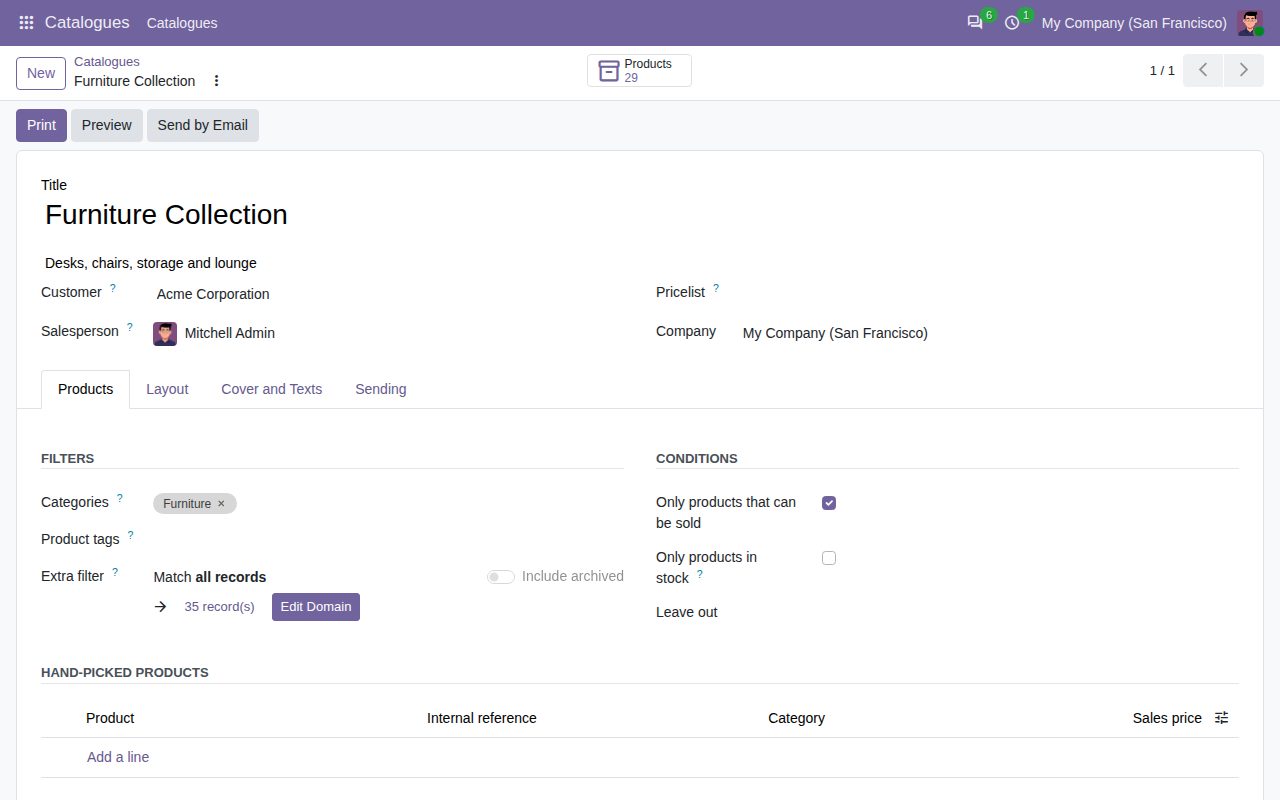
A catalogue: products by category, tag or filter, hand-picked products and what to leave out.
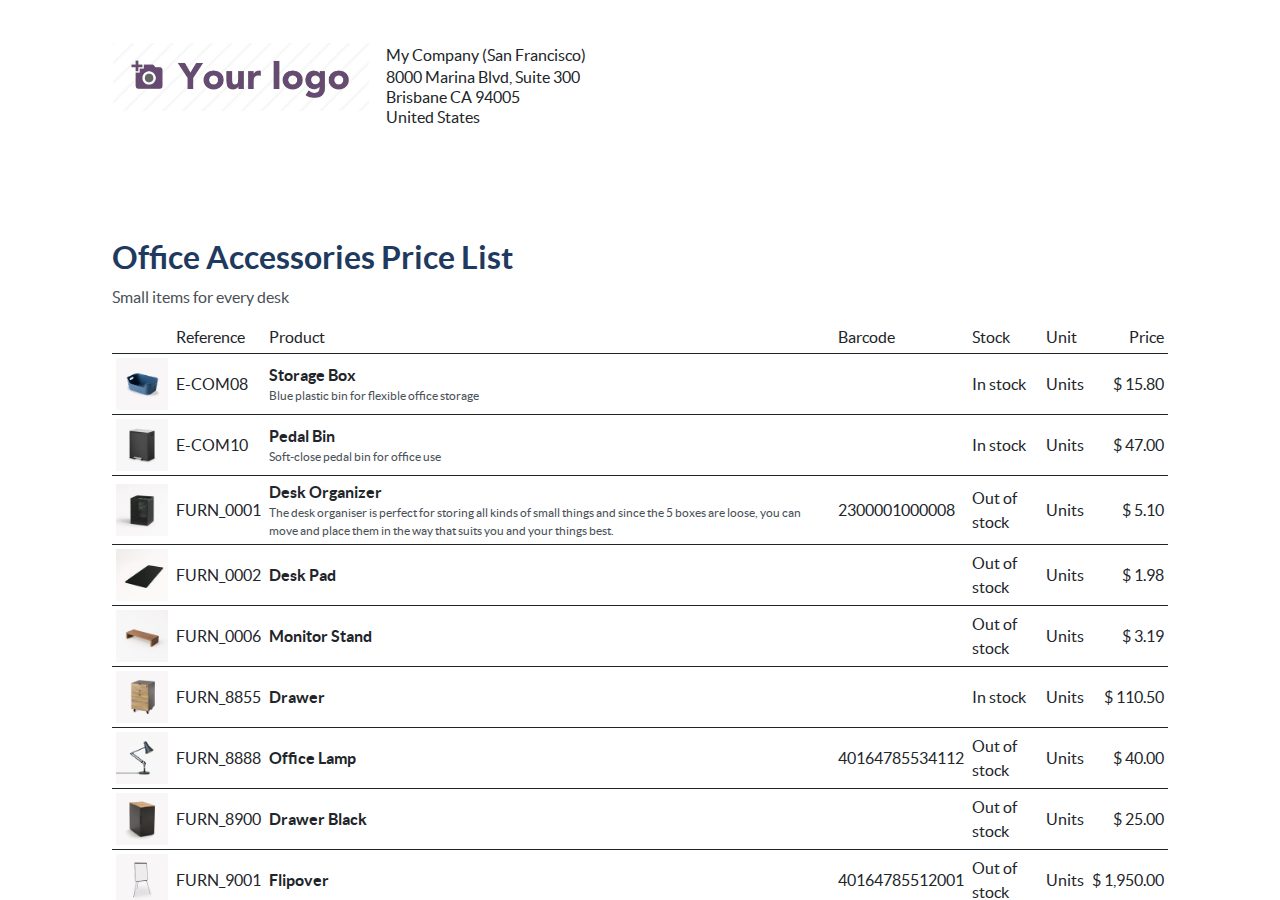
Price list layout with references, barcodes, units, stock and prices.
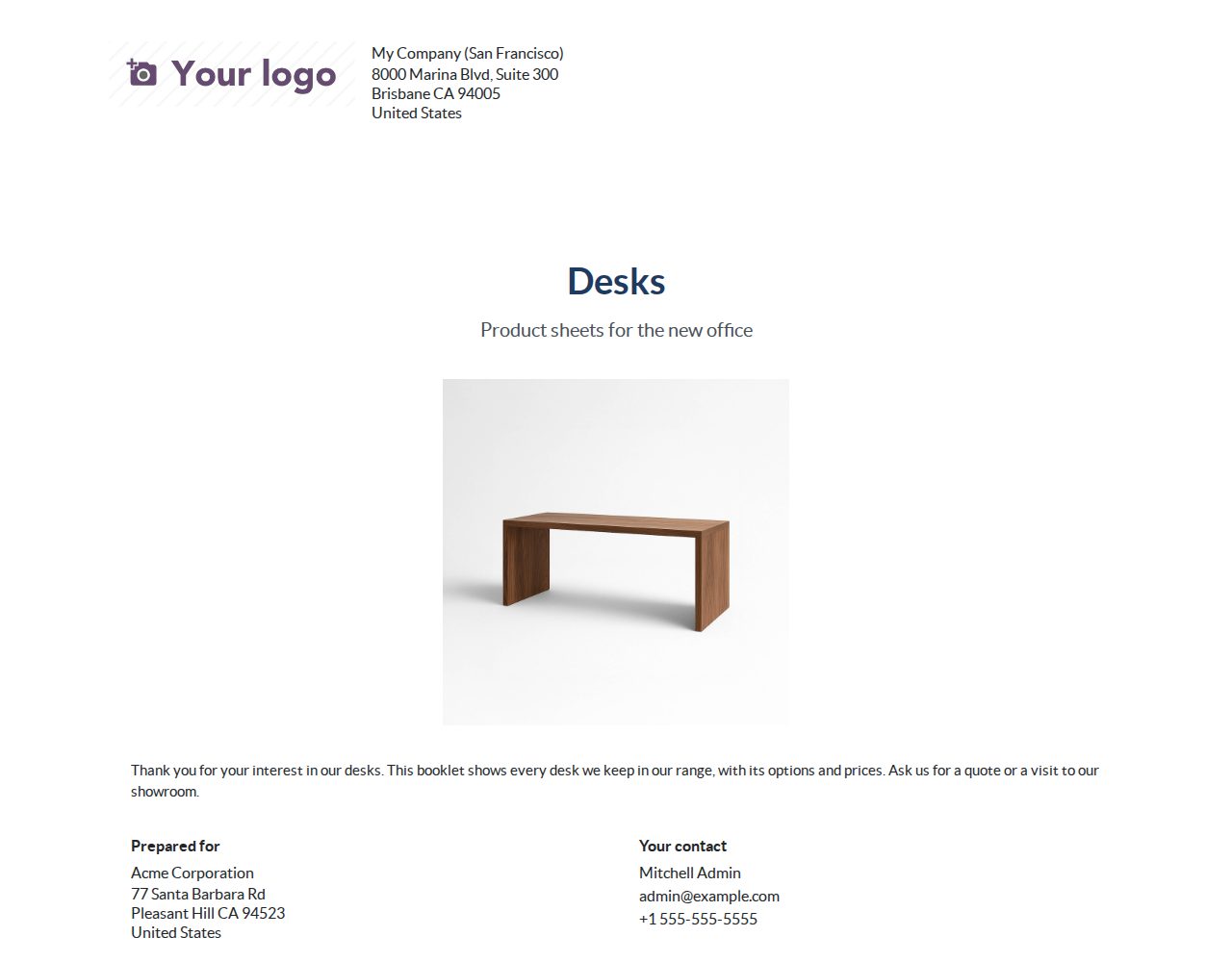
Cover page with a cover image, an introduction, the customer's address and your contact details.
We build custom Odoo modules and changes to this one at a fixed price, from €950 excluding VAT. Small modules are usually delivered within five working days, tested on your Odoo version. Describe what you need to hello@bizzkitt.ai.
Bitwerf is a trade name of BizzKitt B.V., Frederikstraat 67, 3034 LD Rotterdam, the Netherlands (KvK 42149345, VAT NL869932354B01). Questions: hello@bizzkitt.ai · Support · Privacy · Terms