Load customer pricelists, vendor price sheets and product prices from Excel or CSV, see every change first, and undo an import with one click.
Price lists arrive as spreadsheets: a new wholesale price list, a supplier's yearly price sheet, a cost update. Odoo's standard import can create pricelist rules and vendor prices, but it only updates existing ones through External IDs, so importing a new version of a file adds duplicate rules. This module reads the file, recognises the columns, matches products by internal reference, barcode or name, shows what each row will create or change, and writes only when you click Import.
Upload an .xlsx workbook (first sheet) or a CSV file. Comma, semicolon, tab and pipe separators and UTF-8 or Windows encodings are detected; Excel numbers and dates are read as they are.
Sales pricelist rules (fixed price or discount, minimum quantity, start and end date), vendor prices (vendor, minimum quantity, price, discount, currency, lead time, vendor product code and name) and the sales price and cost of products.
Headers such as SKU, EAN, Product, MOQ, Unit Price, Discount, Valid From or Lead Time are mapped automatically, with the first value of each column shown. Change any column or ignore it.
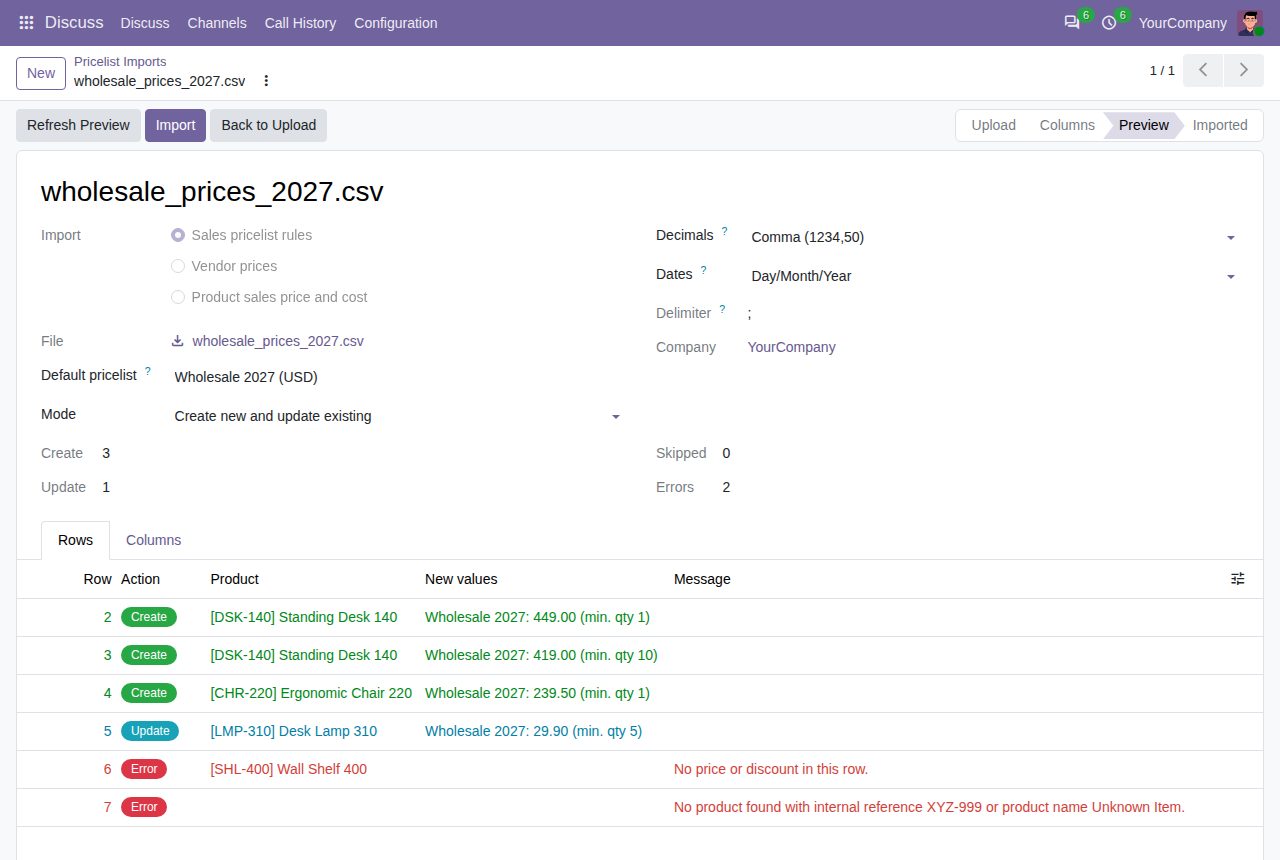
Every row shows whether it creates, updates or skips a price, the product it found and the new values. Nothing changes in your prices until you click Import.
Unknown or ambiguous products, unknown pricelists, vendors or currencies, text where a number belongs, a missing price or an end date before the start date: each row says what is wrong, and the other rows still import.
A rule with the same pricelist, product, minimum quantity and dates is updated instead of duplicated; the same goes for vendor prices per vendor. An update-only mode leaves out rows that would create new prices.
Undo deletes the prices an import created and puts back the values it changed, including product sales prices and costs.
Each import keeps the file, the user, the date and the result of every row. Rows are written with the importing user's own access rights, each in its own savepoint.
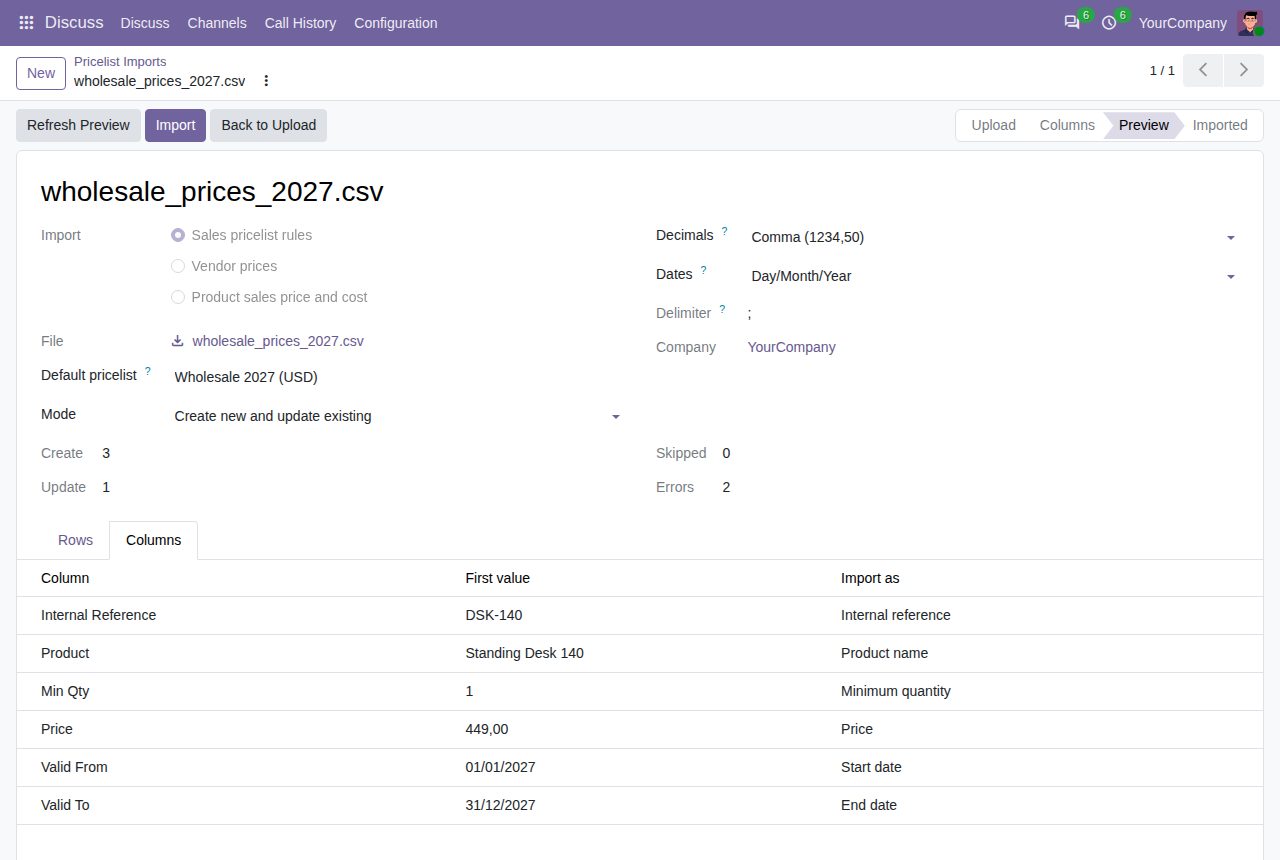
Columns recognised from the file headers, with the first value of each column
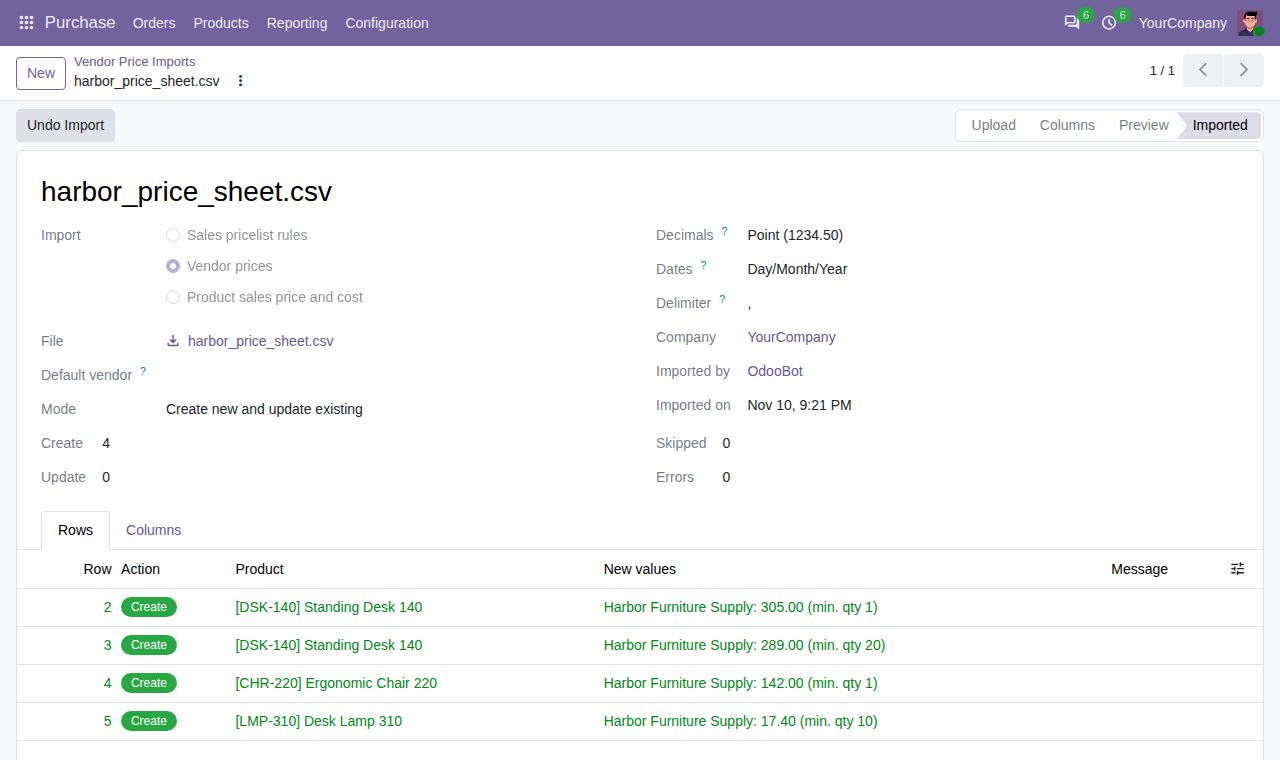
A supplier's price sheet imported as vendor prices
We build custom Odoo modules and changes to this one at a fixed price, from €950 excluding VAT. Small modules are usually delivered within five working days, tested on your Odoo version. Describe what you need to hello@bizzkitt.ai.
Bitwerf is a trade name of BizzKitt B.V., Frederikstraat 67, 3034 LD Rotterdam, the Netherlands (KvK 42149345, VAT NL869932354B01). Questions: hello@bizzkitt.ai · Support · Privacy · Terms