Enter pieces and their length, width and height on order lines; the quantity in m, m² or m³ and the amount follow.
Made-to-size goods such as banners, glass, boards, fabric and cable are sold by the piece but priced by the metre, square metre or cubic metre. Price by Dimensions puts pieces and sizes on sales, purchase and invoice lines, works out the quantity from them and carries the sizes to deliveries, purchase orders, manufacturing orders, vendor bills and printed documents.
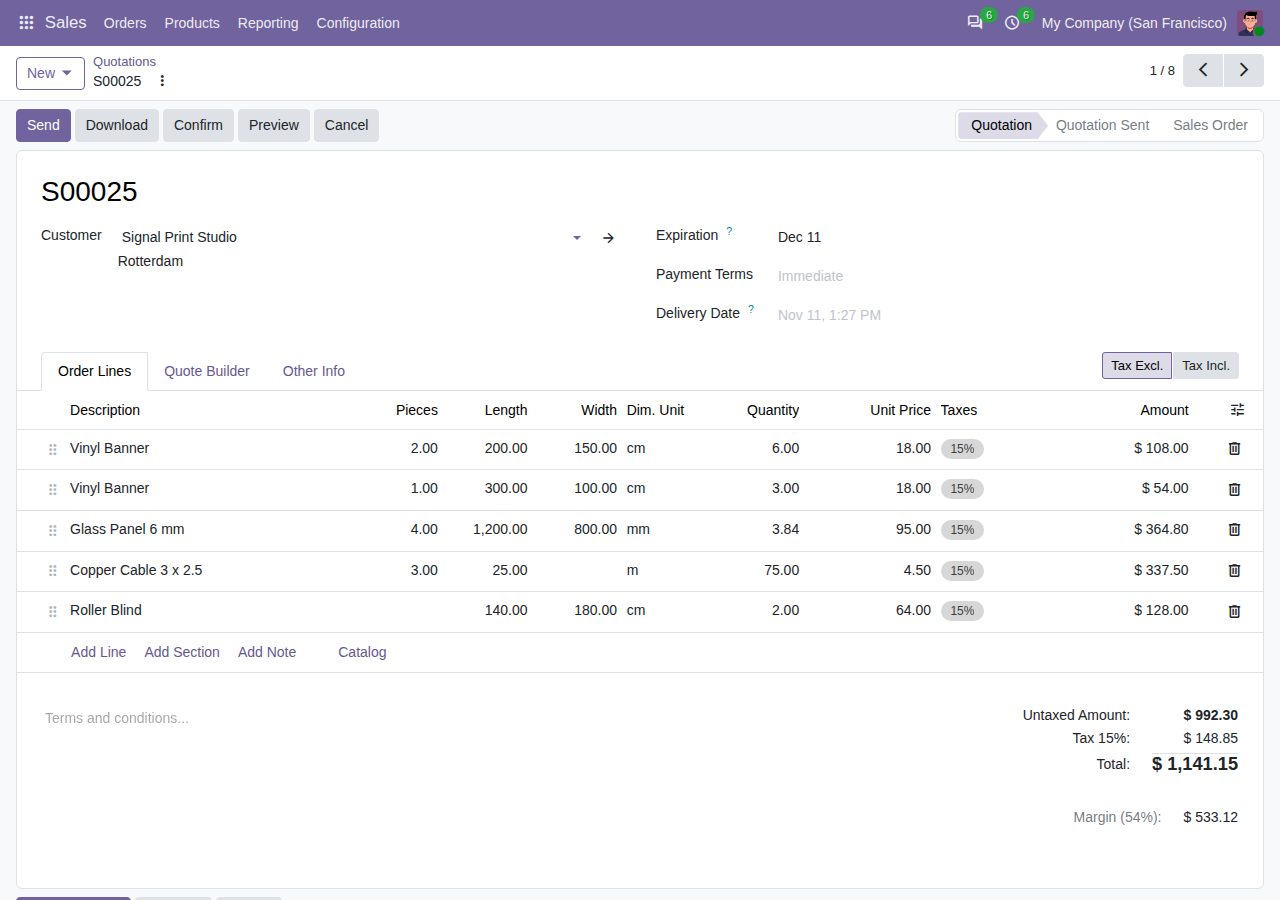
Pieces, length, width and height on quotations, sales orders, requests for quotation, purchase orders, invoices and vendor bills. A product is measured by its length, length × width or length × width × height.
For products sold by their total size the line quantity is pieces × size in the product's unit (m, m², m³, ft², litres and so on), so pricelists and vendor prices apply per unit of size, as usual. Changing the pieces or a size updates the quantity; on confirmed sales orders more pieces also reach the delivery.
Enter sizes in mm, cm, m, inches or feet; they are converted into the product's own unit.
Products priced per piece can keep their quantity in pieces and record the size of each piece, with the total size shown next to it.
Set a minimum and maximum length, width and height. Sizes outside them are refused on sales, purchase and invoice lines and on manufacturing orders.
A quotation with a line sold by size cannot be confirmed until that line has its pieces and size.
Deliveries keep one move per size. Make-to-order purchases get one purchase line per size, and more of the same size joins that line; make-to-order manufacturing orders get the size. Invoices, receipts and vendor bills take sizes and pieces from their orders. A size is locked once its line has stock moves.
Quotations, sales orders, invoices and purchase orders show the pieces and size, for example "2 pcs, 200 × 150 cm", under the line description.
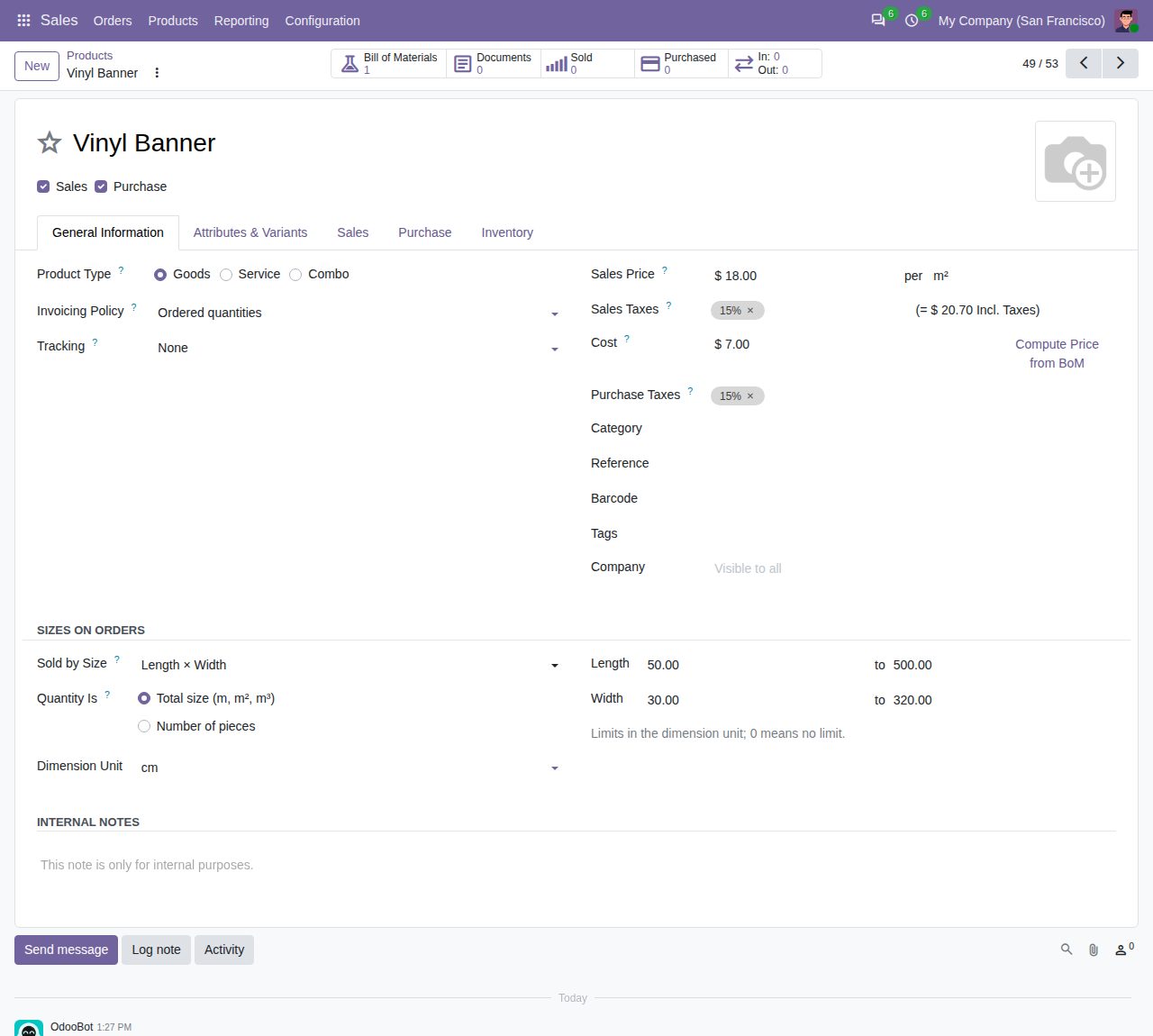
Product settings: measured by length × width in cm, the quantity is the total size, with limits.
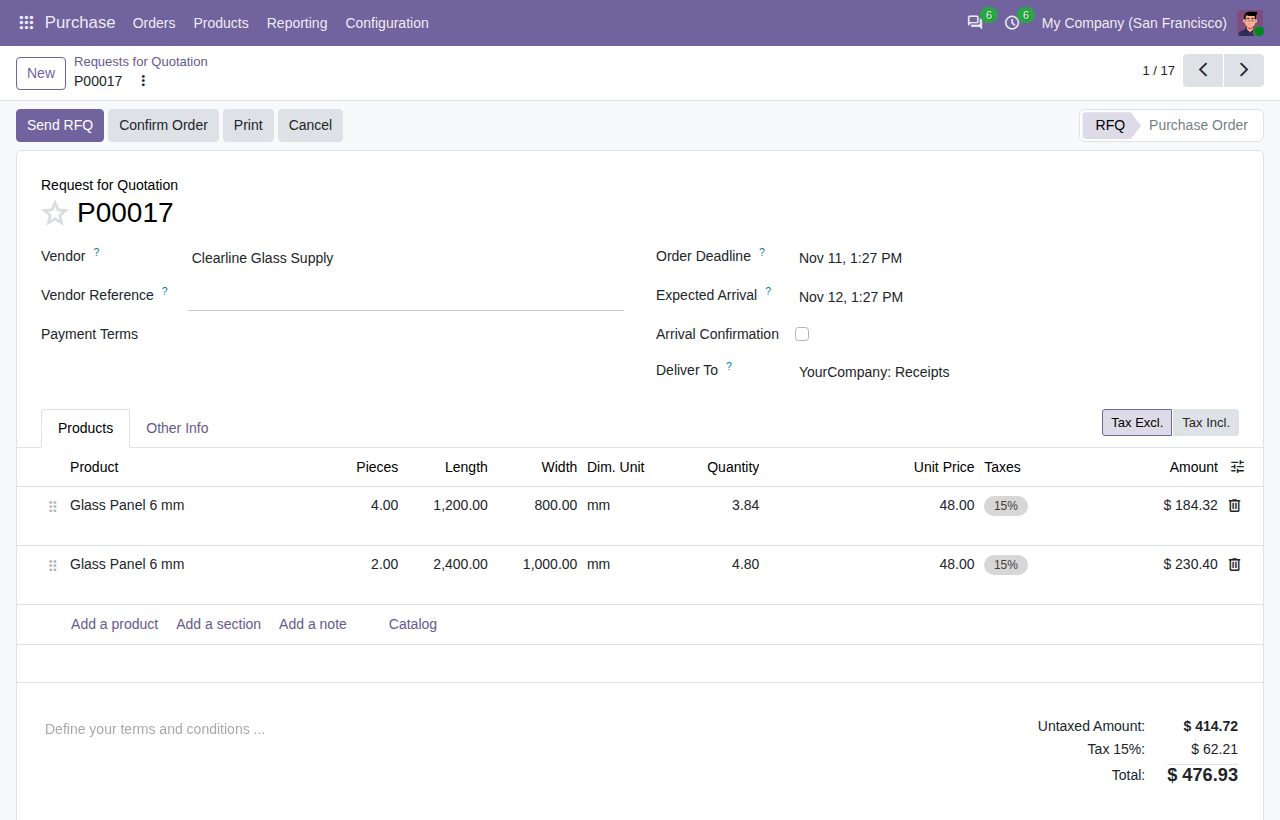
A request for quotation: pieces and size of each glass panel, with the quantity worked out from them.
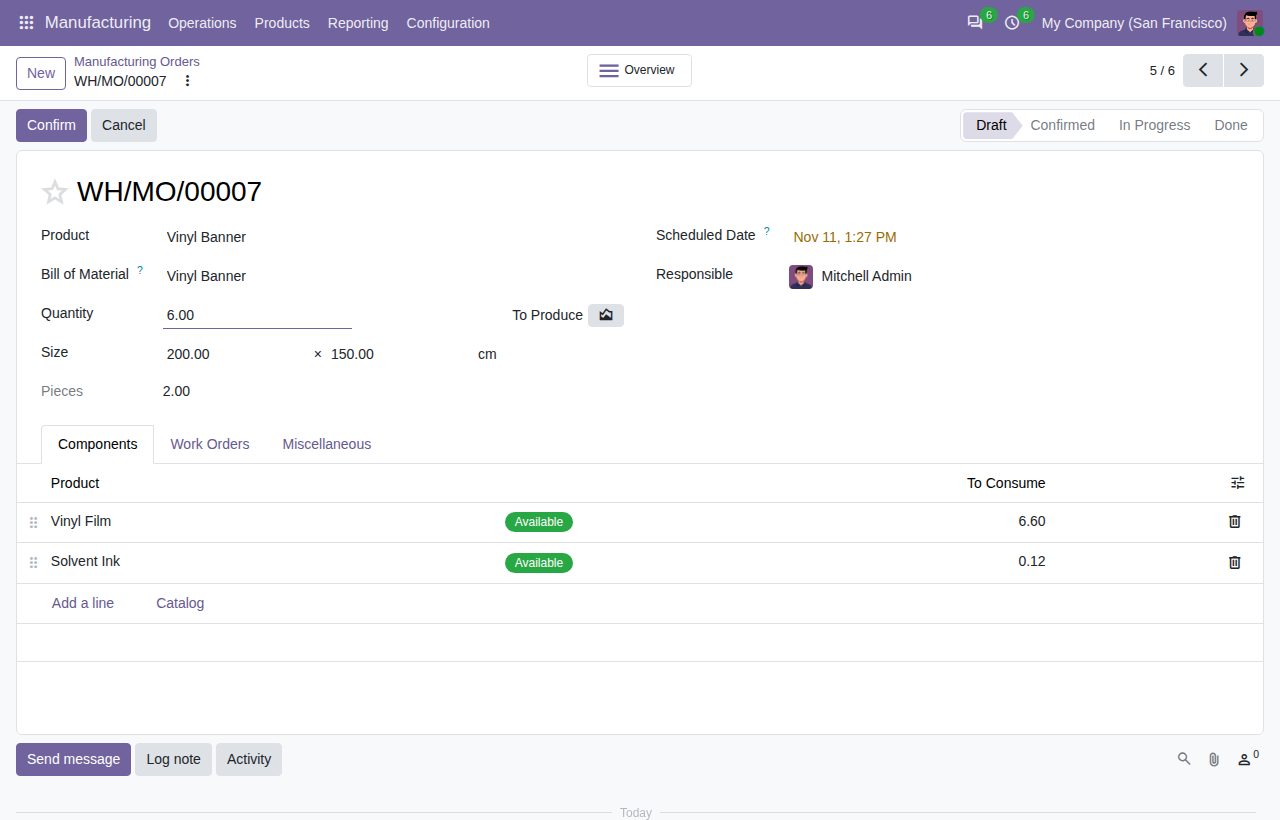
A manufacturing order for 2 pieces of 200 × 150 cm.
We build custom Odoo modules and changes to this one at a fixed price, from €950 excluding VAT. Small modules are usually delivered within five working days, tested on your Odoo version. Describe what you need to hello@bizzkitt.ai.
Bitwerf is a trade name of BizzKitt B.V., Frederikstraat 67, 3034 LD Rotterdam, the Netherlands (KvK 42149345, VAT NL869932354B01). Questions: hello@bizzkitt.ai · Support · Privacy · Terms