Send one step of a manufacturing order to a vendor: the request for quotation is made for you, the work order finishes when the work comes back and the vendor's price lands in the product cost.
Painting, plating, heat treatment or machining is often done by a vendor while the rest of the order stays in your own workshop. Odoo subcontracts whole products only. Operation Subcontracting marks single operations of a bill of materials as subcontracted: confirming a manufacturing order makes the request for quotation, the work order shows where the work is, and receiving it finishes the step and counts the vendor's price in the cost.
Tick Subcontract on an operation of a bill of materials and choose the subcontractor and the service you buy from them. The vendor prices on the service's Purchase tab set the price.
Confirming a manufacturing order makes one request for quotation per subcontractor, with a line per subcontracted operation: the service, the order's quantity (in the service's unit when Odoo can convert it), the vendor's price and a description with the operation, the order and the product. Manufacturing users need no purchase rights for this.
Send to Vendor records the date and puts the work order in progress without a timer. Receive finishes it and writes the received quantity on the purchase line. Typing a received quantity that covers the line on the purchase order finishes the work order too.
A subcontracted work order cannot be finished, also not with Produce All, while its request for quotation is not confirmed. Producing the order records the received quantity. Cancel the purchase order and the step is an in-house operation again.
With operation dependencies on the bill of materials, the operations after the subcontracted one stay blocked until the vendor's work is received.
A subcontracted work order costs the vendor's price for its quantity instead of time at the work center rate, so the order's subcontracting cost and the average cost of the finished product include it.
Backorders keep the original purchase line and add their quantity to it when received. Cancelling a manufacturing order cancels its requests for quotation (lines of other orders stay) and leaves a note on purchase orders already confirmed.
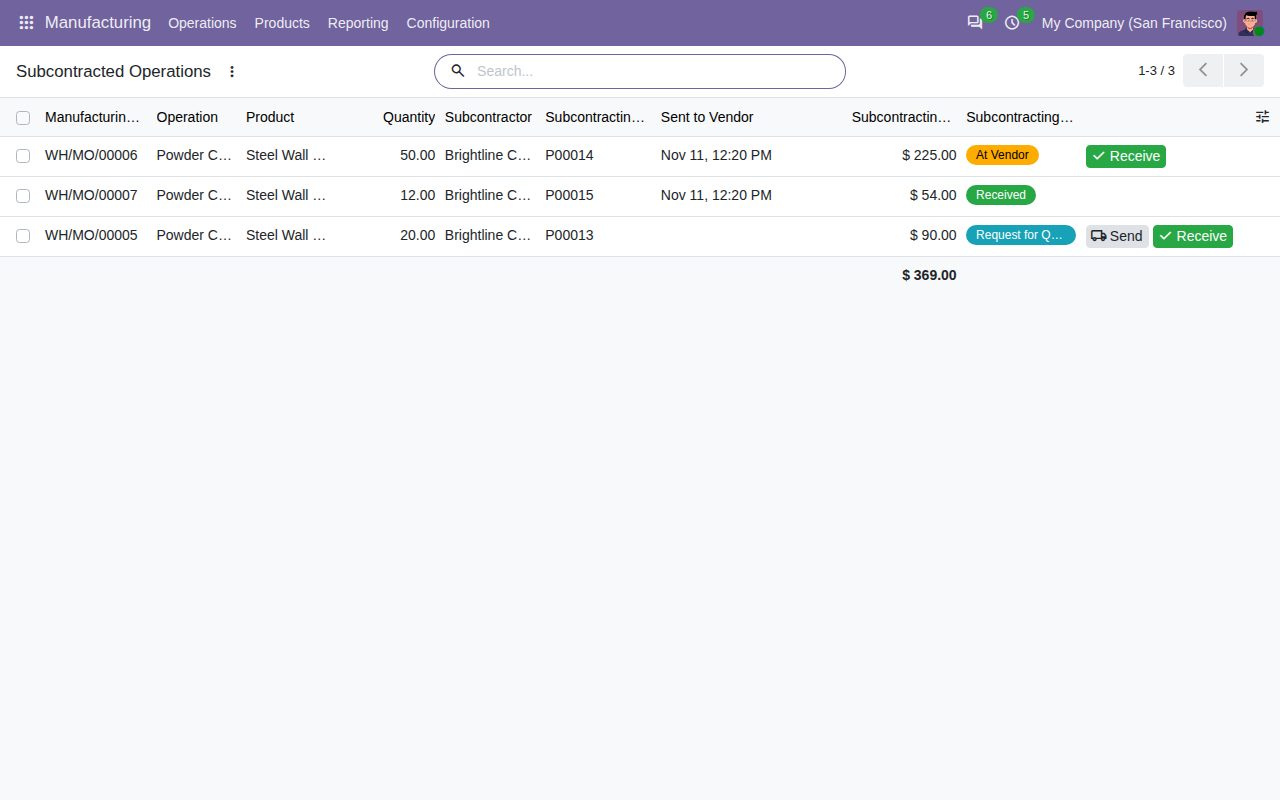
Manufacturing > Operations > Subcontracted Operations lists every subcontracted work order with subcontractor, purchase order, sent date, cost and status, with filters To Send, At Vendor and Received. Buttons link manufacturing and purchase orders both ways.
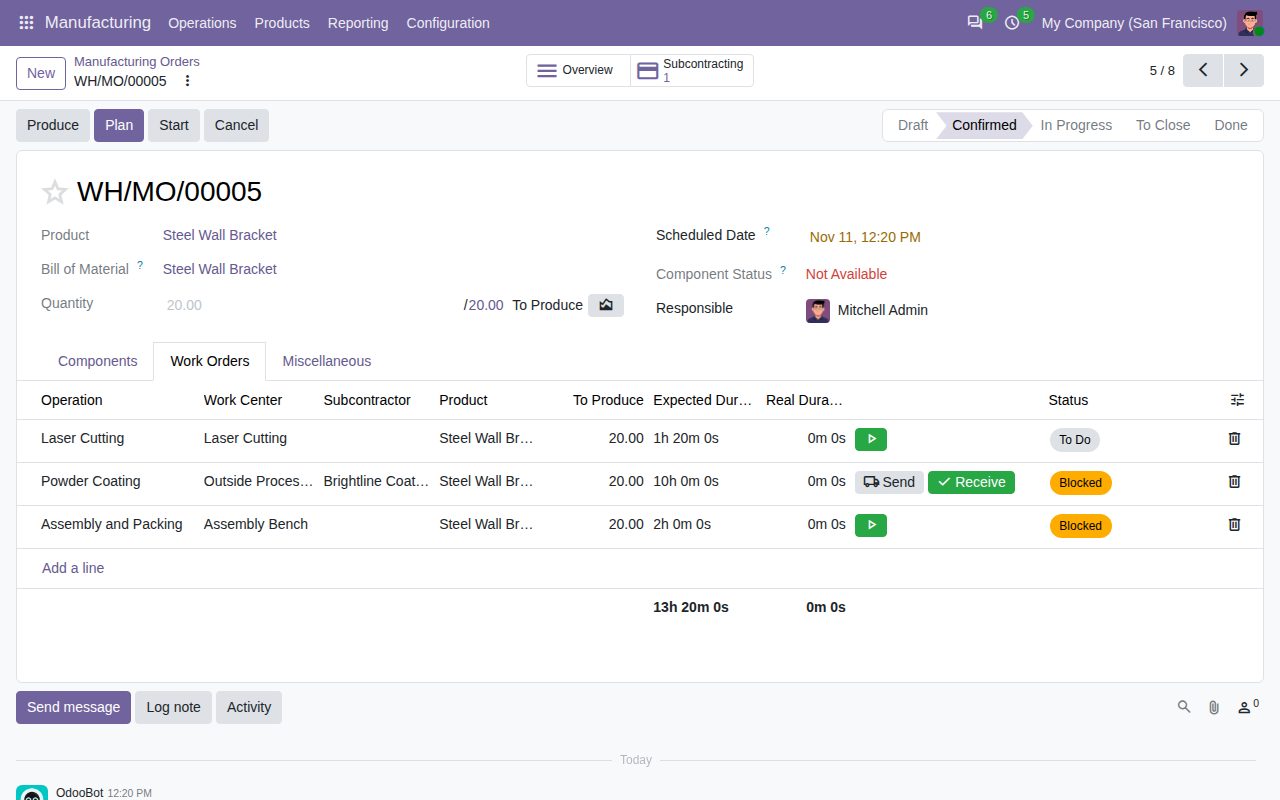
The work orders of a manufacturing order: the subcontracted step shows its subcontractor and the Send and Receive buttons.
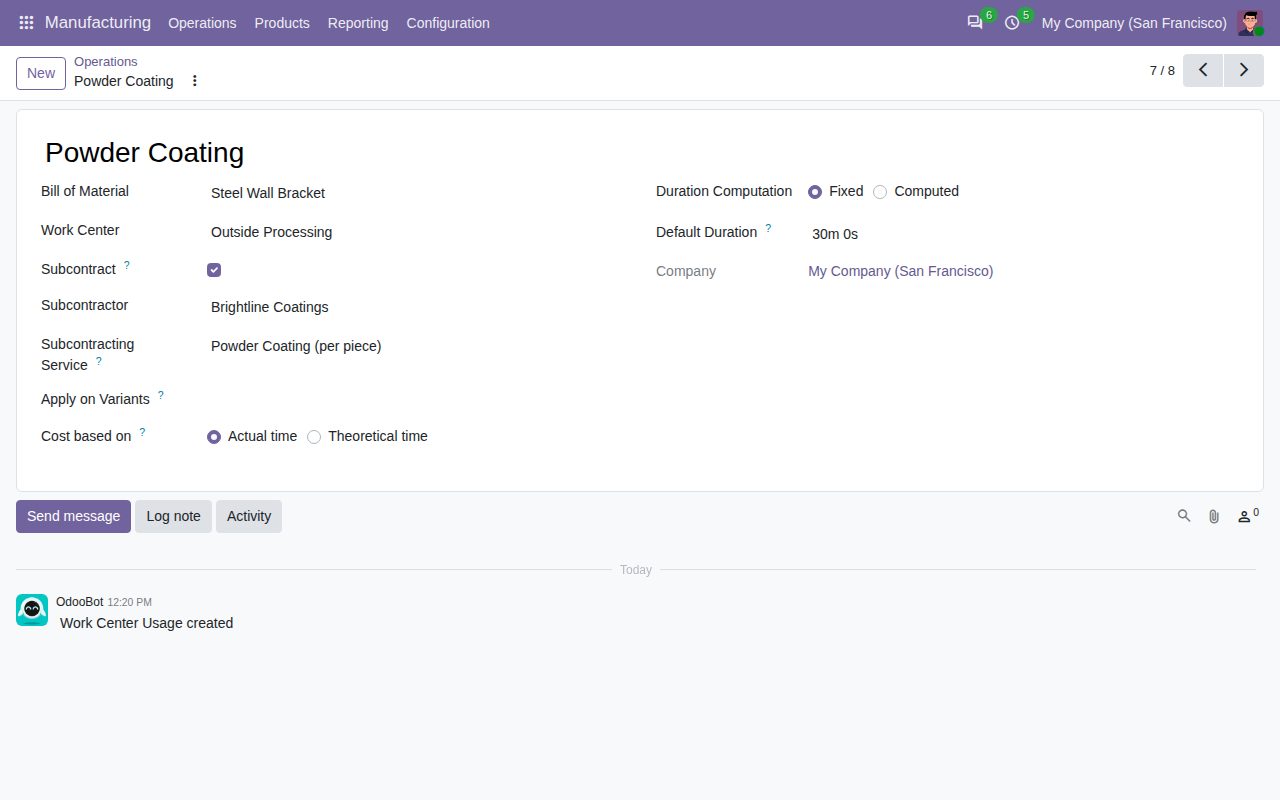
A bill of materials operation marked Subcontract, with its subcontractor and service.
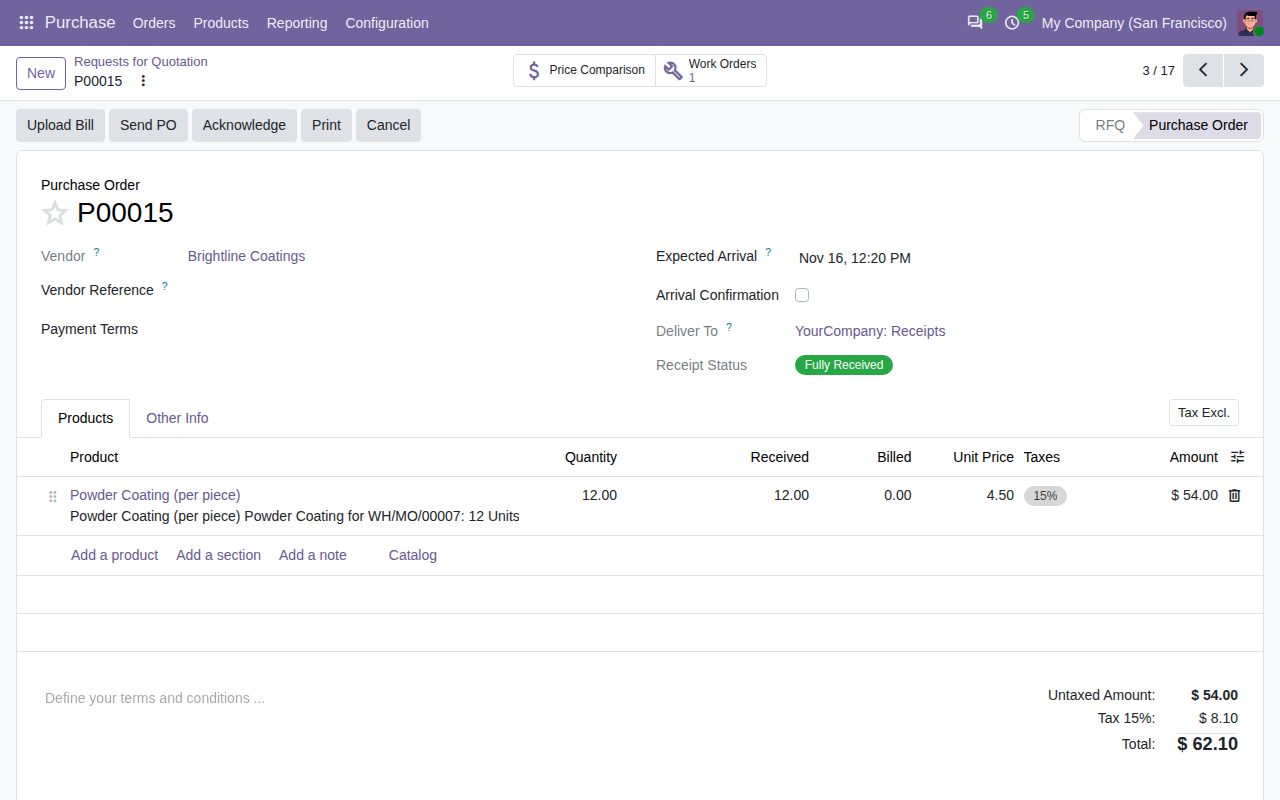
The purchase order made when the manufacturing order was confirmed, with the vendor's price and the Work Orders button.
We build custom Odoo modules and changes to this one at a fixed price, from €950 excluding VAT. Small modules are usually delivered within five working days, tested on your Odoo version. Describe what you need to hello@bizzkitt.ai.
Bitwerf is a trade name of BizzKitt B.V., Frederikstraat 67, 3034 LD Rotterdam, the Netherlands (KvK 42149345, VAT NL869932354B01). Questions: hello@bizzkitt.ai · Support · Privacy · Terms