Let your other apps sign users in with their Odoo account, through standard OpenID Connect.
Wikis, help centers, dashboards and in-house tools can often sign people in with OpenID Connect. This module makes Odoo the identity provider for them: register an app, give it the discovery URL, its Client ID and secret, and your users sign in with their Odoo login. Odoo asks the user's consent, signs an ID token and shares only the data you allow for that app.
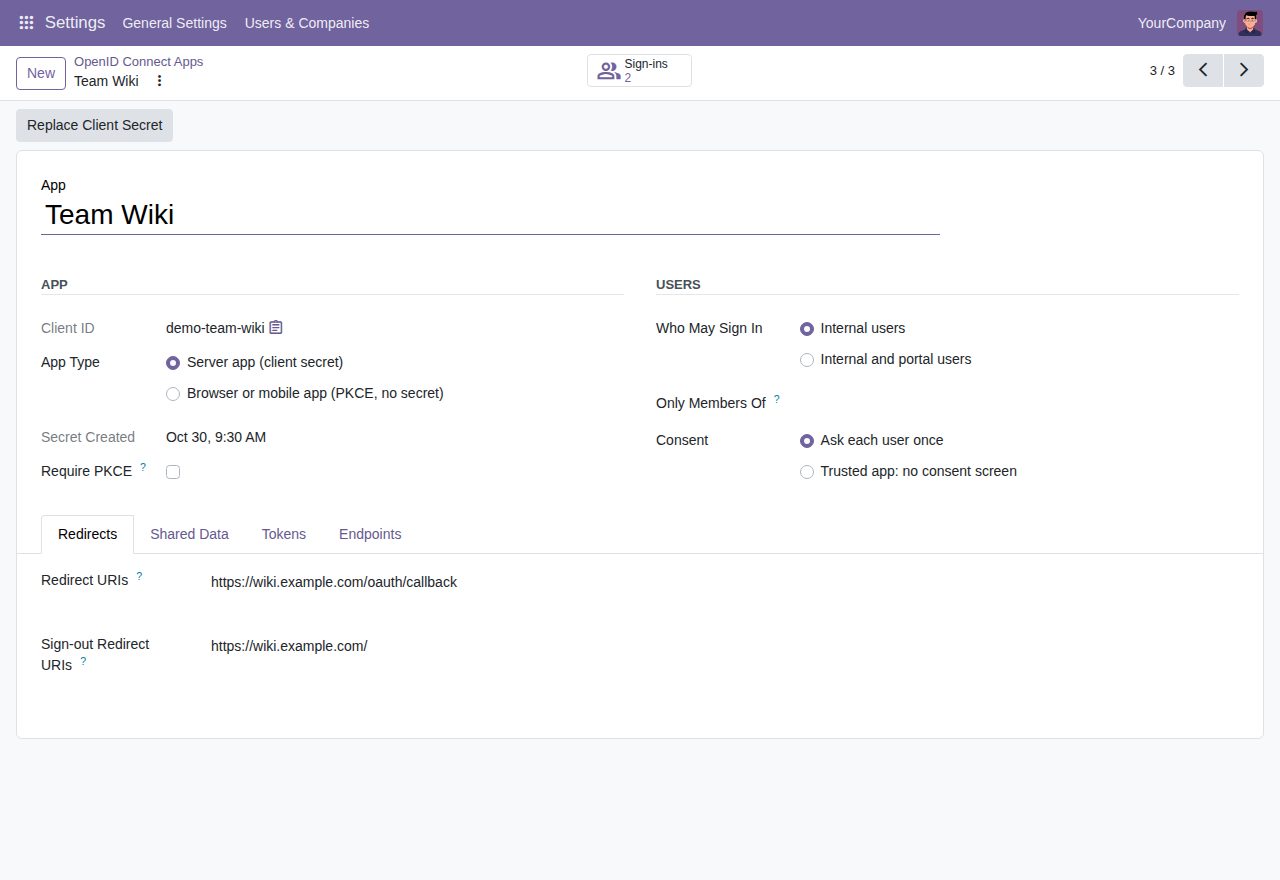
Discovery document, published signing keys (JWKS), authorization code flow, token, user info, revocation and sign-out endpoints. ID tokens are signed with RS256 and carry issuer, subject, audience, expiry, nonce and access token hash, so OpenID Connect client libraries can check them.
Users see which app asks and what it will receive, and choose Allow or Cancel. The answer is remembered per app until an administrator revokes it. Mark your own apps as trusted to skip the page.
Name and login, email address, phone number and postal address are switched on per app. Switching one off also stops it for tokens the app already holds. Optionally tell an app that email addresses are verified.
Internal users only, or internal and portal users, and optionally only members of chosen groups. Users outside those rules get a clear page instead of a sign-in, and their access tokens stop working at once.
Server apps authenticate with a client secret (HTTP Basic or form fields); browser and mobile apps use PKCE (S256) without a secret, and you can require PKCE for server apps too. Discovery, keys, token and user info answer browser apps (CORS).
Codes work once and for two minutes. A code or refresh token used twice ends everything issued from that sign-in, and refresh tokens change at every use (or are switched off per app). Codes, tokens and client secrets are stored only as SHA-256 fingerprints; a new secret is shown once.
prompt=none answers without any page (login_required, consent_required), prompt=login and max_age make the user sign in to Odoo again, and auth_time tells the app when that happened. login_hint fills in the login field.
Apps can send users to the sign-out endpoint and back to a registered address. The Sign-ins list shows who uses which app, since when and how often, with a Revoke button. Signing keys rotate with one click; the previous key stays published for a week.
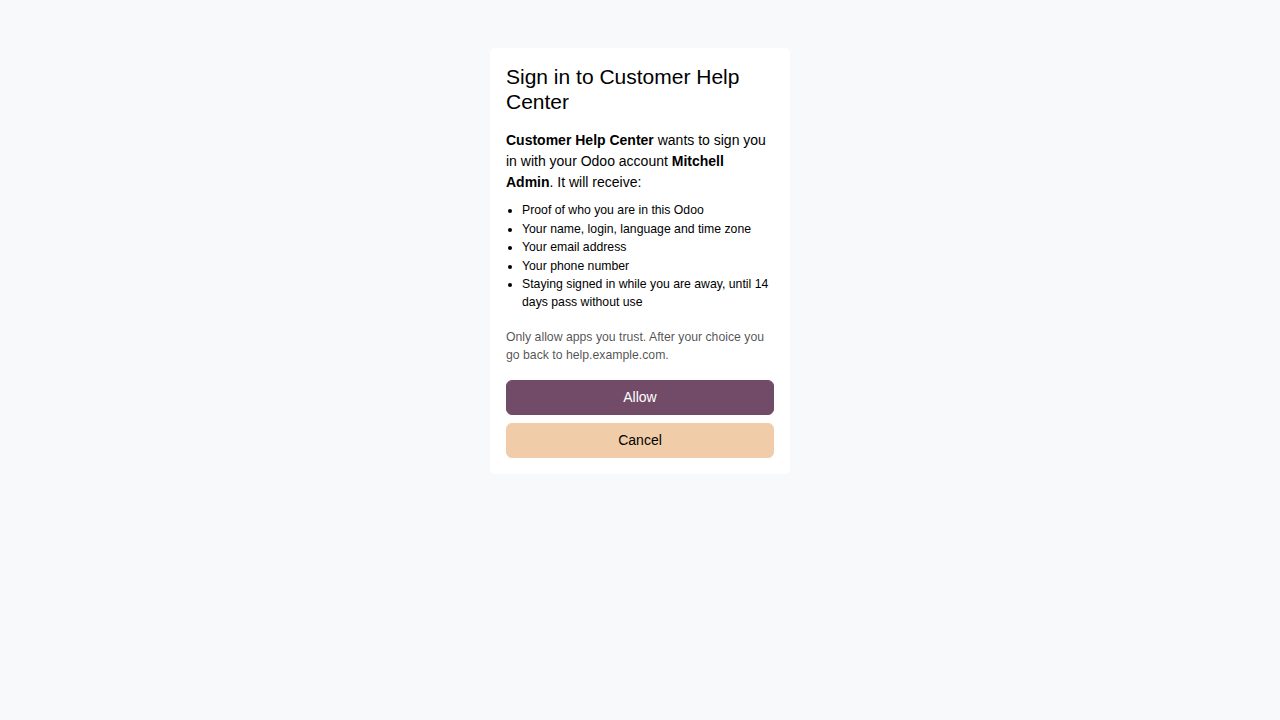
The consent page a user sees the first time an app asks to sign them in with their Odoo account.
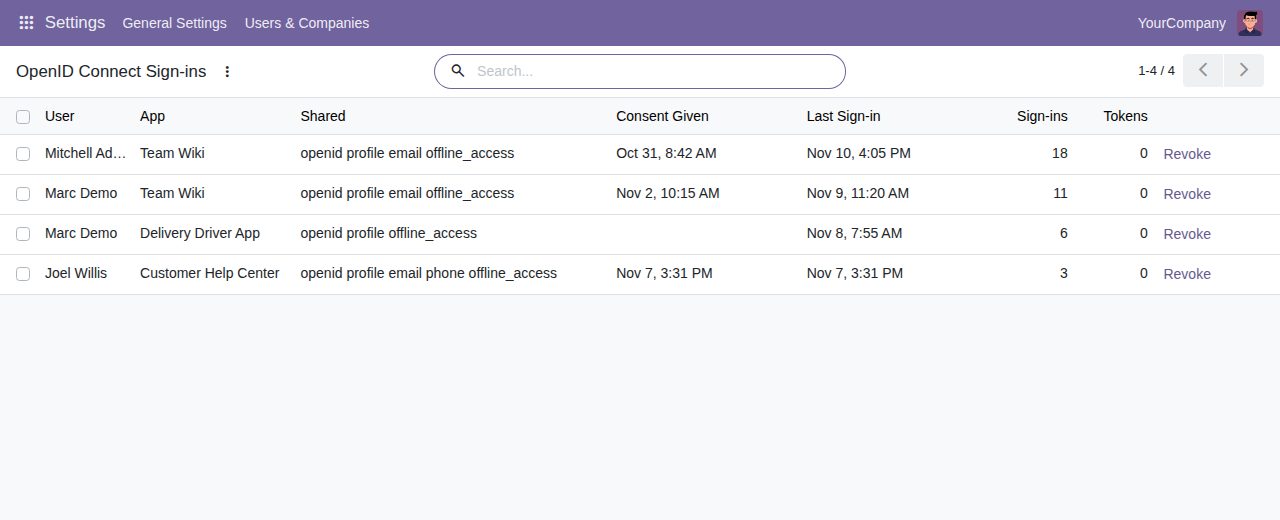
Sign-ins: which user uses which app, what they share, when they last signed in, and Revoke.
We build custom Odoo modules and changes to this one at a fixed price, from €950 excluding VAT. Small modules are usually delivered within five working days, tested on your Odoo version. Describe what you need to hello@bizzkitt.ai.
Bitwerf is a trade name of BizzKitt B.V., Frederikstraat 67, 3034 LD Rotterdam, the Netherlands (KvK 42149345, VAT NL869932354B01). Questions: hello@bizzkitt.ai · Support · Privacy · Terms