Set minimum order amounts for your online shop and show customers exactly how much is missing.
Small orders can cost more to pick, pack and ship than they earn. With this module you set minimum order amounts for your eCommerce: one for everybody, or different ones per website, customer, customer tag, delivery country, product, delivery method, date range and weekday. Customers below the minimum see in their cart how much is missing, and the checkout waits until they reach it.
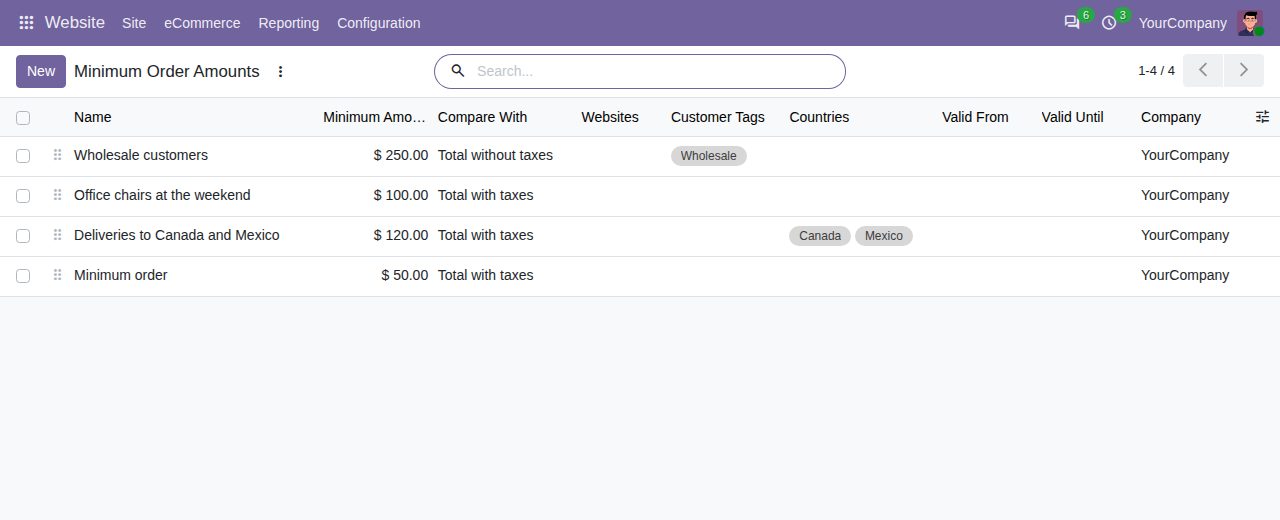
Each rule has a minimum amount, compared with the cart total with or without taxes. Delivery costs never count towards the minimum; discounts do. Carts in another currency are compared at the day's exchange rate.
Limit a rule to websites, customers (a company covers all its contacts), customer tags (the tags of the customer's company count too) and countries of the delivery address.
Apply a rule only when the cart holds certain products or products of certain categories (sub-categories included), or when a certain delivery method is chosen.
Give a rule a start and end date, tick the weekdays it applies on, or both, for seasons, promotions or weekend deliveries.
Rules are checked in the order of the list, which you change by dragging. The first rule that fits the cart decides the minimum; archived rules are ignored, and each company has its own rules.
The cart shows the minimum and the amount still missing, in the standard text or in your own words with {minimum} and {missing}. The checkout button stays disabled until the minimum is reached, and the message updates when the customer changes quantities.
Every checkout step and the payment itself check the minimum again: a customer who opens a later step directly is sent back to the cart, and payments for a cart below the minimum are refused.
Only shop checkouts are checked. Quotations and orders made by your team, and shop orders confirmed by staff, are never blocked.
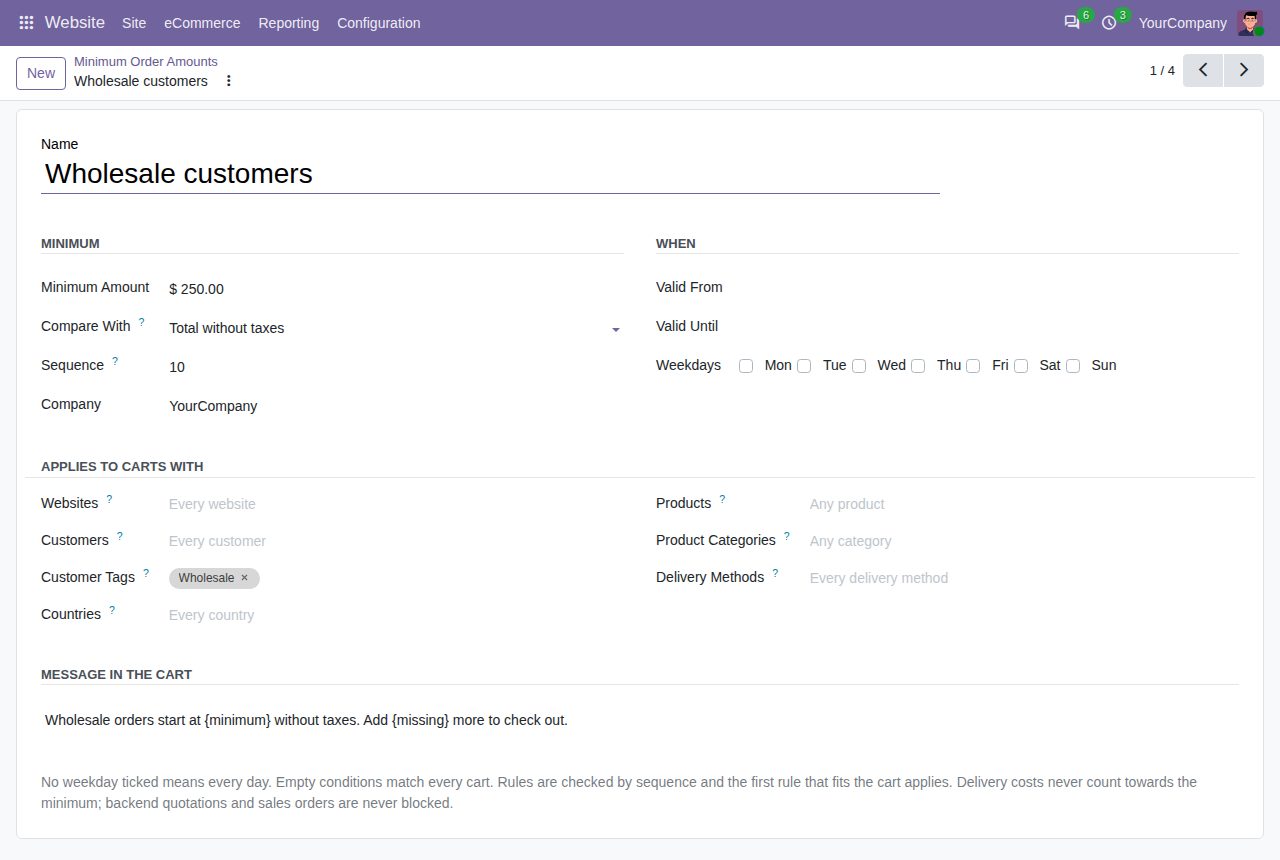
A rule for wholesale customers: minimum without taxes, customer tag and own message
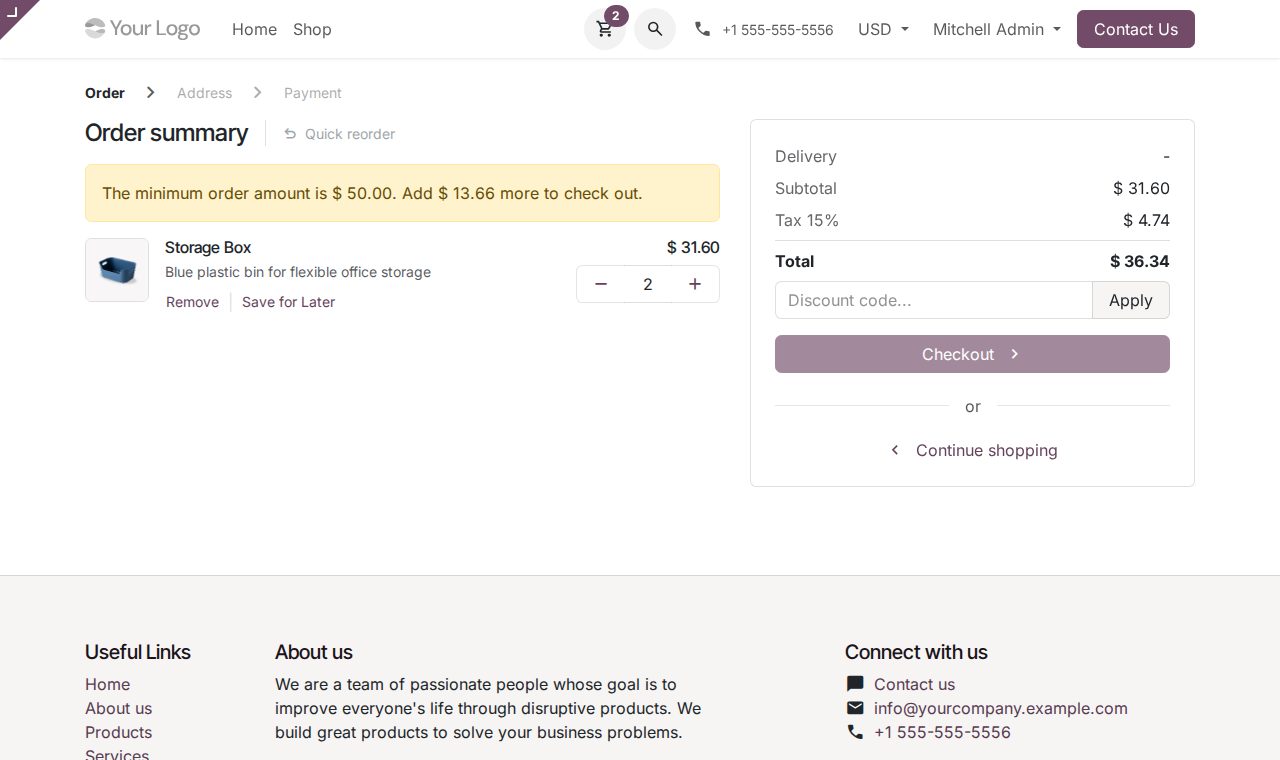
The cart shows how much is missing; the checkout waits until the minimum is reached
We build custom Odoo modules and changes to this one at a fixed price, from €950 excluding VAT. Small modules are usually delivered within five working days, tested on your Odoo version. Describe what you need to hello@bizzkitt.ai.
Bitwerf is a trade name of BizzKitt B.V., Frederikstraat 67, 3034 LD Rotterdam, the Netherlands (KvK 42149345, VAT NL869932354B01). Questions: hello@bizzkitt.ai · Support · Privacy · Terms