Your terms of sale, data sheets and a document's own PDF files, added to the PDF Odoo prints and emails.
Customers should get your terms of sale with every invoice, suppliers the drawings with every purchase order. Merging those files by hand before each email is slow and easy to forget. Merge PDFs into Reports adds PDF files to Odoo's PDF reports for you: files you upload once per report, and PDF files attached to the printed document itself. The pages are in the PDF you print and in the PDF Odoo attaches when you send the document by email.
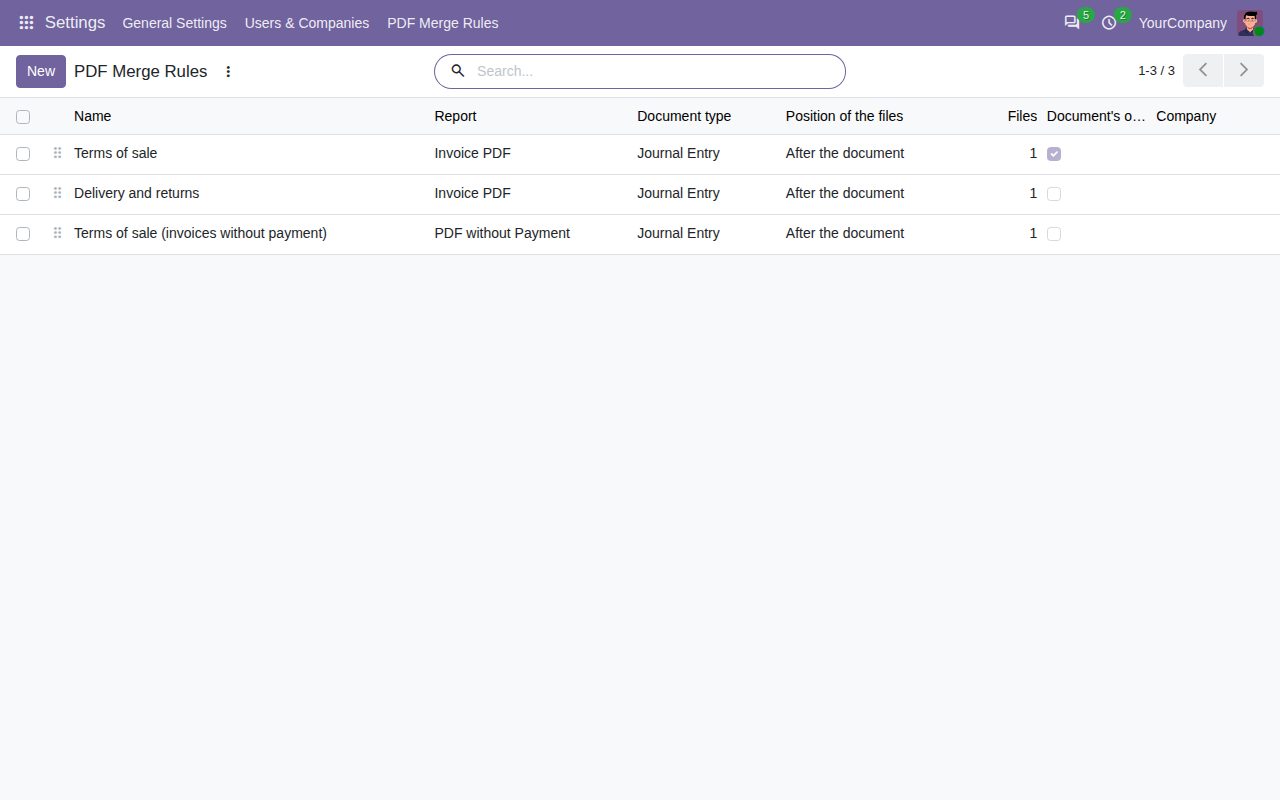
Choose a PDF report, such as the invoice, the quotation, the purchase order or the delivery slip, upload your PDF files once, and every print of that report contains them.
Put a cover letter in front of the document and your terms of sale at the end. Rules follow the order of the list, and the files of a rule the order in which they were uploaded.
Attach a drawing or a specification to a document and choose it with Add PDFs to printouts in the document's gear menu: it follows the document's own pages. Other attachments, and files of other documents, stay out.
The PDF that Odoo attaches when you send a document by email is made the same way, so your customer receives the same pages you print.
Print a selection of documents at once and each document gets its own files right after its own pages, whenever Odoo prints them as separate documents.
For reports that keep a copy of the printed PDF and reuse it, the files are added when the copy is made and never a second time.
Limit a rule to the documents of one company, or archive it to stop it without deleting it. Only users with Settings rights manage the rules, and the rules apply to everyone who prints.
Only PDF files that Odoo can read are accepted, on a rule and on a document. A file that cannot be read when printing is left out with a warning in the log, and the document still prints.
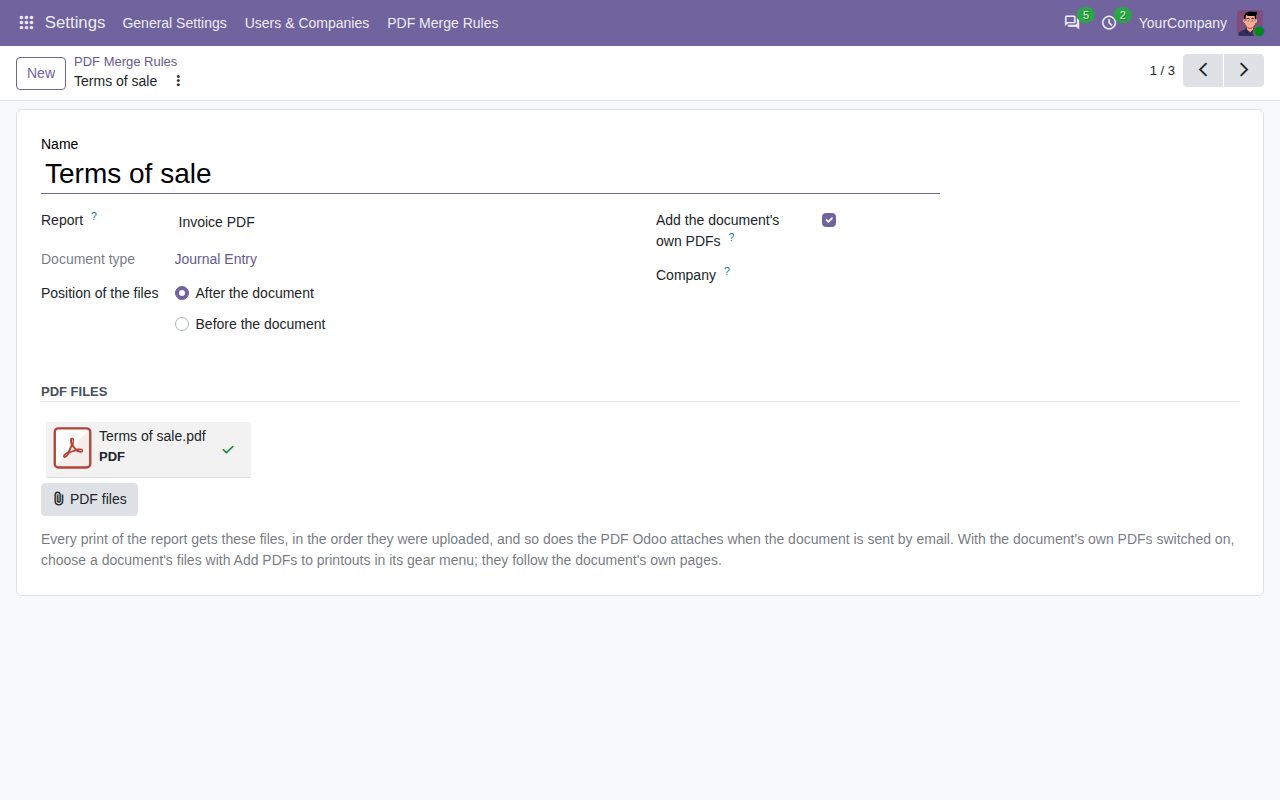
A rule: the report, the position, the uploaded PDF files and the document's own PDFs.
We build custom Odoo modules and changes to this one at a fixed price, from €950 excluding VAT. Small modules are usually delivered within five working days, tested on your Odoo version. Describe what you need to hello@bizzkitt.ai.
Bitwerf is a trade name of BizzKitt B.V., Frederikstraat 67, 3034 LD Rotterdam, the Netherlands (KvK 42149345, VAT NL869932354B01). Questions: hello@bizzkitt.ai · Support · Privacy · Terms