Connect Claude, ChatGPT and other AI assistants to Odoo. They work with each user's own login and access rights.
MCP (Model Context Protocol) is the standard way for AI assistants to use outside tools. MCP Connect turns your Odoo database into an MCP server: a user adds one address to their assistant, logs in to Odoo, approves the connection and can then ask questions about customers, sales, invoices or any other records. Every call runs as that user, is read-only unless you allow more, and is logged.
Assistants connect with OAuth 2.1: the user logs in to Odoo and approves the app on a consent page, so there is no API key to copy. PKCE is required, access tokens expire after an hour and refresh tokens change on every use.
Each call runs as the user who connected the assistant. Odoo's access rights and record rules apply as they do in the web client, so the assistant never sees more than that user.
Six read tools: find models, describe their fields, search, read, count, and group with totals such as revenue per month or leads per stage. A total is one value per group (a sum, average, minimum, maximum or count), so a grouping returns no more rows than the records-per-call setting allows. Files, images and sign-up data of contacts (password links) are always left out of answers.
Creating and updating records stays off until you switch it on, and deleting has its own switch. The switches also cover the lines written inside a record: without the delete switch no line or link is deleted or removed that way, and no line is taken from another record. Changing a record's own fields, such as the company of a contact, counts as updating. User accounts and their contacts, access groups, technical models (ir.*) and what makes Odoo act later as superuser (requests to delete a user, Data Recycle rules, the default values of e-mail aliases) always stay read-only, also through the lines of another record or a field of another model. A user's contact still takes the address and company details that Odoo copies from its company.
Administrators can always connect. Switch on other users one by one, or allow every internal user. When you withdraw a user's access, the assistant's next call is refused.
System parameters, API keys, attachments, mail servers, payment providers, saved payment tokens and other sensitive models are blocked by default. A blocked model is also refused in search conditions (also as a step in a path), sort orders, groupings, totals and written values, and fields that link to it, or show its values as related fields, are left out of answers. Fields that Odoo computes in code are not traced: such a field can still show a value taken from a blocked model. Add any model to the list to keep it away from assistants.
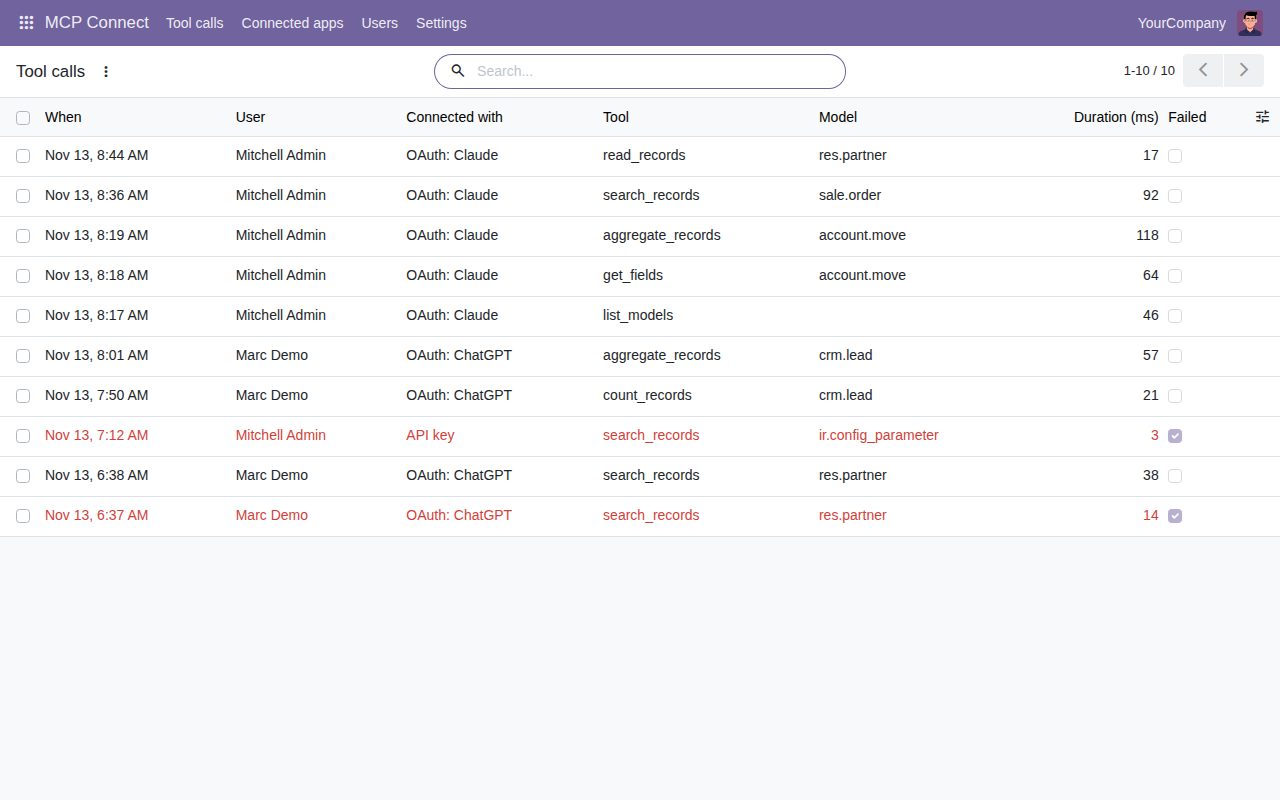
The call log shows who asked what, through which app, how long it took and what failed. Entries older than 30 days, or the period you choose, are removed automatically.
See which assistants each user connected and when they were last used. Disconnect one and its tokens stop working at once; a refresh token that is used twice disconnects the app by itself.
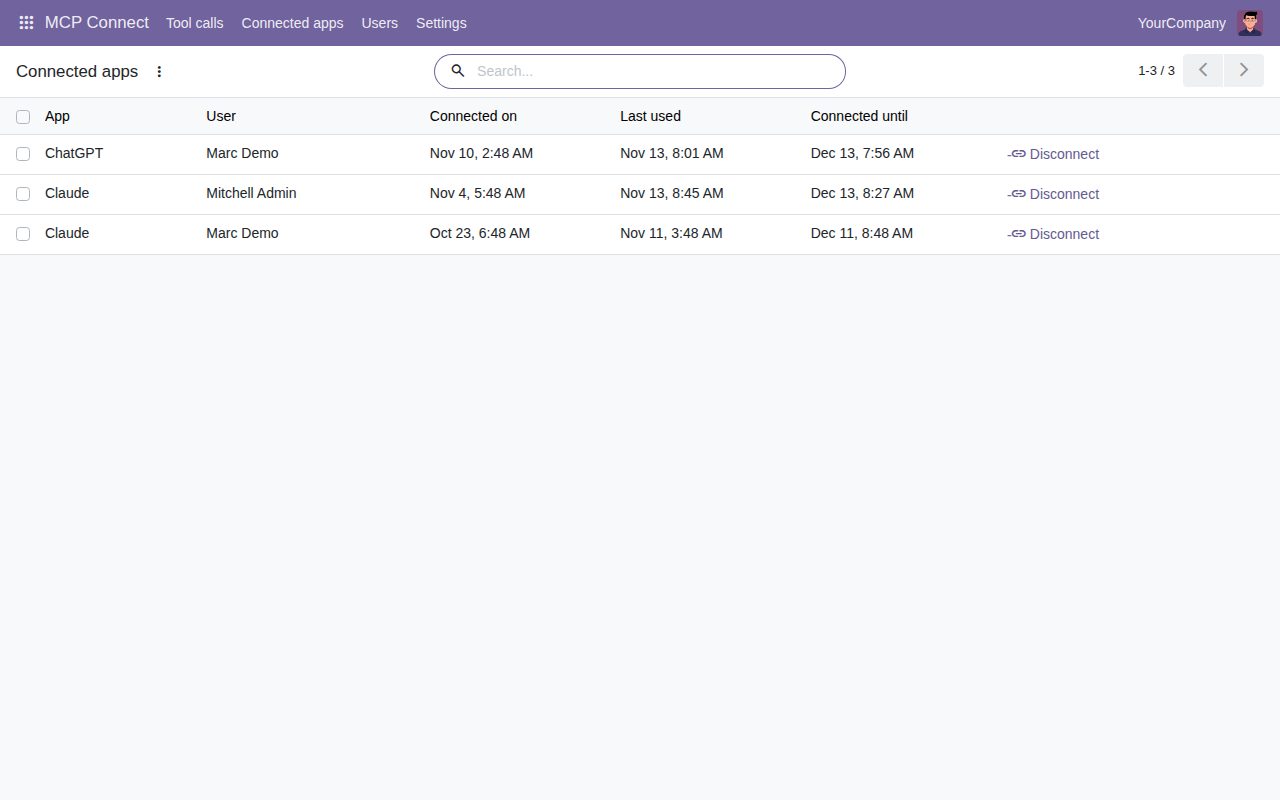
Connected apps: who connected which assistant, when it was last used, and a Disconnect button.
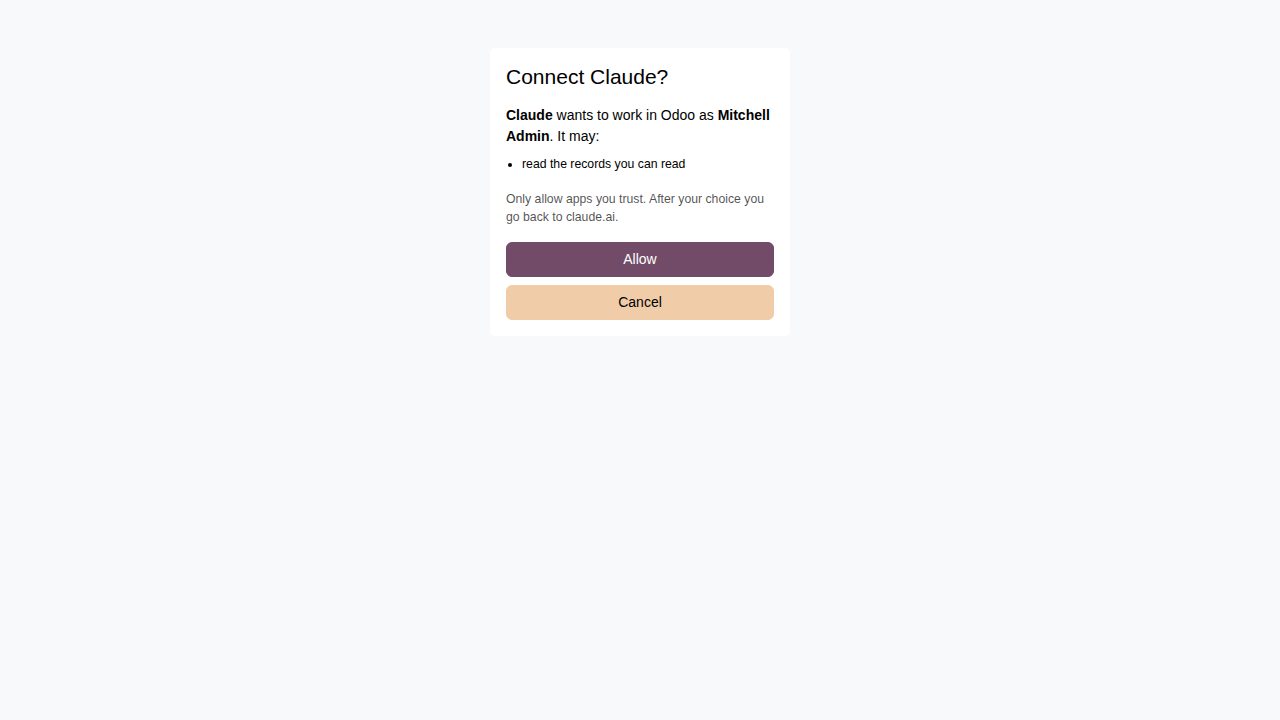
The consent page a user sees when an assistant asks to connect with their Odoo login.
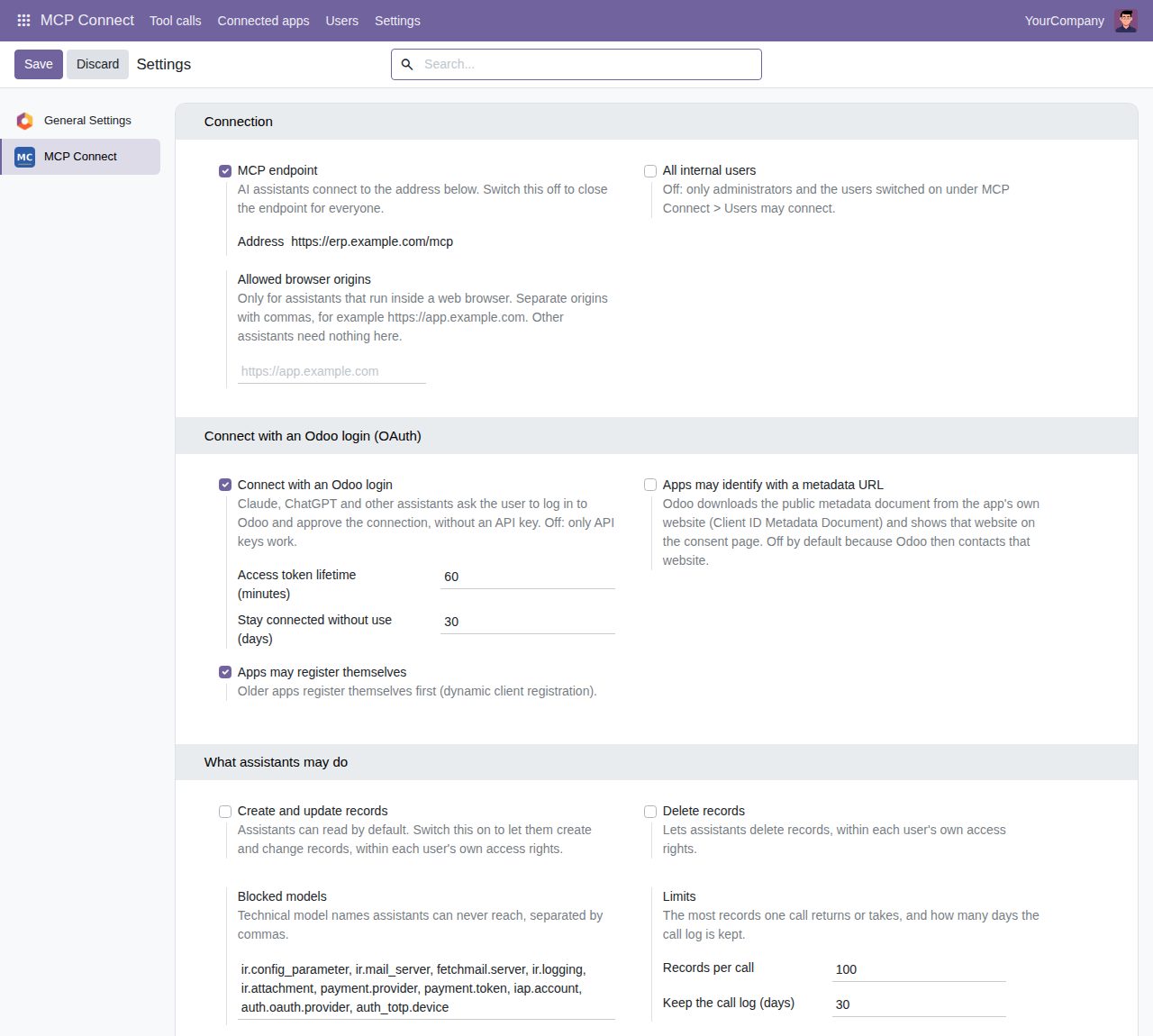
Settings: the endpoint address, signing in with Odoo, what assistants may do, blocked models and limits.
We build custom Odoo modules and changes to this one at a fixed price, from €950 excluding VAT. Small modules are usually delivered within five working days, tested on your Odoo version. Describe what you need to hello@bizzkitt.ai.
Bitwerf is a trade name of BizzKitt B.V., Frederikstraat 67, 3034 LD Rotterdam, the Netherlands (KvK 42149345, VAT NL869932354B01). Questions: hello@bizzkitt.ai · Support · Privacy · Terms