Find mailing contacts that share an email address and merge them into one, with lists, opt-outs and history kept.
Imports, sign-up forms and lists built from contacts leave the same person several times among your Email Marketing contacts. Lists then count too many recipients, mailing statistics are split over copies, and an opt-out sits on one copy only. Mailing List Duplicates shows every contact whose address another contact also has, and merges each address into one contact without losing lists, opt-outs or history.
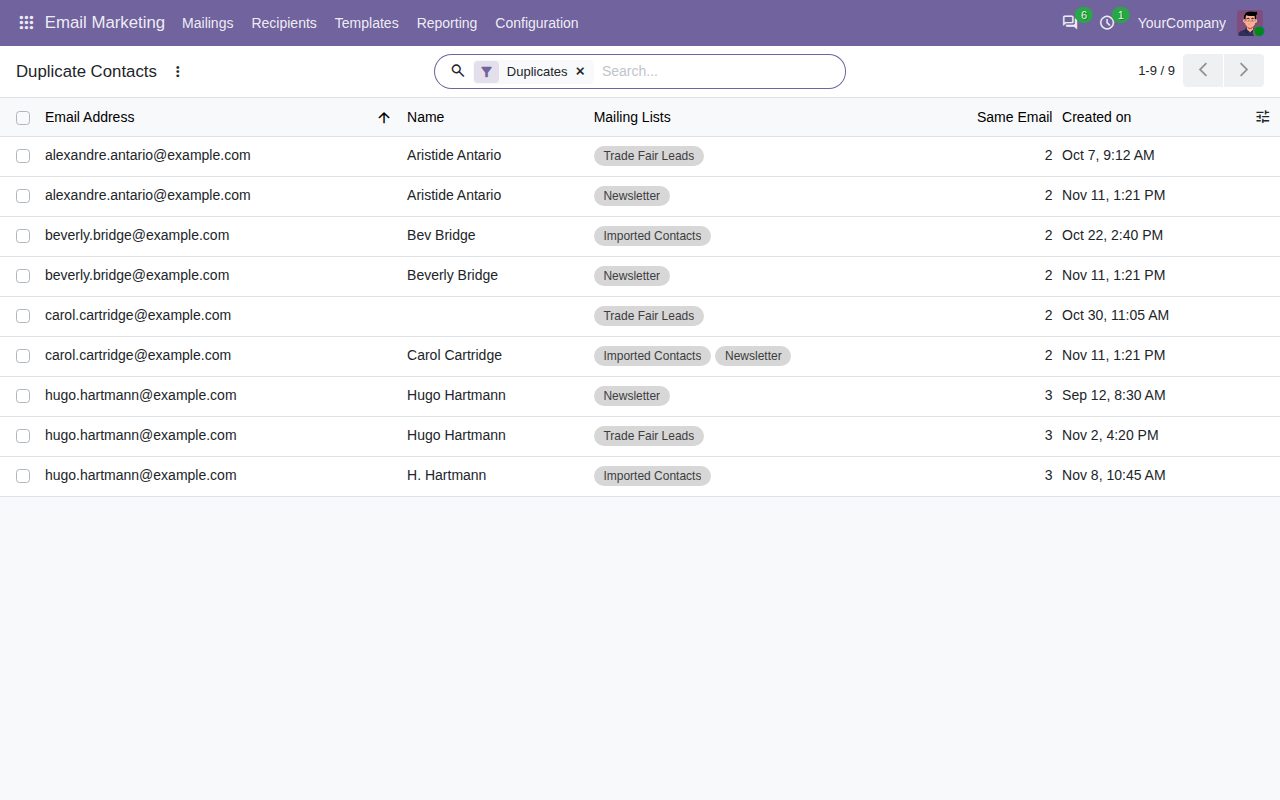
A Duplicates filter on the mailing contacts shows every contact whose email address another mailing contact also has. Upper and lower case and a name part such as "Ann Lee <ann@example.com>" are ignored; contacts without a valid address never count. Group the list by Email Address to see each address together.
A Duplicate Contacts menu in Email Marketing, next to the mailing contacts, lists only the duplicates, sorted by address, with their mailing lists, the number of contacts that use the address and the creation date.
A Duplicates button on each mailing list shows how many of its contacts share their address with another mailing contact, and opens them in one click.
The contact form says how many mailing contacts use the address, with buttons to show them and to merge them. The warning also appears while you type the address of a new contact.
Select contacts and click Merge Duplicates: every contact with the same address joins its group, also the ones you did not select. The contact that stays is chosen per address by rule (on the most mailing lists, oldest or newest) or by hand; remove a line to leave an address alone.
The contact that stays gets every mailing list of the others. If any copy opted out of a list, the contact that stays is opted out of it too, with the reason and date. Lists only a copy was on move over as they were.
Tags are combined, an empty name, company name or country is filled in from the copies (values of the contact that stays are never overwritten), the highest bounce count is kept, and mailing statistics and chatter messages with their attachments move over. A note lists the contacts that were merged.
Only Email Marketing users can merge. Contacts with different addresses are never merged, and a contact whose address changed after the dialog opened is left alone.
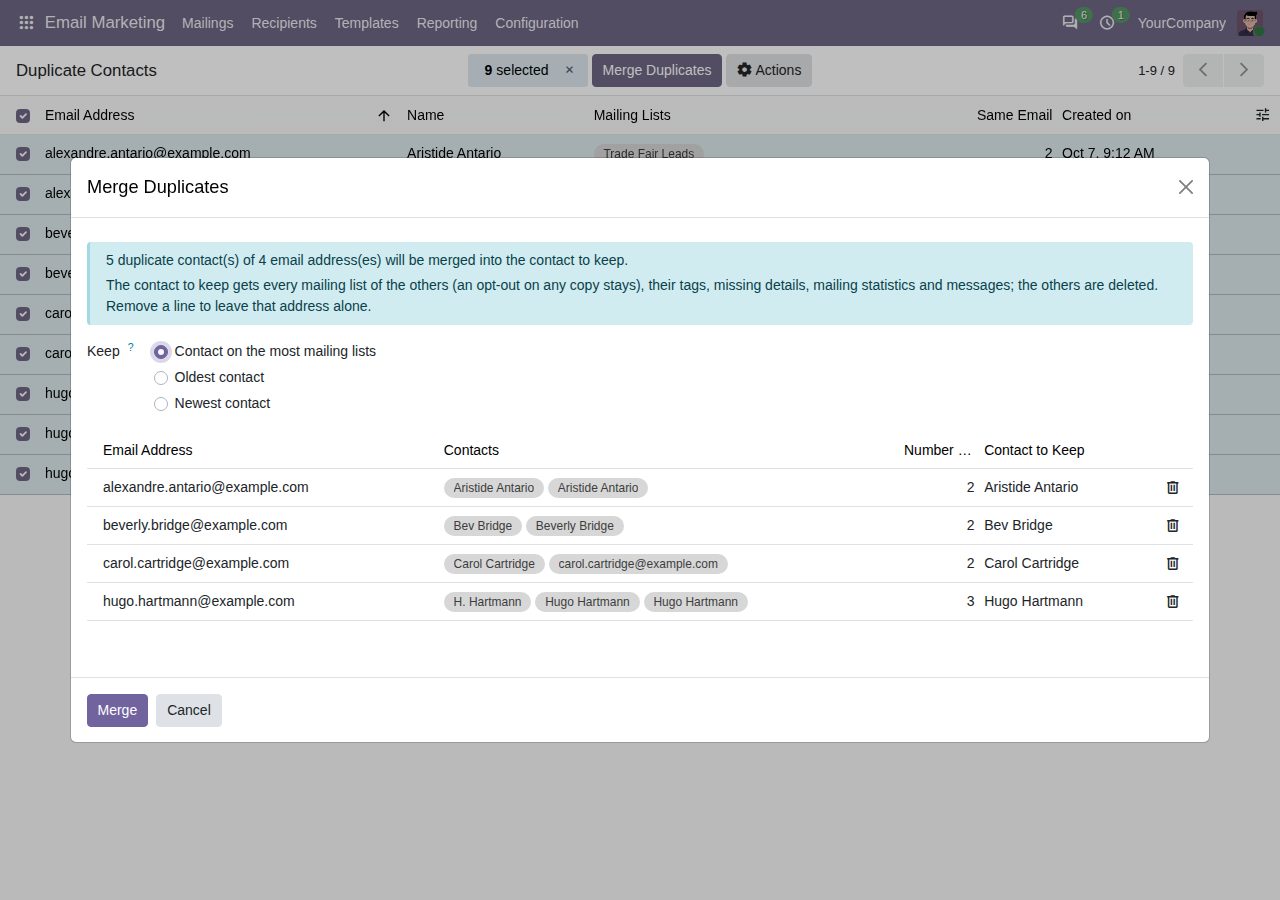
Merge Duplicates: one line per address, with the contact to keep chosen by rule or by hand.
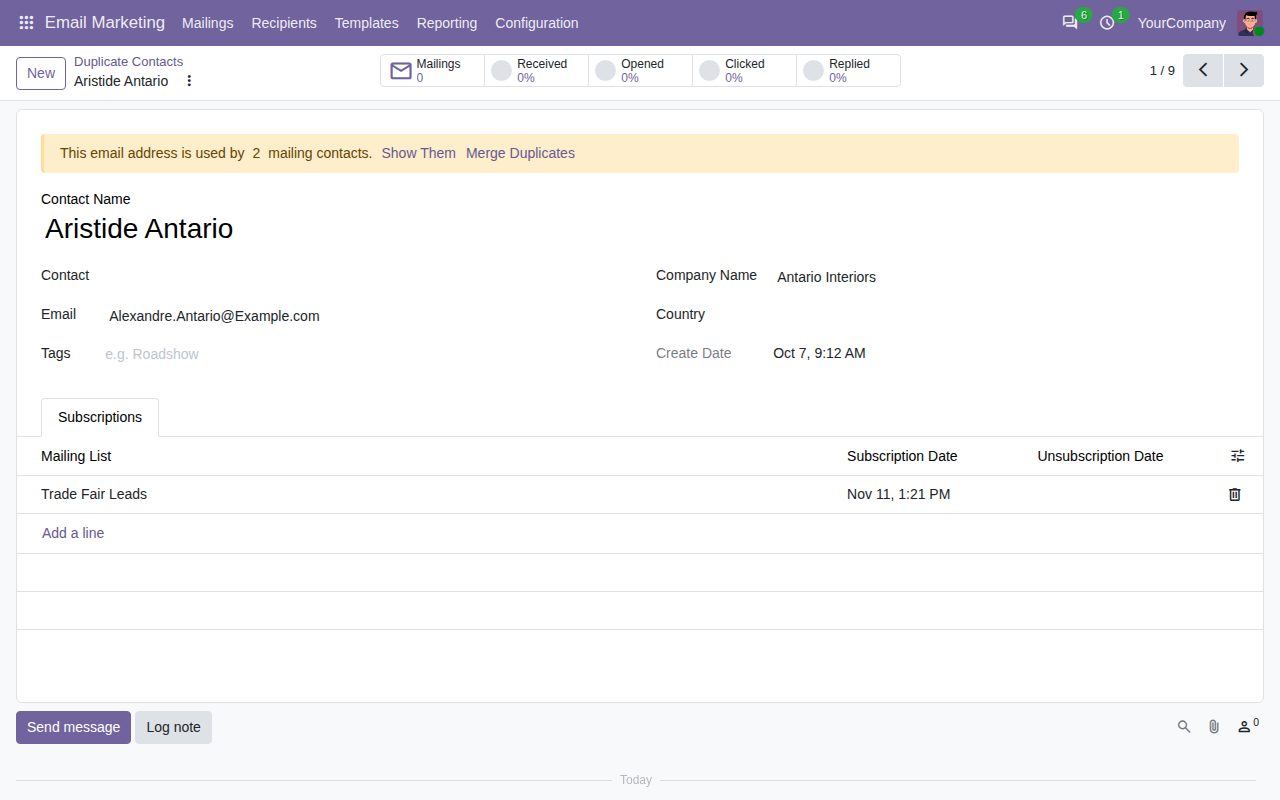
A duplicate contact: the form says how many contacts use the address.
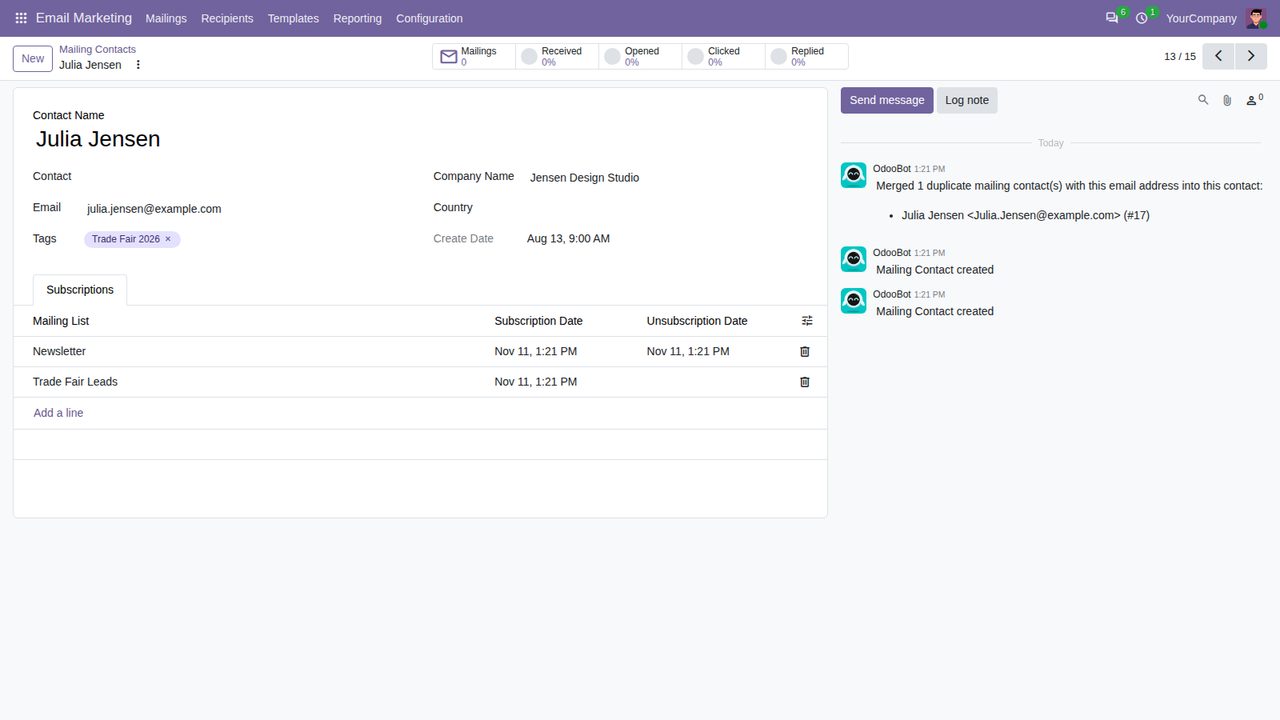
After a merge: the lists of both copies with the opt-out kept, the tag, the company and a note of what was merged.
We build custom Odoo modules and changes to this one at a fixed price, from €950 excluding VAT. Small modules are usually delivered within five working days, tested on your Odoo version. Describe what you need to hello@bizzkitt.ai.
Bitwerf is a trade name of BizzKitt B.V., Frederikstraat 67, 3034 LD Rotterdam, the Netherlands (KvK 42149345, VAT NL869932354B01). Questions: hello@bizzkitt.ai · Support · Privacy · Terms