Give every lot and serial number its own sales price: choose the lot on the quotation, the price follows and the delivery takes that lot.
Odoo prices a product the same for every batch, so lots bought at different costs, grades or expiry dates sell at one price unless the salesperson overrides it by hand. This module gives each lot and serial number its own sales price, applies it on the quotation line as soon as the lot is chosen, delivers exactly that lot and keeps a history of every price change.
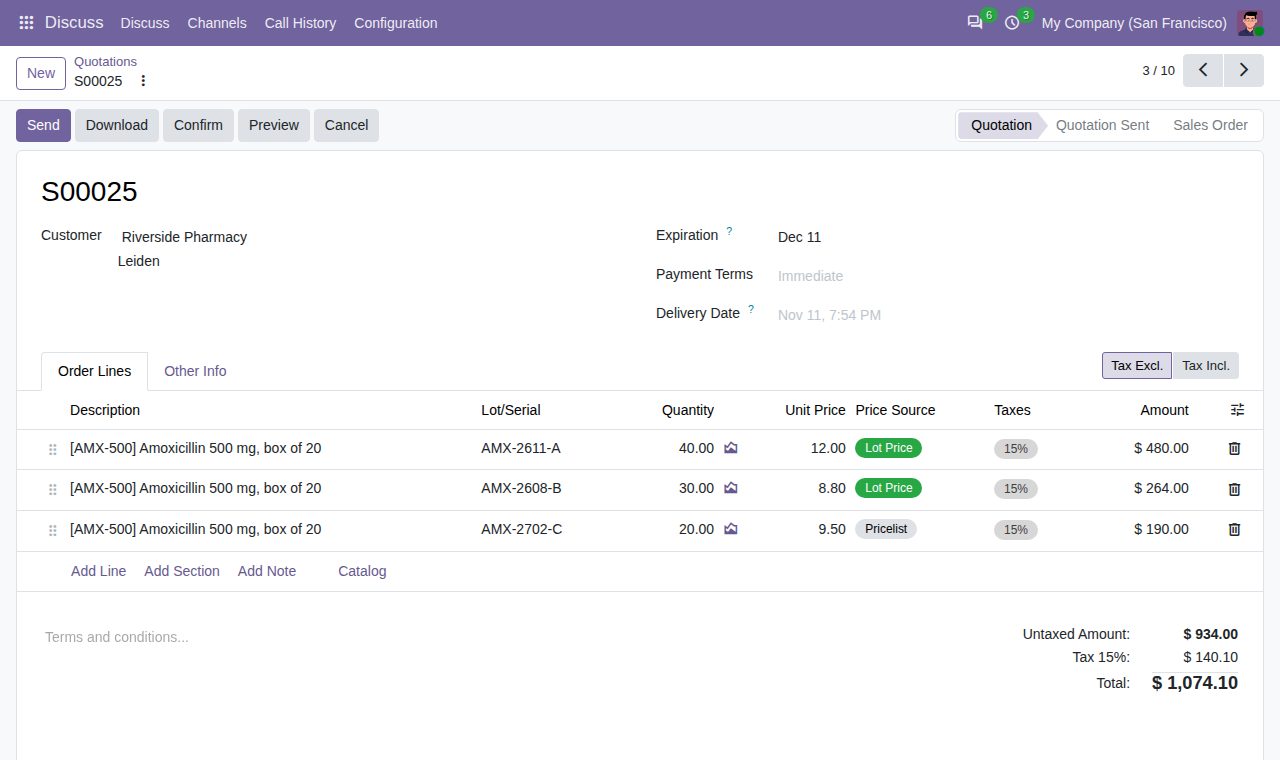
Switch on Price per Lot/Serial on a product tracked by lot or serial number and give each lot its own sales price. The lot shows its unit cost (the lot cost when the product is valued per lot, else the product cost), margin and markup, and Inventory > Products > Lot Prices lists all such lots with these figures. Other products are not affected.
Quotation lines get a Lot/Serial column. Choosing a lot sets the unit price from the lot price, converted to the order currency and to the line's unit of measure. A lot without a price keeps the pricelist price, with a warning. A Price Source column shows Lot Price, Pricelist or Manual; prices typed by hand are kept, as Odoo does.
Per company, in the Sales settings: the lot price replaces the pricelist price, or the higher or the lower of the two applies. Pricelist discounts are not added on top of a lot price.
Define discounts by days before expiration, for example 10% from 30 days, 20% from 15 days and 35% from 7 days. A lot's price drops by the tier its expiration date reaches on the order date; the lot form shows today's discount and price.
The delivery order, or the pick step of two- and three-step deliveries, reserves only the chosen lot, never an older one first. When the lot has less free stock than the line, the rest waits and the quotation line warns you while you quote. A serial number line is always one unit.
The quotation and order PDF prints the lot or serial number under the product line.
Every change of a lot price is recorded with the old and new price, the user, the date and how it was made (edited, Update Lot Prices or import). Nobody can edit or delete the history; open it from the lot or from Inventory > Products > Lot Price History.
Update Lot Prices, in the Action menu of the lot list: set a price, add an amount, change by a percentage or set cost plus a markup. A preview shows the current and new price per lot; prices are rounded to the currency and never drop below zero. Only Lot Price Managers (Inventory and Sales administrators) change lot prices; everyone else reads them.
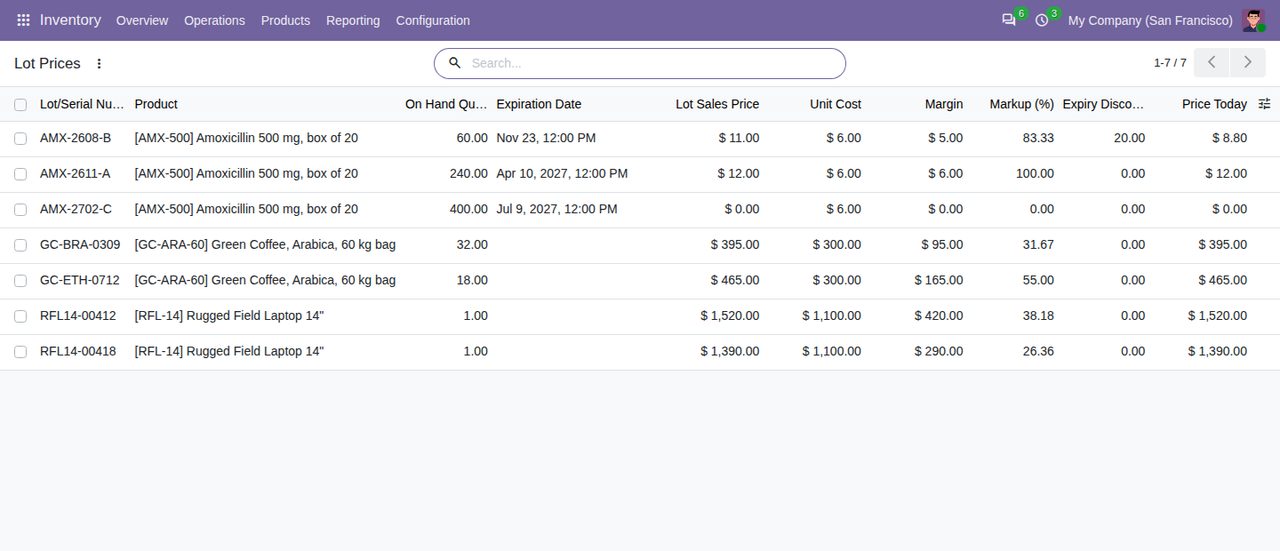
Lot Prices: lots and serial numbers with their sales price, unit cost, margin, markup and expiry discount.
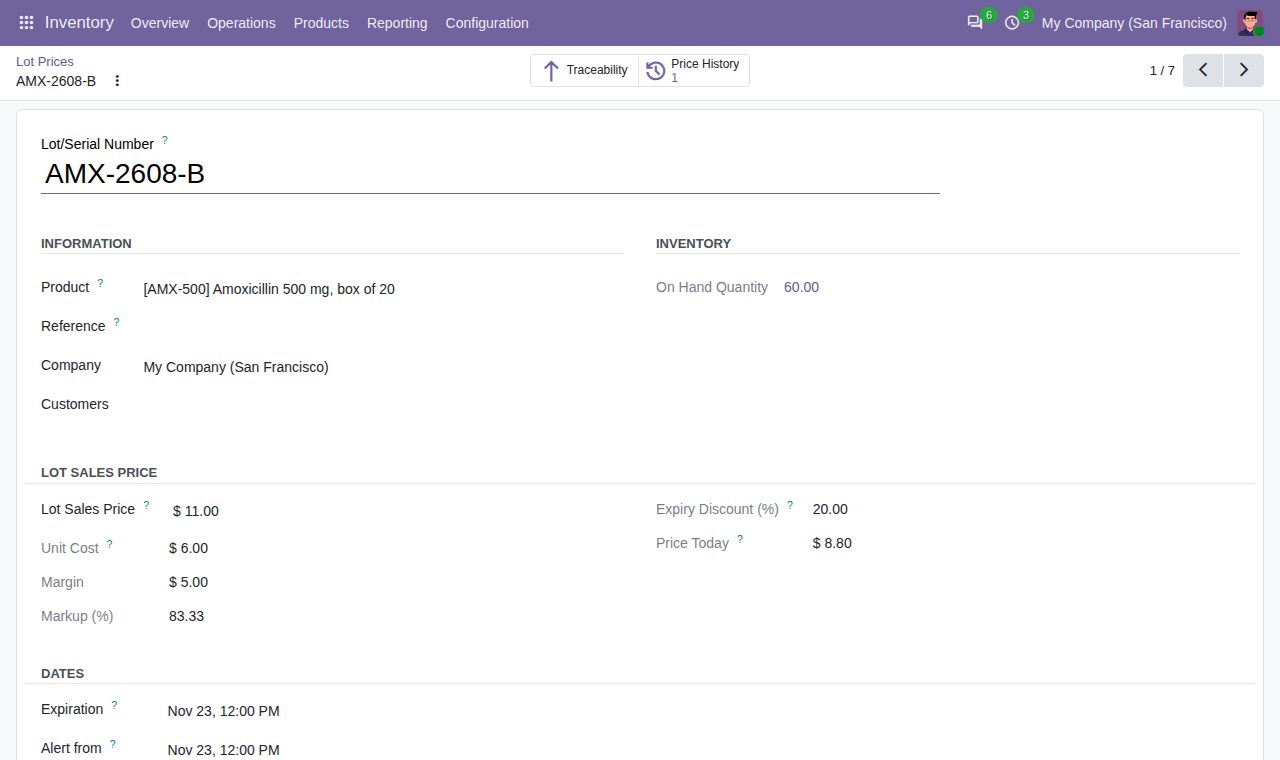
A lot near its expiration date: lot price, cost, margin, today's expiry discount and price, and the Price History button.
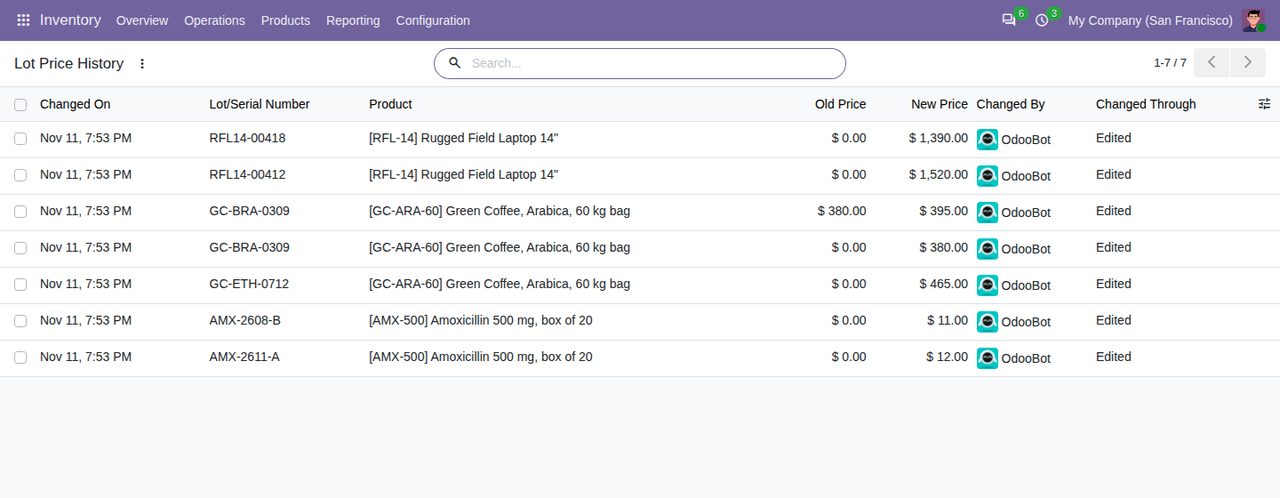
Lot Price History: every change with old and new price, user, date and how it was made.
We build custom Odoo modules and changes to this one at a fixed price, from €950 excluding VAT. Small modules are usually delivered within five working days, tested on your Odoo version. Describe what you need to hello@bizzkitt.ai.
Bitwerf is a trade name of BizzKitt B.V., Frederikstraat 67, 3034 LD Rotterdam, the Netherlands (KvK 42149345, VAT NL869932354B01). Questions: hello@bizzkitt.ai · Support · Privacy · Terms