See every password login, lock out password guessing and keep open sessions under control.
Odoo writes failed logins only to its server log, and a user can keep any number of sessions open for days. This module records every password login with its IP address, browser and device, locks a login after repeated wrong passwords, and lists every session opened from the login page, so administrators can end one, end all of a user's, or let limits do it.
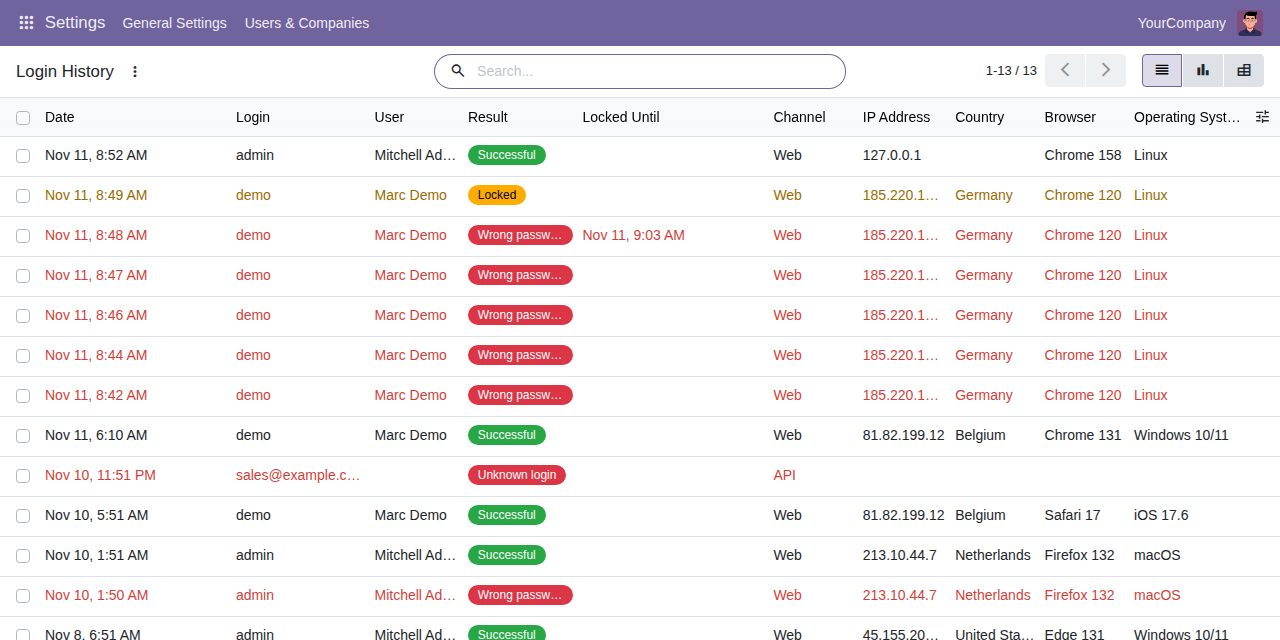
Successful logins, wrong passwords, unknown logins, locked and refused attempts: from the login page with date, IP address, browser, operating system and device, and from the external API's authenticate call with date and login. Failures are shown in red; filter and group by user, result, IP address, country, browser or day, or open the graph and pivot.
After the number of wrong passwords in a row you set (5 by default) a login is refused for the lock time you set (15 minutes by default), even with the right password, on the login page and by the API's authenticate call. Unknown logins are counted the same way, so the message never tells whether an account exists.
A Login Security tab on the user shows whether the login is locked and until when. Unlock Login lifts the lock at once; the history records who unlocked it. A successful login or the end of the lock also resets the count.
Every login from the login page opens a session record: user, start, last activity, IP address, browser and device. End one session, or all sessions of a user, and that browser is sent to the login page at its next request.
Optional rules: a maximum number of sessions per user (a new login ends the oldest), ending sessions after a number of minutes without activity, and ending sessions a number of hours after login.
An hourly job closes idle and too old sessions, sessions that Odoo itself has let expire and sessions of archived users, and removes history older than the number of days you keep (365 by default).
Browser, operating system and device are read by the module itself, without extra Python packages. Country and city come from the GeoIP database Odoo already uses, when it is installed on your server. Nothing is sent to an outside service.
Only Settings administrators see the history, the sessions and the lock status, and only they can end sessions or unlock logins. Nobody can edit or delete the history, administrators included.
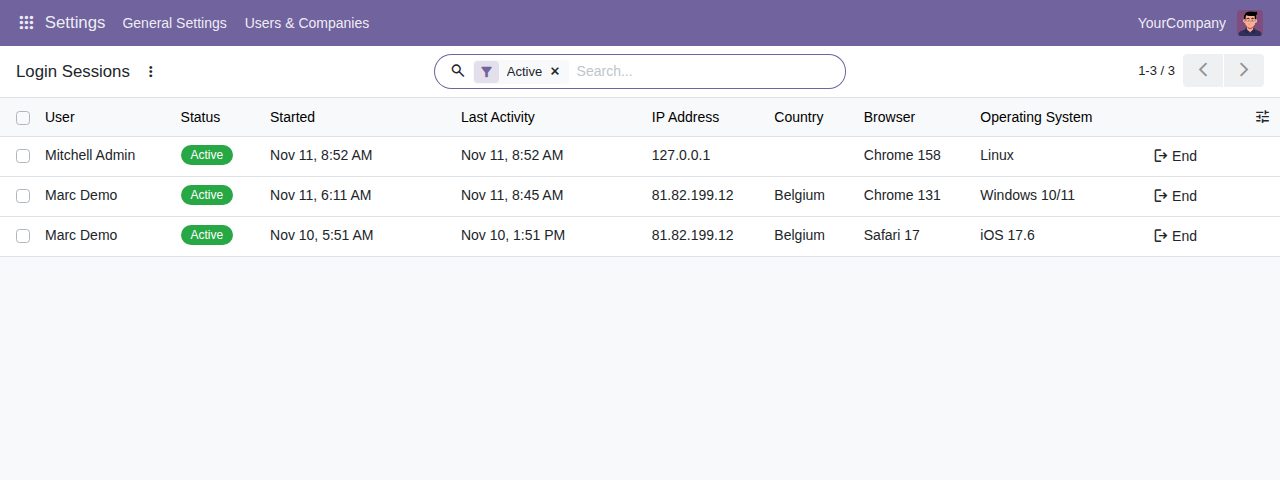
Login Sessions: active sessions with their last activity and an End button
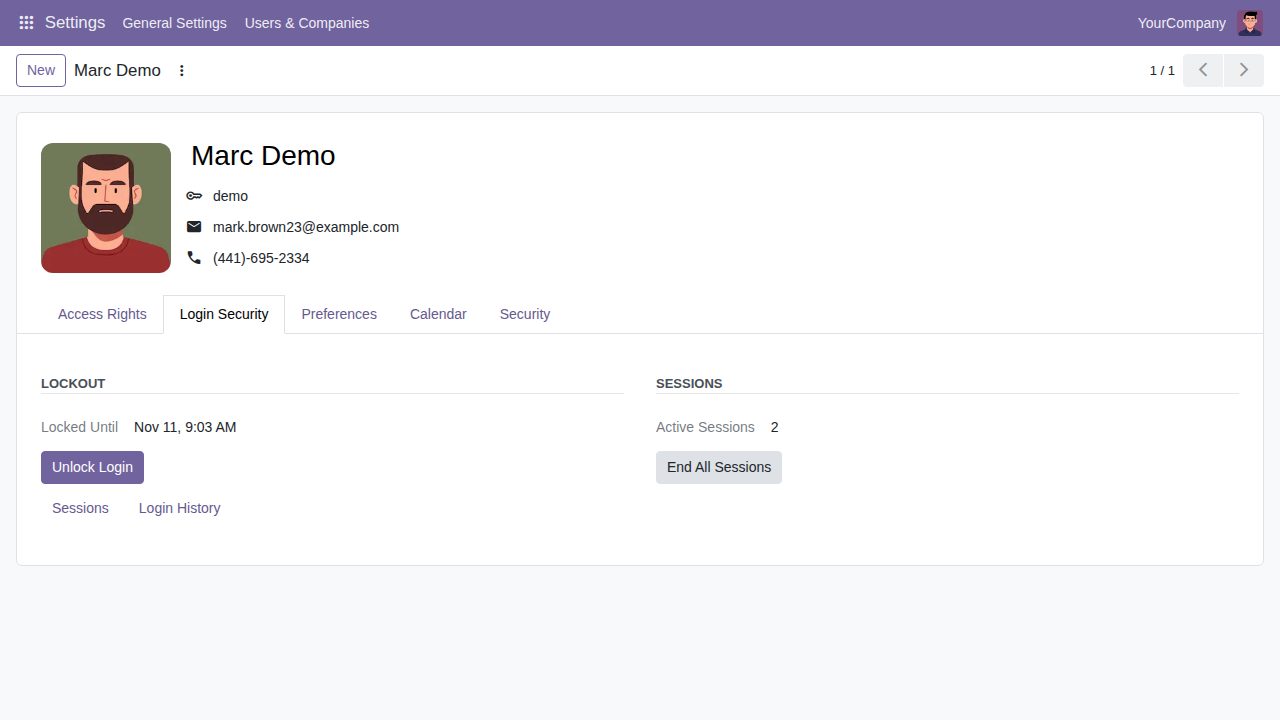
The Login Security tab of a user whose login was locked after wrong passwords
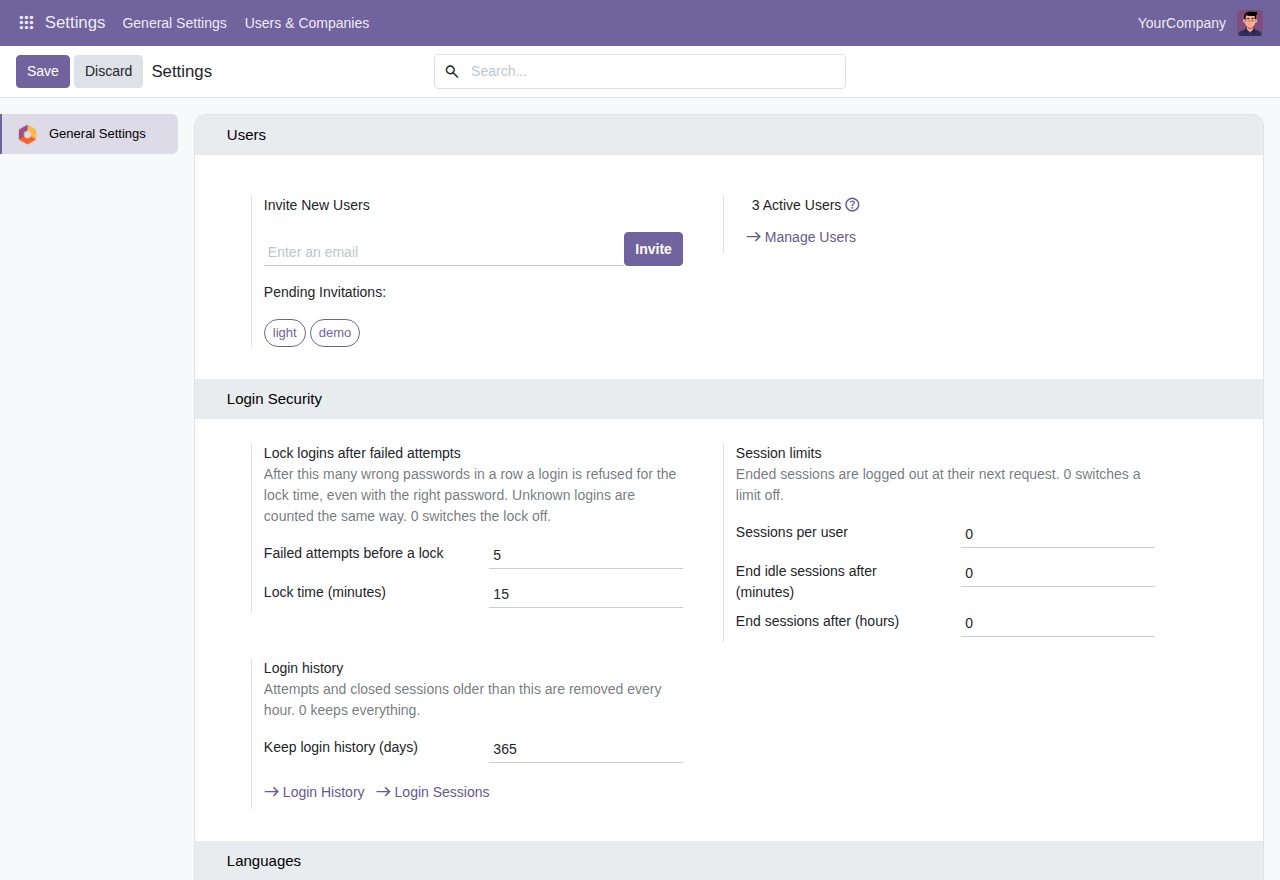
Settings: lockout, session limits and how long the history is kept
We build custom Odoo modules and changes to this one at a fixed price, from €950 excluding VAT. Small modules are usually delivered within five working days, tested on your Odoo version. Describe what you need to hello@bizzkitt.ai.
Bitwerf is a trade name of BizzKitt B.V., Frederikstraat 67, 3034 LD Rotterdam, the Netherlands (KvK 42149345, VAT NL869932354B01). Questions: hello@bizzkitt.ai · Support · Privacy · Terms