Number each journal's invoices, bills, credit notes, payments and entries from a sequence you set: prefix, suffix, digits, next number and when the count starts again.
Since version 14, Odoo works out each new number from the last posted one: to change the format or the next number you edit a posted document's number by hand, and there is no sequence to set per journal. This module brings back a sequence per journal. Switch on Number with Sequences on a journal and set the prefix, suffix, digits, next number and restart rule on its Numbering tab, with a preview of the next number. Posted documents then take their number from that sequence; drafts take none.
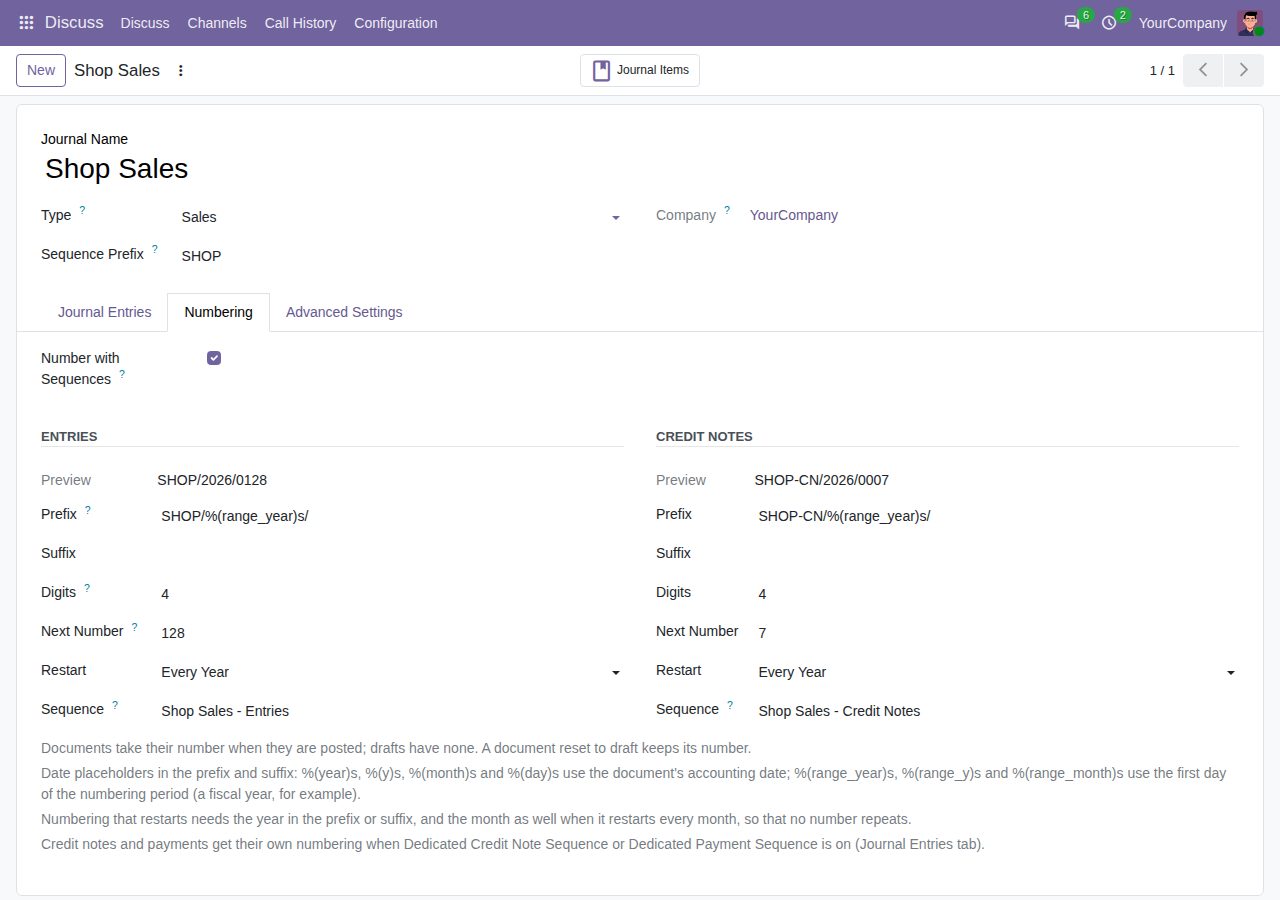
Switch on Number with Sequences on a sales, purchase, bank, cash or miscellaneous journal. Its sequences are made for you and continue after the numbers the journal already used this year, so INV/2026/00012 is followed by INV/2026/00013.
Set prefix, suffix and digits on the journal's Numbering tab, with date placeholders such as %(year)s, %(month)s or %(range_year)s. The tab shows the next number as it will look.
Type the next number, and choose when the count restarts at 1: never, every year, every fiscal year (the company's fiscal year end, such as April to March) or every month. Numbers that restart must show their period (the year, and the month for monthly numbering), so none repeats. A new restart rule applies from the next period.
With Dedicated Credit Note Sequence or Dedicated Payment Sequence switched on, credit notes and payments get a sequence of their own (RINV/..., PBNK1/...); otherwise they share the journal's sequence.
A document takes its number when it is posted, using its accounting date for the date placeholders and the period. Drafts take none (from Odoo 18 a draft shows the coming number as a hint), and a document reset to draft keeps its number when it is posted again.
Numbers already used in the journal are skipped, so a next number set too low never gives two documents the same number. New sequences are gap-free (no gap).
Users who manage journals edit the numbering on the journal without Settings rights. Switch a journal off to return it to Odoo's own numbering; its sequences stay for later.
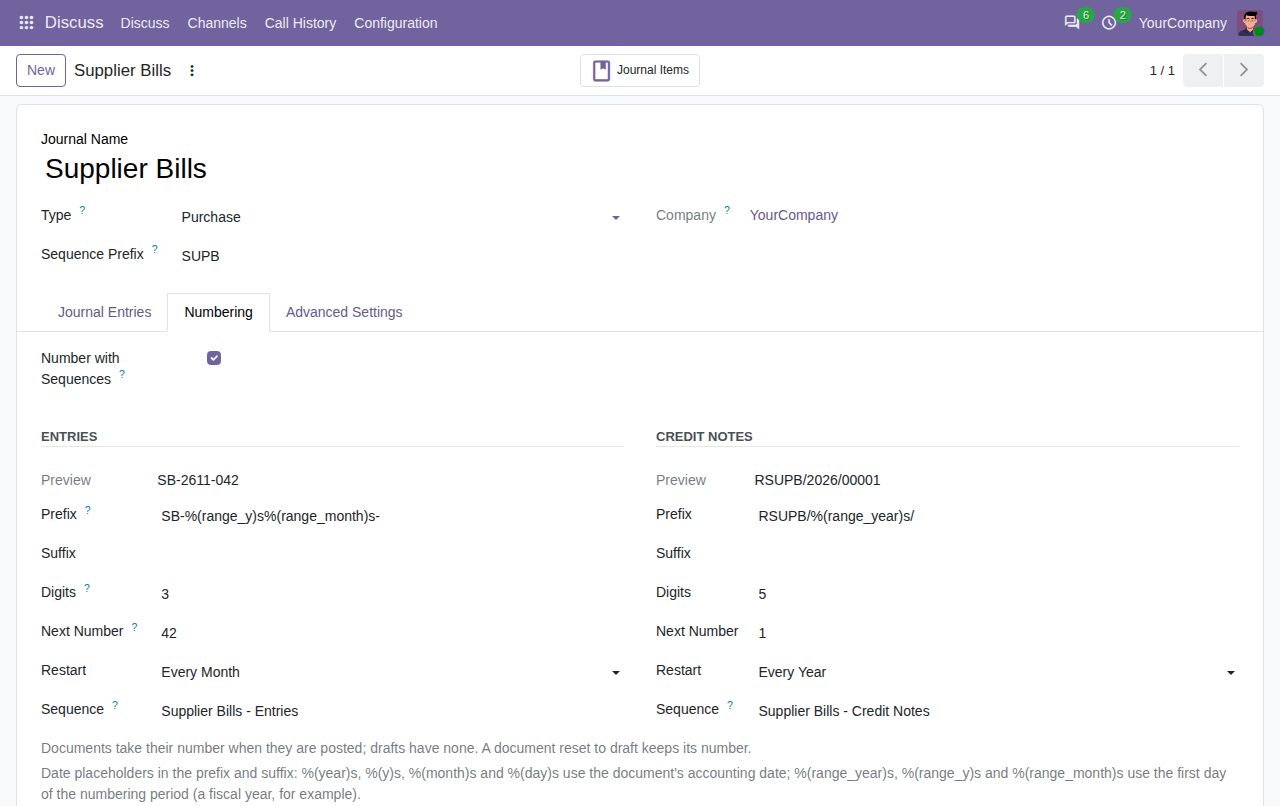
A purchase journal numbered per month (SB-YYMM-NNN), restarting at 1 every month
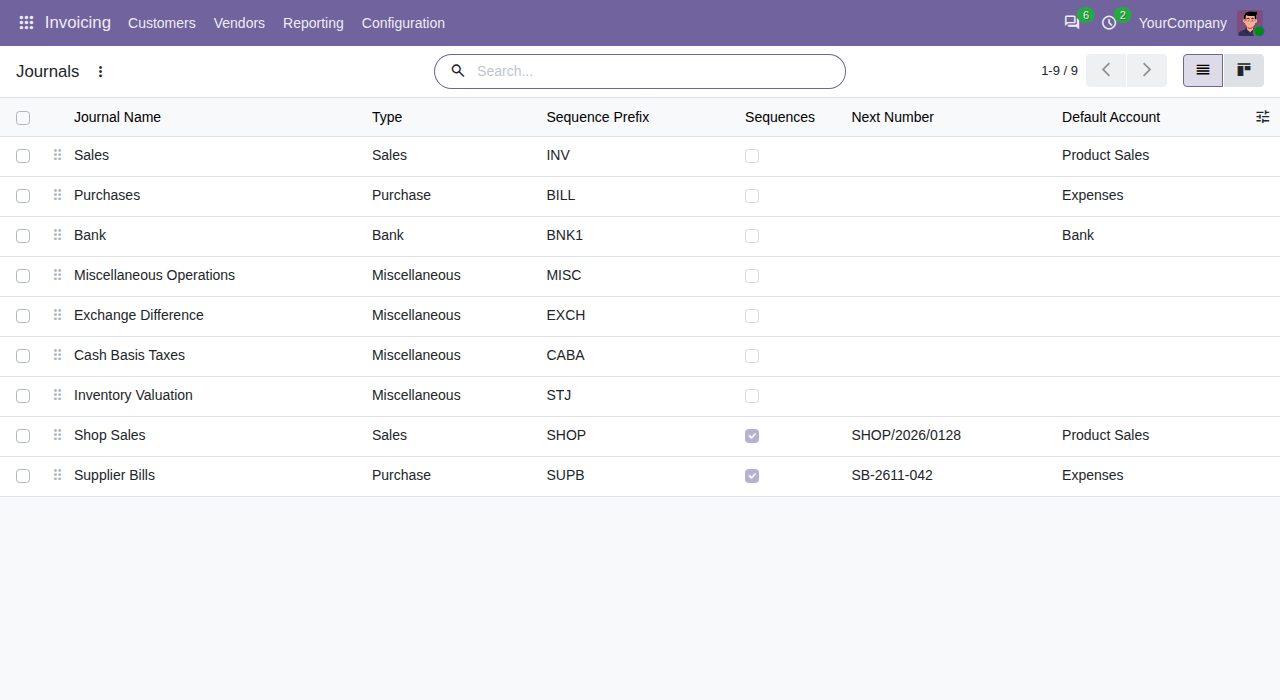
Journal list with the Sequences switch and the next number of each numbered journal
We build custom Odoo modules and changes to this one at a fixed price, from €950 excluding VAT. Small modules are usually delivered within five working days, tested on your Odoo version. Describe what you need to hello@bizzkitt.ai.
Bitwerf is a trade name of BizzKitt B.V., Frederikstraat 67, 3034 LD Rotterdam, the Netherlands (KvK 42149345, VAT NL869932354B01). Questions: hello@bizzkitt.ai · Support · Privacy · Terms