Give each user only the accounting journals they work in: other journals disappear from their dashboard and journal fields, and their entries can be hidden too.
A branch clerk should invoice from the branch journal, and the cashier should only touch the cash journal, yet Odoo shows every journal to everyone with accounting access. This module adds a Restrict Journals switch and a list of allowed journals to each user. Restricted users see and use only those journals, new documents start in an allowed journal, and anything else stops with a clear message. Users you do not restrict, and Settings administrators, keep full access.
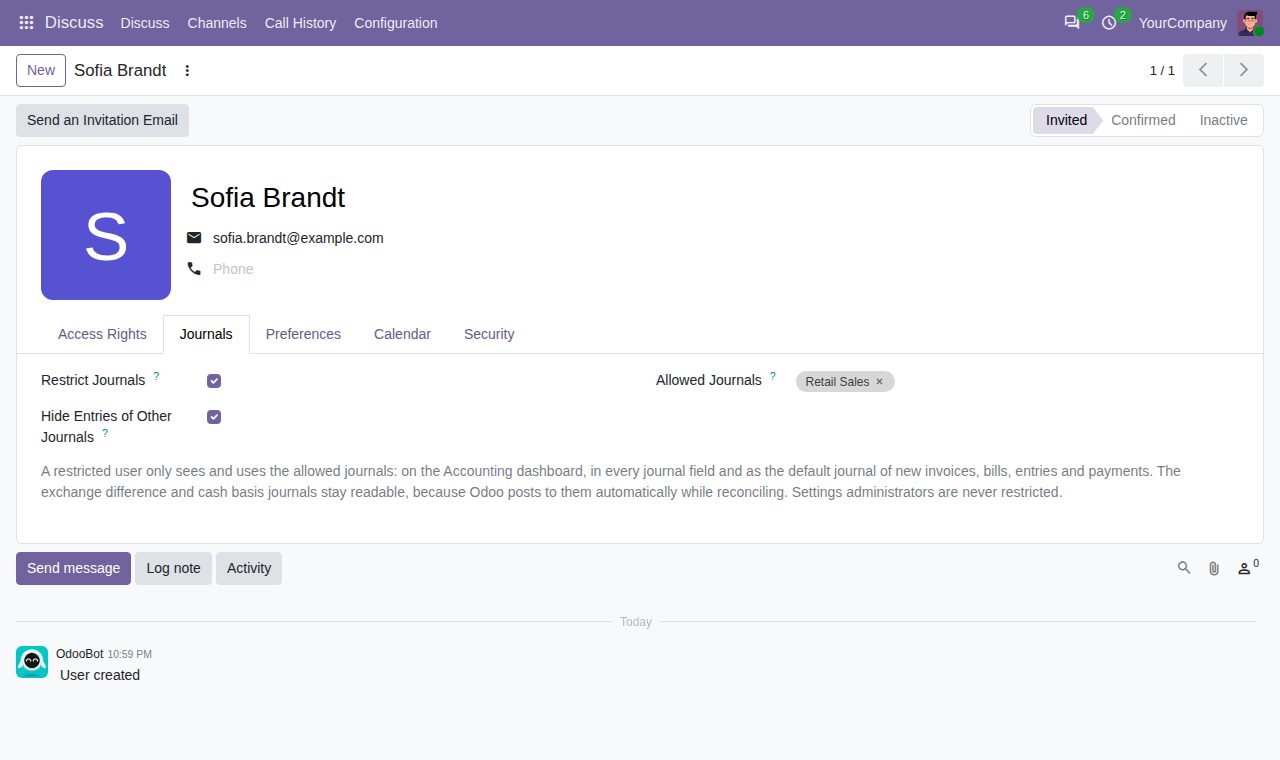
Switch on Restrict Journals on a user (Settings > Users, Journals tab) and choose the journals the user may use.
The journal form gets a User Access tab with the allowed users, and the journal list an Allowed Users column. Editing the list on a journal or on a user changes the same list and applies at once; only users without a restriction can change it.
Restricted users see only their allowed journals on the Accounting dashboard and in the journal fields of invoices, bills, entries, payments and Register Payment.
New invoices, bills, journal entries and payments, and the Register Payment wizard, start in an allowed journal of the right type instead of the company's first journal.
Creating an entry in another journal, moving a draft to another journal or posting an entry or payment of another journal stops with a message that names the journal.
On by default for each restricted user: journal entries, journal items, payments and invoice analysis lines of other journals are hidden. Switch it off to let the user open them read-only.
The exchange difference and cash basis journals of the user's companies stay readable, because Odoo posts to them by itself while reconciling. Restricted users cannot post manual entries there.
Users without the switch are not affected, and Settings administrators are never restricted, even when the switch is on.
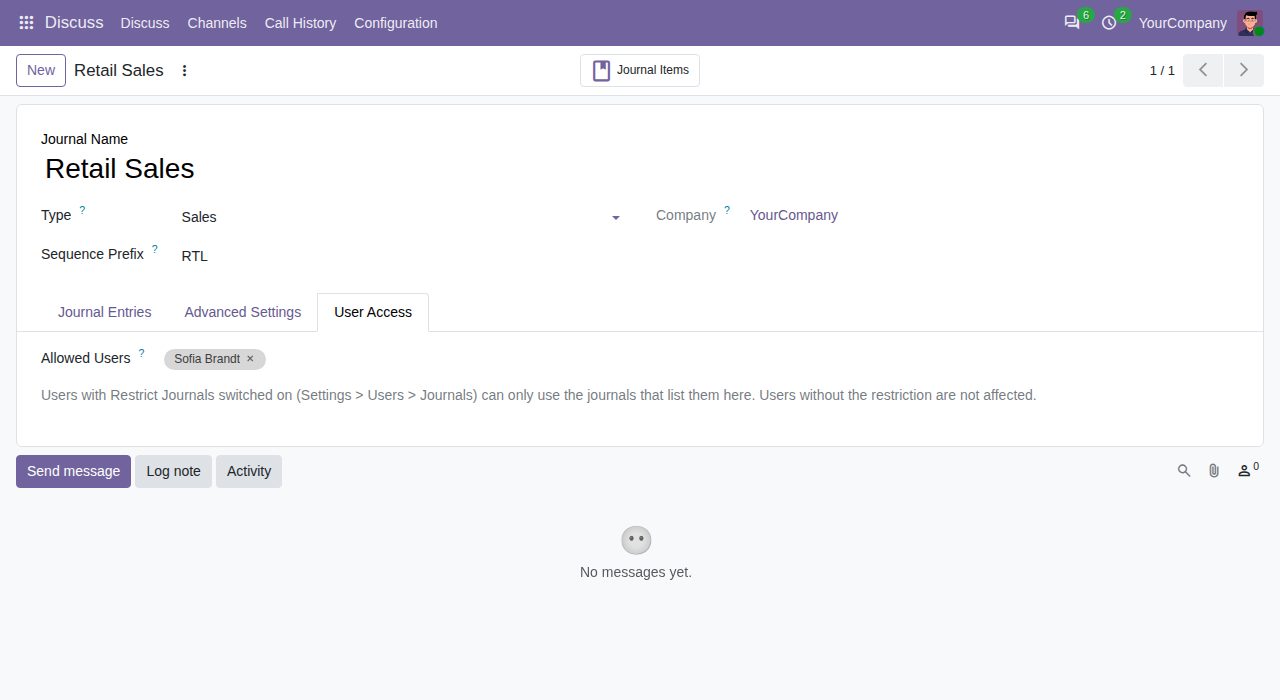
User Access tab on a journal: the users who may use it
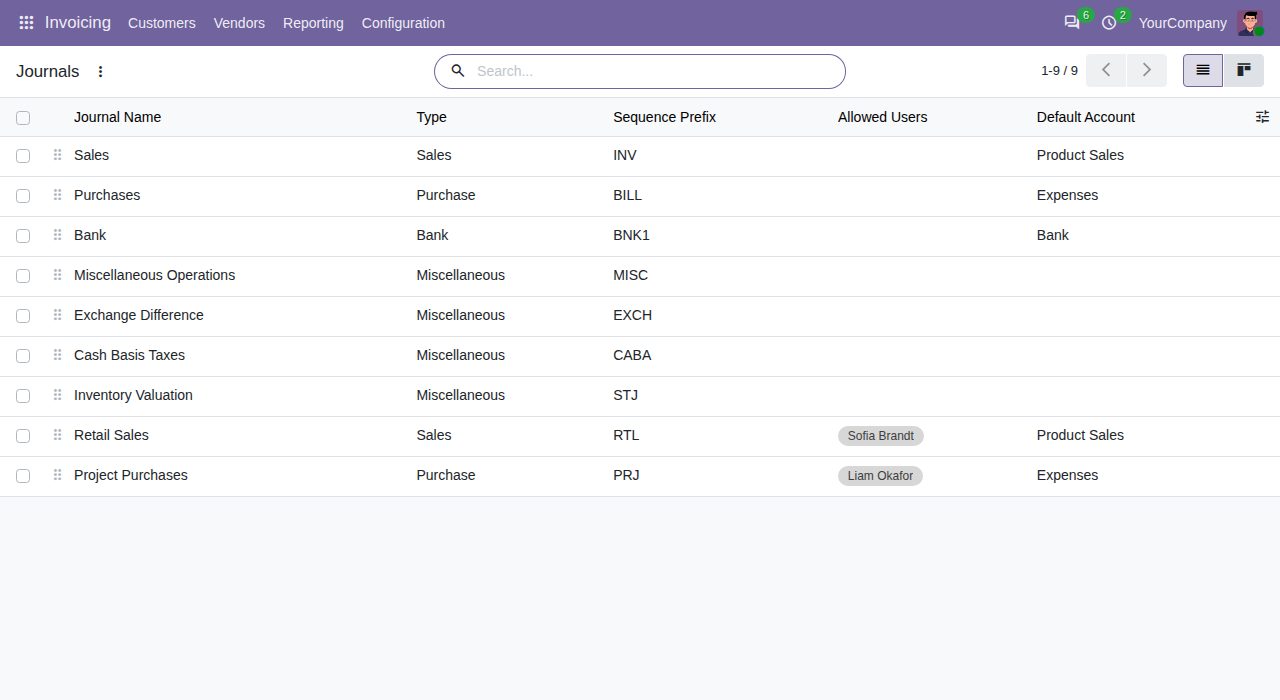
Journal list with the Allowed Users column
We build custom Odoo modules and changes to this one at a fixed price, from €950 excluding VAT. Small modules are usually delivered within five working days, tested on your Odoo version. Describe what you need to hello@bizzkitt.ai.
Bitwerf is a trade name of BizzKitt B.V., Frederikstraat 67, 3034 LD Rotterdam, the Netherlands (KvK 42149345, VAT NL869932354B01). Questions: hello@bizzkitt.ai · Support · Privacy · Terms