Counted quantities change the stock only after the warehouse approver and a final approver agree, with the stock moved since the count shown and a read-only history.
In standard Odoo, whoever may apply a count changes the stock at once. This module puts approval in between. When a counter clicks Apply in Physical Inventory, every count with a difference goes to an approval request for its warehouse: the quantity on hand at the count, the counted quantity, the difference and its value at product cost, with the request's absolute and net value. The warehouse's approvers decide first, a final approver second, and only then are the inventory moves made.
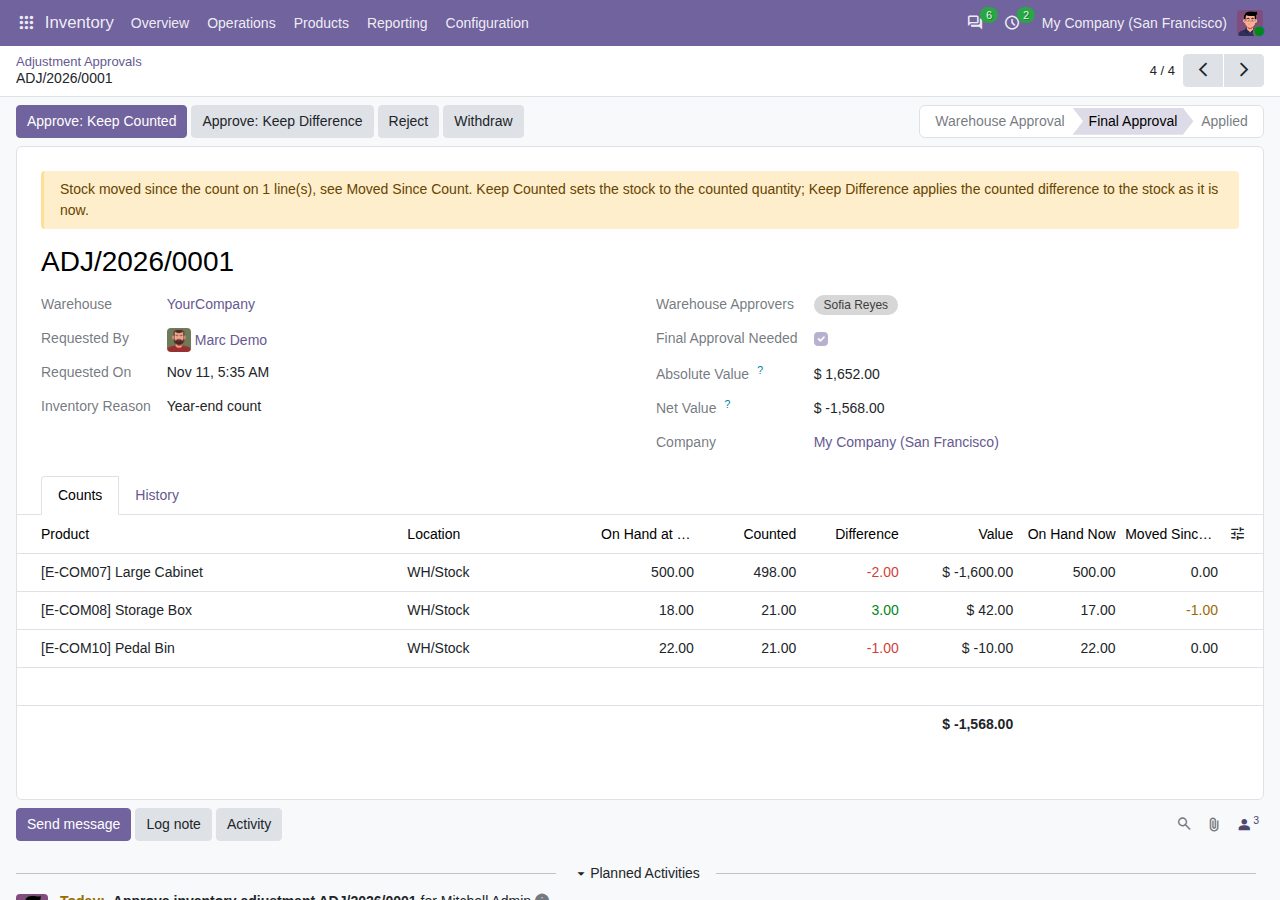
First the adjustment approvers of the warehouse (set on the warehouse), then a user with the Final Approver right. Each level gets a to-do. A warehouse without approvers goes straight to the final approval.
Per company: a minimum value per line (smaller differences are applied at once), final approval on or off and from a total value of the request. Counts equal to the stock on hand are applied at once. Approval can be switched off.
The user who applies the counts cannot approve them (setting), and the user who gave the warehouse approval cannot also give the final approval.
Each line keeps the stock on hand at the count. The request shows the stock on hand now and what moved since. With movement, the approver chooses Keep Counted (stock set to the counted quantity) or Keep Difference (the counted difference applied to the current stock).
Counts in a request cannot be changed, cleared or applied again; Physical Inventory shows the request in an Approval column and has a Waiting for Approval filter.
Approvers reject with a reason; the requester gets a to-do and the counts stay for a recount. The requester or an Inventory administrator can withdraw a waiting request.
While approval is on, stock changes that would need approval are refused outside an approved request, such as editing On Hand in the stock report or other direct adjustments. The message points to Physical Inventory.
Each request lists who requested, approved at each level, rejected or withdrew, and when, plus how it was applied. Requests and history cannot be edited or deleted. The inventory moves are linked to the request and named after it.
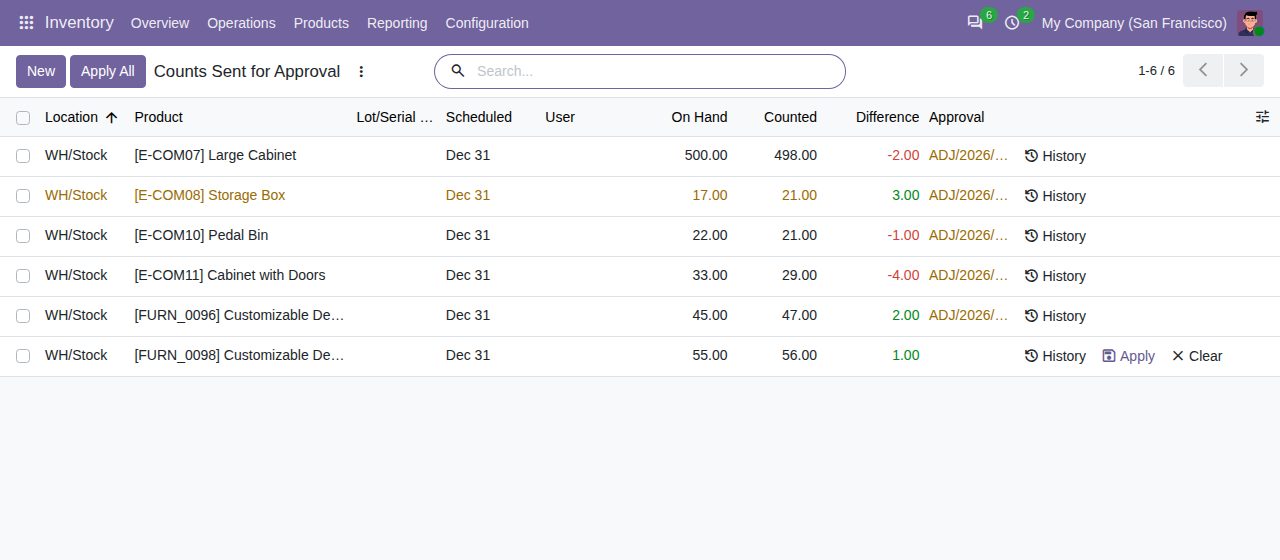
Physical Inventory: counts waiting for approval are locked and show their request; a rejected count can be applied again
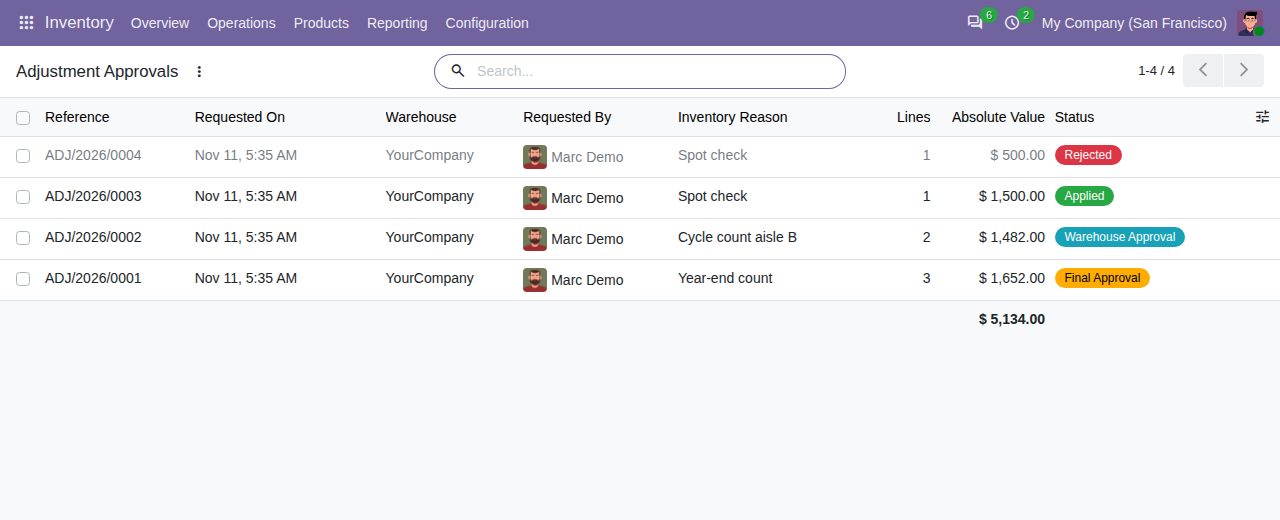
Adjustment Approvals: requests by warehouse with their difference value and status
We build custom Odoo modules and changes to this one at a fixed price, from €950 excluding VAT. Small modules are usually delivered within five working days, tested on your Odoo version. Describe what you need to hello@bizzkitt.ai.
Bitwerf is a trade name of BizzKitt B.V., Frederikstraat 67, 3034 LD Rotterdam, the Netherlands (KvK 42149345, VAT NL869932354B01). Questions: hello@bizzkitt.ai · Support · Privacy · Terms