New products and variants get an Internal Reference from your rules: category, name, values, number.
Odoo leaves the Internal Reference of a new product empty, so codes are typed by hand, one product at a time, and duplicates slip in. This module puts the codes together from rules you set up per product category. Every new product and variant gets its code when it is created, and Generate References gives your existing products theirs after a preview.
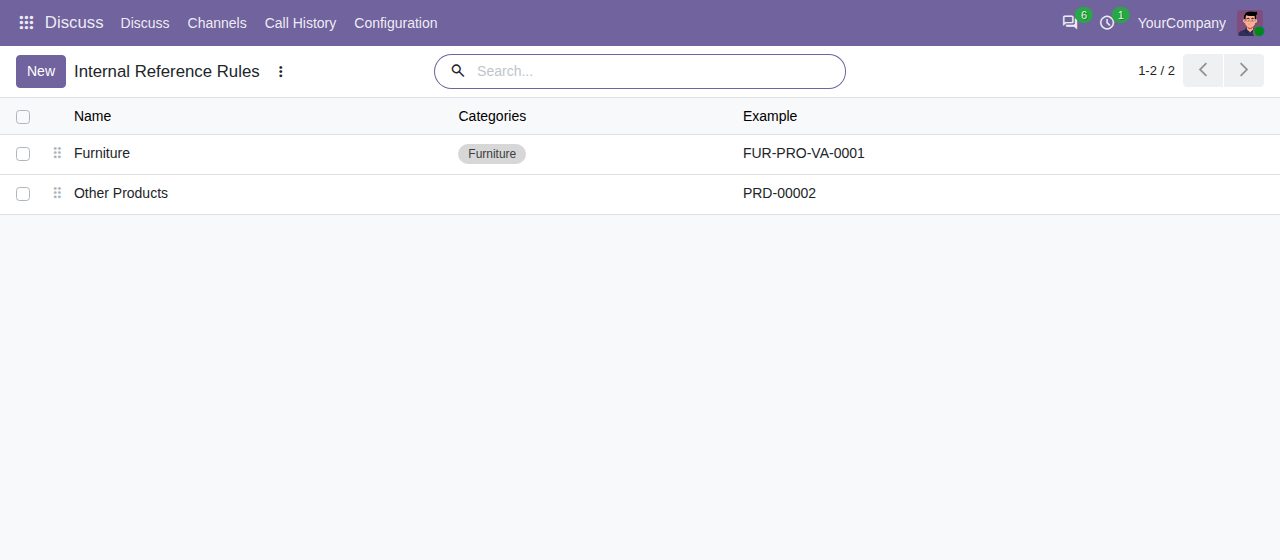
Combine text, the product category, the product name, attribute values and a zero-padded number in any order, with a separator of your choice, in upper case, lower case or as written. Names are shortened to the number of letters you set, without accents or punctuation.
A rule applies to its categories and their subcategories. The rule of the nearest category wins, otherwise a default rule without categories. A product can also have a rule of its own.
Each variant gets a code with its own attribute values, from all attributes or from one. A value uses its Reference Code (RD for Red) or its first letters; a category does the same (CHR for Chairs).
Products and variants that are created without a reference get one: on the form, by import, as a copy, or when attributes add new variants. A code you type or import is kept, and a product can switch Auto Reference off.
A generated code never repeats the code of another product, archived products and letter case included. The number moves on to the next free one, and a rule without number adds -2, -3.
Number per code pattern, so each category or name starts at 1, or one counter for the whole rule. Each counter shows its last number, which you can raise to continue after existing codes.
Generate References in the Action menu of product and variant lists and forms fills products without a reference, or replaces the codes of all selected products. A preview shows the current and new code of each product; nothing is written and no number is used until you click Apply.
An optional setting refuses to save an active product whose Internal Reference another active product already has, letter case ignored, also for codes typed by hand.
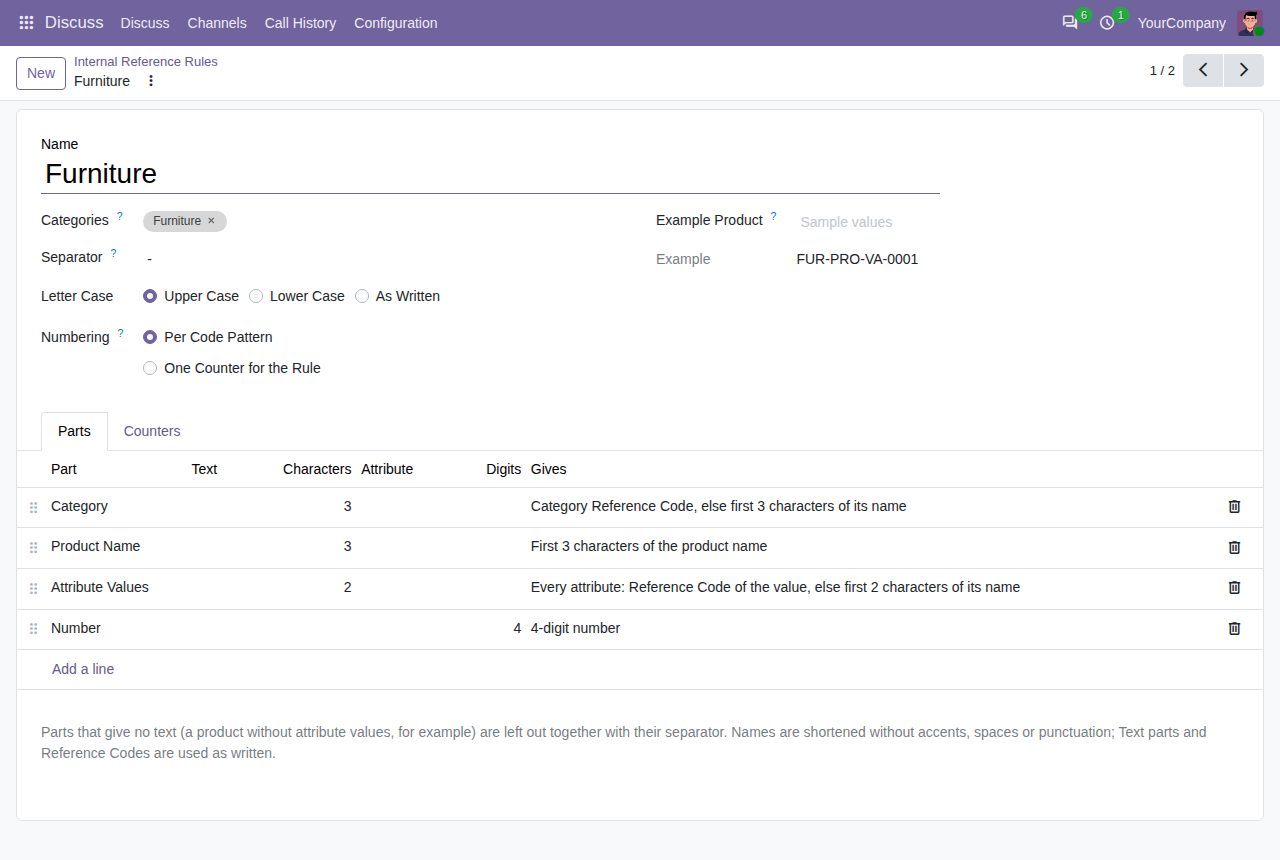
A rule made of parts: category, the first letters of the product name, attribute values and a four-digit number.
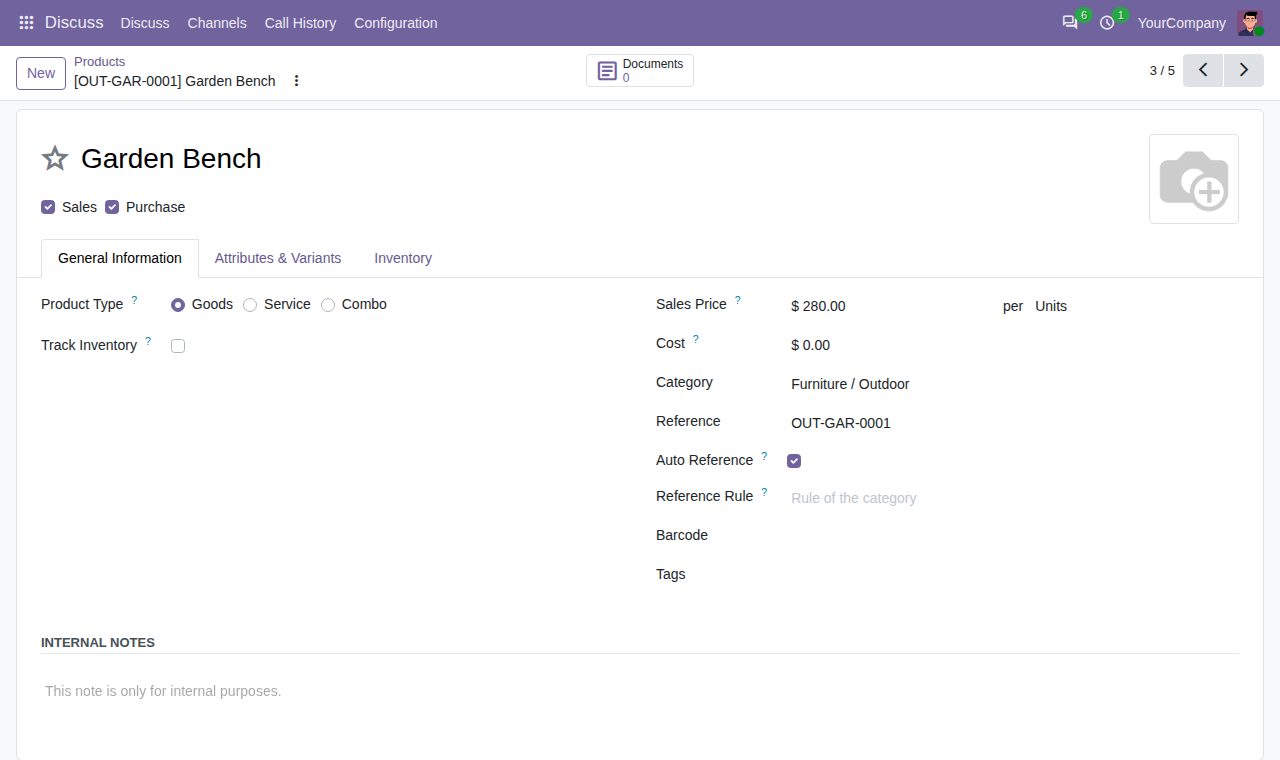
A new product with the code its rule gave it, the Auto Reference switch and the optional rule of its own.
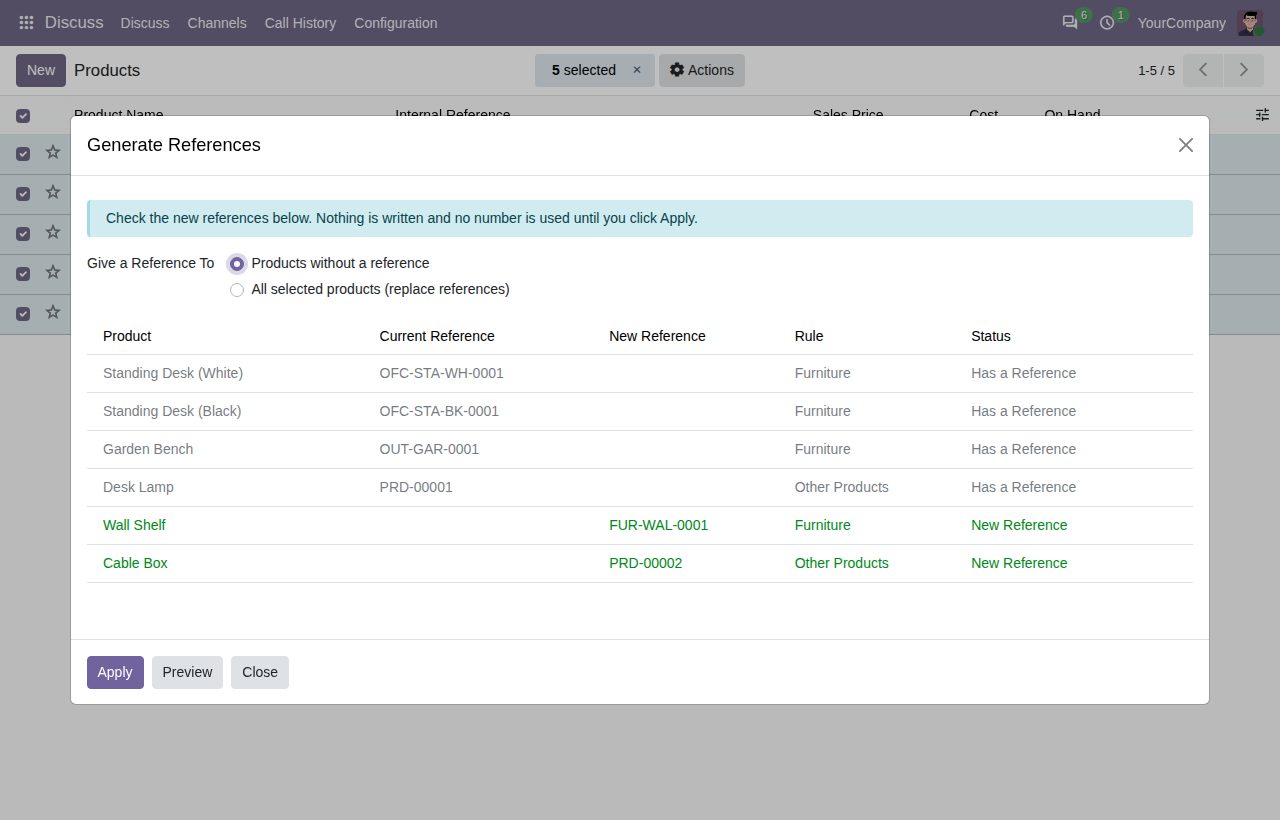
Generate References: the current and new code of each selected product, written only when you click Apply.
We build custom Odoo modules and changes to this one at a fixed price, from €950 excluding VAT. Small modules are usually delivered within five working days, tested on your Odoo version. Describe what you need to hello@bizzkitt.ai.
Bitwerf is a trade name of BizzKitt B.V., Frederikstraat 67, 3034 LD Rotterdam, the Netherlands (KvK 42149345, VAT NL869932354B01). Questions: hello@bizzkitt.ai · Support · Privacy · Terms