Run a filling station in Odoo: tanks that are real stock, pumps and nozzles with meters, attendant shifts that close with litres, takings and counted cash, credit customers within their limit, refills and dip readings.
A filling station closes every shift on its meters: what each nozzle pumped, what the attendant took in cash, card and credit, and what should be in the till. This module brings that routine into Odoo. Tanks are stock locations, so every litre sold, delivered or lost moves the stock; credit sales become customer invoices; and each shift ends with a report the attendant and the manager can sign.
Each tank holds one fuel and is created as its own location in the station's warehouse. Stock, free capacity, fill percentage and a low-level flag come from the quants; the tank board shows every tank with a fill bar.
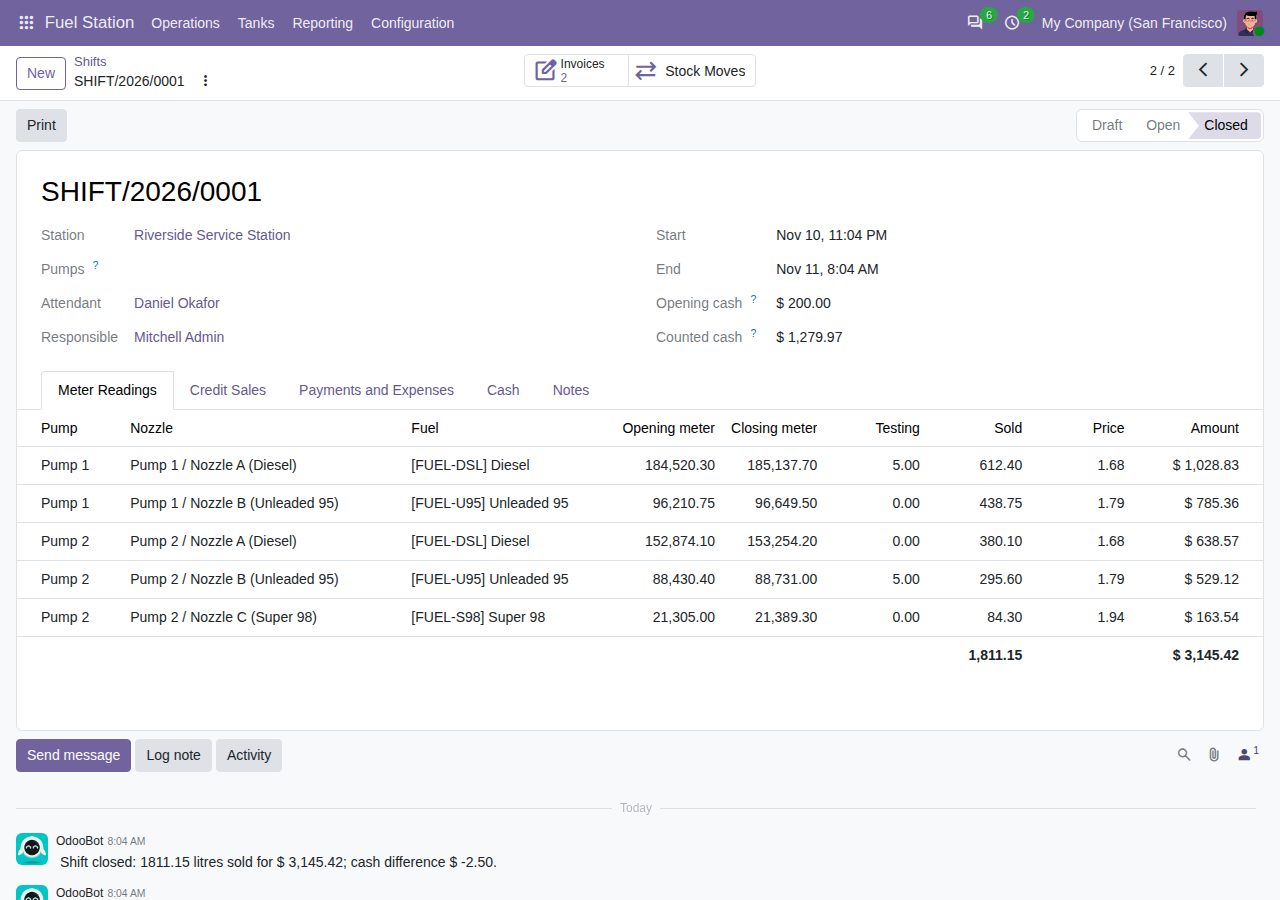
Nozzles belong to a pump and draw from one tank of the same station. A nozzle keeps its meter: the first shift starts from the meter at installation, every later shift from the last closed reading.
Starting a shift creates a reading for every active nozzle of the chosen pumps (or all pumps) with the opening meter and the fuel's sales price. Litres sold are closing minus opening minus testing litres, which go back to the tank. A nozzle can be in one open shift at a time.
Record credit sales per customer, vehicle and voucher. Only customers marked as fuel credit customers (or their contacts) can buy on credit, and a sale is refused when the customer's open receivable, draft fuel invoices and uninvoiced credit sales would pass the fuel credit limit.
Non-cash payments per method (card, mobile payment, fuel voucher or your own) and expenses paid from the till are recorded on the shift. Expected cash is opening cash plus sales minus credit sales, non-cash payments and till expenses; the counted cash shows the difference.
Close checks every reading (closing not below opening, testing not above what was dispensed, credit litres not above the litres sold), books one stock move per tank for the litres sold, creates one draft customer invoice per credit customer and locks the shift.
A refill puts a delivery into a tank at its cost and is refused when it does not fit the free capacity. A dip reading compares the measured litres with the book stock and books the gain or loss, with its reason, as an inventory move.
Print the shift report with readings, sales per fuel, credit sales, payments, till expenses and the cash reconciliation, with lines for both signatures. Fuel Sales Analysis shows litres and takings per fuel, station and day in a pivot or graph.
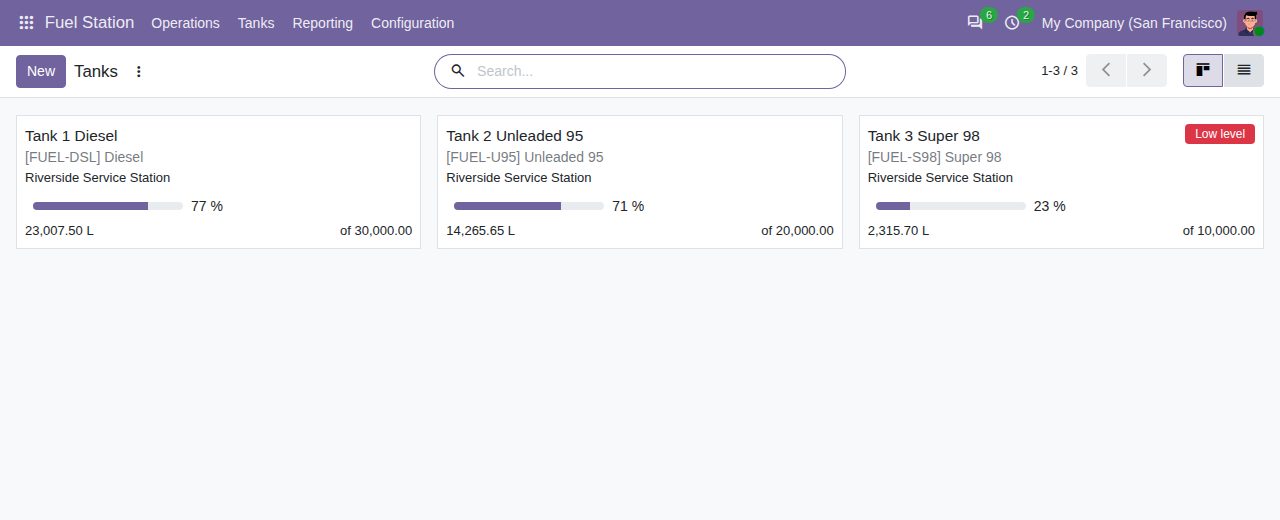
The tank board: stock and fill level per tank, with the low-level flag
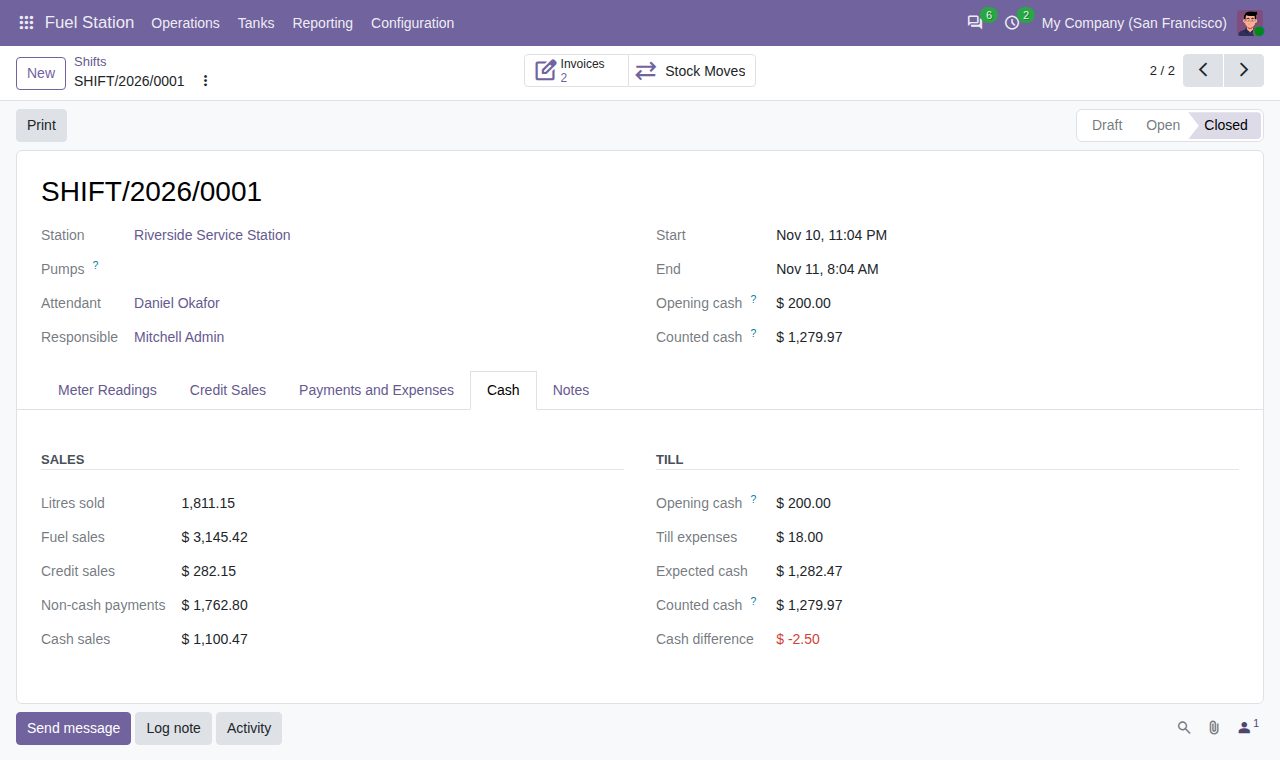
Cash reconciliation of a shift: sales, credit, non-cash payments, till expenses, expected and counted cash
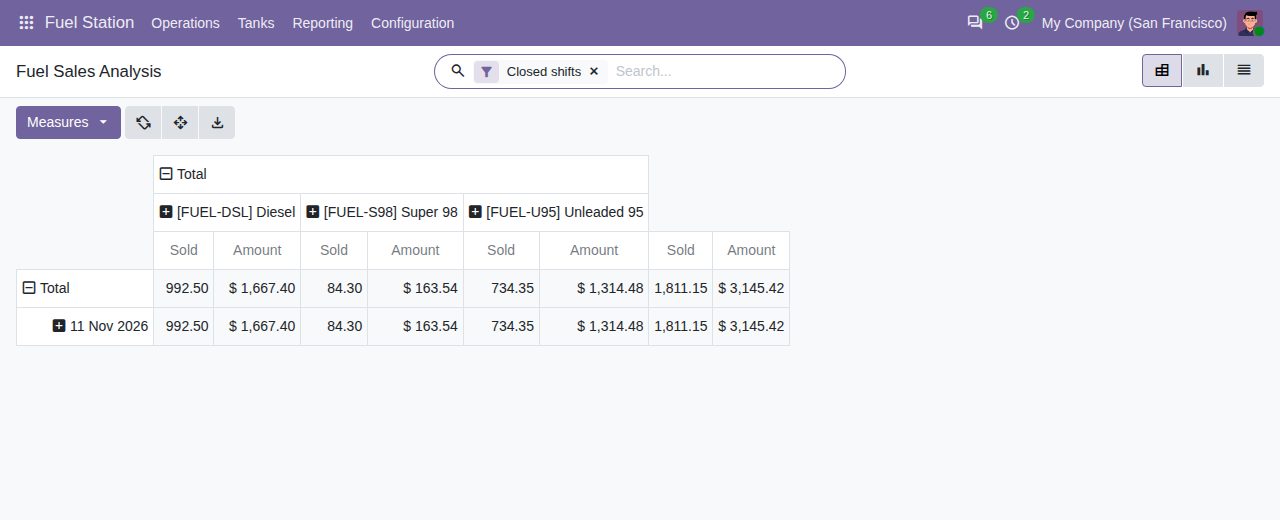
Fuel Sales Analysis: litres and takings per fuel and day
We build custom Odoo modules and changes to this one at a fixed price, from €950 excluding VAT. Small modules are usually delivered within five working days, tested on your Odoo version. Describe what you need to hello@bizzkitt.ai.
Bitwerf is a trade name of BizzKitt B.V., Frederikstraat 67, 3034 LD Rotterdam, the Netherlands (KvK 42149345, VAT NL869932354B01). Questions: hello@bizzkitt.ai · Support · Privacy · Terms