One file per shipment for sea, air, road and rail, from quotation and booking to delivery.
Forwarders juggle bookings, containers, dates, documents, customer charges and carrier costs in spreadsheets and mailboxes. This module gives every shipment one freight order in Odoo: parties, ports and airports, carrier and transport documents, packages and containers, dangerous goods, milestones to chase, customer charges that become a quotation and buy-side costs that become vendor bills, with the margin per file.
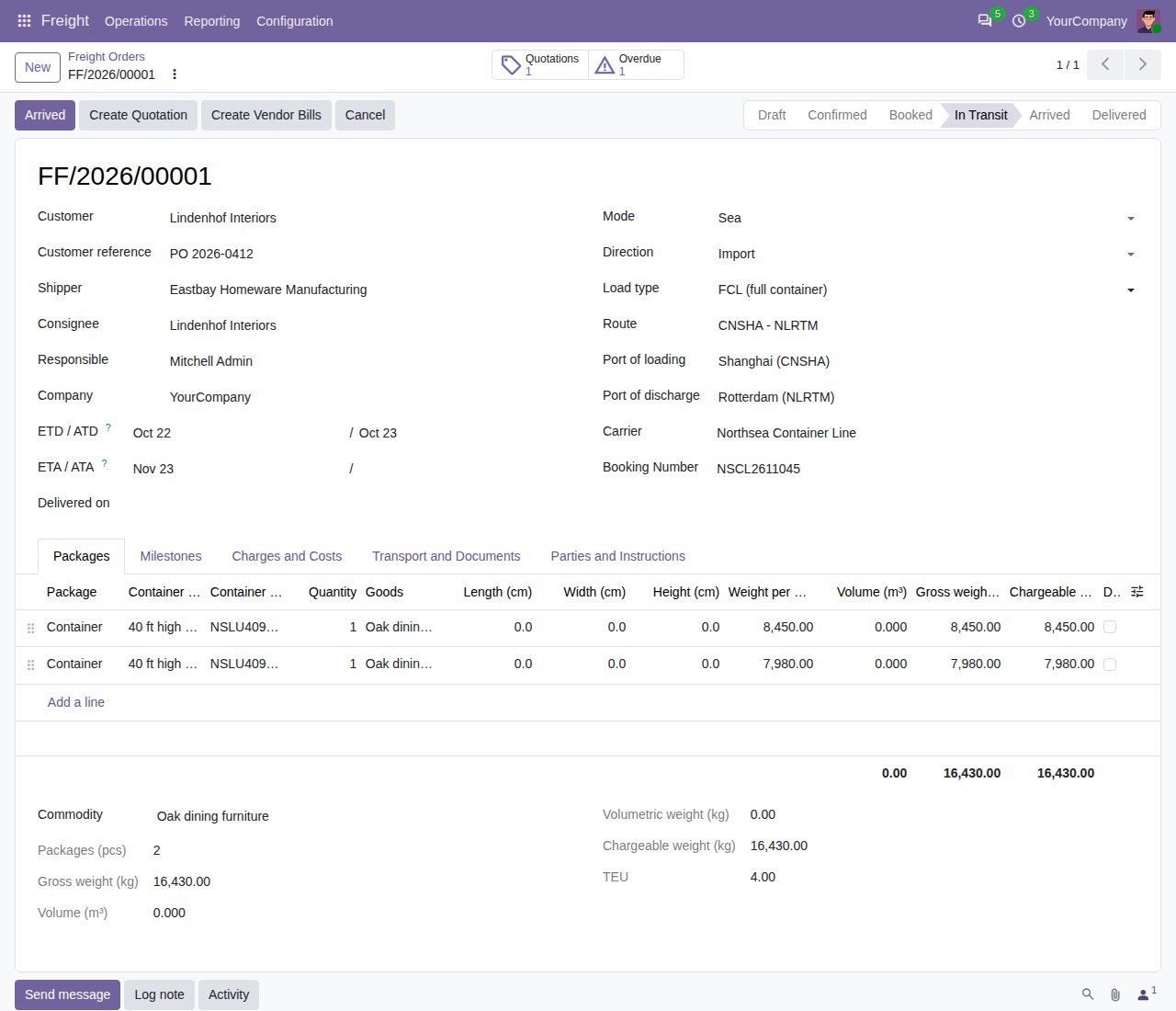
Sea, air, road, rail and multimodal; export, import or domestic; FCL, LCL, bulk, breakbulk, Ro-Ro, air cargo, FTL and LTL. Customer, shipper, consignee, notify party and agent, Incoterm with named place, carrier, vessel or flight, voyage, booking number, master and house B/L or AWB, and the document type. Numbered FF/year/00001.
Draft, Confirmed, Booked, In Transit, Arrived, Delivered (and Cancelled, Reset to Draft). Each button only works from the step before it, Confirm needs both ports, ETD and ETA, Booked needs the carrier and booking number, and the status cannot be written directly.
ETD, ETA, actual departure and arrival and the delivery date. The ETD cannot be after the ETA; Departed, Arrived and Delivered fill today's date when empty. Transit days and an on-time flag (arrival on or before the ETA) are kept per file.
Package type, quantity, length x width x height in cm, weight per piece, goods and HS code. Volume in m3, gross and volumetric weight per line and for the whole file; the file is charged on the higher of total gross and total volumetric weight. Divisors per mode in Settings (sea 1 m3 = 1,000 kg, air 6,000, road and rail 3,000 cm3/kg).
Six container types with TEU (20GP, 40GP, 40HC, 45HC and two reefers), TEU totals per file, seal numbers and container numbers checked against the ISO 6346 check digit. Dangerous goods need a UN number (four digits) and a hazard class 1 to 9 with divisions; packing group I, II or III; a Dangerous Goods filter.
Confirming a file adds milestones from editable milestone types with planned dates from the ETD or ETA: export customs only on exports, import customs only on imports. Status steps tick them off (booked, picked up, departed, arrived, delivered), the rest you mark Done or Not needed. Overdue milestones turn red, are counted on the file and have their own filter and list.
Charge lines (product, quantity, unit price) become a sales quotation linked to the file; later charges go on a new quotation. Cost lines per vendor become one draft vendor bill per vendor; billed lines are locked until the bill is cancelled or deleted. Revenue, cost, margin and margin % per file, with smart buttons.
Routes fill the ports, mode and preferred carrier and set the ETA from the ETD plus transit days. Print the freight order with parties, route, documents, packages, totals and milestones. List, kanban by status, arrivals calendar, pivot and graph analysis of revenue, cost, margin and weights.
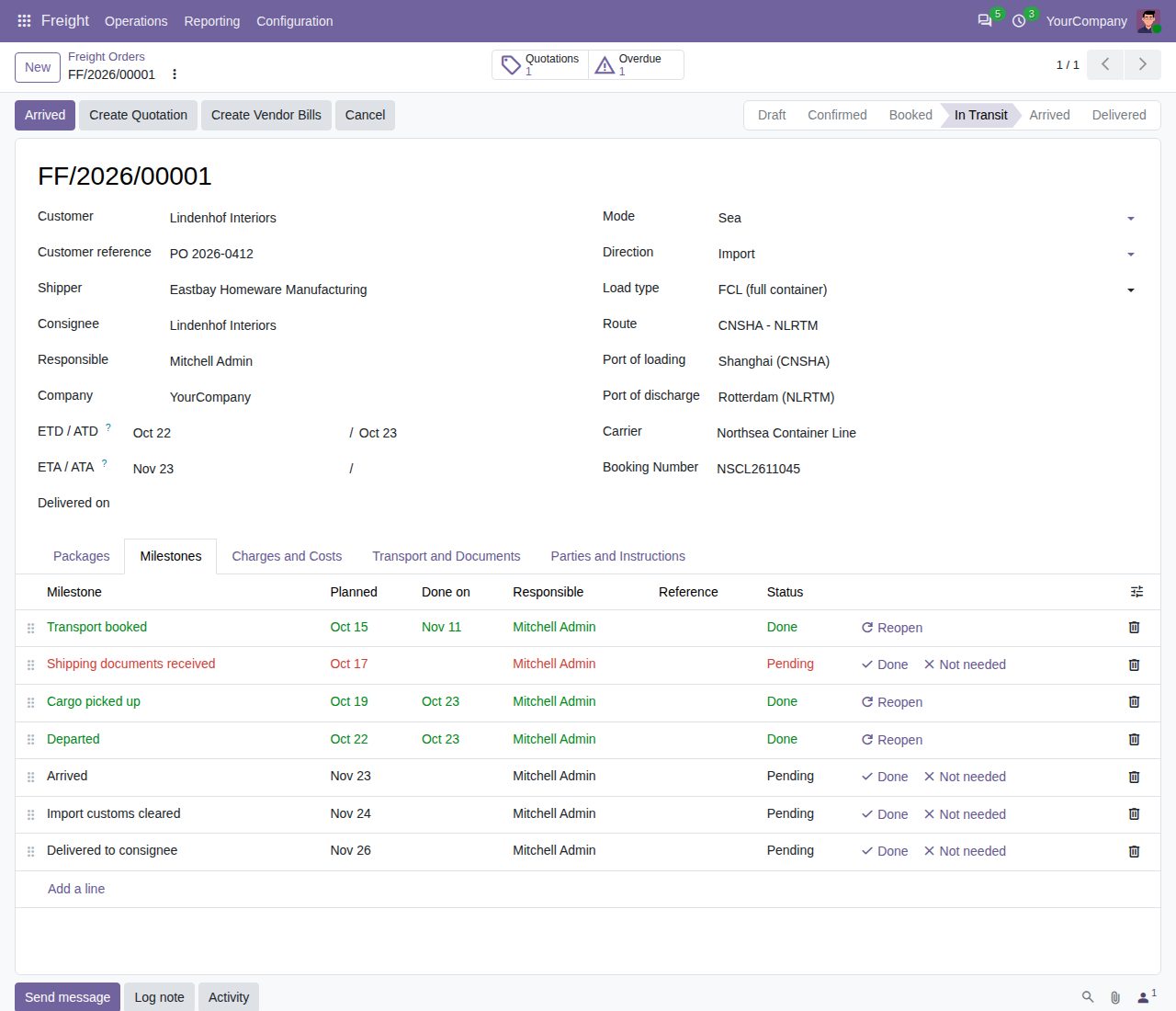
Milestones ticked off by the status steps on their actual dates; the overdue one shows in red and on the Overdue button
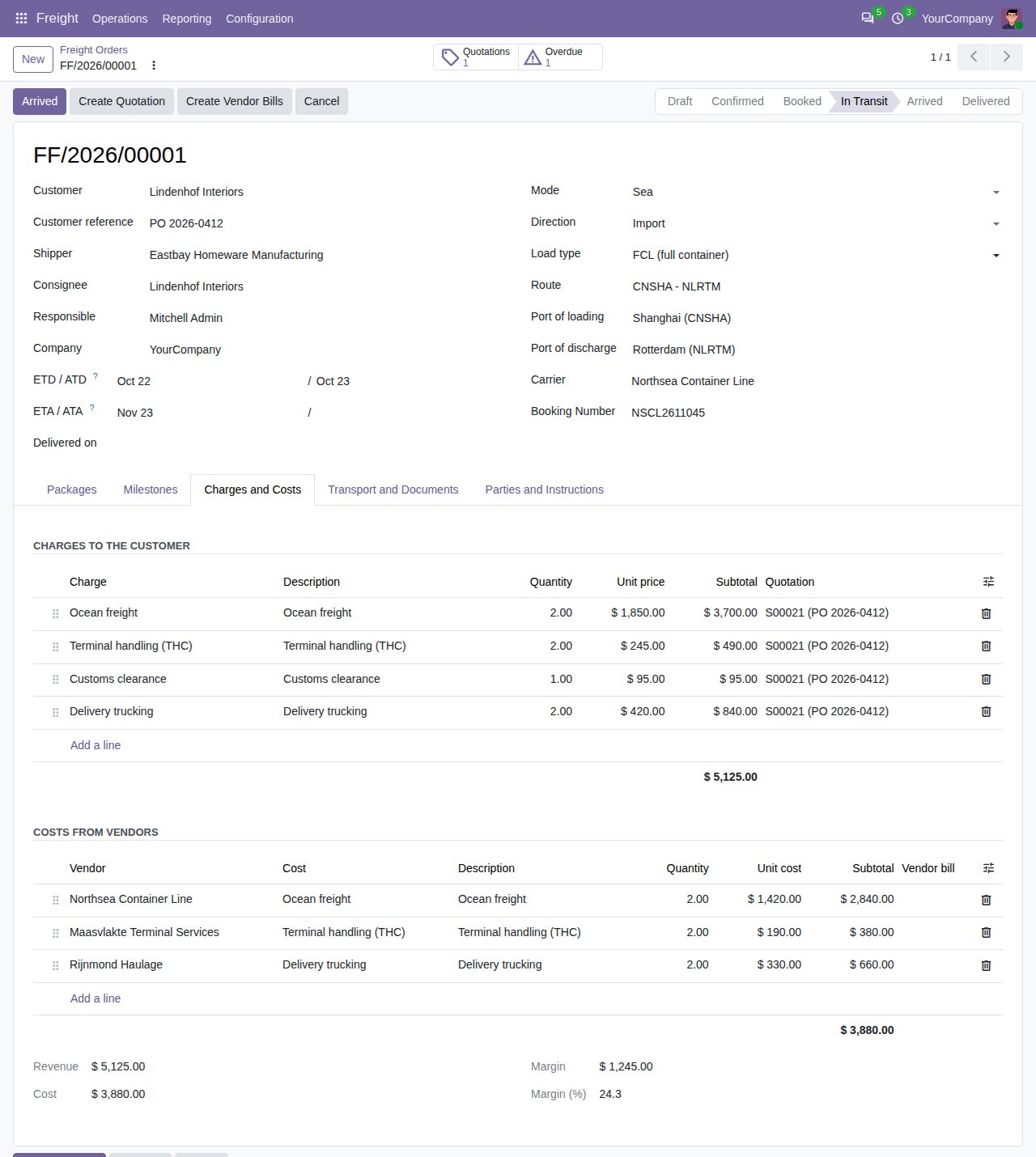
Charges for the customer (already on a quotation), costs from three vendors and the margin of the file
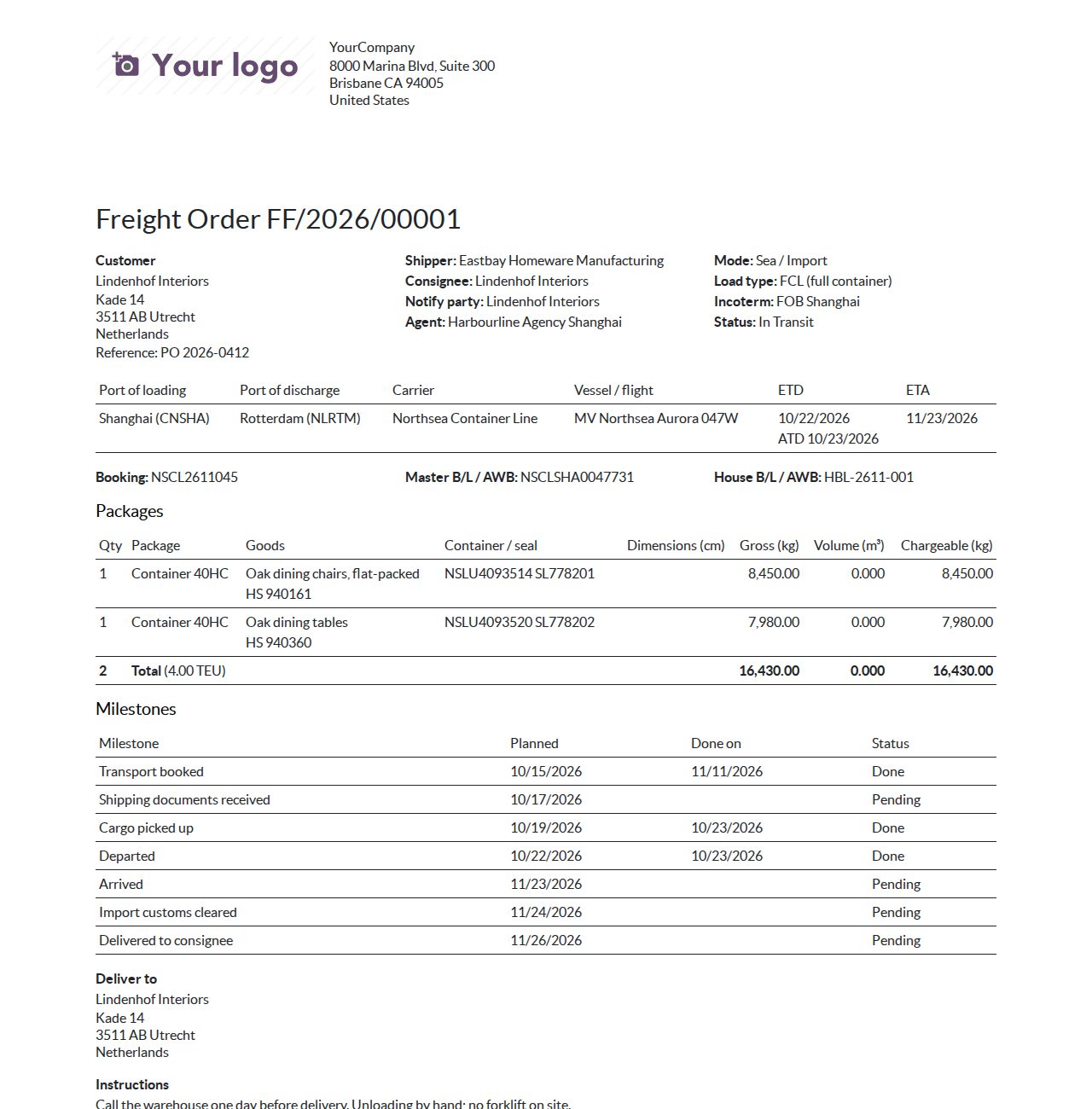
The printed freight order with containers, totals and milestones
We build custom Odoo modules and changes to this one at a fixed price, from €950 excluding VAT. Small modules are usually delivered within five working days, tested on your Odoo version. Describe what you need to hello@bizzkitt.ai.
Bitwerf is a trade name of BizzKitt B.V., Frederikstraat 67, 3034 LD Rotterdam, the Netherlands (KvK 42149345, VAT NL869932354B01). Questions: hello@bizzkitt.ai · Support · Privacy · Terms