Separate first and last names on your contacts, with the full name always built the way you want it.
Odoo stores one name per contact, so greeting people by first name, sorting by last name or importing an address book with two name columns takes manual work. This module adds First Name and Last Name to every person in Contacts. The contact name is built from both in the order you choose, names that arrive as one string are split for you, and companies keep their single name.
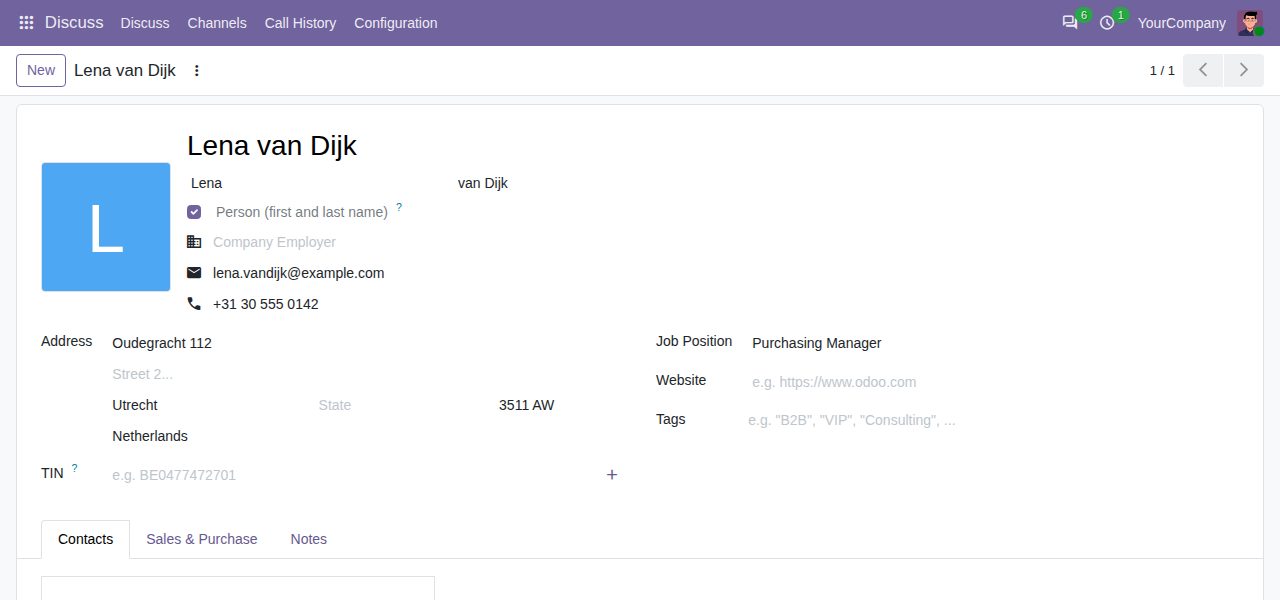
The contact form of a person shows First Name and Last Name; the contact name is built from them as you type. Companies and other organisations keep one editable name.
Choose "First Last", "Last First" or "Last, First" in Settings. New and edited names follow it at once; "Apply to existing persons" rebuilds the names of all persons, while company names stay untouched.
Names typed as one string (quick create, sign-ups, users, other apps, imports) are split into first and last name. Particles such as van, de, von or da stay with the last name, and suffixes such as Jr. too. The typed name itself is never changed.
On installation every existing person gets a first and last name. Companies, including your own companies' contacts, keep their single name.
Import contacts with First Name and Last Name columns only: the contact name is built from them, in your order.
Optional First Name and Last Name columns in the contacts list (sortable), search by first or last name, Persons and Organisations filters, group by last name, and email templates can greet with {{ object.bw_first_name }}.
Odoo 20 has no Individual/Company choice and counts contacts without a VAT number as persons. A Person switch on the form marks an organisation without a VAT number, and contacts that have contact persons become organisations by themselves (also on installation).
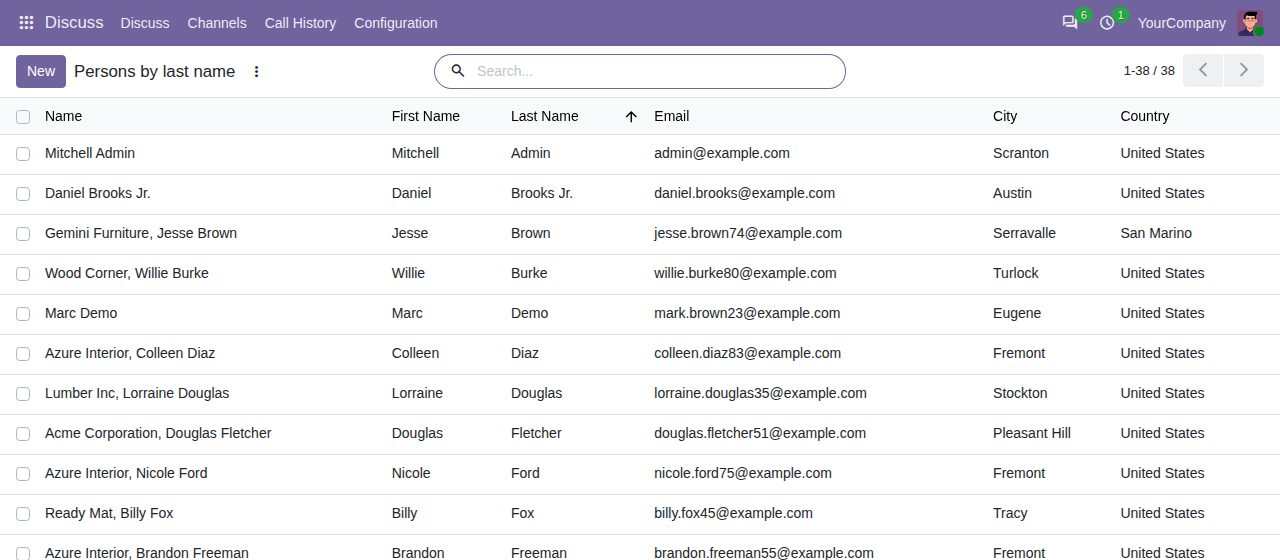
Persons listed with First Name and Last Name columns, sorted by last name.
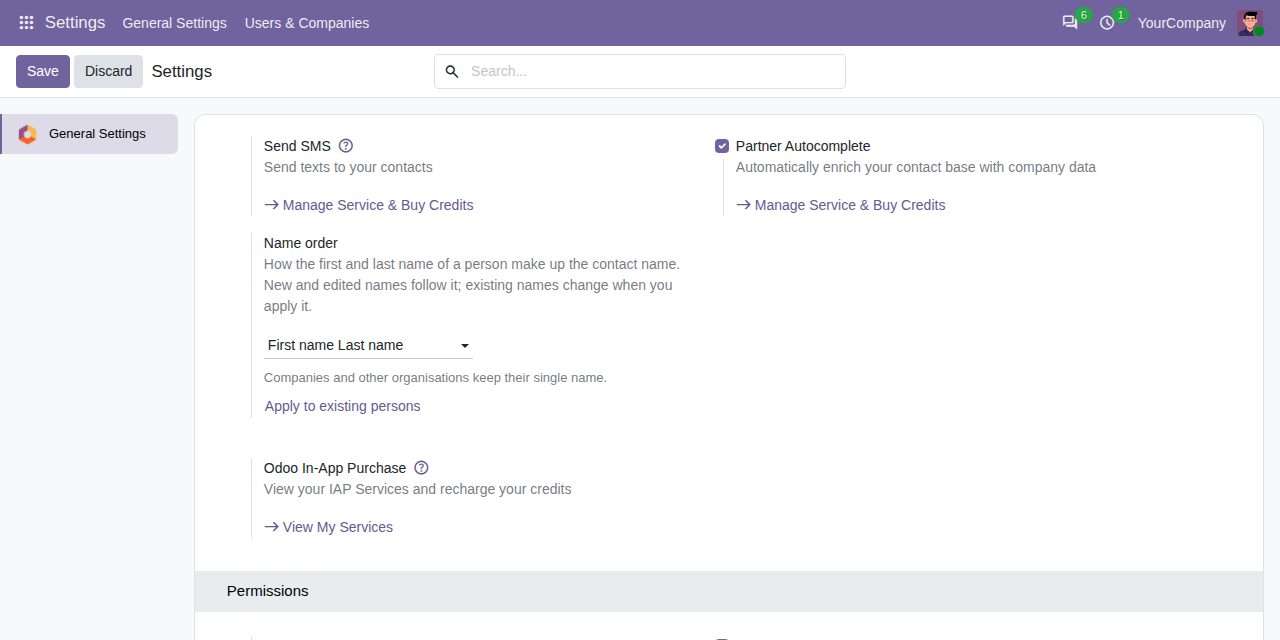
Settings > General Settings > Contacts: the name order, and Apply to existing persons.
We build custom Odoo modules and changes to this one at a fixed price, from €950 excluding VAT. Small modules are usually delivered within five working days, tested on your Odoo version. Describe what you need to hello@bizzkitt.ai.
Bitwerf is a trade name of BizzKitt B.V., Frederikstraat 67, 3034 LD Rotterdam, the Netherlands (KvK 42149345, VAT NL869932354B01). Questions: hello@bizzkitt.ai · Support · Privacy · Terms