Put a coloured message at the top of the documents that need attention: credit holds, key accounts, missing data or internal rules.
Important details get lost in busy forms. Document Alerts shows a clear coloured message at the top of contacts, orders, invoices or any other document with a chatter, but only on the documents that match your condition and only for the users who need it. Messages can include live values from the document, so a credit hold names the customer and the billing contact.
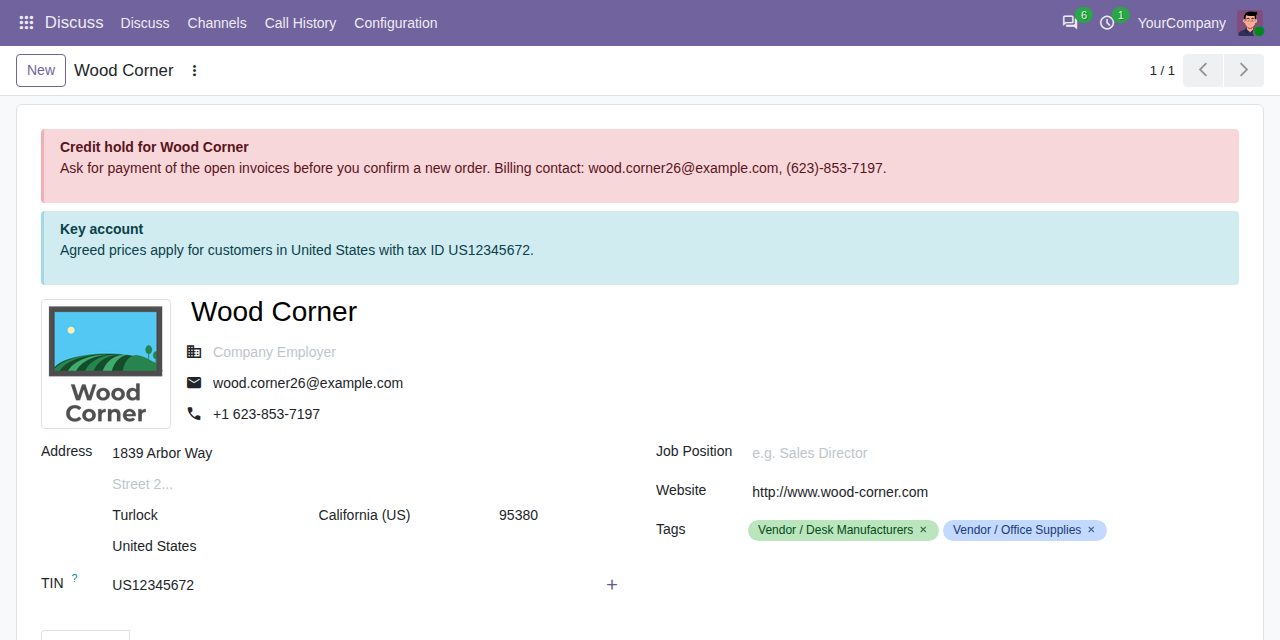
Contacts, sales and purchase orders, invoices, leads, transfers, tasks and every other document with a chatter can show alerts, as many as you like per document type.
A condition on the document's fields decides where an alert appears, built with Odoo's own filter editor. Leave it empty to show the alert on every document of the type.
Info (blue), success (green), warning (orange) or danger (red). Several alerts on one document appear in the order you set.
Placeholders such as {{ object.name }} or {{ object.partner_id.email }} show values of the document: related records, choices, yes/no, numbers and dates in the user's language. Values are shown as text, never run as HTML.
Limit an alert to user groups, for example only the sales managers, and to one company in a multi-company database.
The alert is worked out each time the document is opened or saved, so it disappears as soon as the document no longer matches or the alert is archived.
Show Matching Documents lists every document that will show the alert, before your users see it. Conditions that cannot work are refused when you save.
Alerts are set up under Settings > Document Alerts by administrators only. Formatting in the message is cleaned of scripts.
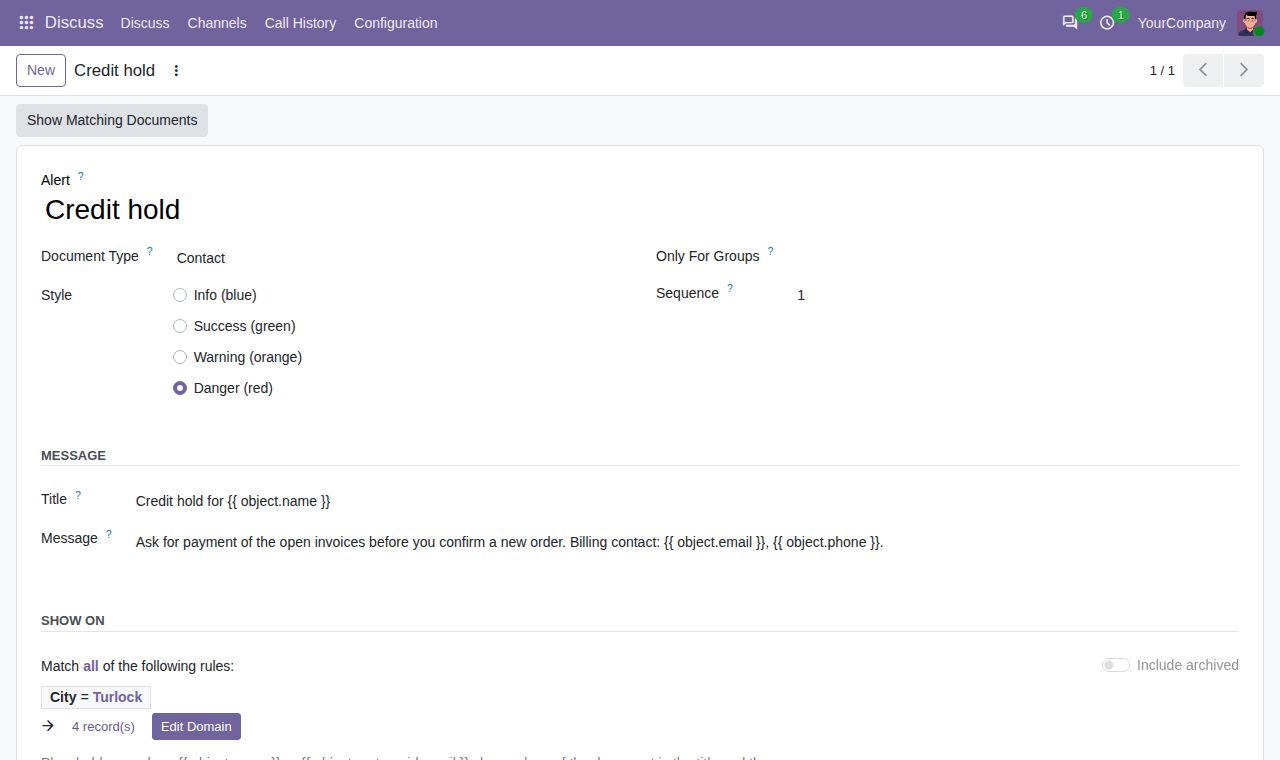
Setting up an alert: document type, style, user groups, message with placeholders and the condition.
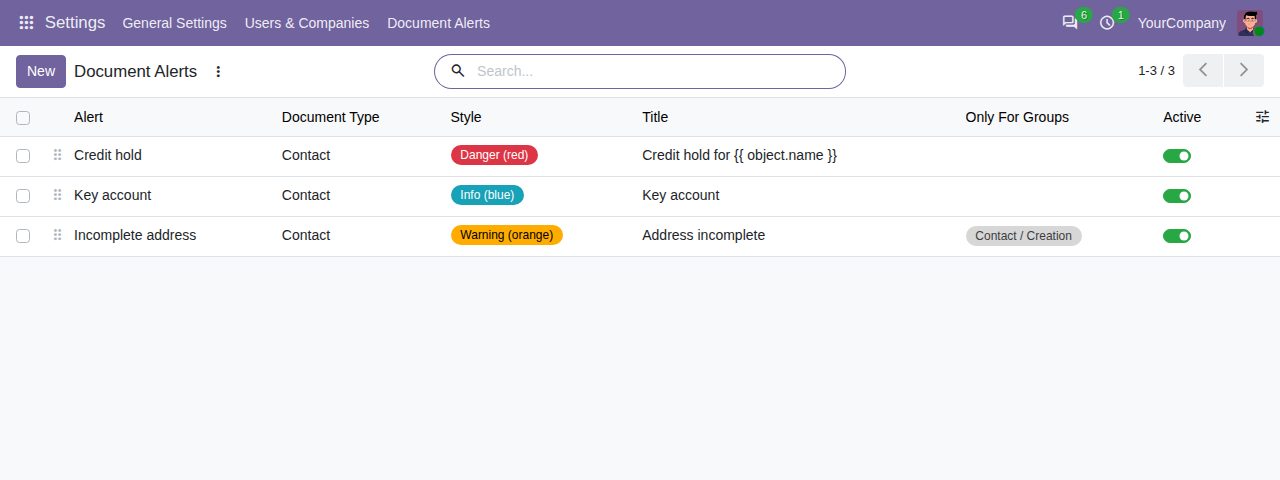
All alerts in one list, in the order they appear, with their style and groups.
We build custom Odoo modules and changes to this one at a fixed price, from €950 excluding VAT. Small modules are usually delivered within five working days, tested on your Odoo version. Describe what you need to hello@bizzkitt.ai.
Bitwerf is a trade name of BizzKitt B.V., Frederikstraat 67, 3034 LD Rotterdam, the Netherlands (KvK 42149345, VAT NL869932354B01). Questions: hello@bizzkitt.ai · Support · Privacy · Terms