Give each sales order line its own delivery date and get one delivery order per date, scheduled on that date.
Customers often want part of an order now and the rest later, but a sales order has only one delivery date. Delivery Dates per Line adds a Planned Delivery date to every order line. When you confirm the order, the lines are split into one delivery order per date, each with its own scheduled date and deadline, so the warehouse ships every part on the day you promised.
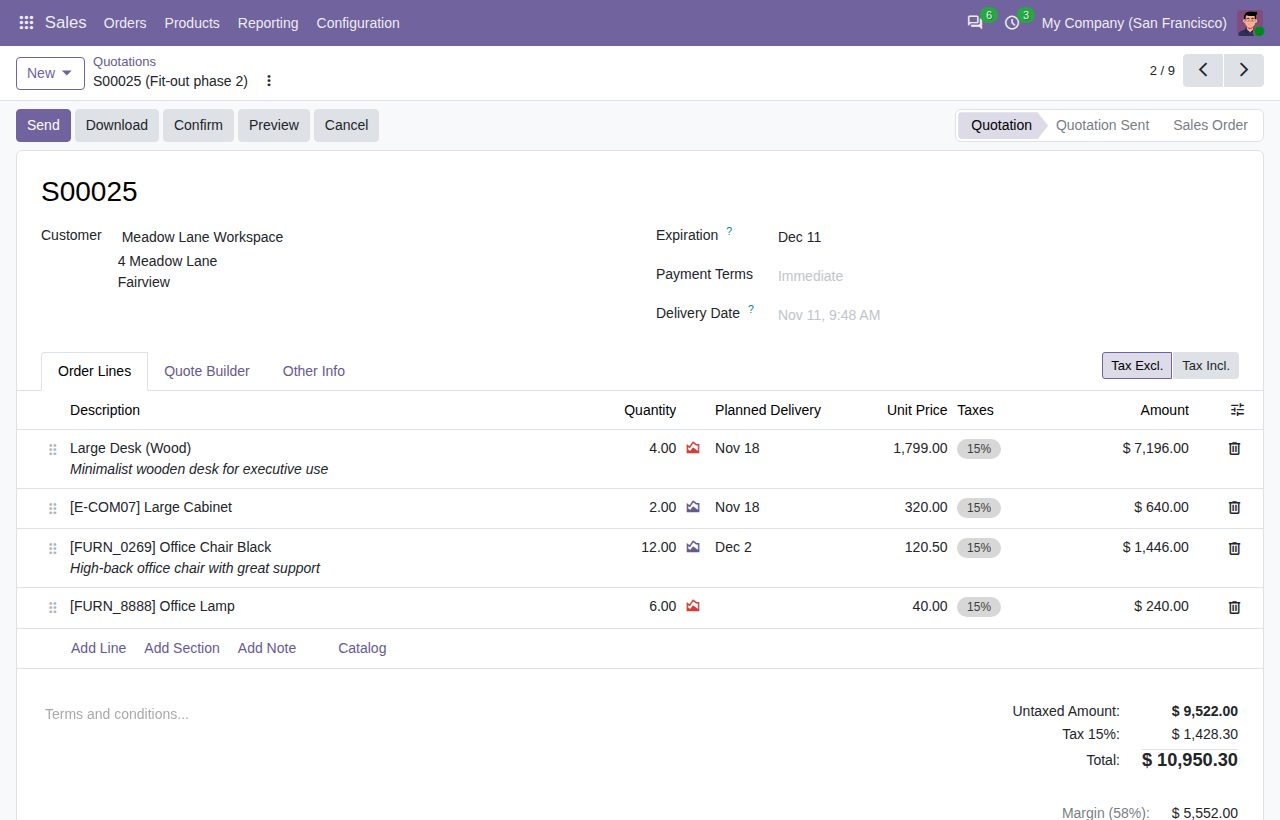
Planned Delivery is a column of the order lines on quotations and sales orders, and a field in the line form. It is not shown on sections, notes and services.
On confirmation, lines with the same date go into one delivery order and every other date gets its own. Lines without a date keep Odoo's usual delivery and dates.
Each delivery order gets the line's date as its deadline and as its scheduled date, minus the Security Lead Time when you use one, at noon in the salesperson's time zone.
With pick and ship steps, every step is split by date, and backorders of a partial delivery keep their date.
A new line or extra quantity on a confirmed order joins the open delivery order of its date, or gets a new one. Changing the order's Delivery Date leaves the dated lines on their own date.
Printed quotations and sales orders show the delivery date under the description of every dated line.
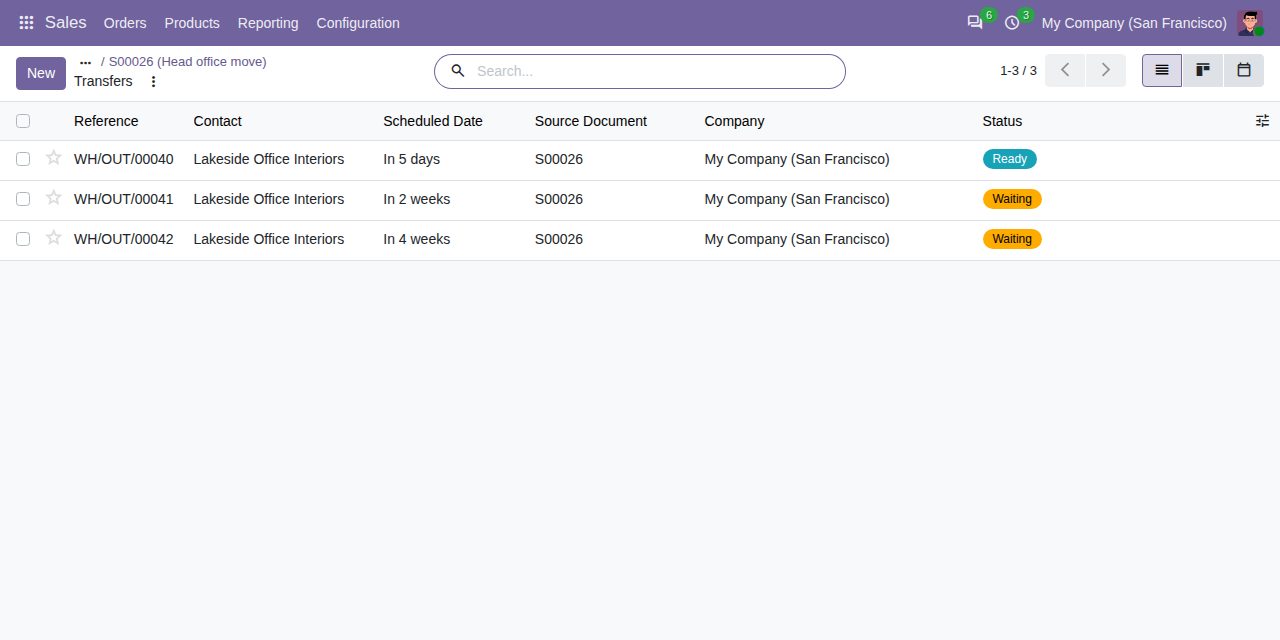
The confirmed order's delivery orders: one per planned date, each scheduled on its date.
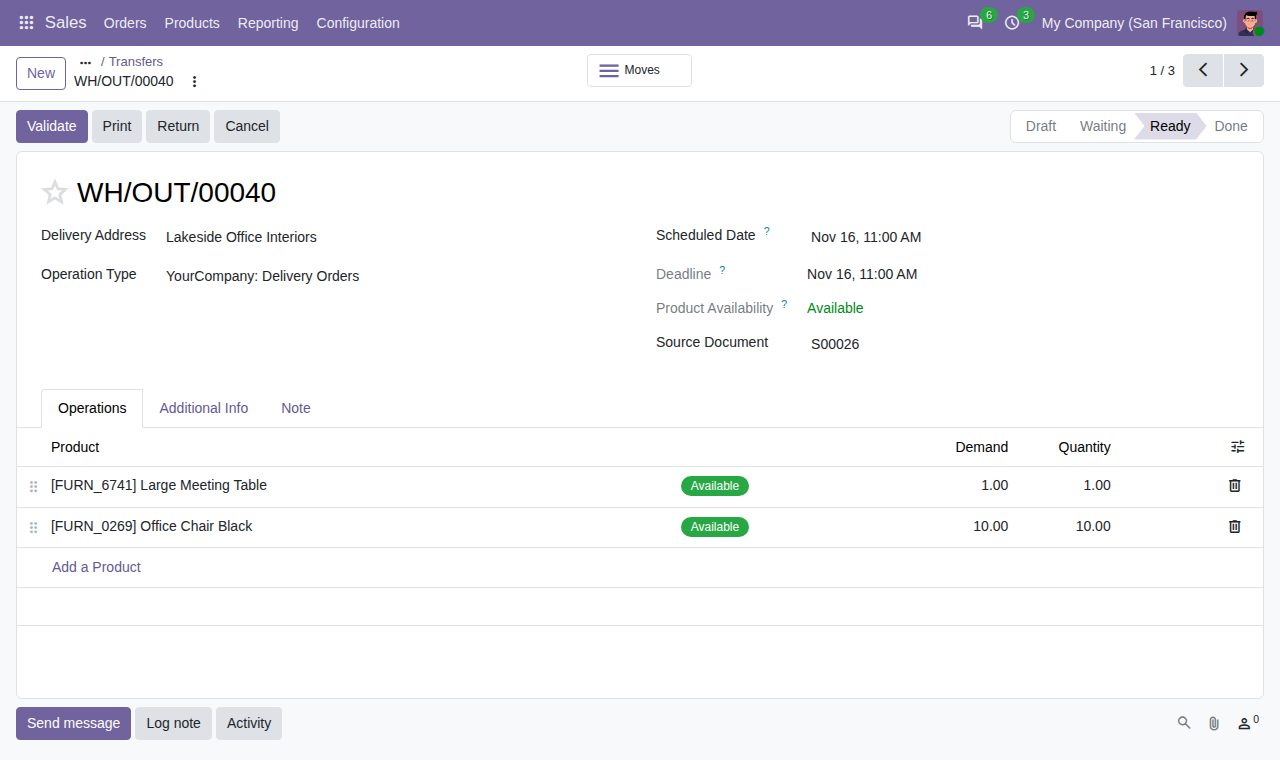
The first delivery order: the two lines planned for that date, with the date as scheduled date and deadline.
We build custom Odoo modules and changes to this one at a fixed price, from €950 excluding VAT. Small modules are usually delivered within five working days, tested on your Odoo version. Describe what you need to hello@bizzkitt.ai.
Bitwerf is a trade name of BizzKitt B.V., Frederikstraat 67, 3034 LD Rotterdam, the Netherlands (KvK 42149345, VAT NL869932354B01). Questions: hello@bizzkitt.ai · Support · Privacy · Terms