Send every customer a clear statement of what they were invoiced, what they paid and what is still open.
Customers pay faster when they can see their account at a glance. This module makes a statement of account for any period and an overdue statement with aging for each contact, from the posted invoices, credit notes and payments in Odoo. Print them, email them to many customers in one go, or let Odoo email them every month.
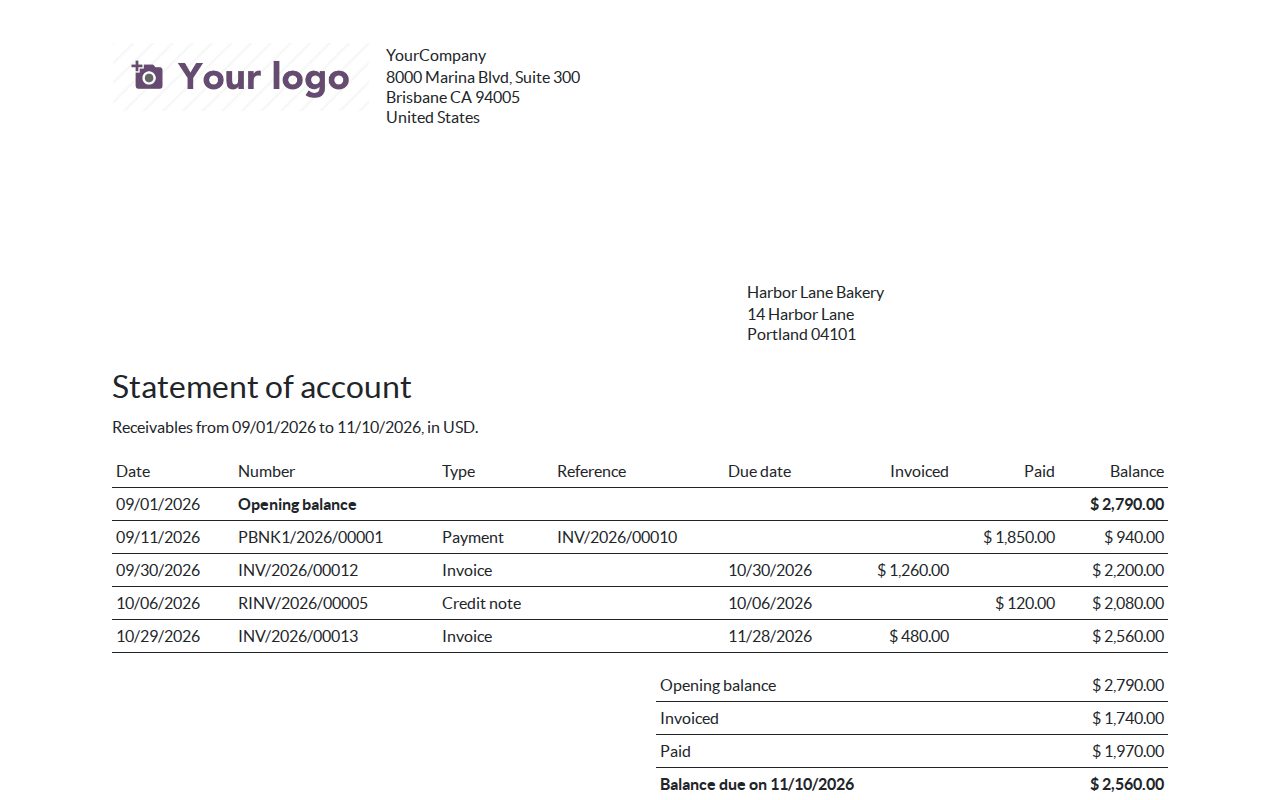
Opening balance, every posted invoice, credit note and payment in the period with its due date, a running balance and the closing balance. Invoices to a customer's other addresses are included.
Every open item with its due date and days overdue, totals per period (not due, 1-30, 31-60, 61-90 and over 90 days), the total open and the total overdue. Partial payments and open credit notes are taken into account.
Customer statements read the receivable accounts, vendor statements the payable accounts, so you can also check what you owe a supplier.
Select contacts, choose Print > Statements and print one PDF or send one email per contact with its own statement attached. Contacts without an email address are skipped and listed.
Each email goes to the contact's invoice address and is kept in the contact's chatter with the PDF. Every statement you make is listed under Invoicing > Customers > Statements and behind a button on the contact.
Switch on a monthly statement and an overdue reminder per customer. On the day of the month you choose, Odoo emails last month's statement and, when something is overdue, an overdue statement, never twice for the same period.
Two ready email templates, one for statements and one for overdue statements, which you can edit like any other Odoo email template.
A statement only shows the entries of the company it is made in, in that company's currency, with that company's letterhead.
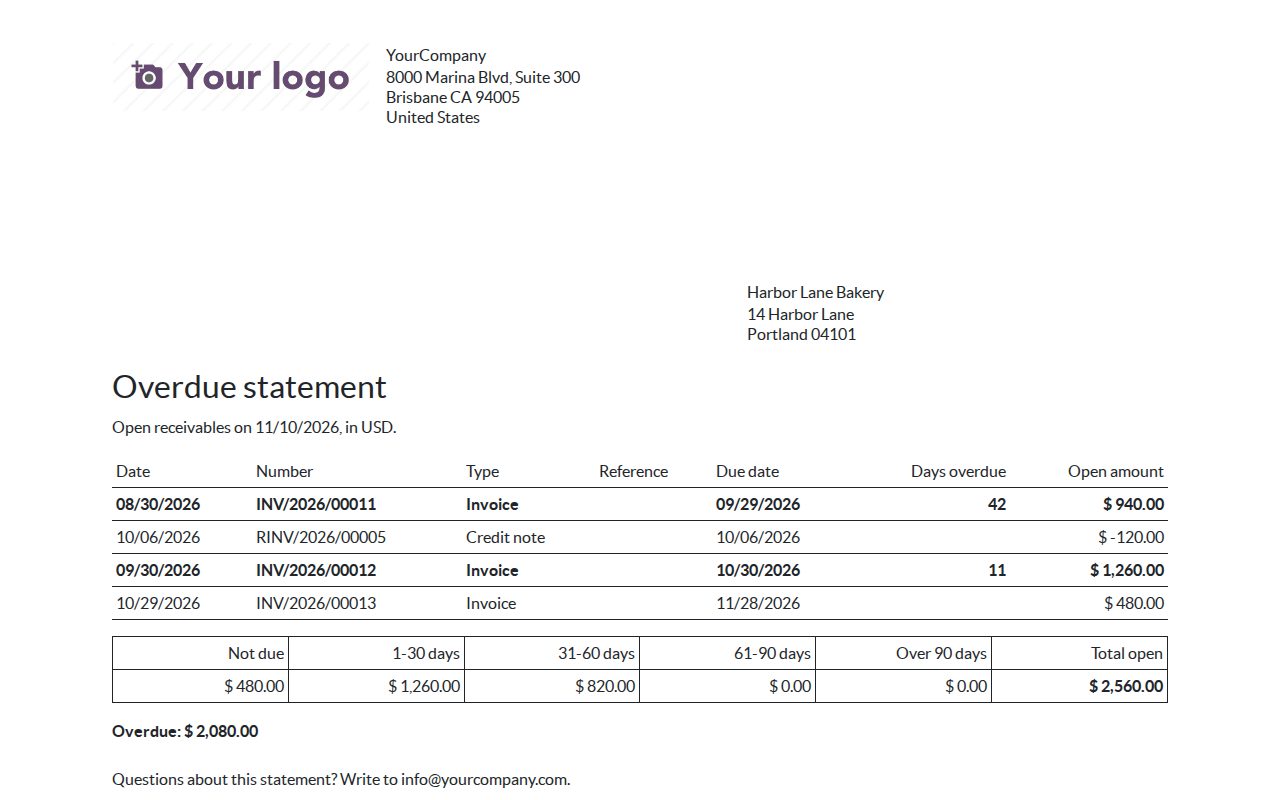
An overdue statement: open items with days overdue and the aging totals.
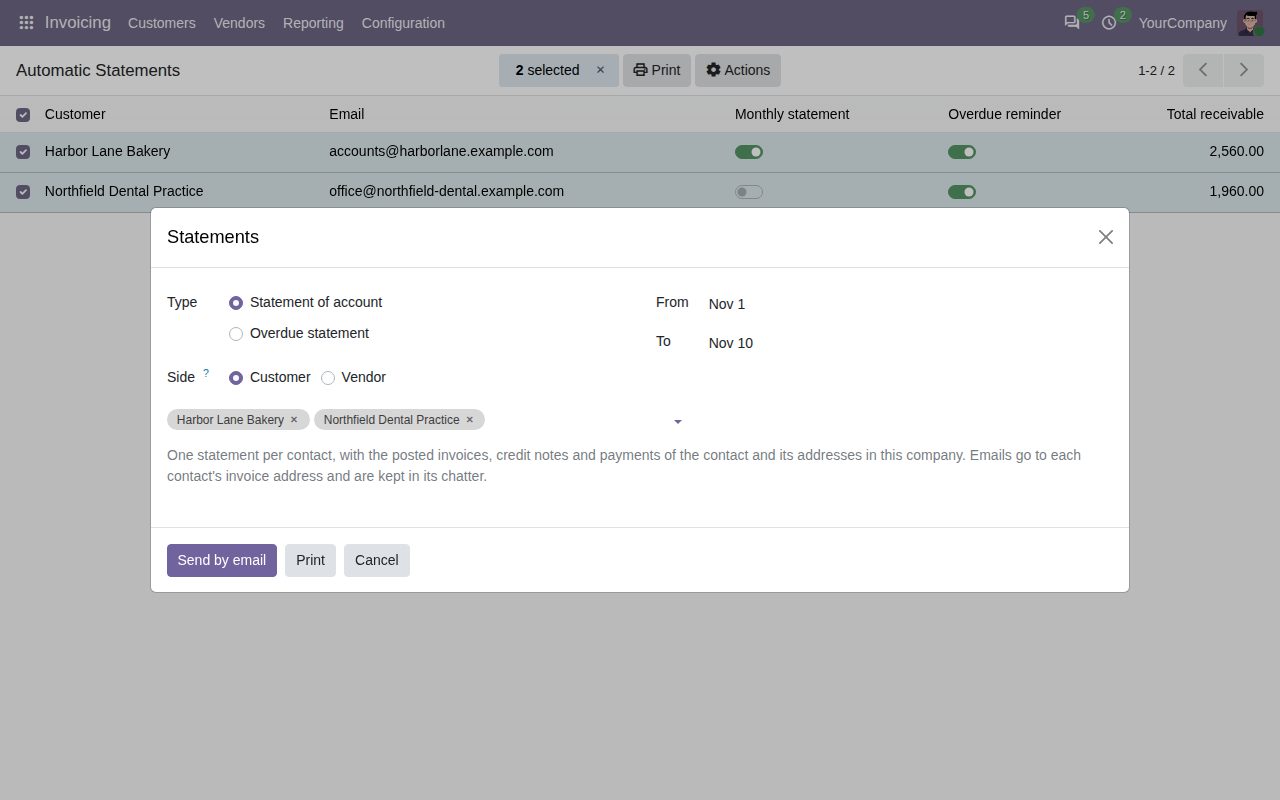
Make statements for the selected customers: print them or email each customer its own.
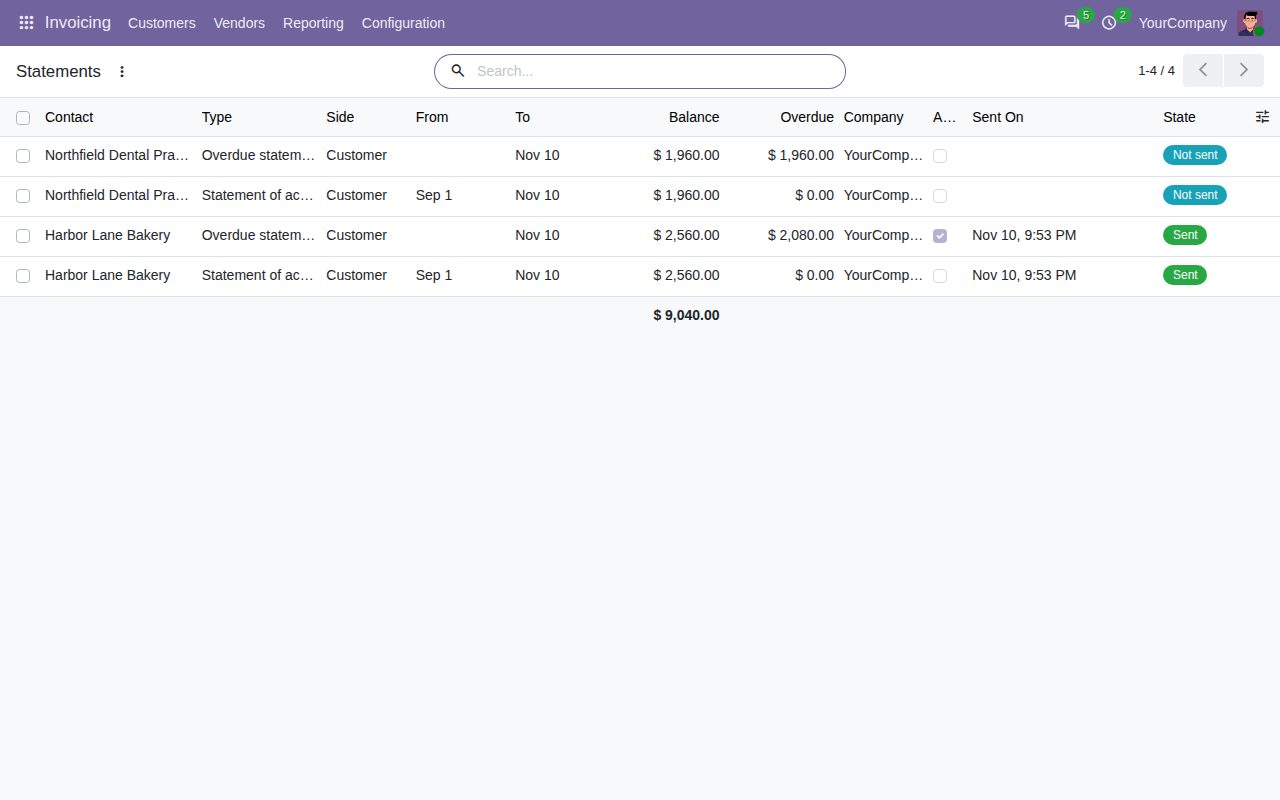
Every statement made or sent, with its balance and whether it went out automatically.
We build custom Odoo modules and changes to this one at a fixed price, from €950 excluding VAT. Small modules are usually delivered within five working days, tested on your Odoo version. Describe what you need to hello@bizzkitt.ai.
Bitwerf is a trade name of BizzKitt B.V., Frederikstraat 67, 3034 LD Rotterdam, the Netherlands (KvK 42149345, VAT NL869932354B01). Questions: hello@bizzkitt.ai · Support · Privacy · Terms