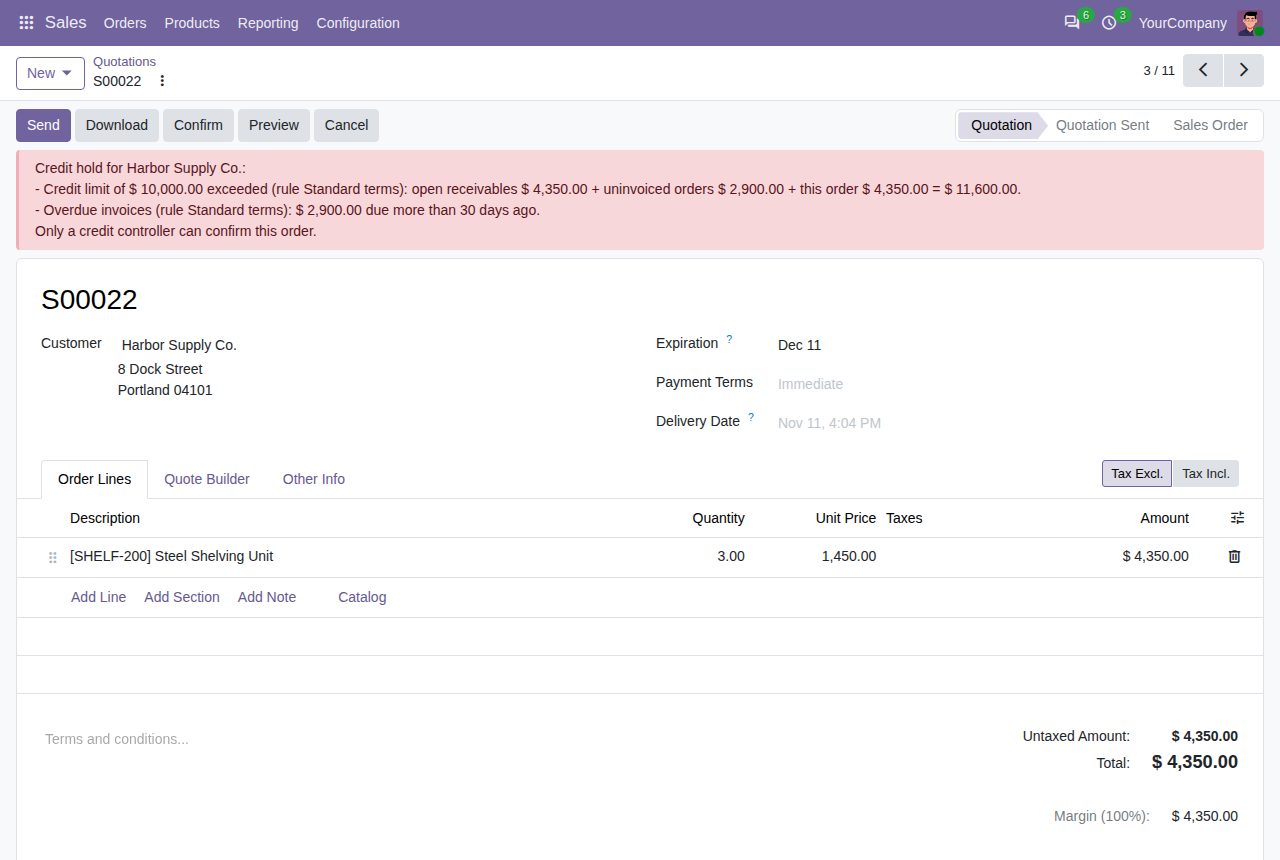
Quotations of customers over their credit limit or with overdue invoices wait for a credit controller.
Odoo's own credit limit only shows a warning, so orders for customers who owe too much still go through. Credit rules set a limit and an overdue check per customer. When a quotation would go over, salespeople see why and cannot confirm it; a credit controller can, and the chatter records it.
A limit per rule: a fixed amount (0 means payment first), the customer's own Odoo credit limit, or no amount limit. Give rules to customers per company, or make one rule the company's default.
Posted invoices and credit notes not yet paid, confirmed orders not invoiced yet (can be switched off) and the new order minus its online payments, in the company currency. Contacts count with their company.
Hold orders while invoices are more than a set number of days past due, with an allowance for small amounts. Paid invoices drop out at once.
A rule can check only orders with given products or product categories, subcategories included.
Put a customer on credit hold with a reason: every new order waits, whatever the amount.
A red banner on the quotation and an error on Confirm list every reason with amounts. Credit controllers and Invoicing administrators confirm anyway; the chatter records who and why.
A quotation signed or partly paid online, or confirmed automatically, stays a quotation with a note and a to-do for its salesperson. Orders paid in full online are never held.
The customer form shows the rule applied, open receivables, uninvoiced orders, overdue amount, limit and credit available in the current company.
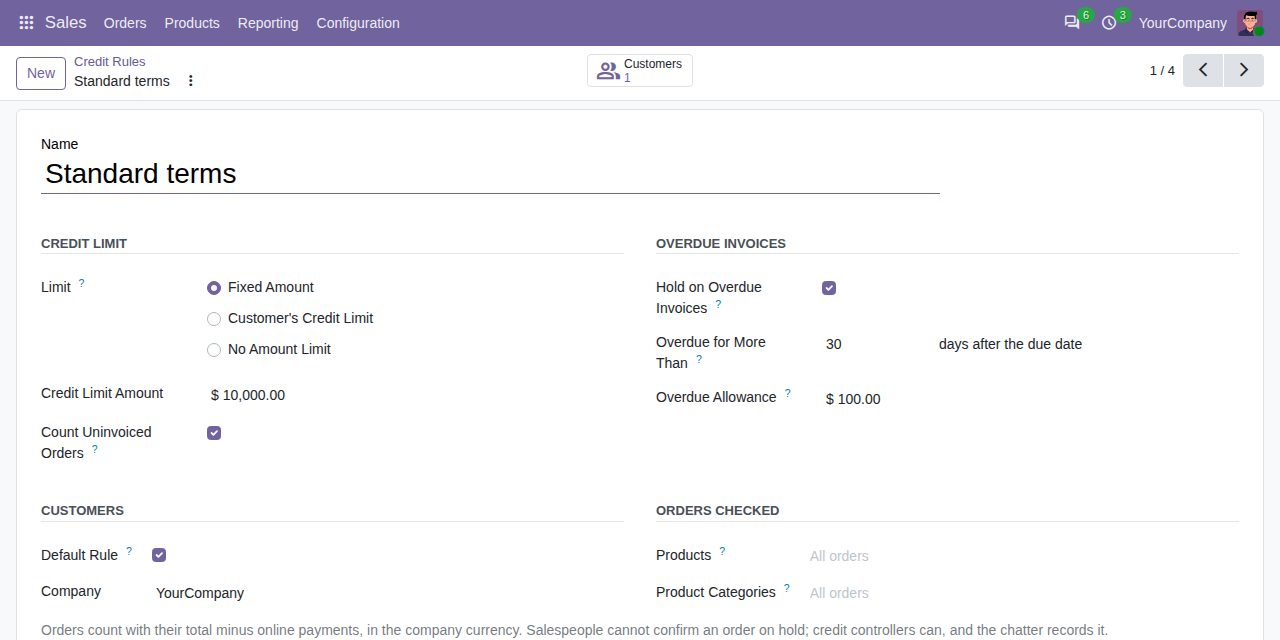
A credit rule: fixed limit, uninvoiced orders counted, overdue check after 30 days.
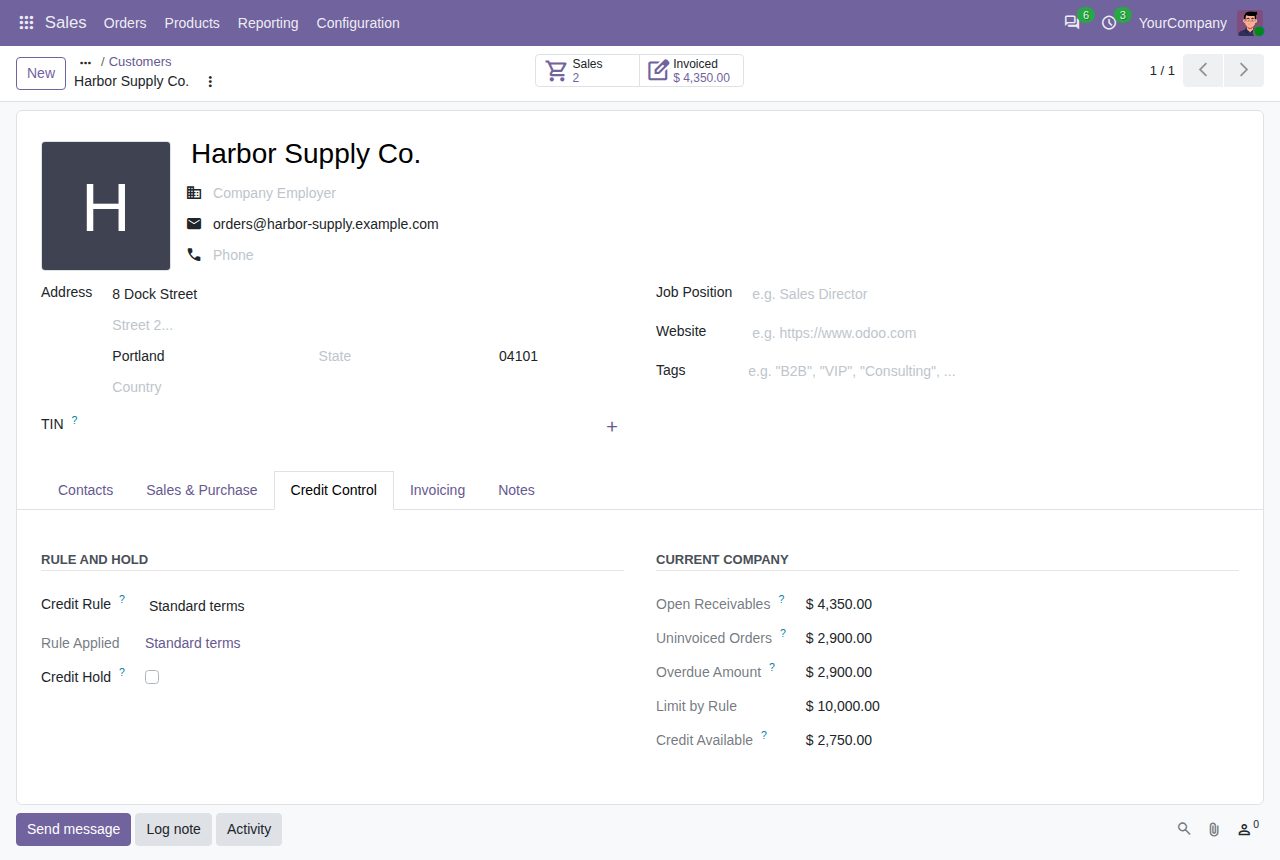
The customer's credit figures in the current company.
We build custom Odoo modules and changes to this one at a fixed price, from €950 excluding VAT. Small modules are usually delivered within five working days, tested on your Odoo version. Describe what you need to hello@bizzkitt.ai.
Bitwerf is a trade name of BizzKitt B.V., Frederikstraat 67, 3034 LD Rotterdam, the Netherlands (KvK 42149345, VAT NL869932354B01). Questions: hello@bizzkitt.ai · Support · Privacy · Terms