Print checks that line up with your check stock: place every field in inches, leave out what the stock already shows, and give each bank journal its own layout.
Odoo's check printing gives you check numbers and a Print Check button, but Odoo Community has no check layout to print with. This module adds layouts you design yourself: choose where the check sits on the sheet, put the date, payee, amount, amount in words, address and memo exactly where your pre-printed stock expects them, and set up the stubs that list the bills you pay. A to-scale preview on the form and a test print help you get it right before the first real check.
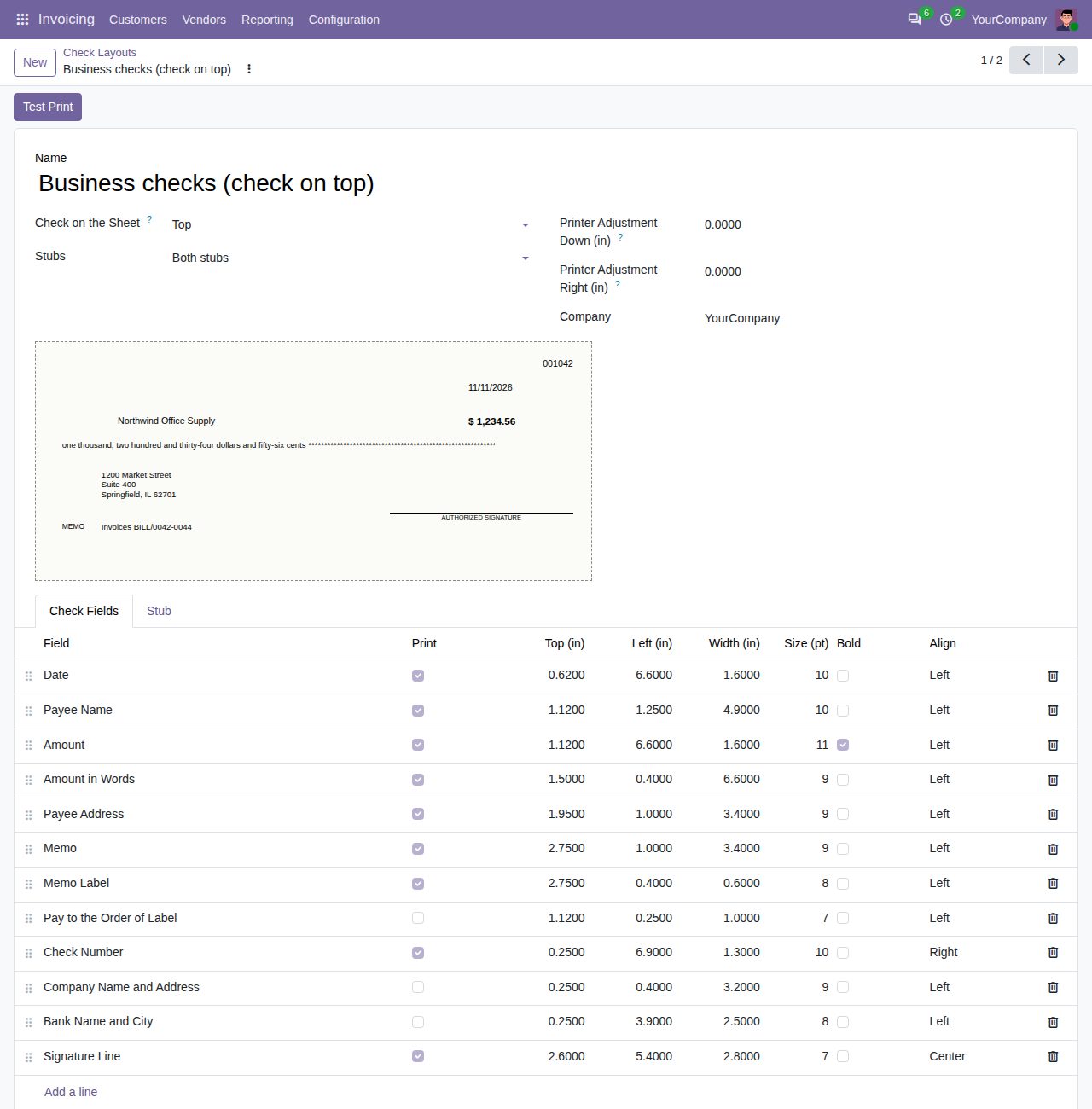
Twelve check fields: date, payee name, amount, amount in words, payee address, memo, the Memo and Pay to the Order of labels, check number, company name and address, bank name and city, and a signature line. Each has its own top and left position and width in inches, a font size from 6 to 24 pt, bold and alignment.
A new layout prints the six fields pre-printed check stock leaves blank: date, payee name, amount, amount in words, payee address and memo. Switch any field on or off; the amount in words is followed by asterisks up to the end of its width.
The US Letter sheet is split in three. Put the check in any third and print both stubs, only the first stub or no stub.
The stub lists the bills the payment settles with due date, reference, original amount, balance due and payment. Rename, hide, reorder and size the columns, choose all lines, row lines or none, and print a header line with payee, date, check number and amount.
The layout form shows the check and the stub to scale with sample data, and the preview follows every change of position, size or column. Test Print prints a sample check with the three thirds of the sheet outlined, to hold against your check stock.
Each bank journal can print its own layout, for example business checks from one account and voucher checks from another. Journals without one use the company's first layout.
When a printer prints slightly off, move everything on the sheet down or right (or up and left) by up to one inch, per layout.
With more bills than fit, the stub ends with a ... line, or continues on extra sheets with a VOID check when the company prints multi-page stubs. Invoicing administrators edit layouts; billing users print checks with them.
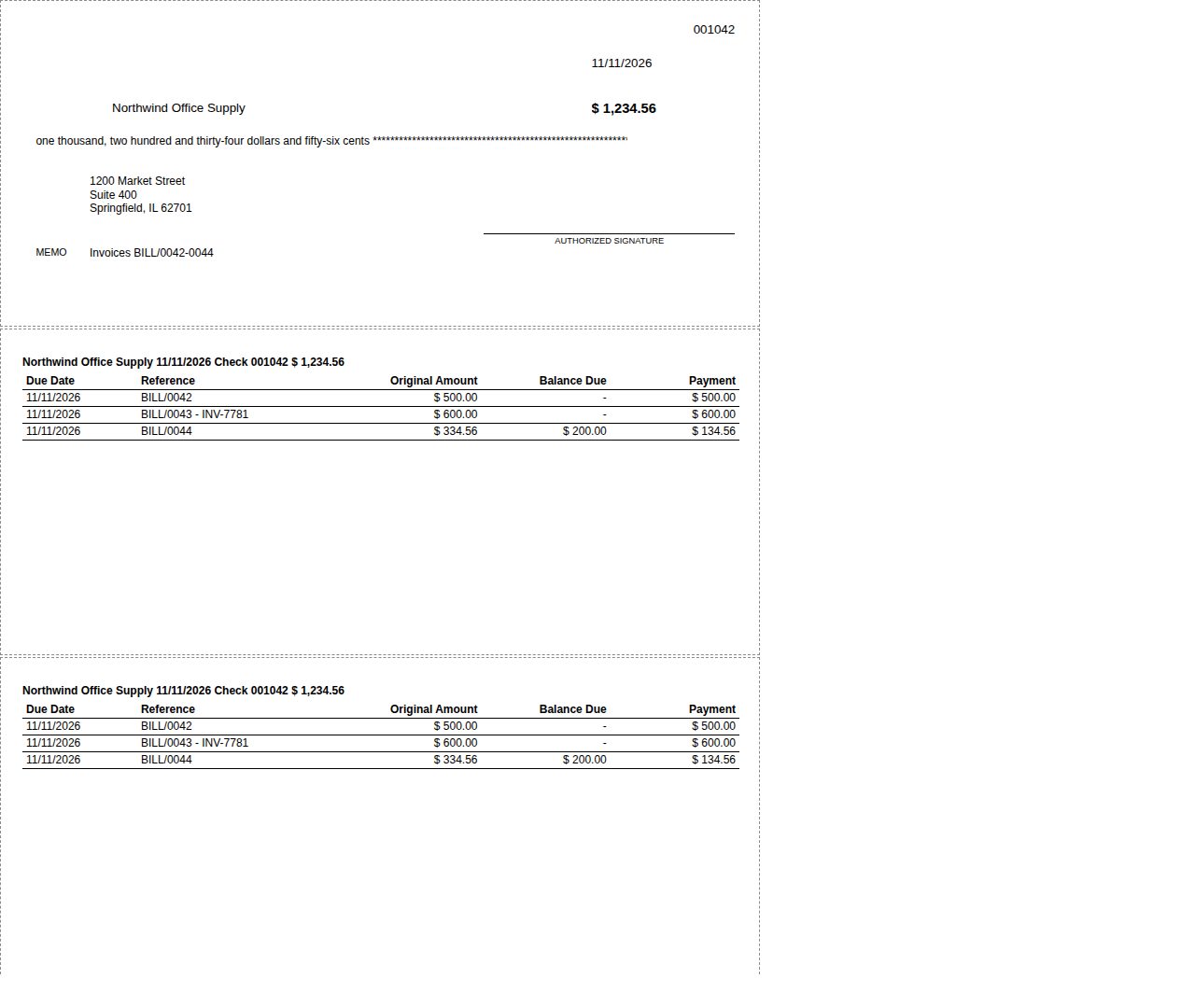
Test Print: a sample check and two stubs with the thirds of the sheet outlined, to hold against your check stock.
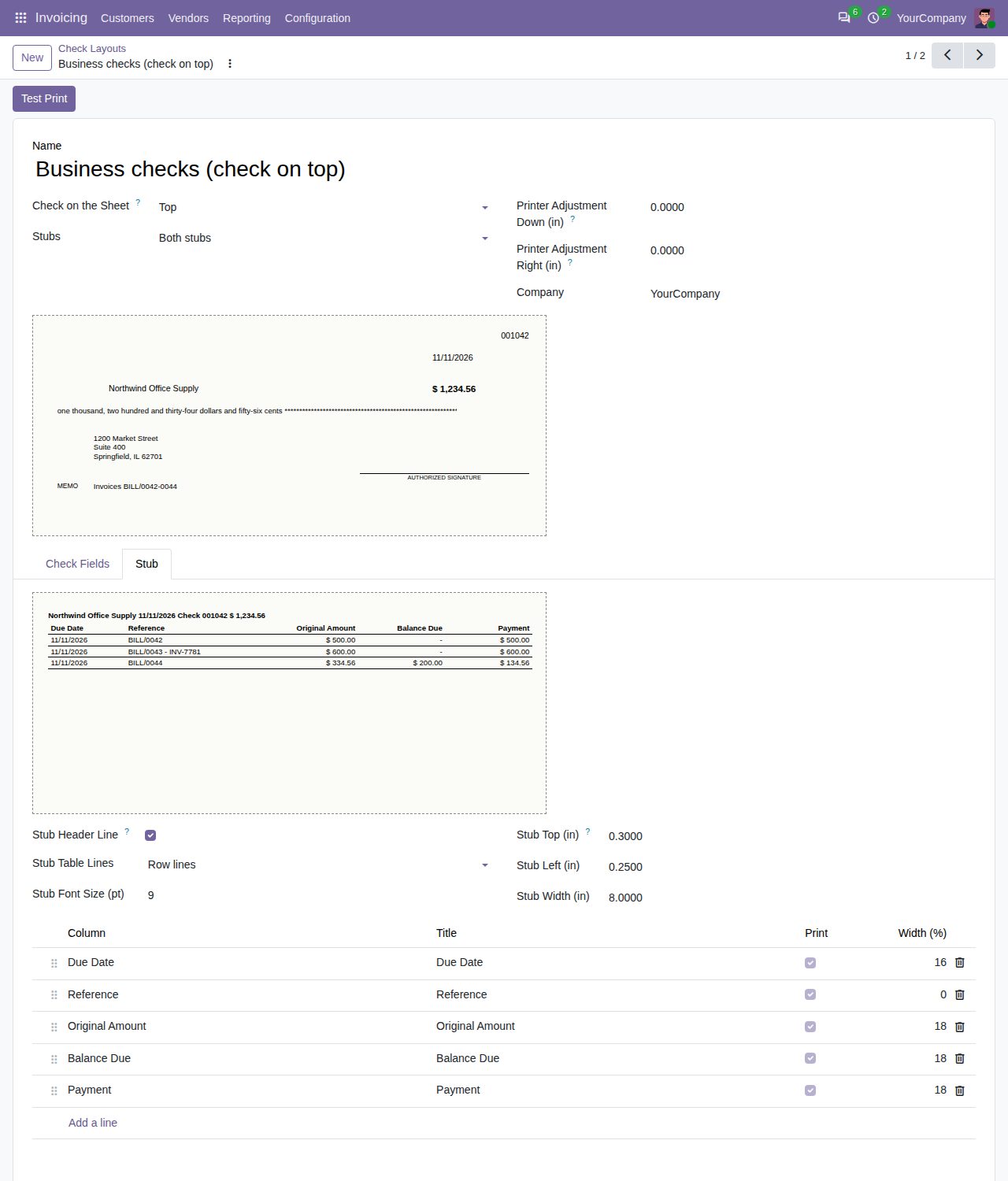
The stub: header line, table lines, position and the columns you rename, hide, reorder and size.
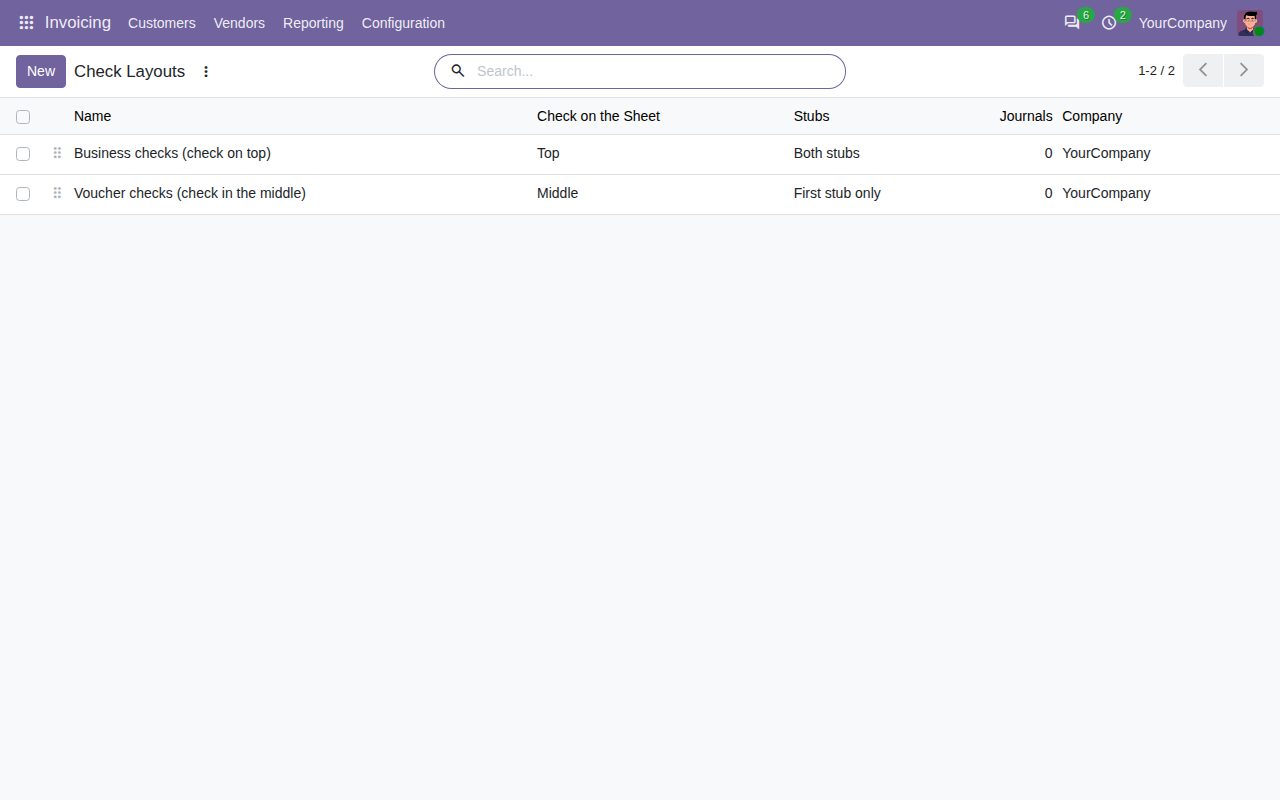
Several layouts, for example one per kind of check stock or per bank journal.
We build custom Odoo modules and changes to this one at a fixed price, from €950 excluding VAT. Small modules are usually delivered within five working days, tested on your Odoo version. Describe what you need to hello@bizzkitt.ai.
Bitwerf is a trade name of BizzKitt B.V., Frederikstraat 67, 3034 LD Rotterdam, the Netherlands (KvK 42149345, VAT NL869932354B01). Questions: hello@bizzkitt.ai · Support · Privacy · Terms