Any number of extra barcodes per product or variant, and Odoo's product fields and searches find them.
Products often carry more than one barcode: the supplier's label, an old code, a case of six. Odoo keeps one barcode per product. This module adds a Barcodes tab where you list the others, per product or per variant, and lets product fields and product searches find the product by any of them, while keeping every barcode unique.
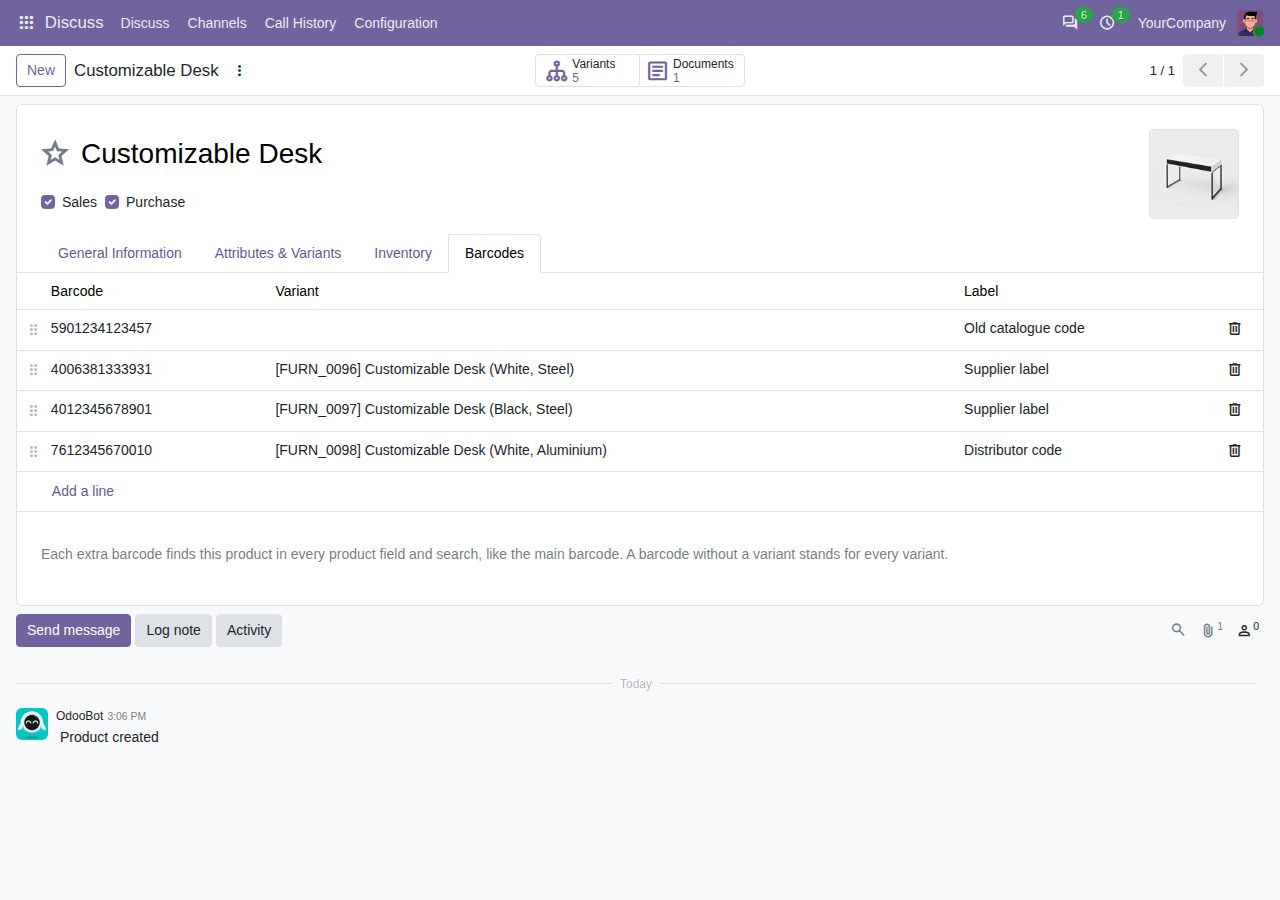
A Barcodes tab on the product form holds any number of extra barcodes, each with an optional label such as Supplier label or Case of 6. Spaces around a pasted barcode are removed.
Give a barcode to one variant, or leave the variant empty so it stands for every variant. The variant form shows its own barcodes and the ones shared by all variants.
Type or scan an extra barcode in a product field, for example on an order line, an invoice line or a vendor price: the product is found and listed first. This works for products and variants alike.
The Product search of the product and variant lists also matches extra barcodes, in part or in full. The Extra Barcodes filter shows the products that have them, and an optional Other Barcodes column lists them.
An extra barcode cannot repeat another extra barcode, a main barcode or a packaging barcode, and a main or packaging barcode cannot take an extra barcode. The message names the product that already has it.
Like Odoo's own barcode check, the check runs within each company and against products shared by all companies, so another company may use the same barcode. Barcodes of other companies' products stay hidden.
One setting allows repeated extra barcodes. A barcode that several products share then lists all of them in product fields.
Extra barcodes import with your products (column Extra Barcodes / Barcode). A duplicated product starts without them, so no barcode is repeated by accident.
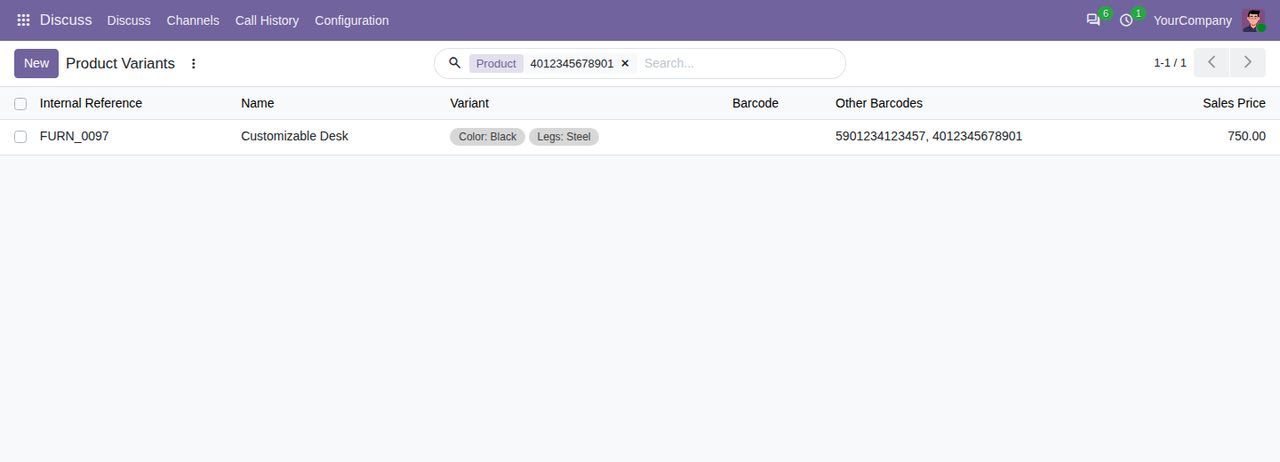
The product search finds a variant by its extra barcode; the Other Barcodes column lists the extra barcodes of each variant.
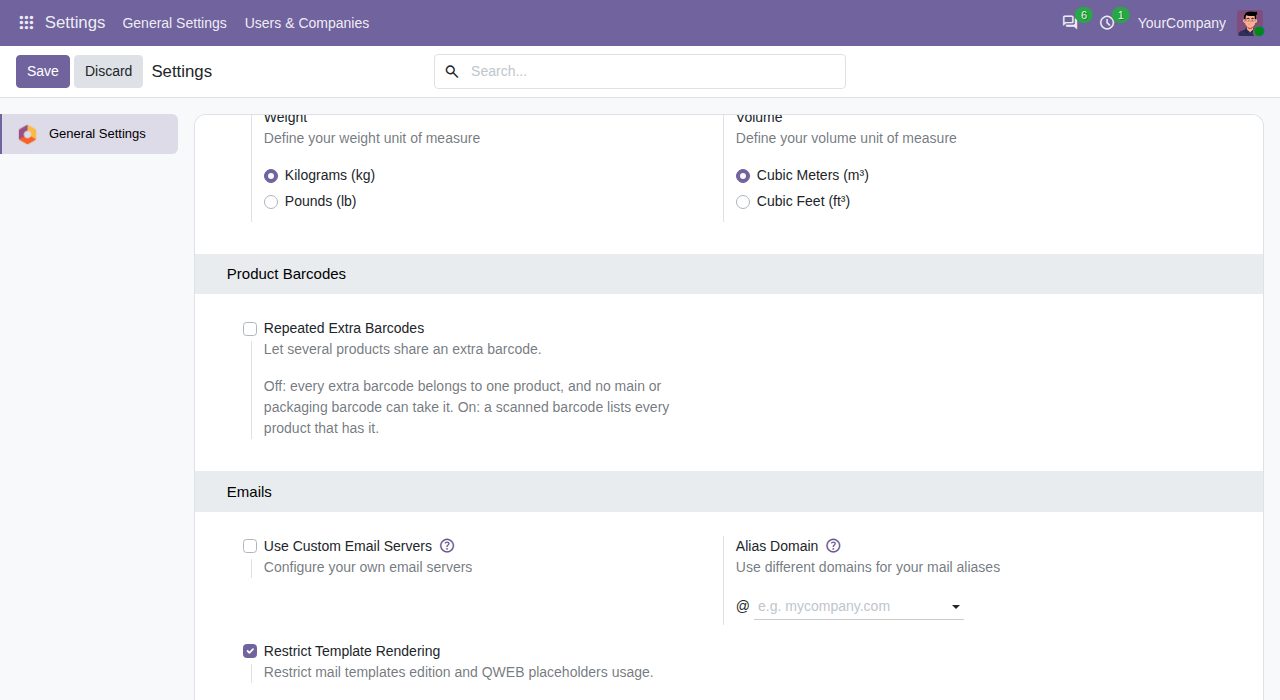
General Settings: repeated extra barcodes are off by default, so every extra barcode belongs to one product.
We build custom Odoo modules and changes to this one at a fixed price, from €950 excluding VAT. Small modules are usually delivered within five working days, tested on your Odoo version. Describe what you need to hello@bizzkitt.ai.
Bitwerf is a trade name of BizzKitt B.V., Frederikstraat 67, 3034 LD Rotterdam, the Netherlands (KvK 42149345, VAT NL869932354B01). Questions: hello@bizzkitt.ai · Support · Privacy · Terms