Stop Odoo from adding followers by itself: creators, assigned users, authors, recipients and others, per document type.
Odoo can make people follow documents without asking: the user who creates a document, the user set as responsible, the author of a message, the contacts a message is sent to, and contacts an app adds in one of its steps. Followers receive the document's later messages, so customers can get discussions meant for your team and users get notifications they never wanted. With Auto-Follow Rules you switch off exactly the additions you do not want, per document type, for external contacts, internal users or both. Adding followers yourself works as before.
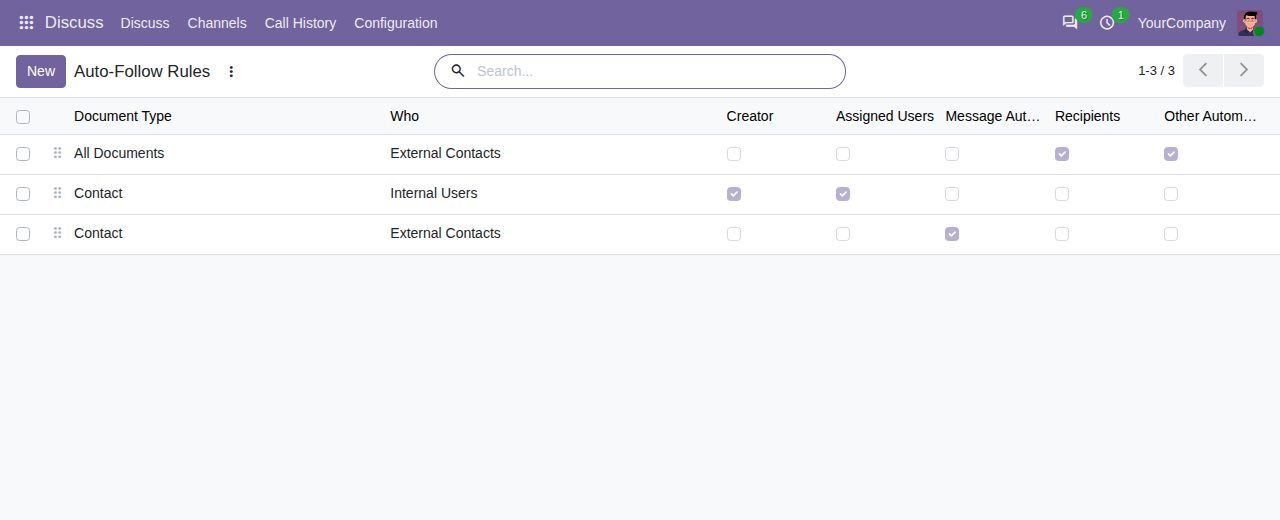
A rule stops any of five additions: the creator of a document, assigned users (such as the salesperson set on a contact), message authors, the recipients of a message, and any other follower Odoo or an app adds by itself.
Pick a document type with a chatter, or leave it empty to cover every document type. A rule for one type leaves the others alone. Archive a rule to pause it.
Each rule covers external contacts (customers, vendors and portal users: contacts without an internal user), internal users, or everyone. A rule for external contacts keeps your colleagues following, and the other way round.
A recipient who is left out of the followers still receives the message sent to them. An assigned user who is left out still gets Odoo's notice that the document was assigned to them.
The Add Followers dialog and the Follow button are never stopped. People who already follow a document keep following it, and their notification settings can still be changed.
On document types where following is what gives access, such as project tasks, or quotations, sales orders and invoices in the customer portal of Odoo 17 and 18, rules leave the people who need that access to Odoo. The rule tells you when this applies.
Open the rules from Settings > General Settings > Discuss > Auto-Follow Rules. Only Settings administrators can see or change them.
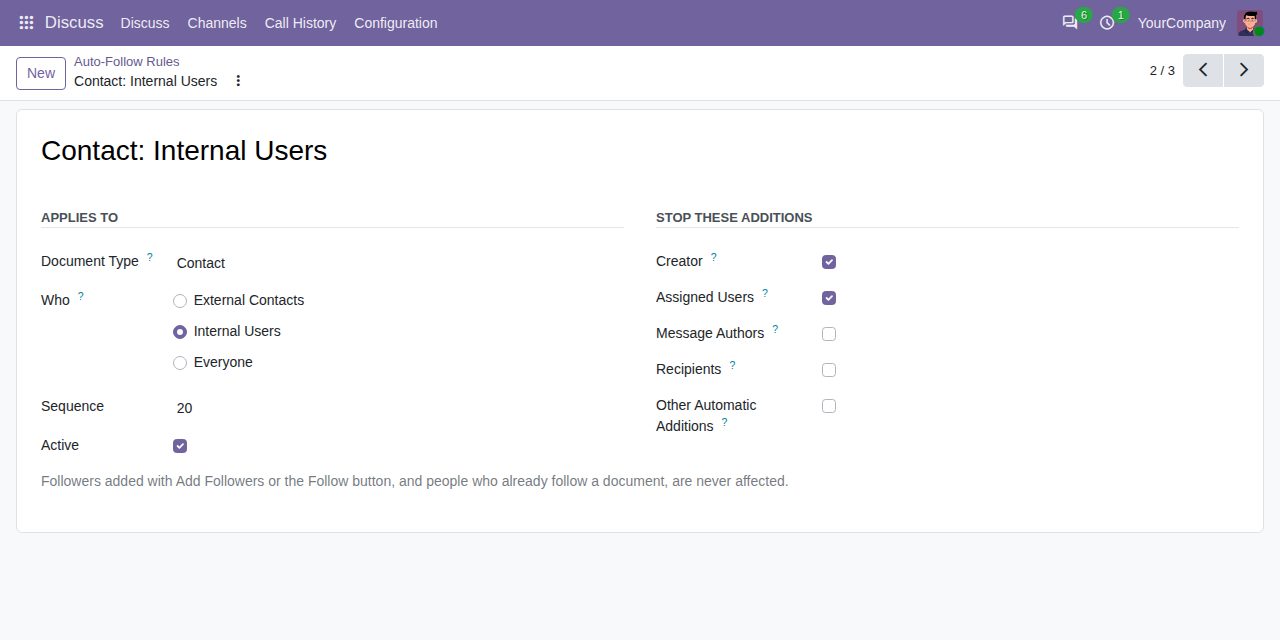
A rule for contacts: internal users no longer follow the contacts they create or are assigned to
We build custom Odoo modules and changes to this one at a fixed price, from €950 excluding VAT. Small modules are usually delivered within five working days, tested on your Odoo version. Describe what you need to hello@bizzkitt.ai.
Bitwerf is a trade name of BizzKitt B.V., Frederikstraat 67, 3034 LD Rotterdam, the Netherlands (KvK 42149345, VAT NL869932354B01). Questions: hello@bizzkitt.ai · Support · Privacy · Terms