Bundle each job's access groups into a role and give users their rights in one step, also for a limited time.
Every new employee means ticking the right groups in every app, and every change of job means remembering which ones to take away. Groups with implied groups make it worse: remove one and the rights it brought often stay behind. This module adds access roles such as Sales Assistant or Warehouse Lead. Give a user one or more roles and the user gets exactly the groups of those roles; change a role once and all its users follow; end a role and its groups go.
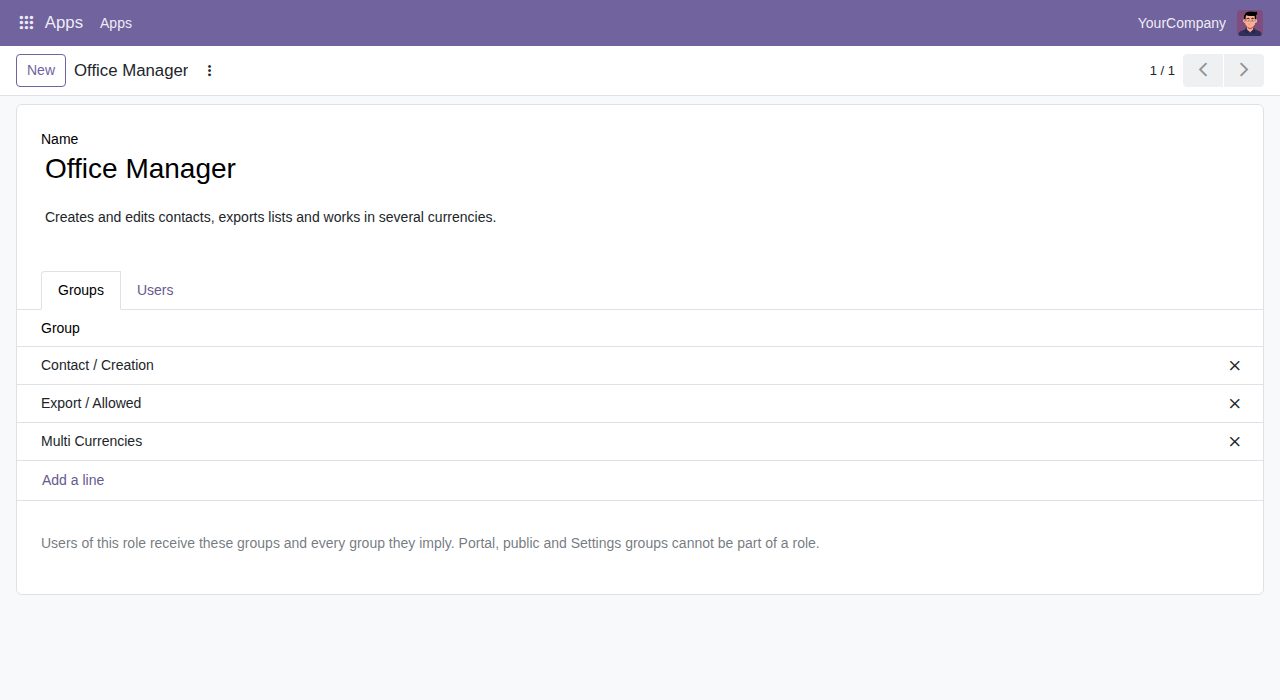
An access role has a name, a description and any groups of any installed app, including your own and third-party ones. Manage them under Settings > Users & Companies > Access Roles.
Give a user as many roles as needed on the new Access Roles tab of the user form. The user list shows each user's current roles, and you can search users by role.
A user with roles has Internal User plus the groups of the current roles, with every group these imply. A removed, archived or deleted role takes its groups away, implied groups included, unless another role still gives them.
Add or remove a group on a role and every user of the role gets the change at once.
Give a role From and Until dates for a substitute, a temporary job or a planned promotion. Each assignment shows Planned, Current or Ended, dates count in the user's time zone, and an hourly check starts and ends the roles.
Groups changed by hand on a user with roles are put back by the hourly check, or at once with the Reapply Access Roles action on the user list. Switch off Groups from Access Roles on a user to manage that user by hand again.
Create Role from Groups on the Access Roles tab turns a user's groups into a new role, without the groups that others already imply, so you can set up roles from the users you have.
Settings administrators are never changed by roles, and a role cannot hold the Settings group, portal or public groups. Only Settings administrators manage roles, roles are for internal users only, and users without roles keep their groups as before.
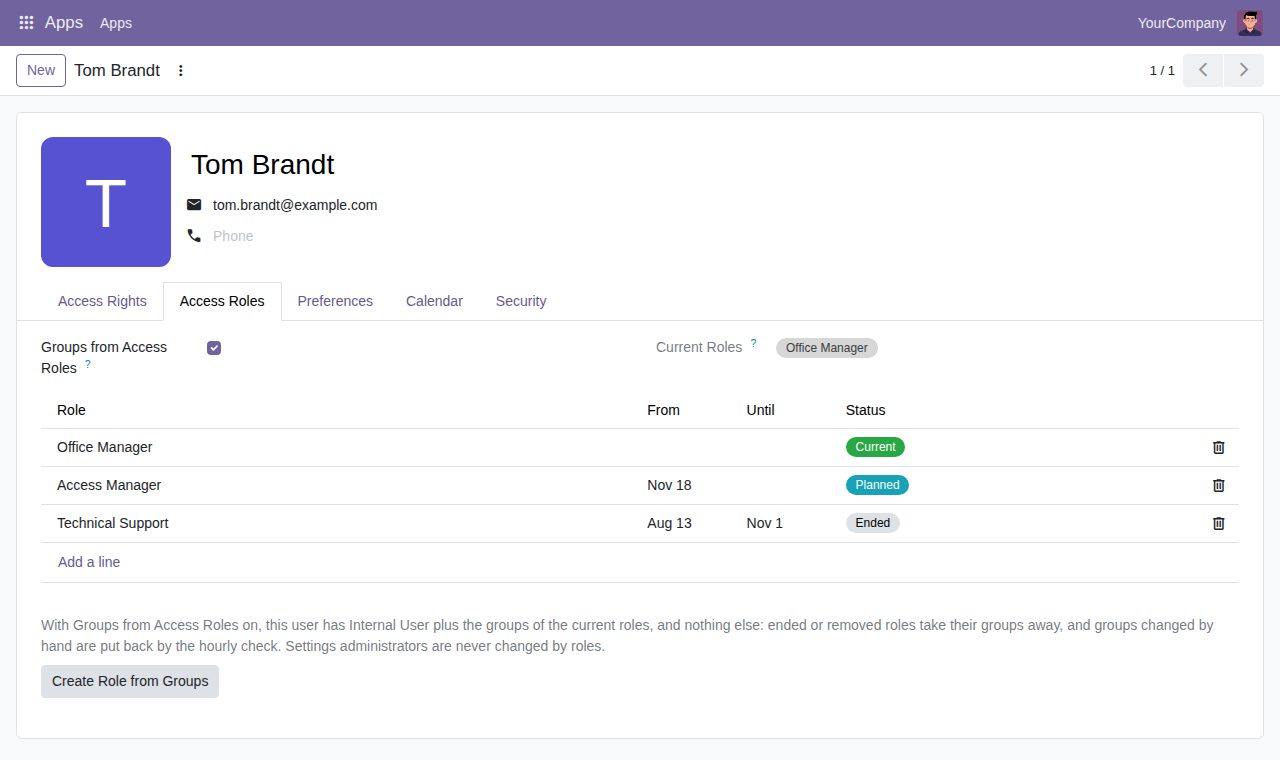
Access Roles tab on a user: current, planned and ended roles with their dates
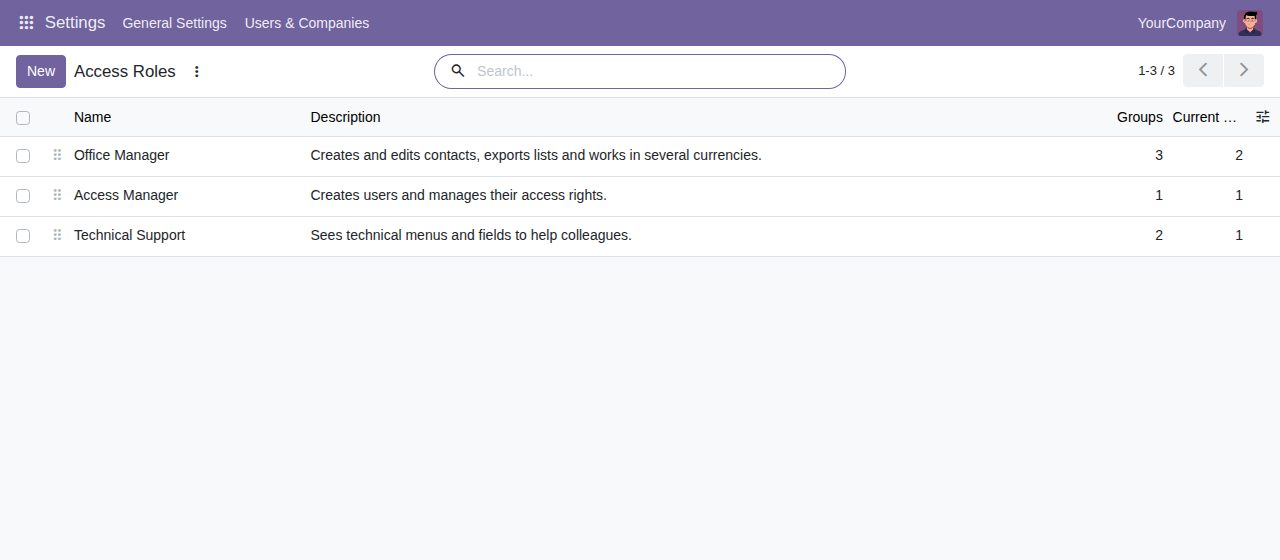
Access roles with their number of groups and current users
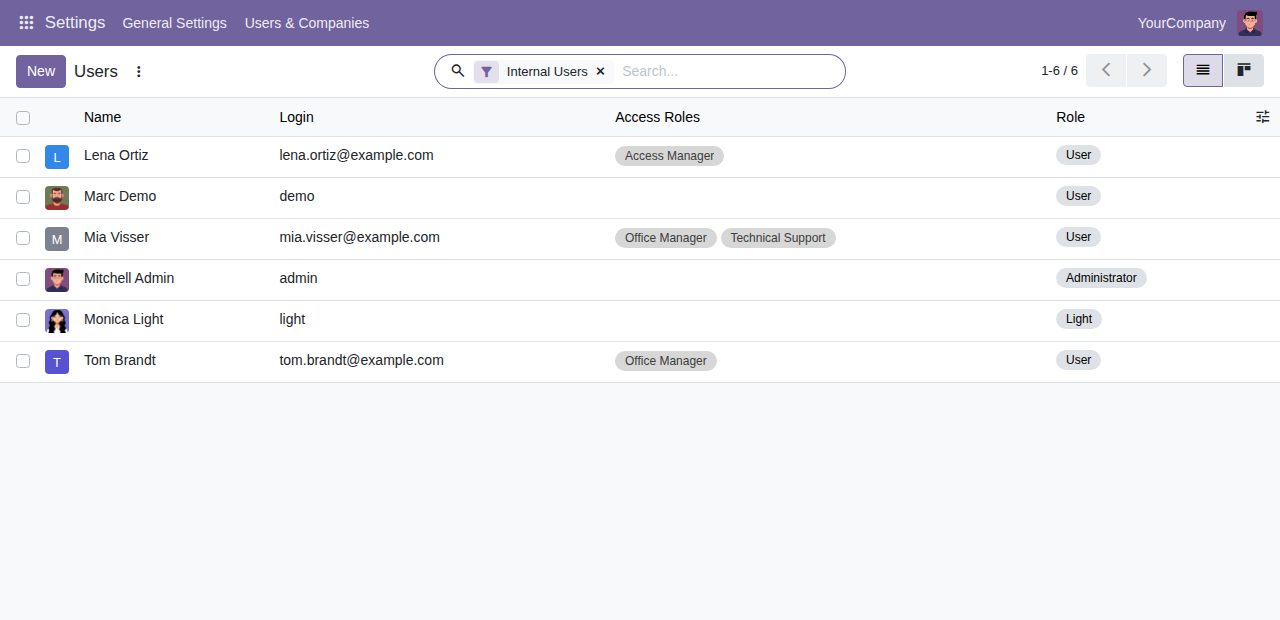
User list with each user's current roles
We build custom Odoo modules and changes to this one at a fixed price, from €950 excluding VAT. Small modules are usually delivered within five working days, tested on your Odoo version. Describe what you need to hello@bizzkitt.ai.
Bitwerf is a trade name of BizzKitt B.V., Frederikstraat 67, 3034 LD Rotterdam, the Netherlands (KvK 42149345, VAT NL869932354B01). Questions: hello@bizzkitt.ai · Support · Privacy · Terms