Limit what a few users may do: hide menus, block create, edit, delete or export per model, or make them read-only.
Some users should only look, others should not delete contacts or export your customer list. Doing that with access groups and record rules takes developer work and is easy to get wrong. Access Restrictions Lite puts it on one form: pick the users, then tick what they may not do. Odoo refuses those actions on the server and takes the buttons away.
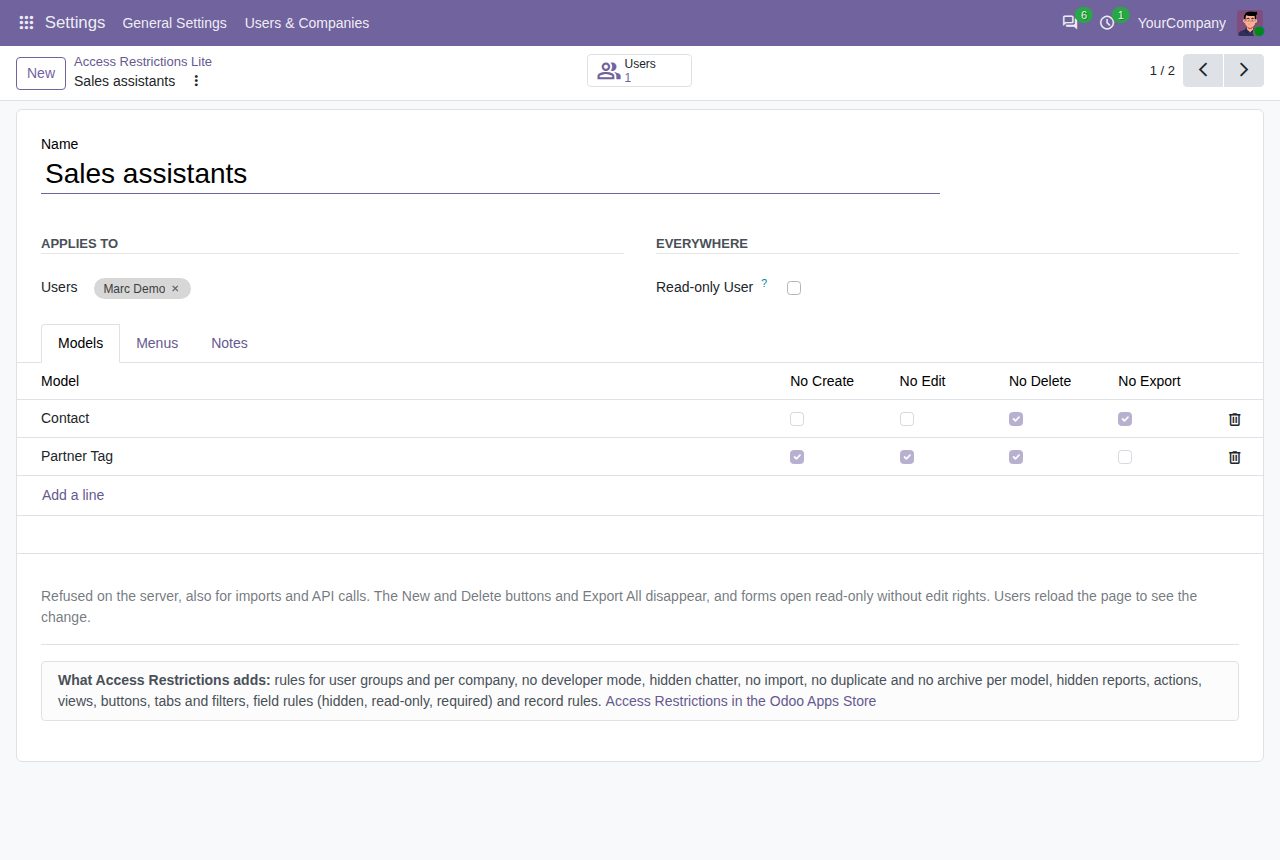
Tick Read-only User and the users can look at every record they could see before, but create, edit and delete nothing in any data model. Dialogs, favourites and personal settings keep working.
Add a model, such as Contact, and tick No Create, No Edit or No Delete. Odoo refuses the action on the server, also for imports and API calls. The New and Delete buttons disappear, and without edit rights forms open read-only. Other models stay open.
No Export refuses exporting the model's records and hides Export All in its lists. Other models can still be exported.
Pick menus to hide: they disappear with all their submenus, and a menu folder whose menus are all hidden disappears too.
Settings administrators, the superuser and portal users are never restricted, and the form names any administrator you picked. Code that runs as superuser is not affected.
Saving, archiving or deleting a rule counts at once on the server. Users reload the page to see their menus and buttons change.
The rules are under Settings > Users & Companies > Access Restrictions Lite, and only Settings administrators can open or change them.
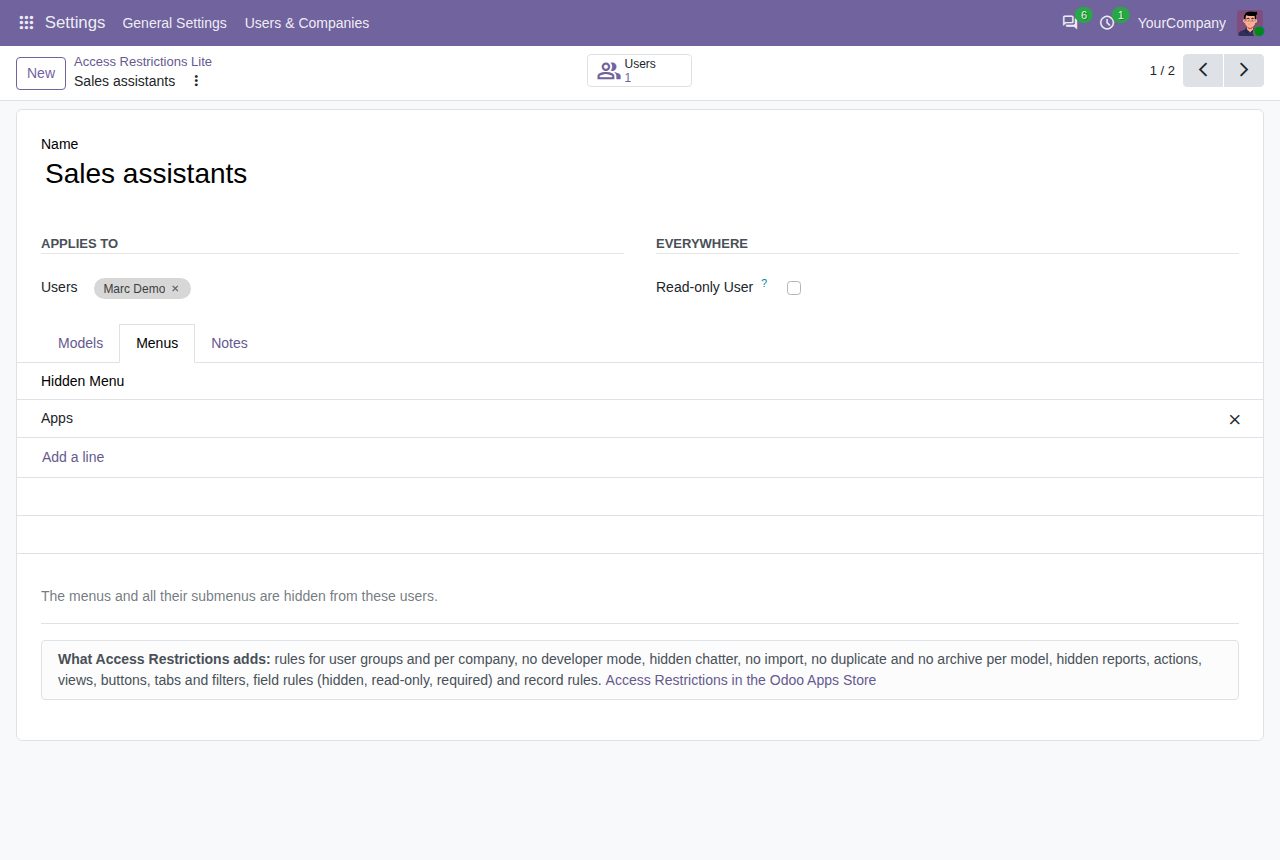
Menus to hide for these users, with all their submenus.
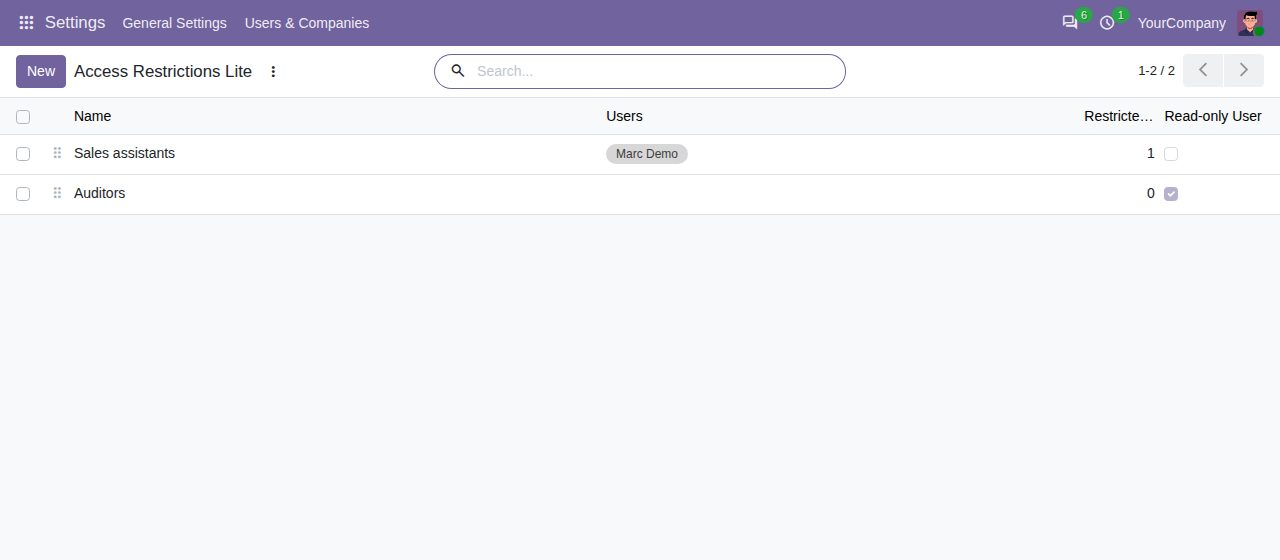
The rules, with their users and read-only users.
We build custom Odoo modules and changes to this one at a fixed price, from €950 excluding VAT. Small modules are usually delivered within five working days, tested on your Odoo version. Describe what you need to hello@bizzkitt.ai.
Bitwerf is a trade name of BizzKitt B.V., Frederikstraat 67, 3034 LD Rotterdam, the Netherlands (KvK 42149345, VAT NL869932354B01). Questions: hello@bizzkitt.ai · Support · Privacy · Terms