Decide per user what they see and may do: menus, models, fields, buttons, records and developer mode, from one form.
Odoo's access groups are shared by many users, and hiding one field, button or menu for one person usually means a new group, a record rule or a view change by a developer. Access Restrictions lets administrators set this up per user, per group and per company in one form, without code. Server checks apply at once, and Settings administrators are never restricted, so nobody locks themselves out.
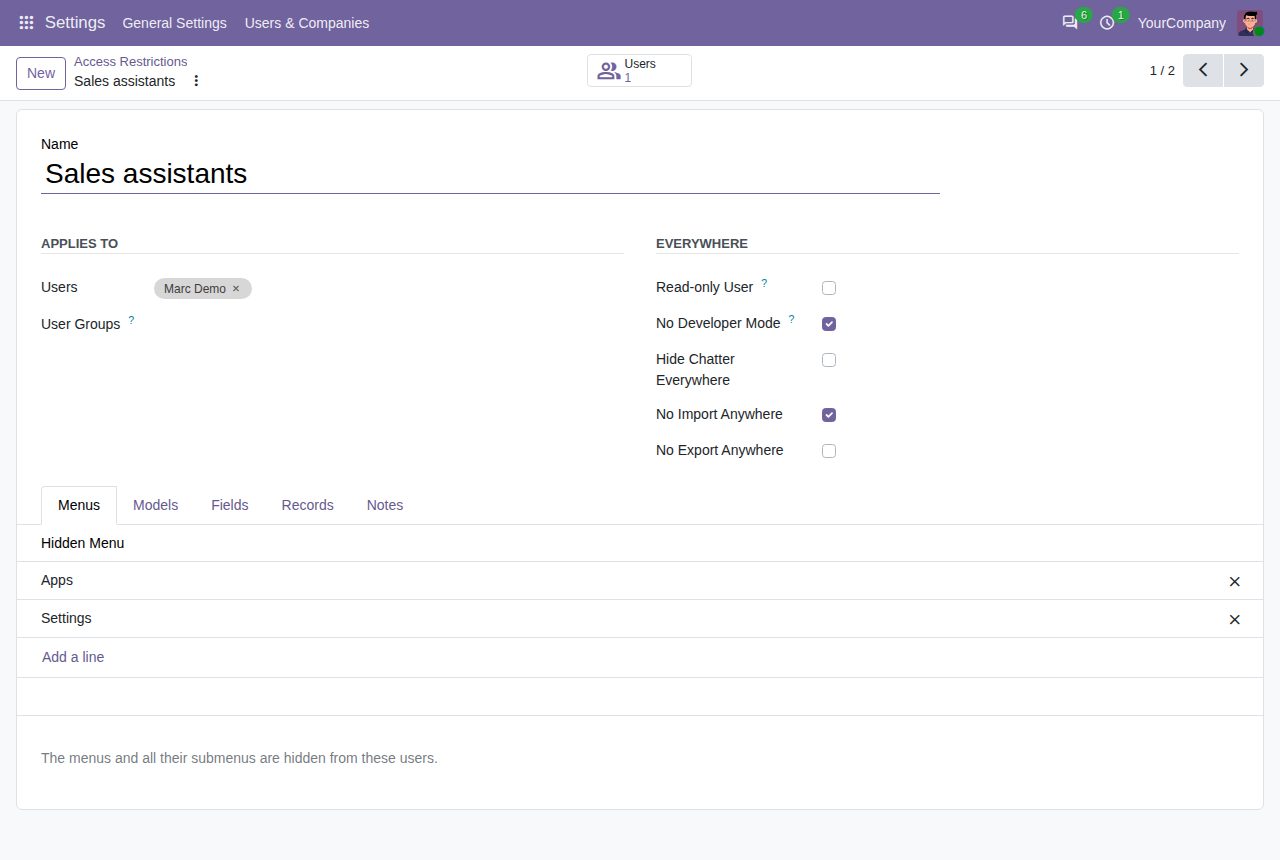
Hide any menu together with all its submenus. App folders that only led to hidden menus disappear as well.
No create, edit, delete, duplicate, archive, import or export on a model: the server refuses them, and the New button and the Delete, Duplicate, Archive, Import and Export All options disappear. Without edit rights, forms open read-only.
One switch: no create, edit or delete on any data model, while dialogs and saved filters keep working.
Make fields invisible in forms, list columns, kanban cards and search, and leave them out of custom filters, grouping, sorting and export. Make fields read-only or required on screens, and remove the open link or the Create option of linked fields.
A domain per model for read, edit, create and delete, using user, company_id and company_ids. The server applies it like a record rule, in every screen, export and API call.
Pick buttons, tabs and search filters from a list read from the model's screens. Hide reports from the Print menu, actions from the Action menu and view types from the menus' screens.
Remove the chatter from chosen models or from every form, and keep developer mode switched off for these users.
Apply a restriction to users, to every user of a group, and only while they work in chosen companies. Archive a restriction to switch it off.
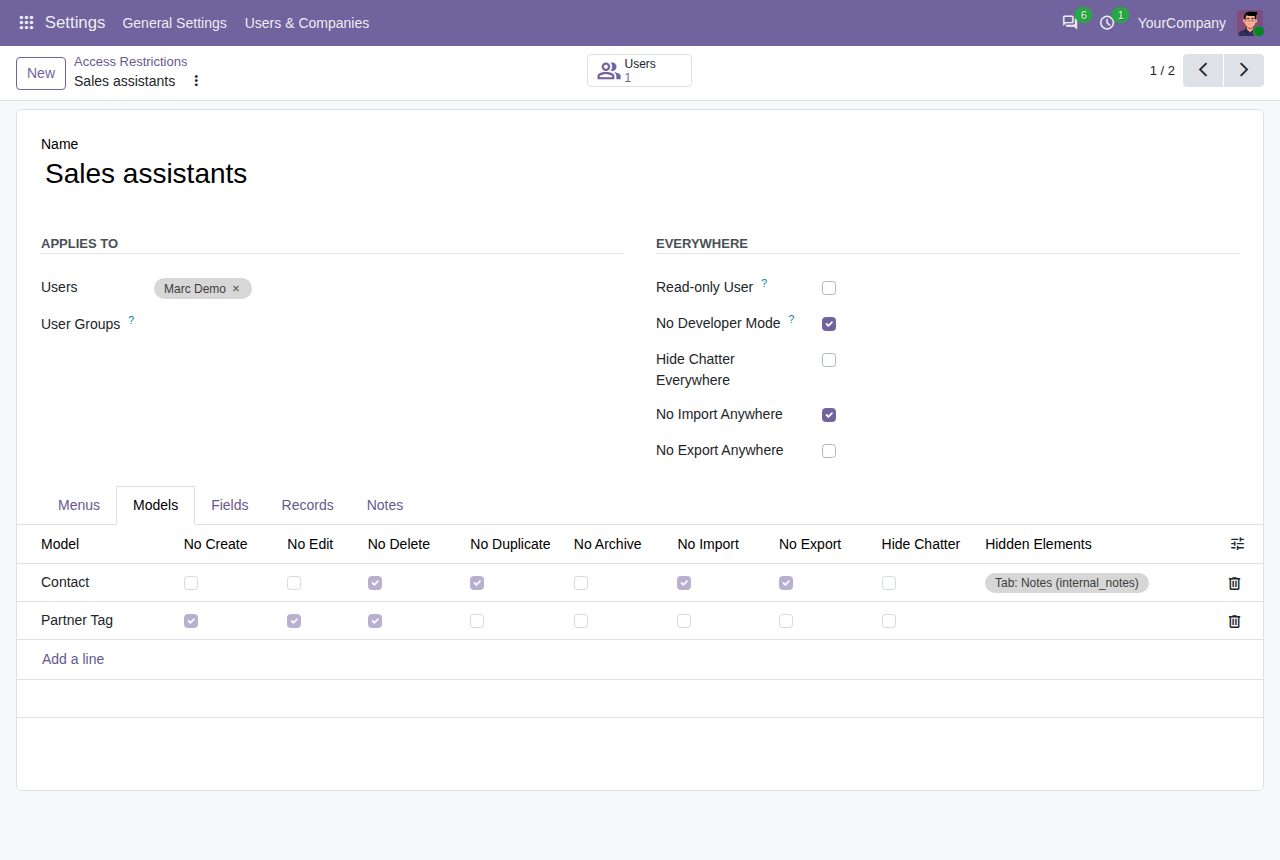
Model lines: refuse create, edit, delete, duplicate, archive, import or export, hide the chatter and chosen buttons, tabs and filters.
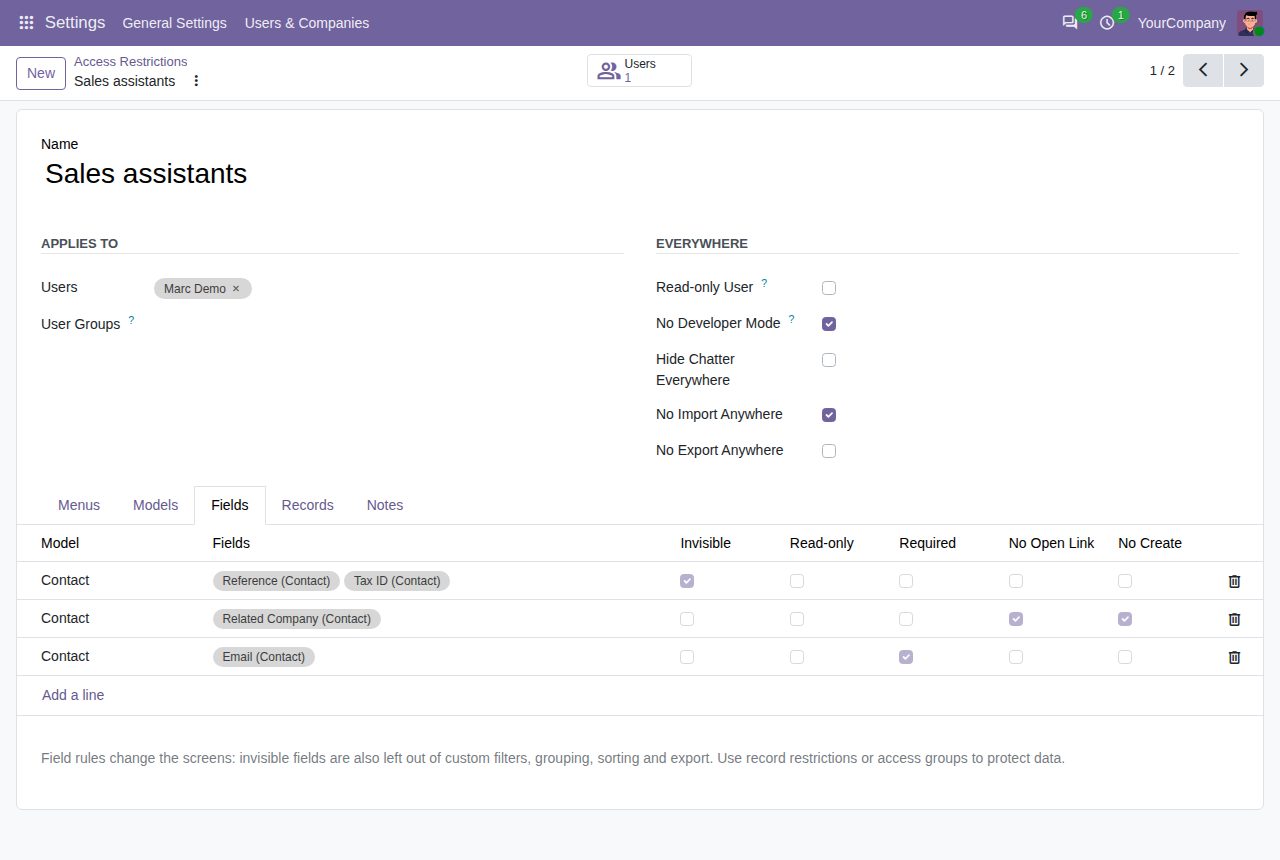
Field lines: invisible, read-only, required, without open link or Create option.
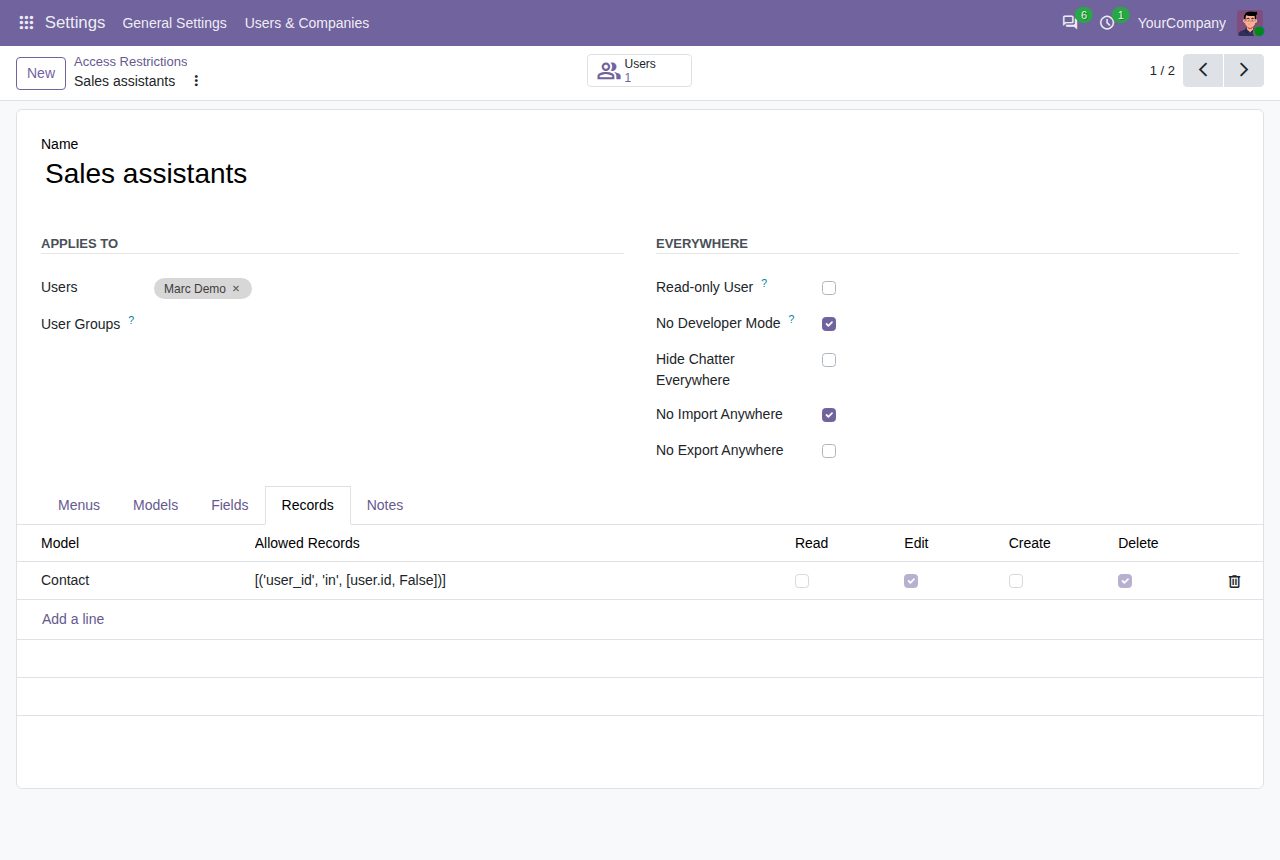
Record lines: the records these users may read, edit, create or delete, as a domain.
We build custom Odoo modules and changes to this one at a fixed price, from €950 excluding VAT. Small modules are usually delivered within five working days, tested on your Odoo version. Describe what you need to hello@bizzkitt.ai.
Bitwerf is a trade name of BizzKitt B.V., Frederikstraat 67, 3034 LD Rotterdam, the Netherlands (KvK 42149345, VAT NL869932354B01). Questions: hello@bizzkitt.ai · Support · Privacy · Terms