Show a live list of Confluence content on any page: decision logs, meeting notes, pages with a label, recently changed pages or anything you can describe in CQL (Confluence Query Language).
Edit a page, type /page report and choose Page report (CQL). Build the query on the left, check the live preview on the right and click Save.
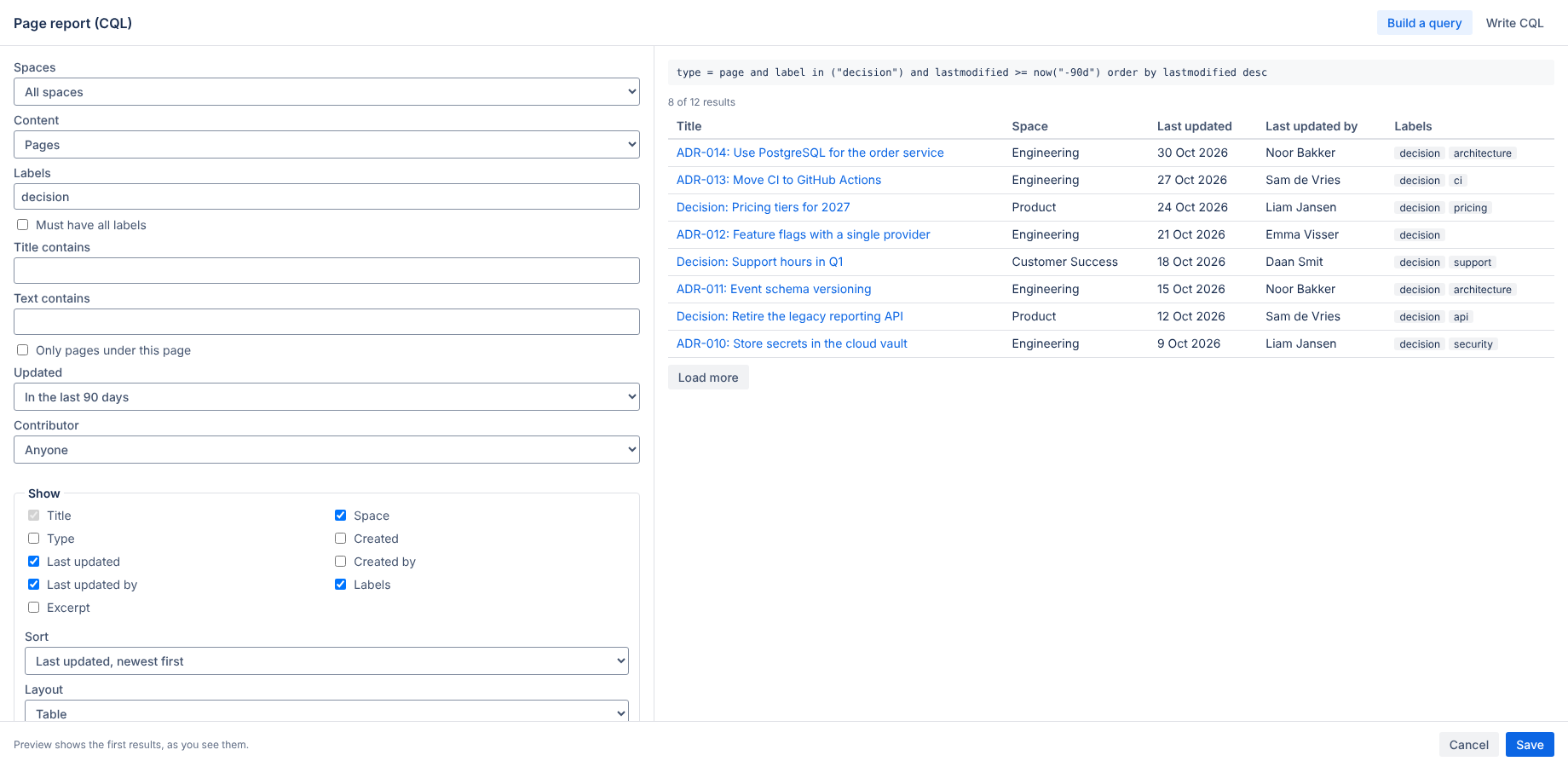
| Option | What it does |
|---|---|
| Spaces | This space, all spaces, or a list of space keys |
| Content | Pages, blog posts, both, attachments or everything |
| Labels | Any of the labels, or all of them |
| Title / text contains | Words in the title or anywhere in the content |
| Only pages under this page | Limits results to descendants of the page the report is on |
| Updated | Changed in the last 7, 30, 90 or 365 days |
| Contributor | Anyone, or the person viewing the page |
Switch to Write CQL for full control. These functions work in reports: currentSpace(), currentContent(), currentUser() and now("-7d"). Example: type = page and label = "decision" and ancestor = currentContent() order by lastmodified desc. See Atlassian's CQL reference.
Pick the columns (title, space, type, created, last updated, created by, last updated by, labels, excerpt), the sort order, a table or list layout and how many results load at once. Load more fetches the next set.
The report runs as the person viewing the page, so everyone only sees content they are allowed to open in Confluence. Two people can see different results on the same page.
The app runs on Atlassian (Forge) with no external servers, analytics or cookies. It reads search results through the Confluence API at view time and stores nothing except the report settings in the page. See the privacy policy.
Email hello@bizzkitt.ai or see support. Bitwerf is a trade name of BizzKitt B.V., the Netherlands.