Write behaviour-driven development (BDD) scenarios in Given / When / Then right on your Jira issues, keep them as living documentation per project and let your build server download them as .feature files and send Cucumber results back.
Get it on the Atlassian Marketplace
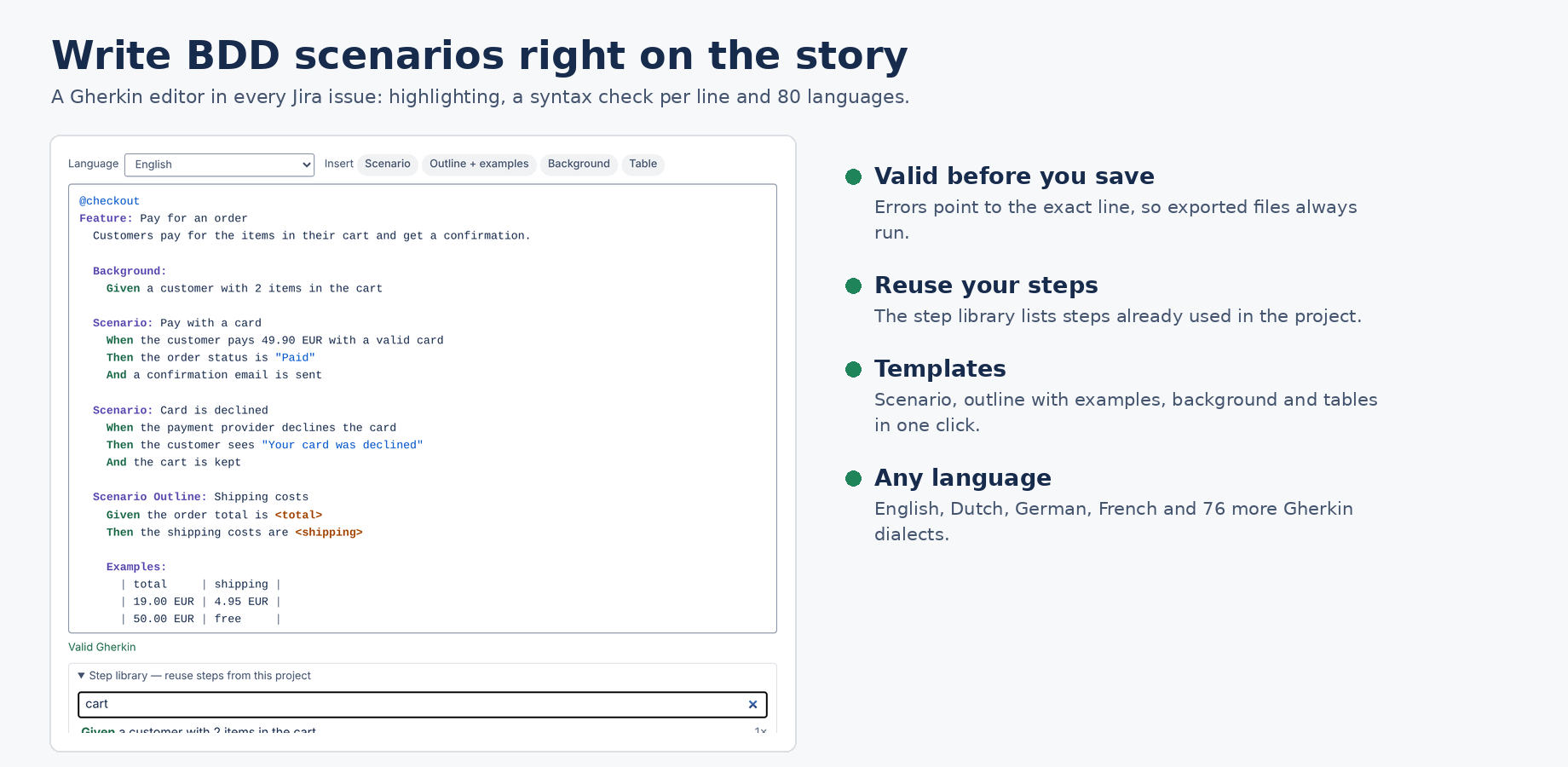
The editor highlights Gherkin keywords, checks the syntax as you type and points to the line with a problem. Saving is blocked while the feature has an error, so exported files always run.
# language: line for you..feature file, tagged with the issue key.| JQL | Finds |
|---|---|
bddScenarios > 0 | Issues with scenarios |
bddStatus = failed | Issues whose last test run had a failing scenario |
bddStatus = passed | Issues where every scenario passed |
bddStatus = none | Issues with scenarios but no test results yet |
Use these in filters, boards and dashboards, for example to keep stories out of Done while their scenarios fail.
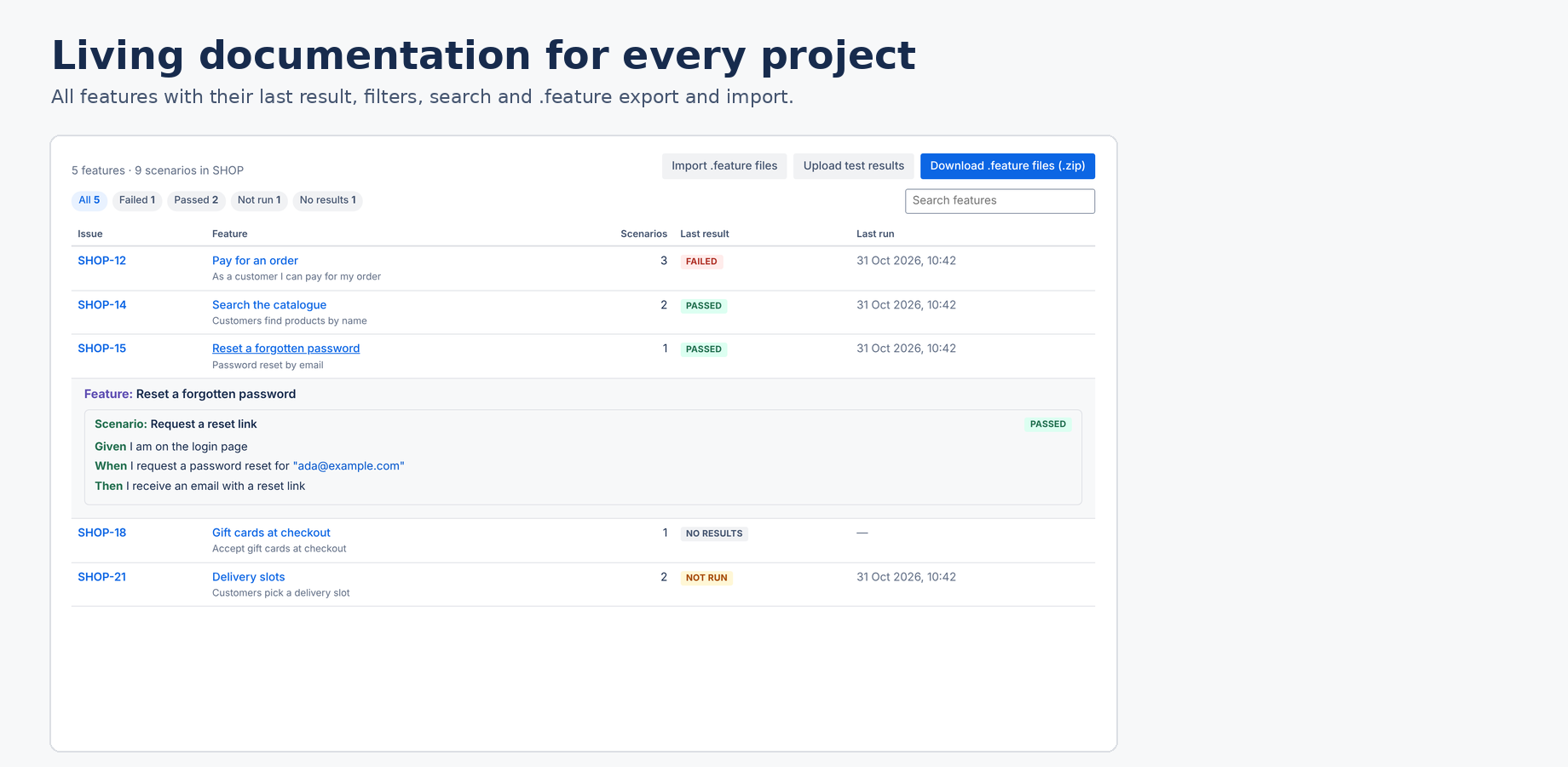
Every project gets a BDD documentation page (in the project's navigation). It lists all features with the number of scenarios, the last result and the time of the last run. You can filter on Failed, Passed, Not run or No results, search, and open a feature to read it.
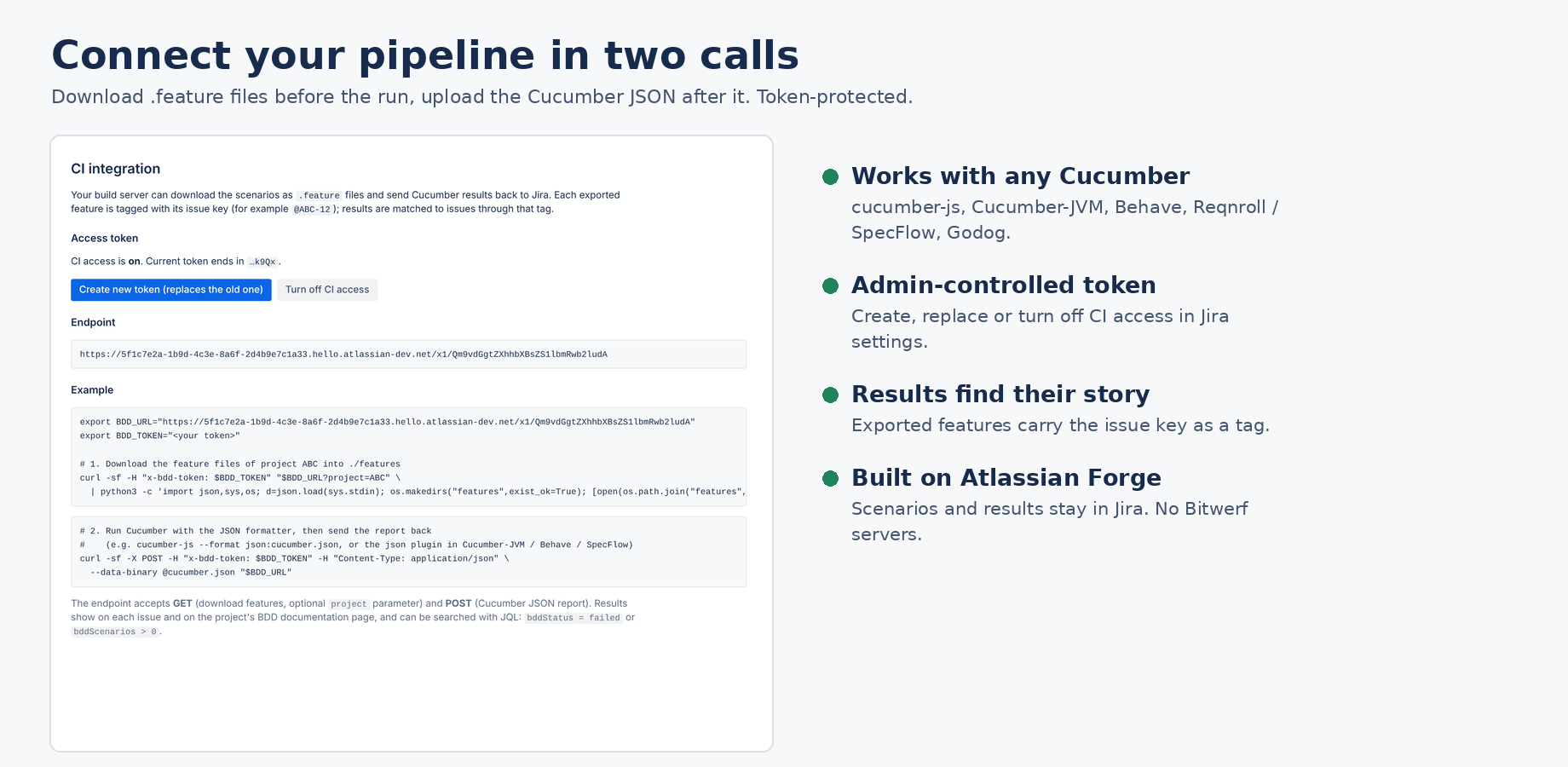
@ABC-12) or a file name that starts with the key (ABC-12-login.feature).A Jira administrator turns this on under Jira settings → Apps → BDD Scenarios by creating a token. That page also shows the endpoint for your site. Store both as secrets in your CI.
export BDD_URL="<endpoint from Jira settings → Apps → BDD Scenarios>"
export BDD_TOKEN="<your token>"

curl -sf -H "x-bdd-token: $BDD_TOKEN" "$BDD_URL?project=ABC" \
  | python3 -c 'import json,sys,os; d=json.load(sys.stdin); os.makedirs("features",exist_ok=True); [open(os.path.join("features",f["path"]),"w",encoding="utf-8").write(f["content"]) for f in d["files"]]; print(d["count"],"feature files")'
Leave out project to export all projects. Each file starts with its issue key as a tag, so results can be matched back.
Run Cucumber with the JSON formatter, for example cucumber-js --format json:cucumber.json, the json plugin of Cucumber-JVM, behave -f json -o cucumber.json, or the JSON formatter of Reqnroll / SpecFlow. Then:
curl -sf -X POST -H "x-bdd-token: $BDD_TOKEN" -H "Content-Type: application/json" \
  --data-binary @cucumber.json "$BDD_URL"
Scenarios are linked to issues through their tags, including tags inherited from the feature. A scenario is failed if any step failed, passed if all steps passed, and not run otherwise. The issue shows the last run; the project page and JQL use it too.
Scenarios and results are stored on the issue as a Jira issue property (bitwerfBdd) on Atlassian's infrastructure. The CI token is kept in the app's Forge storage. The CI endpoint is hosted by Atlassian and only answers callers that send your token; it returns feature files and accepts results, nothing else. Bitwerf runs no servers for this app and cannot see your Jira data. See the privacy policy.
Free trial for 30 days, then priced per user through your Atlassian bill. Teams of up to 10 users pay $0.01 per month.
Email hello@bizzkitt.ai. We answer within 2 business days (Central European Time).
Bitwerf is a trade name of BizzKitt B.V., the Netherlands. Support · Privacy · Terms